Best Wifi Routers for 3,000 Sq ft: 7 Spec-Based Picks
As an Amazon Associate we earn from qualifying purchases. Links on this page are affiliate links.
Finding the best wifi routers for 3000 sq ft requires looking at coverage and capacity. We compared 7 models based on the specifications published on their listings. The Amazon eero 6+ 2-Pack Mesh System leads because it supports 75+ devices across its 3,000 square foot range. This guide helps you decide which router matches your internet speed and home layout. You will see how each model handles multiple connections and large spaces. Read on to find the right hardware for your needs.
Quick picks
The best fit for you
- You want the most reliable mesh system for average homes Amazon eero 6+ 2-Pack Mesh System It covers 3,000 sq ft and supports 75+ devices via a 2-pack setup.
- You need a single router for fast internet plans NETGEAR Nighthawk Tri-Band WiFi 7 Router This Wi-Fi 7 router offers 12 Gbps wireless capacity for a single unit.
- You require 10 Gbps wired ports for home networking ASUS ZenWiFi Tri-Band WiFi 7 Mesh Router The ASUS ZenWiFi BT10 includes 10G ports and covers 3,000 sq ft.
- You manage over 200 devices in a large home Linksys Velop WRT Pro 7 Tri-Band WiFi 7 Router The Linksys Velop WRT Pro 7 supports 200+ devices with OpenWrt features.
Our 7 picks
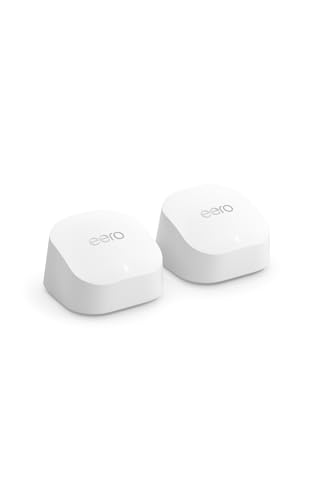
Amazon eero 6+ 2-Pack Mesh System
Best for: homes up to 3,000 sq ft with gigabit plans
- Coverage Area
- 3,000 Sq Ft (what this guide is about)
- Wi-Fi Standard
- Wi-Fi 6
- Device Capacity
- 75+ devices
- Pack Size
- 2-Pack
- Port Speed
- Gigabit
- Dimensions
- 3.94 × 3.82 × 2.6 inches
View on Amazon: Amazon eero 6+ 2-Pack Mesh System Affiliate link
The eero 6+ is a two-router mesh system designed for homes up to 3,000 square feet. It uses Wi-Fi 6 technology with 160 MHz channels to support gigabit internet speeds. The system handles 75+ connected devices simultaneously. It includes a built-in smart home hub for Thread and Zigbee devices. This setup is ideal for users who want reliable coverage and simple management through the eero app.
Pros
- Covers up to 3,000 square feet with two routers
- Supports Wi-Fi 6 with 160 MHz bandwidth channels
- Built-in smart home hub for Thread and Zigbee devices
- Handles 75+ connected devices at once
Cons
- Limited to Wi-Fi 6 standard, not Wi-Fi 7
- Max speeds capped at gigabit, not multi-gigabit
- Advanced security features require a separate subscription
Good fit if
- You need reliable coverage for a home up to 3,000 square feet
- You have 75 or fewer smart home devices to connect
- You want a simple setup guided by the eero app
Skip if
- You require Wi-Fi 7 speeds for future-proofing
- You need internet speeds faster than gigabit
- You want advanced security features included without a subscription
Verdict: eero 6+ Mesh System 2-Pack delivers solid gigabit coverage for average-sized homes. It is a practical pick for users who prioritize ease of use and smart home integration over raw speed.

NETGEAR Nighthawk Tri-Band WiFi 7 Router
Best for: 3,000 sq ft homes with fast internet plans
- Coverage Area
- 3,000 Sq Ft (what this guide is about)
- Wi-Fi Standard
- Wi-Fi 7
- Speed Rating
- BE12000
- Frequency Bands
- Tri-Band
- Device Capacity
- 120 devices
- Max Port Speed
- 2.5 Gbps
View on Amazon: NETGEAR Nighthawk Tri-Band WiFi 7 Router Affiliate link
The NETGEAR Nighthawk RS500 is a tri-band WiFi 7 router designed for homes up to 3,000 square feet. It offers a combined speed of 12 Gbps across 2.4 GHz, 5 GHz, and 6 GHz bands. The device supports up to 120 connected devices simultaneously. It includes two 2.5 Gig LAN ports for high-speed wired connections. You get full control via the Nighthawk app for setup and management.
Pros
- Tri-band WiFi 7 standard with 12 Gbps total speed
- Covers up to 3,000 square feet of space
- Supports up to 120 connected devices
- Two 2.5 Gig LAN ports for multi-gig internet plans
Cons
- Max port speed is 2.5 Gig, lower than the 10G ports on some competitors
- NETGEAR Armor security requires a separate subscription after a 30-day trial
- Coverage may be reduced by walls and floors in larger homes
Good fit if
- You need a single router for a 3,000 square foot home
- You have internet plans faster than 1 Gigabit per second
- You want to connect up to 120 devices simultaneously
Skip if
- You require 10 Gigabit Ethernet ports for future-proofing
- You prefer a mesh system for multi-story coverage
- You want included lifetime security without a subscription
Verdict: NETGEAR Nighthawk RS500 Tri-Band WiFi 7 fits users who need strong single-router coverage for a 3,000 square foot home and want to utilize internet plans over 1 Gigabit.

ASUS ZenWiFi Tri-Band WiFi 7 Mesh Router
Best for: Single-unit homes needing 10G ports
- Coverage Area
- 3,000 Sq Ft (what this guide is about)
- Wi-Fi Standard
- Wi-Fi 7
- Frequency Bands
- Tri-Band
- Max Port Speed
- 10 Gbps
- Pack Size
- 1-Pack
- Features
- Parental Controls
View on Amazon: ASUS ZenWiFi Tri-Band WiFi 7 Mesh Router Affiliate link
The ASUS ZenWiFi BT10 is a single-pack mesh router covering up to 3,000 square feet. It uses Wi-Fi 7 with tri-band speeds up to 18 Gbps. The unit includes two 10 Gbps ports for high-speed wired connections. Eight internal antennas help eliminate dead zones in your home. It offers advanced security features and network management tools for connected devices.
Pros
- Wi-Fi 7 standard with 18 Gbps total speeds
- Two 10 Gbps ports for high-speed wired links
- Tri-band architecture with 6GHz support
- Eight internal antennas for coverage
- AiProtection Pro security included
Cons
- Single pack covers only 3,000 sq ft
- Large physical footprint at 7.32 inches wide
- Heavier build at 1.88 pounds
Good fit if
- You need a single unit for a 3,000 sq ft home
- You want 10 Gbps wired ports for future-proofing
- You prefer Wi-Fi 7 speeds and tri-band performance
Skip if
- You need coverage for more than 3,000 sq ft
- You require a compact router for small spaces
- You are on a tight budget for multi-pack systems
Verdict: The ASUS ZenWiFi BT10 Tri-Band Mesh is ideal for users who need a single high-performance unit for homes up to 3,000 square feet. Its 10 Gbps ports and Wi-Fi 7 speeds suit those prioritizing wired connectivity and next-gen wireless standards.

Amazon eero 6+ 2-Pack Mesh System
Best for: Gigabit homes needing smart hub features
- Coverage Area
- 3,000 Sq Ft (what this guide is about)
- Wi-Fi Standard
- Wi-Fi 6
- Device Capacity
- 75+ devices
- Pack Size
- 2-Pack
- Port Speed
- Gigabit
View on Amazon: Amazon eero 6+ 2-Pack Mesh System Affiliate link
The eero 6+ covers 3,000 sq ft with Wi-Fi 6. It supports gigabit internet speeds and connects 75+ devices. This 2-pack bundle includes two units for whole-home mesh coverage. The system uses TrueMesh technology to manage traffic. It also features a built-in hub for Thread and Zigbee smart devices. You get automatic security updates and app-based management.
Pros
- Covers up to 3,000 sq ft
- Supports Wi-Fi 6 with 160 MHz channels
- Handles 75+ connected devices
- Includes built-in Thread and Zigbee hub
- Two-pack bundle for mesh coverage
Cons
- Limited to Wi-Fi 6 standard
- Max speed capped at gigabit
- Smart features require subscription
Good fit if
- You need coverage for 3,000 sq ft
- You have a gigabit internet plan
- You want to connect Thread devices
Skip if
- You require Wi-Fi 7 speeds
- You need multi-gigabit ports
- You want premium hardware performance
Verdict: Amazon eero 6+ 2-Pack delivers solid 3,000 sq ft coverage for gigabit users. It fits homes that prioritize smart home integration and easy setup over raw speed.
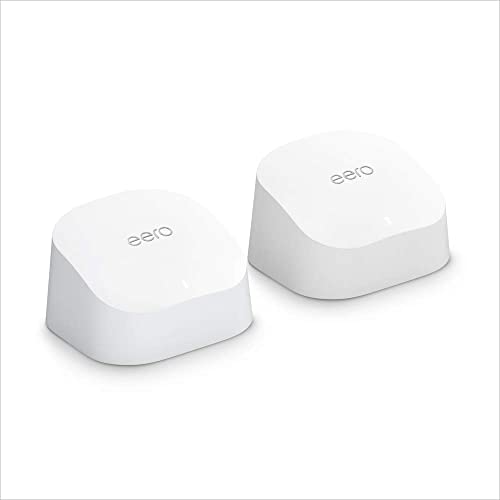
Amazon eero 6 2-Pack Mesh System
Best for: Moderate speed homes up to 3,000 sq ft
- Coverage Area
- 3,000 Sq Ft (what this guide is about)
- Wi-Fi Standard
- Wi-Fi 6
- Frequency Bands
- Dual-Band
- Device Capacity
- 75+ devices
- Pack Size
- 2-Pack
View on Amazon: Amazon eero 6 2-Pack Mesh System Affiliate link
This Like-New eero 6 2-pack delivers Wi-Fi 6 coverage for spaces up to 3,000 square feet. It supports internet plans up to 500 Mbps and handles 75+ connected devices. The system includes a Zigbee smart home hub and app-based management. It suits users with moderate bandwidth needs who want simple whole-home coverage.
Pros
- Wi-Fi 6 standard for improved efficiency
- Covers up to 3,000 square feet
- Supports 75+ connected devices
- Built-in Zigbee hub for smart devices
- Certified refurbished with warranty
Cons
- Dual-band architecture limits throughput
- Maximum speed capped at 500 Mbps
- No 10 Gigabit Ethernet ports
Good fit if
- You need coverage for 3,000 square feet
- Your internet plan is 500 Mbps or lower
- You want a Zigbee hub for smart home devices
Skip if
- You require speeds above 500 Mbps
- You need tri-band performance for heavy congestion
- You want 10 Gigabit wired backhaul
Verdict: Amazon eero 6 2-Pack Mesh System provides reliable Wi-Fi 6 coverage for homes under 3,000 square feet. It is a practical pick for users with internet plans up to 500 Mbps who value smart home integration.
NETGEAR Nighthawk Tri-Band WiFi 7 Router
Best for: multi-gigabit plans in 3,000-square-foot homes
- Coverage Area
- 3,000 Sq Ft (what this guide is about)
- Wi-Fi Standard
- WiFi 7
- Speed Rating
- BE12000
- Frequency Bands
- Tri-Band
- Device Capacity
- 120 Devices
- Max Port Speed
- 2.5 Gbps
View on Amazon: NETGEAR Nighthawk Tri-Band WiFi 7 Router Affiliate link
This tri-band WiFi 7 router provides coverage for up to 3,000 square feet and supports 120 connected devices. It offers BE12000 speeds reaching up to 12 Gbps across three bands. For wired devices, it provides a 2.5 Gbps internet port, one 2.5 Gbps LAN port, and three 1 Gbps ports. It suits you if you want multi-gigabit throughput from one unit.
Pros
- Tri-band WiFi 7 throughput up to 12 Gbps
- Dedicated 2.5 Gbps internet port and one 2.5 Gbps LAN port
- Covers up to 3,000 square feet and 120 devices
- Built-in security with automatic firmware updates
Cons
- Three of the four LAN ports top out at 1 Gbps
- Requires a separate standalone cable or fiber modem
Good fit if
- You have an internet service plan up to 2.5 Gbps.
- You need standalone coverage for a 3,000-square-foot home.
- You run up to 120 wireless devices across three frequency bands.
Skip if
- You need 10 Gbps wired network connections.
- You require an all-in-one gateway with an internal cable modem.
Verdict: NETGEAR Nighthawk Tri-Band WiFi 7 Router delivers 12 Gbps tri-band wireless capacity and 2.5 Gbps wired connectivity for homes up to 3,000 square feet.

Linksys Velop WRT Pro 7 Tri-Band WiFi 7 Router
Best for: Advanced users managing 200+ devices
- Coverage Area
- 3,000 Sq Ft (what this guide is about)
- Wi-Fi Standard
- WiFi 7
- Frequency Bands
- Tri-Band
- Device Capacity
- 200+ Devices
- Max Port Speed
- 2.5 Gbps
- Features
- OpenWrt
View on Amazon: Linksys Velop WRT Pro 7 Tri-Band WiFi 7 Router Affiliate link
The Linksys Velop WRT Pro 7 covers up to 3,000 square feet with WiFi 7 speeds reaching 10,680 Mbps. It supports over 200 devices and uses a 1.5 GHz quad-core processor. You get a 2.5 Gbps WAN port and four 1 Gbps LAN ports. This unit features the OpenWrt LuCI interface for advanced management. It is designed for users who need high device capacity and tri-band performance.
Pros
- WiFi 7 standard with 10,680 Mbps total speeds
- Supports over 200 connected devices
- OpenWrt LuCI web interface for management
- 2.5 Gbps WAN port for high-speed internet
Cons
- Requires OpenWrt expert knowledge for setup
- Only one 2.5 Gbps WAN port
- LAN ports limited to 1 Gbps
Good fit if
- You need to connect more than 200 devices
- You want WiFi 7 speeds up to 10,680 Mbps
- You prefer advanced OpenWrt router management
Skip if
- You need a simple plug-and-play setup
- You require 10 Gbps LAN ports
- You are not comfortable with Linux-based interfaces
Verdict: Linksys Velop WRT Pro 7 Tri-Band Router is a high-capacity mesh solution for tech-savvy users who want WiFi 7 performance and OpenWrt control. It suits those managing over 200 devices in a 3,000 sq ft home who do not need 10 Gbps LAN connectivity.
Specifications side by side
| Spec | Amazon eero 6+ 2-Pack Mesh System | NETGEAR Nighthawk Tri-Band WiFi 7 Router | ASUS ZenWiFi Tri-Band WiFi 7 Mesh Router | Amazon eero 6+ 2-Pack Mesh System | Amazon eero 6 2-Pack Mesh System | NETGEAR Nighthawk Tri-Band WiFi 7 Router | Linksys Velop WRT Pro 7 Tri-Band WiFi 7 Router |
|---|---|---|---|---|---|---|---|
| Wi-Fi Standard | Wi-Fi 6 | Wi-Fi 7 | Wi-Fi 7 | Wi-Fi 6 | Wi-Fi 6 | WiFi 7 | WiFi 7 |
| Speed Rating | not specified | BE12000 | not specified | not specified | not specified | BE12000 | not specified |
| Frequency Bands | not specified | Tri-Band | Tri-Band | not specified | Dual-Band | Tri-Band | Tri-Band |
| Coverage Area | up to 3,000 sq. ft. | 3,000 sq ft | 3,000 sq ft | 3,000 sq. ft. | 3,000 sq. ft. | 3,000 sq. ft. | up to 3,000 sq. ft. |
| Device Capacity | 75+ devices | 120 devices | not specified | 75+ devices | 75+ devices | 120 Devices | 200+ Devices |
| Max Port Speed | not specified | 2.5 Gbps | 10 Gbps | not specified | not specified | 2.5 Gbps | 2.5 Gbps |
| Ethernet Ports | not specified | not specified | not specified | not specified | not specified | 5 | not specified |
| Frequency Band | not specified | Tri-Band | Tri-Band | not specified | not specified | Tri-Band | Tri-Band |
| Pack Size | 2-Pack | not specified | 1-Pack | 2-Pack | 2-Pack | not specified | not specified |
| Features | not specified | not specified | Parental Controls | not specified | not specified | not specified | OpenWrt |
| Port Speed | Gigabit | Gigabit, 2.5G | 10G | Gigabit | not specified | not specified | 2.5G, 10G |
| Intended Use | not specified | not specified | not specified | not specified | not specified | not specified | Home |
| Dimensions | 3.94 × 3.82 × 2.6 inches | not specified | 2.83 × 7.32 × 6.26 inches | not specified | not specified | 9.8 × 5.9 × 4 inches | not specified |
| Weight | 11 ounces | not specified | 1.88 pounds | not specified | not specified | not specified | 1 pounds |
| Size | 2 routers | 12.0 Gbps | 1-Pack | not specified | not specified | 9.8 x 5.9 x 4 in. | not specified |
| Color | WHITE | Black | WHITE | not specified | not specified | Black | Black |
| Model | R010001 | RS500-100NAS | BT10 1PK | not specified | not specified | RS500 | LN6001 |
If you manage large basements, compare pint capacity specs using the best dehumidifiers for 6000 sq ft.
How to choose the right one
-
Match Wi-Fi standard to speed
Your internet plan speed determines the best wireless standard. If you have gigabit service, a Wi-Fi 6 mesh system like the Amazon eero 6+ provides ample coverage for 3,000 square feet. For plans exceeding 1 Gigabit, choose a Wi-Fi 7 router. The NETGEAR Nighthawk RS500 offers 12 Gbps wireless capacity, ensuring you utilize multi-gigabit speeds without bottlenecking. Select the standard that matches your monthly plan to avoid paying for unused performance.
-
Check device capacity limits
Count your connected devices to ensure the router can handle the load. The Amazon eero 6+ supports 75+ devices, which suits most average households. If you manage over 200 devices, consider the Linksys Velop WRT Pro 7, which is designed for high-capacity environments. Exceeding the device limit can cause lag and disconnections. Check the published capacity spec before buying to ensure your smart home ecosystem remains stable and responsive.
-
Select the right pack size
Decide if you need a single unit or a multi-node system. The ASUS ZenWiFi BT10 is a 1-Pack option ideal for single-unit homes needing 10G ports. Most 3,000 square foot homes benefit from a 2-Pack mesh system, like the eero 6+ or eero 6, to eliminate dead zones. A single router may struggle to cover the entire area evenly. Choose the pack size that matches your home layout and coverage needs.
-
Verify port speeds for wired gear
Check the Ethernet port speed if you connect wired devices. The ASUS ZenWiFi BT10 features 10G ports, suitable for users prioritizing wired connectivity. The Linksys Velop WRT Pro 7 offers both 2.5G and 10G ports. Most standard routers provide Gigabit ports, which are sufficient for typical internet plans. If you use NAS drives or high-speed wired connections, ensure the port speed matches your requirements to avoid bottlenecks.
-
Consider frequency band options
Tri-band routers provide an extra dedicated band for backhaul communication. The NETGEAR Nighthawk RS500 and ASUS ZenWiFi BT10 are tri-band Wi-Fi 7 models. This extra band helps maintain speed when nodes communicate with each other. Dual-band systems are common and often sufficient for smaller homes. For larger 3,000 square foot spaces, tri-band can offer more consistent performance by reducing congestion on the main wireless bands.
Frequently asked questions
Can a single router cover 3,000 square feet effectively?
Yes, certain high-performance units handle this area without needing multiple nodes. The NETGEAR Nighthawk RS500 Tri-Band WiFi 7 Router and the ASUS ZenWiFi BT10 are designed for single-unit coverage up to 3,000 square feet. These models use tri-band technology and advanced standards to maintain signal strength across larger spaces.
Which mesh system supports the most connected devices?
The Linksys Velop WRT Pro 7 is built for high device counts. It supports over 200 connected devices, making it ideal for homes with many smart gadgets. Most other options in this range, like the eero 6+, support around 75 devices, which is sufficient for average households but less for dense networks.
Do I need Wi-Fi 7 for a 3,000 square foot home?
Not necessarily, but it helps if you have internet speeds over 1 Gigabit. Wi-Fi 6 models like the Amazon eero 6+ provide solid gigabit coverage for average plans. Wi-Fi 7 routers offer higher total throughput and better efficiency for fast plans, but Wi-Fi 6 remains practical for most users.
What is the difference between a 1-pack and a 2-pack mesh system?
A 1-pack contains a single router unit, while a 2-pack includes two nodes that work together. Single units like the ASUS ZenWiFi BT10 rely on one device for coverage. Two-unit systems like the eero 6+ spread the signal across the home, often providing more consistent coverage in larger areas like 3,000 square feet.
Which router offers the fastest wired ports for home networking?
The ASUS ZenWiFi BT10 features 10 Gbps ports, providing the highest wired connectivity speed in this group. The Linksys Velop WRT Pro 7 also includes 10 Gbps ports alongside 2.5 Gbps options. Most other routers listed offer standard Gigabit ports, which are sufficient for internet plans up to 1 Gigabit.
Are tri-band routers better for large homes than dual-band ones?
Tri-band routers provide an extra wireless channel, reducing congestion for devices. Models like the NETGEAR Nighthawk RS500 and ASUS ZenWiFi BT10 use tri-band architecture. This setup helps maintain performance when many devices are active simultaneously, which is beneficial for large homes with high bandwidth demands.