Best Mesh Wifi Systems Under $500 in 2026: 9 Picks Ranked by Specs
As an Amazon Associate we earn from qualifying purchases. Links on this page are affiliate links.
Finding the best mesh wifi systems under $500 requires balancing wireless throughput, band support, and physical port options. We compared 9 models strictly using the specifications published on their product listings.
The TP-Link Deco Tri-Band Wi-Fi 7 3-Pack earns the top position because it provides tri-band Wi-Fi 7 coverage up to 7,600 square feet alongside 10 Gbps and 2.5 Gbps wired ports. This guide helps you decide which hardware profile matches your home size, network speed requirements, and device load.
Quick picks
The best fit for you
- You need maximum Wi-Fi 7 coverage for large homes TP-Link Deco Tri-Band Wi-Fi 7 3-Pack It provides three Wi-Fi 7 nodes covering up to 7,600 square feet with 10 Gbps wired ports.
- You want a wired multi-gigabit Power over Ethernet setup Amazon eero PoE Gateway 10-Port Router It features dual 10 GbE ports, eight 2.5 GbE PoE ports, and 100W pooled power.
- You need a standalone multi-gigabit Wi-Fi 7 router TP-Link Deco Tri-Band WiFi 7 1-Pack This single unit provides dual 10 Gbps ports and tri-band Wi-Fi 7 capability.
- You require network failover redundancy using cellular backup eero Pro 7 2-Pack with Cellular Backup It provides integrated LTE failover along with dual 5 GbE ports and Wi-Fi 7 connectivity.
Our 9 picks

TP-Link Deco Tri-Band Wi-Fi 7 3-Pack
Best for: large homes needing multi-gigabit network speeds
- Wi-Fi Standard
- Wi-Fi 7
- Speed Rating
- BE10000
- Coverage Area
- up to 7,600 sq.ft.
- Frequency Bands
- Tri-Band
- Pack Size
- 3 Pack
- Port Speed
- 10G
This three-pack tri-band Wi-Fi 7 system covers up to 7,600 square feet and connects over 200 devices. You get BE10000 ratings across 6 GHz, 5 GHz, and 2.4 GHz bands, delivering up to 5,188 Mbps on the 6 GHz band. It includes a 10 Gbps port and four 2.5 Gbps Ethernet ports for fast wired backhaul. It suits you if you need multi-gigabit wired connectivity and extensive wireless coverage.
Pros
- Tri-band Wi-Fi 7 with BE10000 speeds up to 5,188 Mbps on 6 GHz
- Coverage reaches up to 7,600 square feet across three units
- Includes one 10 Gbps port and four 2.5 Gbps Ethernet ports
- Supports simultaneous wired and wireless backhaul
Cons
- Top speed on the 2.4 GHz band is limited to 574 Mbps
- Hardware profile stands 6.93 inches tall
Good fit if
- You need coverage across spaces up to 7,600 square feet.
- You use multi-gigabit internet connections up to 10 Gbps.
- You connect up to 200 devices on a single unified network.
Skip if
- You live in a small space where a 7,600-square-foot system exceeds your layout requirements.
- You require 2.4 GHz throughput faster than 574 Mbps.
Verdict: TP-Link Deco Tri-Band Wi-Fi 7 3-Pack delivers expansive coverage up to 7,600 square feet with 10 Gbps and 2.5 Gbps wired ports. It serves as a capable tri-band network foundation for homes with high device counts and multi-gigabit demands.

TP-Link Deco 7 Pro 2-Pack Wi-Fi 7 System
Best for: Multi-gigabit homes needing wide Wi-Fi 7 coverage
- Wi-Fi Standard
- Wi-Fi 7
- Speed Rating
- BE17000
- Coverage Area
- Up to 6,300 sq. ft.
- Frequency Bands
- Tri-Band
- Pack Size
- 2-Pack
- Port Speed
- 10 Gbps
This 2-pack Wi-Fi 7 mesh system provides up to 6,300 square feet of coverage and handles over 200 devices. You get BE17000 tri-band speeds across 6 GHz, 5 GHz, and 2.4 GHz bands, supported by 320 MHz channel widths and Multi-Link Operation. Each node includes a 10 Gbps port alongside 2.5 Gbps, 1 Gbps, and USB 3.0 connections. It suits you if you run multi-gigabit internet connections.
Pros
- Each unit features a 10 Gbps WAN/LAN port and a 2.5 Gbps port
- Supports BE17000 tri-band Wi-Fi 7 with 320 MHz channels
- Covers up to 6,300 square feet across two units
- Includes a USB 3.0 port on each node
Cons
- Requires a separate standalone modem
- Offers only one 10 Gbps port per unit
Good fit if
- You have an internet plan exceeding 1 Gbps and need a 10 Gbps WAN/LAN port.
- You want coverage for up to 6,300 square feet and more than 200 connected devices.
- You intend to use simultaneous wired and wireless backhaul across two units.
Skip if
- You need a device with a built-in cable or fiber modem.
- You require multiple 10 Gbps LAN ports on each satellite.
Verdict: TP-Link Deco 7 Pro 2-Pack Wi-Fi 7 System delivers high-throughput BE17000 tri-band performance with 10 Gbps wired connectivity for large spaces. It provides fast backhaul options and multi-gigabit wired capability for modern client devices.

Amazon eero PoE Gateway 10-Port Router
Best for: wired multi-gigabit PoE mesh backbones
- Speed Rating
- 9.4 Gbps
- Port Speed
- 10 GbE
- Number of Ports
- 10 Ports
- PoE Support
- PoE
- Dimensions
- 9.84 × 5.28 × 1.77 inches
- Weight
- 2.65 pounds
The Amazon eero PoE Gateway 10-Port Router is a wired router and switch. It features two 10 GbE ports supporting speeds up to 9.4 Gbps, plus eight 2.5 GbE PoE ports. The bundled 140W power supply provides 100W pooled PoE power for compatible access points. You configure and monitor the network through the eero app. It suits you if you need multi-gigabit wired infrastructure to supply power and data to eero access points.
Pros
- Two 10 GbE ports supporting wired speeds up to 9.4 Gbps
- Eight 2.5 GbE PoE ports with 100W pooled power delivery
- Powers up to eight eero PoE 6 or six eero PoE 7 access points
- Included 140W power supply
Cons
- Requires separate access points because it lacks integrated wireless radios
- Advanced security and network management tools require a separate subscription
Good fit if
- You want a wired gateway with dual 10 GbE and eight 2.5 GbE PoE ports.
- You plan to run power and data to separate eero PoE access points.
Skip if
- You need a standalone device that broadcasts Wi-Fi on its own.
- You do not require Power over Ethernet hardware.
Verdict: Amazon eero PoE Gateway 10-Port Router provides wired multi-gigabit routing with dual 10 GbE ports and eight 2.5 GbE PoE ports. It delivers 100W pooled power to operate dedicated access points across your network.

TP-Link Deco Tri-Band WiFi 7 1-Pack
Best for: single-unit multi-gigabit fiber setups
- Wi-Fi Standard
- Wi-Fi 7
- Speed Rating
- BE22000
- Frequency Bands
- Tri-Band
- Pack Size
- 1-Pack
- Port Speed
- 10G
- Device Capacity
- over 200
This is a standalone tri-band Wi-Fi 7 mesh router designed for high-bandwidth setups. You get BE22000 total bandwidth across 6GHz, 5GHz, and 2.4GHz bands, along with 320 MHz channel support. Two 10Gbps ports include an SFP+ fiber combo jack alongside two 2.5Gbps Ethernet ports and a USB 3.0 port. It suits you if you need top-tier wired and wireless throughput from a single central networking node.
Pros
- Dual 10Gbps ports with an SFP+ fiber and RJ45 combo option
- Tri-band Wi-Fi 7 speeds reaching up to 11520 Mbps on 6GHz
- Two 2.5Gbps Ethernet ports plus a USB 3.0 port
- Simultaneous wired and wireless backhaul support
Cons
- Single-node pack provides no mesh satellite units out of the box
- Stands over nine inches tall and weighs 3.22 pounds
Good fit if
- You have a multi-gigabit fiber connection requiring an SFP+ or 10Gbps port.
- You need high-bandwidth Wi-Fi 7 performance for over 200 connected devices.
- You want to connect local network storage using a USB 3.0 port.
Skip if
- You need multi-room coverage right away without purchasing extra nodes.
- You prefer a compact, low-profile router that tucks into tight shelves.
Verdict: TP-Link Deco Tri-Band WiFi 7 1-Pack delivers dual 10Gbps networking and high-tier Wi-Fi 7 bandwidth in a standalone unit. It serves as a powerful single-point foundation that you can expand into a larger mesh system later.

eero Pro 7 2-Pack with Cellular Backup
Best for: uninterrupted multi-gigabit Wi-Fi 7 home networking
- Wi-Fi Standard
- Wi-Fi 7
- Speed Rating
- Up to 3.9 Gbps
- Coverage Area
- 4,000 sq. ft.
- Pack Size
- 2-pack
- Port Speed
- 5 Gbps
- Device Capacity
- 400+
This Wi-Fi 7 mesh package includes two eero Pro 7 nodes and an eero Signal 4G LTE cellular backup unit. The system covers up to 4,000 square feet, supports over 400 connected devices, and delivers wireless speeds up to 3.9 Gbps. Two auto-sensing 5 GbE ports support internet plans up to 5 Gbps. You will benefit from this setup if you require seamless cellular fallback during wired broadband outages.
Pros
- Covers up to 4,000 sq. ft. and supports 400+ connected devices
- Dual auto-sensing 5 GbE ports support internet tiers up to 5 Gbps
- Wireless Wi-Fi 7 speeds reach up to 3.9 Gbps
- Includes eero Signal 4G LTE hardware for automatic failover
Cons
- Cellular backup connectivity requires an annual eero Plus subscription
- Includes only two Ethernet ports per router unit
- Covers less area than three-pack or four-pack alternatives
Good fit if
- You have an internet plan up to 5 Gbps and want multi-gigabit wired ports.
- You need automatic 4G LTE cellular backup to stay online during broadband outages.
- You run a high-density smart home with up to 400 devices across 4,000 sq. ft.
Skip if
- You do not plan to pay for an annual eero Plus subscription for LTE service.
- You require more than two wired Ethernet ports per node for local devices.
- You have a home larger than 4,000 sq. ft. that requires more coverage out of the box.
Verdict: eero Pro 7 2-Pack with Cellular Backup delivers fast Wi-Fi 7 speeds, dual 5 GbE ports, and reliable LTE failover for homes up to 4,000 square feet. It is a solid choice if you need multi-gigabit throughput paired with dedicated cellular redundancy.

NETGEAR Orbi 770 Tri-Band WiFi 7 3-Pack
Best for: homes needing multi-device Wi-Fi 7 coverage
- Wi-Fi Standard
- WiFi 7
- Speed Rating
- up to 11Gbps
- Coverage Area
- up to 8,000 sq. ft.
- Frequency Bands
- Tri-Band
- Pack Size
- 3-Pack
- Port Speed
- 2.5 Gig
The NETGEAR Orbi 770 Tri-Band WiFi 7 3-Pack gives you a router and two satellite extenders engineered for broad residential coverage. It operates on a tri-band Wi-Fi 7 platform delivering transfer rates up to 11Gbps and features dedicated enhanced backhaul. With built-in capacity for over 100 devices and automated firmware updates, this setup suits you if you need modern high-throughput wireless networking across many connected household gadgets.
Pros
- Wi-Fi 7 tri-band speeds up to 11Gbps
- Supports 100+ connected devices
- Three-unit layout with router and two satellites
- Enhanced backhaul for multi-device performance
Cons
- Restricted to operation in the U.S. only
- Does not publish wired Ethernet port counts
Good fit if
- You want Wi-Fi 7 connectivity with speeds up to 11Gbps across your home.
- You manage 100 or more connected devices on your local network.
- You reside in the U.S. and need a three-unit coverage layout.
Skip if
- You intend to use the equipment outside the U.S.
- You need specified multi-gigabit wired Ethernet connections.
Verdict: NETGEAR Orbi 770 Tri-Band WiFi 7 3-Pack delivers speeds up to 11Gbps and tri-band enhanced backhaul across a three-piece system. It provides a high-capacity Wi-Fi 7 setup built to support over 100 connected devices.
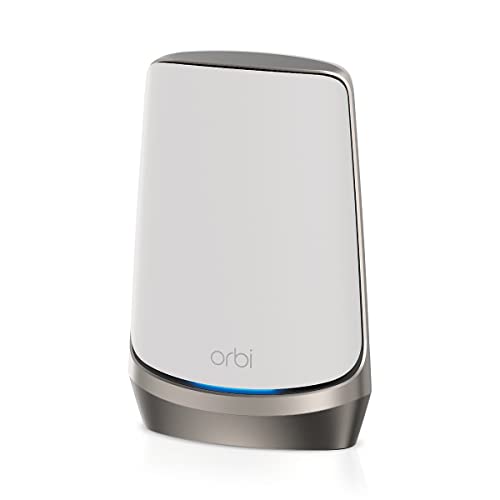
NETGEAR Orbi Quad-Band WiFi 6E Add-On Satellite
Best for: expanding existing compatible Orbi mesh networks
- Wi-Fi Standard
- WiFi 6E
- Speed Rating
- AXE11000 (10.8Gbps)
- Coverage Area
- Up to 3,000 sq. ft
- Frequency Bands
- Quad-Band
View on Amazon: NETGEAR Orbi Quad-Band WiFi 6E Add-On Satellite
This unit is an add-on mesh satellite designed to expand an existing Orbi system. It operates on quad-band WiFi 6E and delivers speed ratings up to AXE11000, or 10.8Gbps across its bands. One unit adds up to 3,000 square feet of coverage to compatible setups like RBRE960, RBKE962, or RBKE963. It suits you if you already own a base Orbi router and need extra coverage.
Pros
- Quad-band frequency design
- AXE11000 speed rating supporting up to 10.8Gbps
- WiFi 6E standard support
- Adds up to 3,000 square feet of coverage
Cons
- Add-on satellite only; requires a separate Orbi router to operate
- Compatibility limited to select Orbi models such as RBRE960, RBKE962, and RBKE963
Good fit if
- You already operate an Orbi RBRE960, RBKE962, or RBKE963 system.
- You want to extend your current network coverage by up to 3,000 square feet.
- You need quad-band WiFi 6E throughput reaching up to 10.8Gbps.
Skip if
- You need a standalone router to start an entirely new home network.
- You use a router model outside the supported RBRE960, RBKE962, or RBKE963 lines.
Verdict: NETGEAR Orbi Quad-Band WiFi 6E Satellite expands compatible Orbi setups by up to 3,000 square feet with AXE11000 speeds. It adds quad-band WiFi 6E performance to homes with an existing supported base unit.

ASUS ZenWiFi Pro Tri-Band WiFi 6E 2-Pack
Best for: large homes wanting Wi-Fi 6E without subscriptions
- Wi-Fi Standard
- WiFi 6E
- Speed Rating
- AXE11000
- Coverage Area
- up to 6000 sq ft
- Frequency Bands
- Tri-Band
- Pack Size
- 2 Pack
- Port Speed
- 2.5G
This ASUS ZenWiFi Pro system is a tri-band Wi-Fi 6E mesh setup that includes two nodes. It covers spaces up to 6,000 square feet and delivers combined speeds up to 11,000 Mbps across three bands, including 6 GHz. It also features 2.5G ports for high-speed wired connections and built-in VPN tools. This setup suits you if you need wide coverage and multi-gigabit wired backhaul without paying ongoing software subscriptions.
Pros
- Covers up to 6,000 square feet with a two-pack setup
- AXE11000 rating with access to the 6 GHz band
- Equipped with 2.5G ethernet ports
- Subscription-free AiProtection Pro security and VPN tools
Cons
- Uses Wi-Fi 6E instead of the newer Wi-Fi 7 standard
- Wired port speed tops out at 2.5G rather than 10G
Good fit if
- You need up to 6,000 square feet of coverage from two units.
- You want tri-band Wi-Fi 6E with 2.5G wired connectivity.
- You prefer built-in network security without subscription fees.
Skip if
- You want the newer Wi-Fi 7 networking standard.
- You require 10G wired network ports.
Verdict: ASUS ZenWiFi Pro Tri-Band WiFi 6E 2-Pack provides up to 6,000 square feet of coverage with 2.5G ports and AXE11000 speeds. It gives you solid multi-gigabit Wi-Fi 6E performance without recurring security costs.
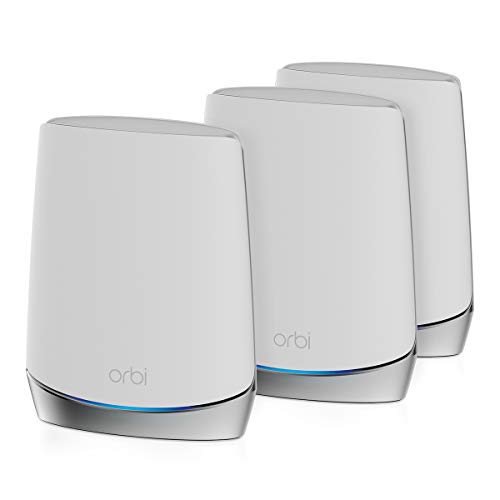
NETGEAR Orbi Tri-Band WiFi 6 Home System
Best for: large homes using standard Wi-Fi 6 devices
- Wi-Fi Standard
- WiFi 6
- Speed Rating
- 4.2Gbps
- Coverage Area
- up to 7,500 sq.ft
- Frequency Bands
- Tri-Band
- Device Capacity
- 40 Devices
- Intended Use
- Home
The NETGEAR Orbi Tri-Band WiFi 6 System is a whole-home mesh setup designed for large spaces. It provides up to 7,500 square feet of wireless coverage and speeds up to 4.2Gbps across three frequency bands. With capacity for up to 40 devices, it suits you if you need wide coverage across a large home without upgrading to newer standards.
Pros
- Covers areas up to 7,500 square feet
- Tri-band architecture with 4.2Gbps total speed rating
- Includes 1-year NETGEAR Armor security
Cons
- Capped at 40 connected devices
- Wi-Fi 6 standard lacks 6GHz frequency access
Good fit if
- You need up to 7,500 square feet of home coverage.
- You want tri-band Wi-Fi 6 speeds reaching 4.2Gbps.
- You connect 40 or fewer devices to your network.
Skip if
- You need the 6GHz spectrum found on Wi-Fi 6E or Wi-Fi 7.
- You run more than 40 devices simultaneously.
Verdict: NETGEAR Orbi Tri-Band WiFi 6 System covers up to 7,500 square feet with reliable 4.2Gbps tri-band throughput. It provides steady Wi-Fi 6 connectivity for households that do not exceed 40 active devices.
Specifications side by side
| Spec | TP-Link Deco Tri-Band Wi-Fi 7 3-Pack | TP-Link Deco 7 Pro 2-Pack Wi-Fi 7 System | Amazon eero PoE Gateway 10-Port Router | TP-Link Deco Tri-Band WiFi 7 1-Pack | eero Pro 7 2-Pack with Cellular Backup | NETGEAR Orbi 770 Tri-Band WiFi 7 3-Pack | NETGEAR Orbi Quad-Band WiFi 6E Add-On Satellite | ASUS ZenWiFi Pro Tri-Band WiFi 6E 2-Pack | NETGEAR Orbi Tri-Band WiFi 6 Home System |
|---|---|---|---|---|---|---|---|---|---|
| Wi-Fi Standard | Wi-Fi 7 | Wi-Fi 7 | not specified | Wi-Fi 7 | Wi-Fi 7 | WiFi 7 | WiFi 6E | WiFi 6E | WiFi 6 |
| Speed Rating | BE10000 | BE17000 | 9.4 Gbps | BE22000 | Up to 3.9 Gbps | up to 11Gbps | AXE11000 (10.8Gbps) | AXE11000 | 4.2Gbps |
| Coverage Area | up to 7,600 sq.ft. | Up to 6,300 sq. ft. | not specified | not specified | 4,000 sq. ft. | up to 8,000 sq. ft. | Up to 3,000 sq. ft | up to 6000 sq ft | up to 7,500 sq.ft |
| Frequency Bands | Tri-Band | Tri-Band | not specified | Tri-Band | not specified | Tri-Band | Quad-Band | Tri-Band | Tri-Band |
| Pack Size | 3 Pack | 2-Pack | not specified | 1-Pack | 2-pack | 3-Pack | not specified | 2 Pack | not specified |
| Port Speed | 10G | 10 Gbps | 10 GbE | 10G | 5 Gbps | 2.5 Gig | not specified | 2.5G | not specified |
| Device Capacity | over 200 | Over 200 devices | not specified | over 200 | 400+ | 100 Devices | not specified | not specified | 40 Devices |
| Frequency Band | Tri-Band | Tri-Band | not specified | Tri-Band | not specified | Tri-Band | Quad-Band | Tri-Band | Tri-Band |
| Number of Ports | not specified | not specified | 10 Ports | not specified | not specified | not specified | not specified | not specified | not specified |
| PoE Support | not specified | not specified | PoE | not specified | not specified | not specified | not specified | not specified | not specified |
| Features | not specified | not specified | not specified | not specified | not specified | not specified | not specified | VPN, Parental Controls | not specified |
| Intended Use | Home | Home | not specified | Home | not specified | not specified | not specified | not specified | Home |
| Dimensions | 4.23 × 4.23 × 6.93 inches | 7.8 × 4.65 × 4.65 inches | 9.84 × 5.28 × 1.77 inches | 5.04 × 5.04 × 9.29 inches | not specified | not specified | not specified | 4.53 × 4.53 × 9.49 inches | 12.6 × 9.84 × 7.72 inches |
| Weight | 4.98 pounds | 4.19 pounds | 2.65 pounds | 3.22 pounds | not specified | not specified | not specified | 3.31 pounds | 1.9 pounds |
| Size | 3 Pack | 2 Pack | not specified | 1 Pack | 2-pack | 3-Pack | not specified | 2 Packs | not specified |
| Color | White | White | CHARCOAL | White | not specified | not specified | White | black | White |
| Model | Deco BE63(3-Pack) | Deco BE77(2-Pack) | U010001 | Deco BE85(1-Pack) | not specified | not specified | RBSE960-100NAS | ET12(2-PK) | RBK753S-100NAS |
Trade-Offs To Consider Under $500
Hardware options Under $500 balance wireless capability against pack size and port selection. While you get tri-band Wi-Fi 7 connectivity on most models, frequency band options do not exceed tri-band. Choosing specialized hardware often requires accepting smaller pack sizes, limiting your coverage to a 1-pack or a 2-pack rated for 4,000 square feet instead of 7,600 square feet. Securing ten wired ports with PoE support requires choosing a dedicated wired gateway without integrated wireless networking.
- Frequency band: Systems max out at tri-band support.
- Pack size: Select models drop to a 1-pack or 2-pack format.
- Coverage area: Smaller multi-packs cap range at 4,000 square feet.
- Number of ports: Standard wireless units offer fewer connections than dedicated 10-port gateways.
If you need backup power to keep your network nodes running during outages, review output ratings for a generator under 500.
How We Picked These Systems
This guide covers 9 mesh systems chosen from Amazon listings in the Under $500 range. You see only one size or hardware variant for each product line to make direct comparisons simpler. Every detail comes strictly from manufacturer specifications and published feature sheets. Products are not physically handled. All descriptions rely entirely on published hardware data.
Products in stock appear first, then by Amazon sales rank (better-selling products first). Live availability updates directly on the page at least daily. Because models only qualify when they sit in the Under $500 range, items enter or leave this guide as marketplace numbers change throughout 2026.
Key Specifications to Compare Before Buying
-
Assess Simultaneous Device Capacity
Check the device capacity specification if you operate numerous smart home peripherals, media streamers, and phones. Manufacturers specify how many concurrent active clients a system handles without performance drops. If your household runs dozens of automated accessories alongside laptops, target hardware rated for elevated client density. The NETGEAR Orbi 770 Tri-Band WiFi 7 3-Pack specifies support for over 100 connected devices. Comparing device thresholds ensures your hardware manages heavy network traffic without dropped signals or packet loss on critical home devices.
-
Evaluate Internet Failover Needs
Look for cellular backup hardware specifications if your daily work requires uninterrupted connectivity. Standard mesh units rely solely on your primary wired broadband service, leaving your household offline during local fiber or cable outages. Systems equipped with cellular redundancy automatically shift connections over to wireless cellular bands when the primary link disconnects. The eero Pro 7 2-Pack with Cellular Backup provides this integrated LTE failover protection. Check this feature if maintaining constant remote work access matters more to you than raw hardware expansion alone.
-
Check Wired Ethernet Port Ratings
Examine the physical port speed ratings across router and satellite units. Gigabit ports cap transfer rates at 1 Gbps, which bottlenecks multi-gigabit broadband subscriptions and fast local network file transfers. If your internet service exceeds standard gigabit speeds, verify that the hardware features 2.5 Gbps, 5 Gbps, or 10 Gbps ports. The TP-Link Deco Tri-Band Wi-Fi 7 3-Pack includes both 10 Gbps and 2.5 Gbps wired ports. Matching port capabilities to your incoming fiber service lets you distribute maximum bandwidth across wired devices and satellites.
-
Review Power Over Ethernet Capability
Review Power over Ethernet support if you prefer installing access points without separate power cables. PoE infrastructure sends electrical power and data through standard network wiring, simplifying placement on walls or ceilings. Dedicated gateway routers provide centralized power budgets to run connected equipment. For instance, the Amazon eero PoE Gateway 10-Port Router supplies 100W of pooled power across eight 2.5 GbE PoE ports alongside dual 10 GbE interfaces. Choose PoE-ready hardware if your installation relies on structured in-wall cabling rather than standard electrical outlets at every node.
-
Plan Modular Single Unit Expansion
Determine whether your space requires a complete multi-node bundle immediately or a single high-bandwidth router you can expand later. If you live in a smaller home or want to place a primary router directly at a fiber terminal, buying a standalone unit prevents clutter. The TP-Link Deco Tri-Band WiFi 7 1-Pack supplies standalone dual 10Gbps wired connectivity and tri-band Wi-Fi 7 wireless performance. Selecting an expandable single-node system allows you to add matched nodes later as your home footprint or wireless coverage requirements increase over time.
Frequently asked questions
Can you run Wi-Fi 7 mesh systems on gigabit or multi-gigabit internet plans?
Yes, you can run Wi-Fi 7 mesh systems on multi-gigabit internet connections. Hardware like the TP-Link Deco BE63 provides 10 Gbps and 2.5 Gbps Ethernet ports to handle high-speed broadband lines without throttling. Other options, such as the Deco BE77, also supply 10 Gbps physical jacks, ensuring your wired backhaul or incoming fiber connection delivers its full capacity across your home network.
What is the benefit of a PoE gateway in a mesh network?
A PoE gateway routes data and supplies electrical power through standard Ethernet cabling to connected network devices. The Amazon eero PoE Gateway provides dual 10 GbE ports alongside eight 2.5 GbE PoE ports delivering 100W of pooled power. This design lets you run dedicated wired lines to access points across your property without installing local electrical outlets next to each unit.
How does cellular backup work on home mesh systems?
Cellular backup keeps your home network connected when your primary wired broadband service goes offline. The eero Pro 7 2-Pack includes integrated LTE failover hardware for this purpose, switching over automatically during ISP disruptions. This two-unit system also features dual 5 GbE wired ports and covers living spaces up to 4,000 square feet with continuous Wi-Fi 7 connectivity.
Can you mix an add-on satellite with an existing mesh router?
You can add a satellite only if it matches a compatible base unit from the same system family. For instance, the NETGEAR Orbi Quad-Band WiFi 6E add-on unit requires an existing compatible Orbi router to function. When linked, it extends wireless coverage by up to 3,000 square feet while delivering AXE11000 speeds across four dedicated radio frequency bands.
Do all mesh systems require paid subscriptions for built-in security features?
No, certain mesh routers include security and network management tools directly in their base firmware without mandatory subscription fees. The ASUS ZenWiFi Pro WiFi 6E system includes built-in VPN features and parental controls natively. This two-pack also delivers AXE11000 throughput, multi-gigabit 2.5G ports, and up to 6,000 square feet of coverage without locking operational features behind ongoing software plans.
How many devices can a Wi-Fi 6 or Wi-Fi 7 mesh system support at once?
Device capacity depends on the wireless generation and internal processing hardware of each model. The NETGEAR Orbi 770 Tri-Band Wi-Fi 7 system is specified to manage 100 or more concurrent devices across three units. In comparison, standard Wi-Fi 6 configurations such as the NETGEAR Orbi RBK753S specify reliable throughput for setups with up to 40 connected devices.
Can you start with a single mesh node and expand coverage later?
Yes, you can deploy a single mesh router and add matching satellites as your coverage requirements expand. The TP-Link Deco BE85 1-Pack operates as a high-bandwidth standalone unit with dual 10 Gbps ports and tri-band Wi-Fi 7. If you move or need wider reach later, you can integrate additional compatible Deco hardware into the same mesh network seamlessly.