Best 2.5G Mesh Wifi Systems: 15 Spec-Based Picks
As an Amazon Associate we earn from qualifying purchases. Links on this page are affiliate links.
A 25g mesh wifi system delivers multi-gigabit wired throughput across multiple nodes to support fast broadband connections. We compared 15 systems using only the specifications published on their listings. The Amazon eero 7 Dual-Band Mesh 3-Pack leads the list because its dual 2.5 GbE ports and dual-band Wi-Fi 7 support cover up to 6,000 square feet for plans up to 2.5 Gbps.
This guide helps you decide which pack size, coverage area, and wireless standard match your home layout and device demands.
Quick picks
The best fit for you
- You have a multi-gigabit plan and a large home Amazon eero 7 Dual-Band Mesh 3-Pack This 3-pack covers 6,000 square feet using Wi-Fi 7 and dual 2.5G ports.
- You want a dedicated wired router with PoE support Amazon eero PoE Gateway 10-Port Router It provides ten wired ports, including eight 2.5G PoE ports and two 10G interfaces.
- You want low latency optimization for wired gaming connections ASUS ROG Rapture Tri-Band Mesh System Its dedicated 2.5 Gbps WAN port and tri-band Wi-Fi 6 setup prioritize gaming traffic.
- You need a single standalone router covering smaller spaces TP-Link Deco AX3000 Mesh Router 1-Pack This 1-pack covers up to 2,500 square feet and includes dual 2.5 Gbps ports.
Our 15 picks

Amazon eero 7 Dual-Band Mesh 3-Pack
Best for: multi-gigabit internet plans up to 2.5 Gbps
- Port Speed
- 2.5G (what this guide is about)
- Wi-Fi Standard
- Wi-Fi 7
- Speed Rating
- up to 1.8 Gbps
- Coverage Area
- up to 6,000 sq. ft.
- Frequency Bands
- dual-band
- Pack Size
- 3-pack
The Amazon eero 7 Dual-Band Wi-Fi 7 Mesh 3-Pack delivers multi-gigabit networking to your home. Each unit features two auto-sensing 2.5 GbE Ethernet ports to handle wired connections and internet tiers up to 2.5 Gbps. With support for Wi-Fi 7 features like Multi-Link Operation, it covers up to 6,000 square feet and connects 120 or more devices. It suits you if you need wired multi-gigabit ports alongside Wi-Fi 7 wireless coverage.
Pros
- Two auto-sensing 2.5 GbE ports on each node
- Wi-Fi 7 support with Multi-Link Operation (MLO)
- Coverage up to 6,000 square feet for 120+ devices
- Backward compatibility with older eero models and select Echo devices
Cons
- Dual-band operation rather than tri-band
- Only two physical Ethernet ports per unit
- Parental controls and advanced security require an optional subscription
Good fit if
- You have an internet plan up to 2.5 Gbps and need 2.5 GbE wired connectivity.
- You need whole-home Wi-Fi 7 coverage spanning up to 6,000 square feet.
- You want backward compatibility with older eero routers or supported Echo devices.
Skip if
- You require a tri-band system with access to 6 GHz spectrum.
- You need more than two wired LAN ports per node for local devices.
- You prefer built-in parental controls and network security without an add-on subscription.
Verdict: Amazon eero 7 Dual-Band Wi-Fi 7 Mesh 3-Pack provides dual 2.5 GbE ports and modern Wi-Fi 7 capabilities across large homes. It offers a straightforward way to match multi-gigabit internet plans without deploying separate switches.

Eero Pro 6E 3-Pack Mesh System
Best for: Large homes with 100+ connected devices
- Port Speed
- 2.5G (what this guide is about)
- Wi-Fi Standard
- Wi-Fi 6E
- Speed Rating
- 2.3 Gbps
- Coverage Area
- 6,000 sq. ft.
- Pack Size
- 3-pack
- Device Capacity
- 100+
The Amazon eero Pro 6E 3-Pack is a Wi-Fi 6E mesh system designed for high-density home networks. It includes a 2.5 Gbps Ethernet port to support internet plans up to 2.5 Gbps and throughput up to 2.3 Gbps. The three units cover up to 6,000 square feet and support 100+ connected devices. It suits you if you need broad coverage for many concurrent wireless devices.
Pros
- 2.5 Gbps Ethernet port supports gigabit-plus internet plans
- Covers up to 6,000 sq. ft. across three units
- Handles 100+ connected devices simultaneously
- Wi-Fi 6E support adds access to the 6 GHz band
Cons
- Wired speeds to local devices limited to 1 Gbps
- Maximum wireless throughput capped at 1.6 Gbps
- Setup and management require the eero mobile app
Good fit if
- You have an internet plan up to 2.5 Gbps and want a matching WAN port.
- You need whole-home coverage for 100+ connected devices across up to 6,000 sq. ft.
- You use Wi-Fi 6E devices that can connect directly to the 6 GHz band.
Skip if
- You need multi-gigabit wired transfer speeds between local LAN devices.
- You prefer configuring your home network via a local web browser interface.
Verdict: Amazon eero Pro 6E 3-Pack delivers 2.5G WAN connectivity and 6 GHz mesh coverage across 6,000 square feet. It provides the capacity you need to maintain reliable throughput for 100+ active devices.

Amazon eero PoE Gateway 10-Port Router
Best for: wired multi-gigabit networks with PoE access points
- Port Speed
- 2.5G, 10G (what this guide is about)
- Speed Rating
- 9.4 Gbps
- Number of Ports
- 10 Ports
- PoE Support
- PoE
- Dimensions
- 9.84 × 5.28 × 1.77 inches
- Weight
- 2.65 pounds
The eero PoE Gateway is a dedicated wired router and switch designed to anchor a multi-gigabit network. You get eight 2.5 GbE PoE ports and two 10 GbE ports supporting up to 9.4 Gbps. The included 140W supply delivers 100W of pooled PoE power. This unit suits you if you need wired multi-gigabit distribution for separate access points.
Pros
- Eight 2.5 GbE PoE ports
- Two 10 GbE ports supporting wired speeds up to 9.4 Gbps
- 100W pooled PoE power from the included 140W power supply
- Powers up to eight eero PoE 6 or six eero PoE 7 access points
Cons
- No integrated Wi-Fi antennas; requires external access points
- Online security and extra management require a separate subscription
Good fit if
- You need multiple 2.5 GbE and 10 GbE wired connections across your home.
- You plan to power access points over Ethernet using its 100W PoE budget.
Skip if
- You want an all-in-one desktop router with built-in Wi-Fi radios.
- You want full network security features without an extra subscription.
Verdict: eero PoE Gateway 10-Port Router centralizes high-bandwidth routing with eight 2.5 GbE PoE ports and two 10 GbE interfaces. It provides a heavy-duty backbone for wired multi-gigabit networks that rely on dedicated access points.

TP-Link Deco AX3000 Mesh Router 1-Pack
Best for: budget single-unit multi-gigabit home networks
- Port Speed
- 2.5G (what this guide is about)
- Wi-Fi Standard
- Wi-Fi 6
- Speed Rating
- AX3000
- Coverage Area
- up to 2,500 square feet
- Pack Size
- 1-Pack
- Device Capacity
- more than 150 devices
This TP-Link Deco unit is a Wi-Fi 6 mesh router built for multi-gigabit wired connections. You get two 2.5 Gbps Ethernet ports, AX3000 total speed reaching up to 2,402 Mbps on 5 GHz and 574 Mbps on 2.4 GHz, and coverage for homes up to 2,500 square feet. It supports over 150 devices and includes free network security scans. It suits you if you need entry-level 2.5G routing for a moderately sized space.
Pros
- Two 2.5 Gbps Ethernet ports on the unit
- AX3000 Wi-Fi 6 speeds up to 2,402 Mbps on 5 GHz
- Covers up to 2,500 square feet and over 150 devices
- Free HomeShield security scans, parental controls, and QoS
Cons
- Single-pack unit provides only one node out of the box
- Dual-band design lacks a dedicated 6 GHz frequency band
Good fit if
- You have an internet plan over 1 Gbps and want two 2.5G ports
- You live in a home up to 2,500 square feet needing a single router
- You connect up to 150 wireless devices on dual-band Wi-Fi 6
Skip if
- You need out-of-the-box multi-room mesh coverage without buying extra units
- You require Wi-Fi 6E or Wi-Fi 7 speeds on the 6 GHz band
Verdict: TP-Link Deco AX3000 Mesh Router 1-Pack delivers dual 2.5 Gbps ports and Wi-Fi 6 speeds for spaces up to 2,500 square feet. It provides multi-gigabit wired routing and solid device capacity in a compact single-node setup.

ASUS ZenWiFi BD4 1-Pack WiFi 7 Router
Best for: compact spaces needing dual 2.5G wired ports
- Port Speed
- 2.5G (what this guide is about)
- Wi-Fi Standard
- WiFi 7
- Speed Rating
- 3.6 Gbps
- Coverage Area
- 2450 sq.ft.
- Frequency Bands
- Dual-band
- Pack Size
- 1 Pack
This single-pack mesh unit brings Wi-Fi 7 networking to your home with dual-band speeds reaching up to 3,600 Mbps. It includes dual 2.5G Ethernet ports with auto-detection, giving you multi-gigabit wired capability for WAN and LAN connections. With rated coverage across 2,450 square feet and AiMesh compatibility, it suits you if you need a compact router setup today with the option to expand your network later.
Pros
- Dual 2.5G Ethernet ports with auto-detection
- Dual-band Wi-Fi 7 speeds up to 3,600 Mbps with MLO and 4K-QAM
- AiMesh technology for whole-home system expansion
- Built-in AiProtection Pro security and Smart Home Master SSIDs
Cons
- Dual-band design lacks a dedicated third band for wireless backhaul
- Single-pack covers up to 2,450 square feet without adding nodes
Good fit if
- You have a multi-gigabit internet connection that utilizes 2.5G Ethernet
- You need up to 2,450 square feet of Wi-Fi 7 coverage from one unit
- You want to expand an existing network with AiMesh-compatible hardware
Skip if
- You need immediate multi-room coverage across a larger home
- You require a tri-band mesh unit for dedicated wireless backhaul
Verdict: ASUS ZenWiFi Dual-Band WiFi 7 Mesh Router delivers multi-gigabit wired connectivity via dual 2.5G ports and reliable single-unit Wi-Fi 7 coverage. It serves as a practical, expandable foundation for modern home networks.

ASUS ZenWiFi Dual-Band WiFi 7 3-Pack
Best for: large homes needing 2.5G dual-band Wi-Fi 7
- Port Speed
- 2.5G (what this guide is about)
- Wi-Fi Standard
- WiFi 7
- Speed Rating
- 5000 Mbps
- Coverage Area
- up to 6800 sq.ft.
- Frequency Bands
- Dual-band
- Pack Size
- 3 Pack
The ASUS ZenWiFi BD5 3-Pack is a dual-band Wi-Fi 7 mesh system equipped with 2.5G ports for multi-gigabit connections. It provides coverage up to 6,800 square feet and delivers combined speeds up to 5,000 Mbps using 4K-QAM and MLO technology. This setup suits you if you need wide whole-home wireless coverage, built-in network security via AiProtection Pro, and compatibility with other ASUS AiMesh routers across your property.
Pros
- 2.5G port speed for wired connections
- Wi-Fi 7 speeds up to 5,000 Mbps with MLO and 4K-QAM
- Coverage reaches up to 6,800 square feet with three units
- AiMesh support for expanding with compatible ASUS routers
Cons
- Dual-band configuration lacks a dedicated third band
- Internal antenna design provides no physical directional adjustment
Good fit if
- You need up to 6,800 square feet of Wi-Fi 7 coverage across three nodes.
- You have an internet plan that utilizes a 2.5G port.
- You want to link nodes using ASUS AiMesh technology.
Skip if
- You require a tri-band system for dedicated wireless backhaul.
- You need external adjustable antennas to manually direct your wireless signal.
Verdict: ASUS ZenWiFi BD5 3-Pack delivers 2.5G wired connectivity and broad Wi-Fi 7 coverage up to 6,800 square feet for multi-room spaces. It offers capable dual-band speeds and AiMesh expandability without complex network hardware.
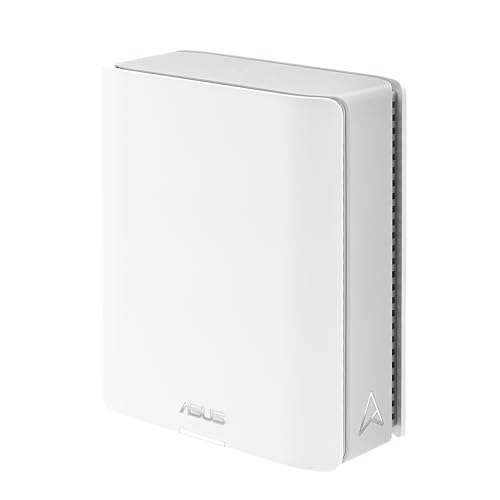
ASUS ZenWiFi Tri-Band WiFi 7 Router
Best for: single-unit 3,000 sq ft multi-gig networks
- Port Speed
- 2.5G (what this guide is about)
- Wi-Fi Standard
- WiFi 7
- Speed Rating
- 14 Gbps
- Coverage Area
- 3000 sq. ft.
- Frequency Bands
- Tri-band
- Pack Size
- 1-Pack
The ASUS ZenWiFi Tri-Band WiFi 7 Mesh Router is a single-pack router engineered for spaces up to 3,000 square feet. It provides tri-band Wi-Fi 7 with 6 GHz band access, rated speeds up to 14 Gbps, and dual 2.5G Ethernet ports. It suits you if you want high-throughput wireless coverage and multi-gig wired backhaul from a standalone unit without adding secondary nodes immediately.
Pros
- Dual 2.5G Ethernet ports for WAN or wired backhaul
- Tri-band Wi-Fi 7 with 6 GHz band and 4K-QAM support
- Rated coverage reaches up to 3,000 square feet
- Supports 4G/5G mobile tethering backup
Cons
- Includes only a single node in the box
- Limited to two 2.5G ports with no 10G options
Good fit if
- You need up to 3,000 square feet of coverage from a single Wi-Fi 7 device.
- You utilize multi-gigabit internet plans that require 2.5G Ethernet ports.
- You want mobile tethering capability for backup internet access.
Skip if
- You require multi-node coverage out of the box for larger layouts.
- You need 10G wired Ethernet ports for ultra-fast local transfers.
Verdict: ASUS ZenWiFi Tri-Band WiFi 7 Mesh Router delivers solid tri-band Wi-Fi 7 speeds and dual 2.5G ports for spaces up to 3,000 square feet. It is an effective standalone choice for multi-gigabit connections.
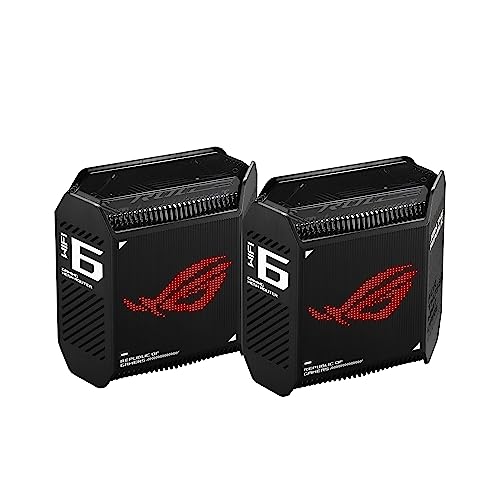
ASUS ROG Rapture Tri-Band Mesh System
Best for: gaming-focused networks needing 2.5G WAN connectivity
- Port Speed
- 2.5G (what this guide is about)
- Wi-Fi Standard
- WiFi 6
- Speed Rating
- AX10000
- Coverage Area
- 5,800 sq ft
- Frequency Bands
- Tri-Band
- Pack Size
- 2-Pack
The ASUS ROG Rapture GT6 Tri-Band Mesh is a two-pack Wi-Fi 6 system built around a 2.5 Gbps WAN port and dedicated gaming traffic prioritization. It delivers combined speeds up to 10,000 Mbps across three bands with 160 MHz channel support, covering up to 5,800 square feet. This setup suits you if you need multi-gigabit wired input, LAN aggregation, and hardware-level game acceleration across a large home.
Pros
- Dedicated 2.5 Gbps WAN port and LAN aggregation support
- Tri-band Wi-Fi 6 setup with up to 10,000 Mbps total throughput
- Covers up to 5,800 square feet using nine internal antennas
- Triple-level game acceleration built into the hardware
Cons
- Uses Wi-Fi 6 instead of newer Wi-Fi 6E or Wi-Fi 7 standards
- Limited to one 2.5 Gbps port per unit
Good fit if
- You have an incoming internet connection requiring a 2.5 Gbps WAN port.
- You prioritize gaming packet optimization and wired LAN aggregation.
- You need coverage for spaces up to 5,800 square feet.
Skip if
- You need the 6 GHz spectrum provided by Wi-Fi 6E or Wi-Fi 7 hardware.
- You require multiple 2.5 Gbps LAN ports for high-speed wired devices.
Verdict: ASUS ROG Rapture GT6 Tri-Band Mesh delivers dedicated gaming optimization and fast throughput using a 2.5 Gbps WAN port. It remains a capable Wi-Fi 6 option for large homes prioritizing wired backhaul and low-latency gaming.

NETGEAR Orbi 370 Dual-Band WiFi 7 3-Pack
Best for: Large homes on multi-gigabit internet connections
- Port Speed
- 2.5G (what this guide is about)
- Wi-Fi Standard
- WiFi 7
- Speed Rating
- BE5000 (up to 5 Gbps)
- Coverage Area
- 6,000 sq. ft.
- Frequency Bands
- Dual-Band
- Device Capacity
- Up to 70
The NETGEAR Orbi 370 is a Wi-Fi 7 mesh system that comes with one router and two extenders. It delivers coverage across spaces up to 6,000 square feet, supports combined wireless throughput up to 5 Gbps, and handles 70 simultaneous device connections. A 2.5 Gigabit Ethernet internet port matches multi-gigabit broadband service tiers. This three-pack fits your household if you manage dozens of connected devices throughout a large home.
Pros
- 2.5 Gigabit Ethernet internet port for multi-gig broadband
- Covers up to 6,000 square feet using three hardware units
- Supports up to 70 simultaneous connected devices
- Wi-Fi 7 wireless speeds reach up to 5 Gbps
Cons
- Limited to dual-band wireless rather than tri-band
- Includes only a single 2.5G Ethernet internet port
Good fit if
- You have an internet plan up to 2.5 Gbps.
- You need coverage across spaces up to 6,000 square feet.
- You run up to 70 concurrent wireless devices.
Skip if
- You require a tri-band system with access to 6 GHz spectrum.
- You need multiple multi-gigabit LAN ports for wired clients.
Verdict: NETGEAR Orbi 370 Dual-Band WiFi 7 Mesh 3-Pack delivers 2.5G WAN input and broad 6,000-square-foot coverage for large homes with multi-gigabit internet plans. Its dual-band Wi-Fi 7 architecture provides straightforward deployment across three pre-paired units.

TP-Link Deco 2.5G Wi-Fi 6E 3-Pack
Best for: large homes wanting multi-gigabit ports and Wi-Fi 6E
- Port Speed
- 2.5G (what this guide is about)
- Wi-Fi Standard
- WiFi 6E
- Speed Rating
- AXE5400
- Coverage Area
- 7,200 Sq.Ft
- Frequency Bands
- Tri-Band
- Pack Size
- 3-Pack
This three-pack mesh setup provides tri-band Wi-Fi 6E connectivity across spaces up to 7,200 square feet. Each unit includes one 2.5 Gbps WAN/LAN port alongside two Gigabit Ethernet ports for wired networking. The system delivers combined speeds up to 5,400 Mbps across 2.4 GHz, 5 GHz, and 6 GHz bands. It fits your home if you need multi-gigabit wired backhaul potential and dedicated 6 GHz channel access for supported devices.
Pros
- One 2.5 Gbps port and two Gigabit ports per node
- Tri-band Wi-Fi 6E coverage up to 7,200 square feet
- Dedicated 6 GHz band for backhaul or client use
- Capacity to handle up to 200 connected devices
Cons
- Only one 2.5 Gbps port on each node
- Advanced security features require a paid subscription
Good fit if
- You have an internet plan up to 2.5 Gbps.
- You want tri-band Wi-Fi 6E with coverage up to 7,200 square feet.
- You need wired connectivity across multiple rooms using Gigabit and 2.5G ports.
Skip if
- You need multiple 2.5 Gbps ports on a single unit.
- You want the newer Wi-Fi 7 wireless standard.
Verdict: TP-Link Deco 3-Pack Tri-Band WiFi 6E Mesh delivers multi-gigabit entry with a 2.5 Gbps port on every node and dedicated 6 GHz access. It gives large homes balanced high-bandwidth wired and wireless networking.

Linksys Velop Micro 7 Dual-Band Mesh 3-Pack
Best for: large homes wanting app-free multi-gig Wi-Fi 7
- Port Speed
- 2.5G (what this guide is about)
- Wi-Fi Standard
- Wi-Fi 7
- Speed Rating
- BE5000
- Coverage Area
- 6600 sq.ft.
- Frequency Bands
- Dual-Band
- Pack Size
- 3-Pack
The Linksys Velop Micro 7 is a dual-band Wi-Fi 7 mesh system that comes in a three-pack covering up to 6,600 square feet. Each node includes a 2.5G auto-sensing Internet and LAN port to handle multi-gigabit connections alongside four spatial streams delivering up to 5 Gbps. This system suits you if you want modern wireless standards without app requirements or mandatory account creation.
Pros
- 2.5G auto-sensing Internet/LAN port
- Coverage up to 6,600 square feet with three nodes
- Wi-Fi 7 speeds up to 5 Gbps across 4 streams
- Hardware button setup without mobile app or account requirements
- Standard USB-C power connection
Cons
- Dual-band design lacks a 6 GHz channel
- Limited to 4 wireless streams
Good fit if
- You want multi-gigabit throughput via a 2.5G port.
- You prefer hardware-based setup without creating an account or using an app.
- You need whole-home coverage reaching up to 6,600 square feet.
Skip if
- You need a tri-band Wi-Fi 7 system with 6 GHz support.
- You require more than four spatial streams for high-density environments.
Verdict: Linksys Velop Micro 7 Dual-Band 3-Pack delivers Wi-Fi 7 connectivity and 2.5G wired speed across 6,600 square feet without forcing you to use an app or create an account.

Tenda BE3600 WiFi 7 3-Pack
Best for: large homes needing 160+ device capacity
- Port Speed
- Gigabit, 2.5G (what this guide is about)
- Wi-Fi Standard
- WiFi 7
- Speed Rating
- BE3600
- Coverage Area
- Up to 6,600 Sq. Ft.
- Frequency Bands
- Dual Band
- Pack Size
- 3-Pack
The Tenda BE3600 Dual-Band WiFi 7 3-Pack gives you whole-home coverage up to 6,600 square feet with 2.5G and Gigabit Ethernet ports. It handles over 160 connected devices across dual Wi-Fi 7 wireless bands and includes integrated VPN support. If you need multi-gigabit wired backhaul potential and wide spatial coverage for high device counts without requiring 6GHz spectrum access, this three-node setup fits your home network requirements.
Pros
- Includes 2.5G and Gigabit Ethernet ports
- Covers up to 6,600 square feet with three nodes
- Supports 160+ connected devices
- Built-in VPN feature support
Cons
- Does not support the 6GHz frequency band
- Incompatible with Tenda MW3 and MW6 hardware
Good fit if
- You need coverage for up to 6,600 square feet across three nodes.
- You connect up to 160 devices across your home network.
- You want 2.5G port connectivity alongside Wi-Fi 7 operation.
Skip if
- You require tri-band access using the 6GHz wireless band.
- You plan to expand an existing Tenda MW3 or MW6 network.
Verdict: Tenda BE3600 Dual-Band WiFi 7 3-Pack delivers 2.5G networking and up to 6,600 square feet of coverage for high-density environments. It provides reliable multi-device Wi-Fi 7 connections, provided you do not require 6GHz band support.
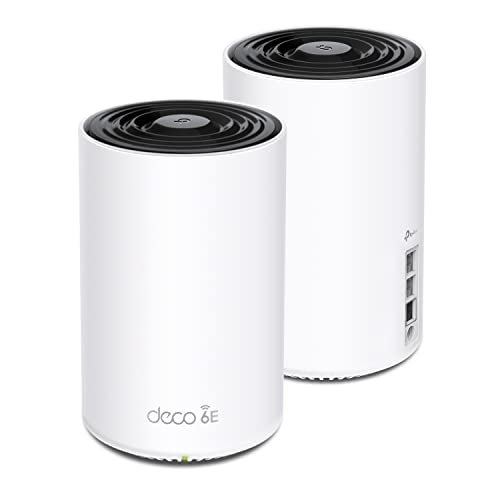
TP-Link Deco AXE5400 Tri-Band 2-Pack
Best for: 5,500 square foot tri-band coverage
- Port Speed
- 2.5G (what this guide is about)
- Wi-Fi Standard
- WiFi 6E
- Speed Rating
- AXE5400
- Coverage Area
- up to 5500 Sq.Ft
- Frequency Bands
- Tri-Band
- Pack Size
- 2-Pack
This TP-Link Deco system is a two-pack tri-band Wi-Fi 6E mesh setup built for spaces up to 5,500 square feet. It includes a 2.5G WAN or LAN port and carries an AXE5400 speed rating across three frequency bands. You get multi-gigabit wired connectivity paired with Wi-Fi 6E wireless capability. It suits you if you want 5,500 square feet of coverage across two units.
Pros
- 2.5G WAN/LAN port for multi-gigabit wired networking
- Tri-band Wi-Fi 6E wireless support
- Coverage reaches up to 5,500 square feet
- AXE5400 total speed rating
Cons
- Uses Wi-Fi 6E instead of Wi-Fi 7
- Two-pack limits physical placement to two locations
Good fit if
- You have a home footprint up to 5,500 square feet.
- You want a 2.5G port for multi-gigabit wired connections.
- You have devices that use tri-band Wi-Fi 6E.
Skip if
- You require the newer Wi-Fi 7 networking standard.
- You need three or more physical units to cover multiple rooms.
Verdict: TP-Link Deco Tri-Band WiFi 6E 2-Pack provides 5,500 square feet of coverage with 2.5G wired speed and AXE5400 tri-band capability. It gives you solid Wi-Fi 6E performance across two hardware nodes.

ASUS 3-Pack Dual-Band WiFi 7 Mesh System
Best for: large homes needing parental controls and 2.5G
- Port Speed
- 2.5G (what this guide is about)
- Wi-Fi Standard
- WiFi 7
- Speed Rating
- 5000 Mbps
- Coverage Area
- 6800 sq.ft
- Frequency Bands
- Dual-Band
- Pack Size
- 3-Pack
The ASUS ZenWiFi 3-Pack Dual-Band WiFi 7 Mesh provides whole-home networking across up to 6,800 square feet. It combines Wi-Fi 7 speeds reaching 5000 Mbps with dual 2.5G Ethernet ports on each unit to handle multi-gigabit wired data. It includes dedicated parental controls to manage family access across connected devices. This setup fits you if you require multi-room 2.5G connectivity and family management features without upgrading to a bulkier tri-band system.
Pros
- Dual 2.5G Ethernet ports
- Wi-Fi 7 throughput up to 5000 Mbps
- Covers up to 6,800 square feet
- Built-in parental controls
Cons
- Dual-band design lacks a dedicated third band
- Only two 2.5G ports per unit
Good fit if
- You want 2.5G Ethernet ports across a three-node network.
- You manage family devices using built-in parental controls.
- You need up to 6,800 square feet of Wi-Fi 7 coverage.
Skip if
- You need a tri-band mesh system for wireless backhaul.
- You require more than two 2.5G ports on each unit.
Verdict: ASUS ZenWiFi 3-Pack Dual-Band WiFi 7 Mesh delivers dual 2.5G ports and built-in parental controls across a 6,800-square-foot footprint. It balances multi-gigabit wired connections with Wi-Fi 7 speeds up to 5000 Mbps for family networks.

ASUS ZenWiFi Tri-Band WiFi 7 Mesh 3-Pack
Best for: large homes needing multi-gig tri-band Wi-Fi 7
- Port Speed
- 2.5G (what this guide is about)
- Wi-Fi Standard
- WiFi 7
- Speed Rating
- 14 Gbps
- Coverage Area
- 8850 sq.ft
- Frequency Bands
- Tri-Band
- Pack Size
- 3-Pack
This ASUS ZenWiFi three-pack delivers whole-home Wi-Fi 7 coverage up to 8,850 square feet. It provides tri-band connectivity with transfer rates up to 14 Gbps. Each unit includes dual 2.5G Ethernet ports, giving you multi-gigabit wired backhaul or local networking options. You also get Smart Home Master SSIDs to separate your devices. It fits your setup if you need high wireless bandwidth and multi-gig wired connectivity across a large home.
Pros
- Tri-band Wi-Fi 7 with combined speeds up to 14 Gbps
- Rated coverage up to 8,850 square feet across 3 units
- Dual 2.5G ports for multi-gigabit wired connections
- Dedicated Smart Home Master SSIDs feature
Cons
- No 5G or 10G wired network ports
- Only available in white
Good fit if
- You need up to 8,850 square feet of Wi-Fi 7 coverage.
- You require dual 2.5G ports for wired multi-gigabit links.
- You want tri-band wireless capacity reaching up to 14 Gbps.
Skip if
- You need wired Ethernet ports faster than 2.5G.
- You have a small space that does not need three separate nodes.
Verdict: ASUS ZenWiFi Tri-Band WiFi 7 3-Pack pairs tri-band Wi-Fi 7 bandwidth with dual 2.5G ports to blanket spaces up to 8,850 square feet.
Specifications side by side
| Spec | Amazon eero 7 Dual-Band Mesh 3-Pack | Eero Pro 6E 3-Pack Mesh System | Amazon eero PoE Gateway 10-Port Router | TP-Link Deco AX3000 Mesh Router 1-Pack | ASUS ZenWiFi BD4 1-Pack WiFi 7 Router | ASUS ZenWiFi Dual-Band WiFi 7 3-Pack | ASUS ZenWiFi Tri-Band WiFi 7 Router | ASUS ROG Rapture Tri-Band Mesh System | NETGEAR Orbi 370 Dual-Band WiFi 7 3-Pack | TP-Link Deco 2.5G Wi-Fi 6E 3-Pack | Linksys Velop Micro 7 Dual-Band Mesh 3-Pack | Tenda BE3600 WiFi 7 3-Pack | TP-Link Deco AXE5400 Tri-Band 2-Pack | ASUS 3-Pack Dual-Band WiFi 7 Mesh System | ASUS ZenWiFi Tri-Band WiFi 7 Mesh 3-Pack |
|---|---|---|---|---|---|---|---|---|---|---|---|---|---|---|---|
| Wi-Fi Standard | Wi-Fi 7 | Wi-Fi 6E | not specified | Wi-Fi 6 | WiFi 7 | WiFi 7 | WiFi 7 | WiFi 6 | WiFi 7 | WiFi 6E | Wi-Fi 7 | WiFi 7 | WiFi 6E | WiFi 7 | WiFi 7 |
| Speed Rating | up to 1.8 Gbps | 2.3 Gbps | 9.4 Gbps | AX3000 | 3.6 Gbps | 5000 Mbps | 14 Gbps | AX10000 | BE5000 (up to 5 Gbps) | AXE5400 | BE5000 | BE3600 | AXE5400 | 5000 Mbps | 14 Gbps |
| Coverage Area | up to 6,000 sq. ft. | 6,000 sq. ft. | not specified | up to 2,500 square feet | 2450 sq.ft. | up to 6800 sq.ft. | 3000 sq. ft. | 5,800 sq ft | 6,000 sq. ft. | 7,200 Sq.Ft | 6600 sq.ft. | Up to 6,600 Sq. Ft. | up to 5500 Sq.Ft | 6800 sq.ft | 8850 sq.ft |
| Frequency Bands | dual-band | not specified | not specified | not specified | Dual-band | Dual-band | Tri-band | Tri-Band | Dual-Band | Tri-Band | Dual-Band | Dual Band | Tri-Band | Dual-Band | Tri-Band |
| Pack Size | 3-pack | 3-pack | not specified | 1-Pack | 1 Pack | 3 Pack | 1-Pack | 2-Pack | not specified | 3-Pack | 3-Pack | 3-Pack | 2-Pack | 3-Pack | 3-Pack |
| Port Speed | 2.5 GbE | 2.5 Gbps | 10 GbE | 2.5 Gbps | 2.5G | not specified | 2.5G | 2.5 Gbps | 2.5 Gbps | 2.5 Gbps | 2.5G | 2.5G | 2.5G | 2.5G | 2.5G |
| Device Capacity | 120+ devices | 100+ | not specified | more than 150 devices | not specified | not specified | not specified | not specified | Up to 70 | 200 devices | not specified | 160+ | not specified | not specified | not specified |
| Frequency Band | Dual-Band | not specified | not specified | not specified | not specified | not specified | Tri-Band | Tri-Band | Dual-Band | Tri-Band | Dual-Band | Dual-Band | Tri-Band | Dual-Band | Tri-Band |
| Number of Ports | not specified | not specified | 10 Ports | not specified | not specified | not specified | not specified | not specified | not specified | not specified | not specified | not specified | not specified | not specified | not specified |
| PoE Support | not specified | not specified | PoE | not specified | not specified | not specified | not specified | not specified | not specified | not specified | not specified | not specified | not specified | not specified | not specified |
| Use Case | not specified | not specified | not specified | not specified | not specified | not specified | not specified | Gaming | not specified | not specified | not specified | not specified | not specified | not specified | not specified |
| Features | not specified | not specified | not specified | not specified | not specified | not specified | not specified | not specified | not specified | not specified | not specified | VPN | not specified | Parental Controls | not specified |
| Intended Use | not specified | not specified | not specified | Home | not specified | not specified | not specified | not specified | Home | not specified | not specified | Home | not specified | Home | Home |
| Dimensions | 5.12 × 2.52 × 5.12 inches | 5.47 × 5.47 × 2.21 inches | 9.84 × 5.28 × 1.77 inches | 4.33 × 4.33 × 4.49 inches | 5.51 × 2.76 × 5.51 inches | 5.5 × 2.8 × 5.5 inches | 7.32 × 2.83 × 6.26 inches | 6.77 × 3.07 × 6.93 inches | not specified | 4.13 × 4.13 × 6.65 inches | not specified | 3.39 × 7.48 × 3.39 inches | 4.13 × 4.13 × 6.65 inches | 5.5 × 2.8 × 5.5 inches | 6.3 × 2.8 × 7.3 inches |
| Weight | 1.34 pounds | 1.41 pounds | 2.65 pounds | 15.5 ounces | 1.21 pounds | 1.2 pounds | 1.88 pounds | 1.94 pounds | not specified | 4.12 pounds | 5.22 pounds | 2.59 pounds | not specified | 1.2 pounds | 1.9 pounds |
| Color | WHITE | WHITE | CHARCOAL | White/Black | WHITE | WHITE | WHITE | BLACK | not specified | Black and White | not specified | WIFI7 3 Pack | Black and White | WHITE | WHITE |
| Model | PA10001 | S010001 | U010001 | Deco X55 Pro(1-Pack) | BD4 (W-1-PK) | BD5 (W-3-PK) | BT6 (W-1-PK) | GT6 (B-2-PK) | not specified | Deco XE75 Pro | LN1603 | ME3 Pro | Deco XE75 Pro | BD5 | BT8 |
| Size | not specified | not specified | not specified | 1 Pack | 1 Packs | 3 Pack Indoor | 1-Pack | not specified | 8.02 x 4.72 x 2.95 inches | not specified | Velop Micro 7 (3 Pack) | 3 Pack | not specified | 3 Pack | 3 Pack |
Is 2.5G Worth It for Your Network?
Standard Gigabit Ethernet caps wired connections at 1 Gbps. A 2.5G port raises your wired limit to 2.5 Gbps. If your internet service exceeds 1 Gbps, 2.5G WAN ports accept that full bandwidth from your modem. Systems with dual 2.5G ports allow you to route multi-gigabit speeds directly into a wired local backhaul or client device. Without 2.5G ports, a multi-gigabit internet plan throttles at the router input. If your broadband subscription tops out at 1 Gbps, a 2.5G port provides no immediate throughput increase.
Worth it if
- You subscribe to an internet plan faster than 1 Gbps.
- You want multi-gigabit wired speeds between your modem and local hardware using dual 2.5G ports.
Skip it if
- You use an internet service plan rated at 1 Gbps or lower.
- You rely entirely on wireless links without multi-gigabit wired equipment.
When you need kitchen equipment analyzed strictly by hardware capacity, our list covers the best blenders with 2 Speeds using direct motor specifications.
How We Picked These Systems
You will find mesh systems here that explicitly list 2.5G port speeds in their product title or feature list. We verify each option using published hardware specifications, including Wi-Fi generations, coverage area, and frequency bands. To prevent repetitive entries on the page, we display only one variant or pack size from each product family.
All details come directly from published manufacturer specifications, and products are not physically handled. We order the list with products in stock first, then by Amazon sales rank, placing better-selling products first. This spec-based comparison lets you evaluate 2.5G mesh hardware for your home network.
How to Choose a 2.5G Mesh System
-
Compare Wi-Fi Generations
Check the Wi-Fi standard listed on the box before you buy. Wi-Fi 6 models deliver reliable wireless throughput for standard home gear. Wi-Fi 6E adds access to the less congested 6 GHz band, which helps dense device setups. Wi-Fi 7 hardware introduces newer protocol efficiencies and wider channel handling to maximize 2.5G wired connections. Choose a Wi-Fi 7 unit like the Amazon eero 7 Dual-Band Mesh 3-Pack if you own newer client devices that can use Wi-Fi 7 features directly.
-
Check Available Ethernet Ports
Count the physical Ethernet ports on each unit to match your wired hardware. Most compact mesh nodes supply only one or two 2.5G Ethernet ports, which limits how many wired devices you can plug in directly. If you plan to wire multiple desktop computers, network switches, or access points, a standard two-port node will require external switches. A specialized multi-port unit like the Amazon eero PoE Gateway 10-Port Router includes ten wired ports, giving you dedicated high-speed wired jacks without extra hardware clutter.
-
Match Pack Size to Space
Calculate your home size before choosing between a single router and a multi-pack mesh system. Single nodes generally cover between 2,500 and 3,000 square feet, which fits smaller homes or single-floor layouts. Multi-pack bundles distribute nodes across floors to push past structural obstacles. For very large homes with extensive floor plans, a 3-pack system like the ASUS ZenWiFi Tri-Band WiFi 7 Mesh 3-Pack covers up to 8,850 square feet. Select enough satellite units to reach distant rooms without creating unnecessary signal dead zones.
-
Review Device Capacity Ratings
Evaluate how many active devices your home connects simultaneously across all rooms. Basic systems manage typical households with smart TVs and phones, but smart homes with smart bulbs, sensors, cameras, and tablets demand higher limits. Check the manufacturer capacity rating to avoid network bottlenecks and dropped connections. If your network hosts dozens of smart home accessories alongside family computers, select a high-capacity option like the Tenda BE3600 WiFi 7 3-Pack, which is specified to support 160+ connected devices without dropping network stability.
-
Check Account and Setup Requirements
Review the setup process and software requirements before you commit to a specific brand. Many mesh systems require you to download a mobile app and register an online vendor account to complete initial configuration. If you prefer offline network management, check if the system supports a browser-based interface without requiring cloud accounts. The Linksys Velop Micro 7 Dual-Band Mesh 3-Pack allows you to configure your local network without using an app or creating an account, keeping router management direct and private.
-
Verify Built-In Network Controls
Examine the software feature list if you manage internet access for children or want specific traffic prioritization. Some mesh systems only provide standard network controls, while others include native parental filtering or traffic rules directly in firmware. If your household requires content restrictions, bedtime scheduling, or domain blocking without separate software subscriptions, check the product specifications for integrated tools. The ASUS 3-Pack Dual-Band WiFi 7 Mesh System includes built-in parental controls to help monitor and govern connected household devices.
Frequently asked questions
How do dual 2.5G ports benefit your wired network?
Dual 2.5G ports allow you to dedicate one port to your modem incoming feed while keeping a second high-speed port open for your local network. You can connect a desktop computer, network storage unit, or switch directly to that extra jack. Systems like the ASUS ZenWiFi BD4 and ASUS ZenWiFi BT6 include dual 2.5G ports on a single unit.
Can you set up a 2.5G mesh system without using a mobile app?
Yes, select mesh hardware allows you to install and manage your network without downloading a dedicated phone application. The Linksys Velop Micro 7 Dual-Band 3-Pack delivers 2.5G wired speed and Wi-Fi 7 connectivity without requiring an app or an account creation step. This gives you direct control over your setup through standard browser management.
How many connected devices can a 2.5G mesh system support?
Hardware device ratings vary based on the specific system design and radio configuration. The Eero Pro 6E 3-Pack specifies capacity for 100+ active devices across its network footprint. If you have higher density requirements, the Tenda BE3600 WiFi 7 3-Pack lists support for 160+ devices, making it suitable for hardware-heavy smart home installations.
What total square footage can a multi-node 2.5G mesh system cover?
Coverage depends on node count and chassis design. A 3-pack mesh kit typically spans anywhere from 6,000 square feet up to 8,850 square feet. The Amazon eero 7 covers 6,000 square feet, while the ASUS ZenWiFi BD5 reaches 6,800 square feet. For larger layouts, the ASUS ZenWiFi Tri-Band WiFi 7 3-Pack covers up to 8,850 square feet.
Can a single-pack 2.5G router cover an entire home?
A single standalone unit can cover small to medium-sized residences without requiring extra satellites. The TP-Link Deco AX3000 1-Pack covers up to 2,500 square feet, while the ASUS ZenWiFi BT6 single router handles spaces up to 3,000 square feet. Both units give you multi-gigabit 2.5G port speeds while retaining the option to expand with additional mesh nodes later.
Can 2.5G mesh systems supply Power over Ethernet to connected access points?
Most consumer mesh nodes rely on standard AC power adapters, but specialized multi-gigabit gateways include integrated PoE hardware. The Amazon eero PoE Gateway 10-Port Router features eight 2.5 GbE PoE ports alongside two 10 GbE interfaces. This lets you power compatible access points and network peripherals directly over Ethernet cabling without placing individual power bricks at every access point.
Which 2.5G mesh systems include dedicated parental control features?
Certain manufacturers build parental controls directly into their mesh operating software. For example, the ASUS 3-Pack Dual-Band WiFi 7 Mesh System (BD5) explicitly includes parental controls alongside its dual 2.5G ports and 6,800-square-foot coverage area. You can manage access rules and schedule screen time directly from the system settings for every connected family device.