TP-Link Wifi Repeaters: 14 Picks Ranked by Specs
As an Amazon Associate we earn from qualifying purchases. Links on this page are affiliate links.
Finding the right TP-Link wifi repeater depends on your coverage goals and wireless standards. TP-Link offers single-band, dual-band, and tri-band hardware ranging from N300 up to Wi-Fi 7, with compact wall-mount designs, external antennas, and gigabit ports.
This guide compares 14 models evaluated entirely on the specifications published on their product listings. The TP-Link AC1750 Dual-Band Wi-Fi Extender earns the top spot for reliable whole-home Wi-Fi 5 coverage expansion, providing dual-band throughput for up to 32 devices and a dedicated gigabit bridging port.
Quick picks
Our 14 picks

TP-Link AC1750 Dual-Band Wi-Fi Extender
Best for: reliable whole-home Wi-Fi 5 coverage expansion
- Speed Rating
- AC1750 (Up to 1750Mbps)
- Frequency Bands
- Dual Band
- Coverage Area
- Up to 2000 sq ft
- Ethernet Ports
- Gigabit Ethernet port
- Antenna Count
- 3 external
- Wi-Fi Standard
- Wi-Fi 5
The TP-Link AC1750 Dual Band Wi-Fi Extender expands your wireless network up to 2,000 square feet using Wi-Fi 5 technology. It delivers combined speeds up to 1750 Mbps across dual bands, providing 450 Mbps on 2.4 GHz and 1300 Mbps on 5 GHz. You also get a gigabit Ethernet port for a wired connection and support for up to 32 devices, making it suitable for moderate home network expansions.
Pros
- Coverage up to 2,000 square feet for up to 32 devices
- Dual-band throughput of 1300 Mbps on 5 GHz and 450 Mbps on 2.4 GHz
- Gigabit Ethernet port for wired client connections
- Three adjustable external antennas with smart signal indicator
Cons
- Uses Wi-Fi 5 rather than Wi-Fi 6 or newer standards
- Operating temperature limit is relatively low at 86°F (30°C)
Good fit if
- You need to extend coverage across up to 2,000 square feet for standard Wi-Fi 5 hardware.
- You want a gigabit Ethernet port to connect a stationary wired device.
- You manage a household network with 32 or fewer connected devices.
Skip if
- You require Wi-Fi 6 or Wi-Fi 7 features for higher throughput routers.
- You need to install the device in an unconditioned space exceeding 86°F.
Verdict: TP-Link AC1750 Dual Band Wi-Fi Extender delivers reliable Wi-Fi 5 coverage up to 2,000 square feet with a dedicated gigabit port for wired bridging. It provides balanced dual-band throughput for households with up to 32 devices.

TP-Link AC2600 Quad-Antenna Dual-Band Wi-Fi Extender
Best for: extending Wi-Fi 5 networks with gigabit speeds
- Speed Rating
- AC2600
- Frequency Bands
- Dual Band
- Ethernet Ports
- Gigabit Ethernet port
- Wi-Fi Standard
- Wi-Fi 5
- Dimensions
- 3.4 × 6.4 × 1.6 inches
- Weight
- 14.1 ounces
View on Amazon: TP-Link AC2600 Quad-Antenna Dual-Band Wi-Fi Extender
This plug-in dual-band range extender delivers combined speeds up to 2600 Mbps using Wi-Fi 5 technology. It operates on both 2.4 GHz at 800 Mbps and 5 GHz at 1733 Mbps, utilizing four external antennas and MU-MIMO Wave 2 for multiple devices. It suits you if you need wide coverage and a wired gigabit connection for high-bandwidth tasks without upgrading your entire setup to newer Wi-Fi generations.
Pros
- Up to 1733 Mbps on 5 GHz and 800 Mbps on 2.4 GHz
- Quad antenna design with beamforming technology
- One Gigabit Ethernet port for wired connectivity
- MU-MIMO Wave 2 support for simultaneous device handling
Cons
- Uses Wi-Fi 5 standard rather than Wi-Fi 6 or Wi-Fi 7
- Dual-band design lacks a dedicated third band
- Provides only a single Ethernet port
Good fit if
- You have a Wi-Fi 5 network and want speeds up to 1733 Mbps on 5 GHz.
- You need a Gigabit Ethernet port to connect a wired device.
- You want quad external antennas to help expand coverage across your home.
Skip if
- You want modern Wi-Fi 6 or Wi-Fi 7 wireless standards.
- You require multiple wired Ethernet ports for separate hardware.
- You need a tri-band extender with a dedicated 6 GHz backhaul.
Verdict: TP-Link AC2600 Dual-Band WiFi Extender provides fast Wi-Fi 5 throughput and solid multi-device handling via four external antennas and MU-MIMO. It gives you dependable high-speed coverage and a wired gigabit port without requiring a full network replacement.

TP-Link AC750 Dual-Band Extender
Best for: basic dual-band home network extension
- Speed Rating
- Up to 750Mbps
- Frequency Bands
- Dual Band
- Ethernet Ports
- 1 x Gigabit
- Operating Modes
- Range Extender, Repeater, Access Point
- Intended Use
- Home
- Dimensions
- 4.33 × 2.59 × 2.2 inches
This TP-Link dual-band WiFi extender expands your wireless coverage across 2.4 GHz and 5 GHz frequencies. It delivers speeds up to 300 Mbps on the 2.4 GHz band and 433 Mbps on the 5 GHz band, giving you up to 750 Mbps total bandwidth. A built-in Gigabit Ethernet port connects wired devices, while Access Point mode offers alternative deployment options. It suits you if you need basic coverage expansion.
Pros
- Dual-band speeds up to 300 Mbps on 2.4 GHz and 433 Mbps on 5 GHz
- Built-in Gigabit Ethernet port for wired hardware connections
- Supports Access Point mode and repeater mode
- Smart indicator lights to guide physical placement
Cons
- Top wireless speed capped at AC750 tier (433 Mbps on 5 GHz)
- Provides only a single Ethernet port
Good fit if
- You need entry-level dual-band coverage up to 750 Mbps.
- You want a Gigabit Ethernet port for one wired device.
- You plan to switch between repeater and Access Point modes.
Skip if
- You require wireless throughput faster than 433 Mbps on 5 GHz.
- You need multiple wired Ethernet connections on the extender.
Verdict: TP-Link AC750 Dual-Band WiFi Extender provides standard dual-band coverage with speeds up to 750 Mbps and a single Gigabit port. It delivers essential network expansion for standard home setups without extra complexity.
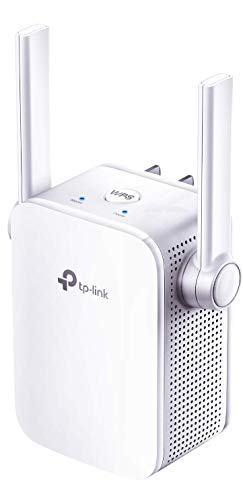
TP-Link N300 WiFi Extender
Best for: basic single-band home coverage and light browsing
- Speed Rating
- N300
- Operating Modes
- Repeater, Access Point
- Antenna Count
- 2
- Intended Use
- Home
- Dimensions
- 3.15 × 2 × 2.7 inches
- Weight
- 4.23 ounces
The TP-Link N300 External Antenna Extender is a compact networking unit designed to expand your home wireless coverage. It features an N300 speed rating, two external MIMO antennas, and an integrated Fast Ethernet port for wired connectivity. You can deploy it as a standard range extender or switch it to access point mode. This model suits you if you need basic coverage for light browsing.
Pros
- Two external antennas with MIMO technology
- Dedicated Fast Ethernet port for wired connections
- Access point mode creates a standalone Wi-Fi hotspot
- Configuration and control through the TP-Link Tether app
Cons
- Fast Ethernet port caps wired transfer rates below Gigabit speeds
- N300 specification provides only single-band 2.4 GHz connectivity
Good fit if
- You need basic N300 wireless coverage for everyday web tasks.
- You want an access point mode to create a Wi-Fi connection via Ethernet.
- You prefer external antennas with MIMO for directed signal positioning.
Skip if
- You require Gigabit Ethernet throughput for wired equipment.
- You need dual-band Wi-Fi 5 or Wi-Fi 6 connectivity.
Verdict: TP-Link N300 External Antenna Extender provides essential single-band wireless expansion and an access point mode for simple home networking setups. It delivers reliable basic connectivity with external MIMO antennas and a dedicated Fast Ethernet port.

TP-Link Dual-Band WiFi 6 Extender
Best for: Wi-Fi 6 expansion on OneMesh networks
- Wi-Fi Standard
- WiFi 6
- Speed Rating
- Up to 1.5 Gbps
- Frequency Bands
- Dual-Band
- Ethernet Ports
- 1 x Gigabit
- Operating Modes
- Extender
- Dimensions
- 3.83 × 2.48 × 6.23 inches
This TP-Link dual-band range extender adds Wi-Fi 6 coverage to your existing network. It delivers maximum wireless speeds up to 1201 Mbps on the 5 GHz band and 300 Mbps on the 2.4 GHz band. You get a single gigabit Ethernet port for wired hardware and built-in OneMesh support to pair seamlessly with compatible TP-Link routers. It suits you if you need reliable Wi-Fi 6 connectivity and a dedicated wired link in dead zones.
Pros
- Dual-band Wi-Fi 6 speeds up to 1201 Mbps on 5 GHz and 300 Mbps on 2.4 GHz
- Integrated gigabit Ethernet port for wired connections
- OneMesh compatibility for unified roaming with supported routers
- High-gain external antennas designed to target dead zones
Cons
- Maximum 2.4 GHz bandwidth is limited to 300 Mbps
- Includes only one wired Ethernet port
Good fit if
- You use a OneMesh-compatible router and want single-network roaming
- You need a gigabit Ethernet port to connect a wired device
- You want Wi-Fi 6 dual-band coverage reaching up to 1.5 Gbps aggregate speed
Skip if
- You require tri-band connectivity or 6 GHz frequency access
- You need more than one physical Ethernet jack for hardware
Verdict: TP-Link Wi-Fi 6 Dual-Band Range Extender provides up to 1.5 Gbps wireless speeds and a gigabit port in a compact wall-plug format. It effectively removes dead spots when paired with OneMesh routers.
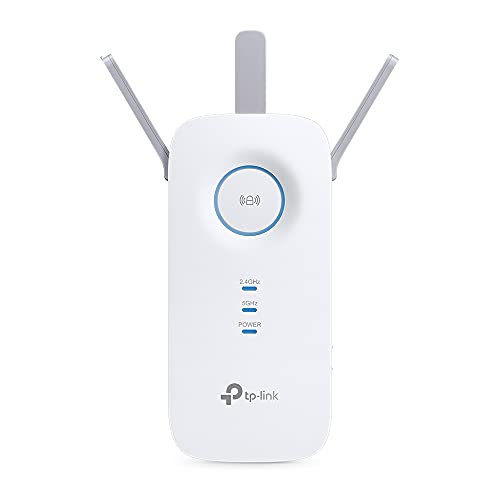
TP-Link AC1900 Wi-Fi 5 Range Extender
Best for: Gigabit wired bridging on Wi-Fi 5 networks
- Wi-Fi Standard
- WiFi 5
- Speed Rating
- AC1900
- Dimensions
- 4.92 × 3.39 × 7.95 inches
- Weight
- 10.6 ounces
This TP-Link unit functions as a wireless repeater operating on the Wi-Fi 5 standard with an AC1900 speed rating. It features a built-in Gigabit Ethernet port that allows you to link a wired device directly to your network at gigabit speeds. At roughly eight inches tall and 0.66 pounds, it suits locations where you need legacy dual-band throughput paired with wired connectivity.
Pros
- AC1900 speed rating
- Gigabit Ethernet port for high-speed wired connections
- Lightweight build at 0.66 pounds
Cons
- Limited to older Wi-Fi 5 standard instead of Wi-Fi 6 or 7
- Tall vertical profile measuring nearly 8 inches high
Good fit if
- You need an AC1900 Wi-Fi 5 repeater with a dedicated Gigabit Ethernet port.
- You want a lightweight plug-in unit under one pound for basic installation.
Skip if
- You need newer Wi-Fi 6 or Wi-Fi 7 wireless standards.
- You have tight outlet spaces unable to fit an eight-inch tall housing.
Verdict: TP-Link AC1900 Wi-Fi 5 Range Extender delivers solid AC1900 throughput and wired Gigabit connectivity for Wi-Fi 5 environments. Its tall vertical build requires ample clearance near your wall outlet.

TP-Link AC1200 Dual-Band Wi-Fi Extender
Best for: EasyMesh networks needing basic dual-band coverage
- Frequency Bands
- Dual-Band
- Ethernet Ports
- 1 Fast Ethernet
- Operating Modes
- Range Extender
- Antenna Count
- 2 external
- Wi-Fi Standard
- Wi-Fi 5
- Speed Rating
- AC1200
This wall-plug range extender adds Wi-Fi 5 coverage across up to 1,500 square feet for up to 32 connected devices. It delivers dual-band AC1200 throughput, splitting up to 867 Mbps on the 5 GHz band and 300 Mbps on the 2.4 GHz band. You also get a single Fast Ethernet port for wired hardware and EasyMesh integration. It suits you if you need basic dual-band coverage without upgrading to Wi-Fi 6.
Pros
- Dual-band speeds reach 867 Mbps on 5 GHz and 300 Mbps on 2.4 GHz
- Covers up to 1,500 square feet and supports up to 32 devices
- Works with EasyMesh-compatible routers for unified roaming
- Two adjustable external antennas aid signal positioning
Cons
- Ethernet port is limited to Fast Ethernet rather than Gigabit speed
- Incompatible with TP-Link Deco mesh systems
- Relies on older Wi-Fi 5 standards instead of Wi-Fi 6
Good fit if
- You need up to 1,500 square feet of dual-band Wi-Fi 5 coverage for 32 devices or fewer.
- You own an EasyMesh-compatible router and want seamless network roaming.
- You want external antennas with a wired port for a standard networked device.
Skip if
- You use a TP-Link Deco mesh network.
- You require a Gigabit Ethernet port for high-speed wired data transfer.
- You want current Wi-Fi 6 or Wi-Fi 7 wireless standards.
Verdict: TP-Link AC1200 Dual-Band Wi-Fi Extender delivers reliable Wi-Fi 5 coverage up to 1,500 square feet with EasyMesh capability. It offers practical dual-band connectivity for modest spaces that do not require Gigabit wired ports.

TP-Link AC1900 Wi-Fi 5 Range Extender
Best for: EasyMesh networks needing Gigabit wired connectivity
- Wi-Fi Standard
- WiFi 5
- Frequency Bands
- Dual-Band
- Operating Modes
- Range Extender, Access Point (AP)
- Antenna Count
- 3 external
- Speed Rating
- AC1900
- Dimensions
- 6.4 × 3 × 2.6 inches
The TP-Link AC1900 Dual-Band Range Extender expands your wireless coverage up to 2,100 square feet using three adjustable external antennas. It delivers dual-band Wi-Fi 5 throughput of up to 1300 Mbps on 5 GHz and 600 Mbps on 2.4 GHz for up to 32 devices. You can also utilize its Gigabit Ethernet port for wired hardware or switch to Access Point mode for an EasyMesh-compatible setup.
Pros
- Up to 1300 Mbps on 5 GHz and 600 Mbps on 2.4 GHz
- Gigabit Ethernet port for wired bridging or Access Point mode
- Three adjustable external antennas covering up to 2,100 square feet
- Integrates with EasyMesh-compatible routers
Cons
- Relies on Wi-Fi 5 rather than newer Wi-Fi 6 or 7 standards
- Incompatible with TP-Link Deco mesh systems
- Limited to a maximum of 32 connected devices
Good fit if
- You need up to 2,100 square feet of additional Wi-Fi 5 coverage.
- You want a dedicated Gigabit Ethernet port for a wired device or AP backhaul.
- You own an EasyMesh-compatible router and want unified network roaming.
Skip if
- You use a TP-Link Deco mesh system.
- You require Wi-Fi 6 or Wi-Fi 7 capabilities.
- You need to connect more than 32 devices simultaneously.
Verdict: TP-Link AC1900 Dual-Band Range Extender provides dependable Wi-Fi 5 coverage and Gigabit connectivity for medium-sized layouts. It fits standard routers and EasyMesh setups, but it cannot connect to Deco systems.

TP-Link AX1800 Dual-Band WiFi 6 Extender
Best for: AX1800 Wi-Fi 6 coverage in medium spaces
- Wi-Fi Standard
- WiFi 6
- Speed Rating
- AX1800 (up to 1.8 Gbps)
- Frequency Bands
- Dual Band
- Coverage Area
- Up to 1,500 sq. ft.
- Ethernet Ports
- 1 Gigabit
- Operating Modes
- Repeater, Access Point (AP)
This TP-Link dual-band Wi-Fi 6 extender adds up to 1,500 square feet of coverage and supports up to 30 devices. It delivers combined speeds up to 1.8 Gbps, with 1201 Mbps on the 5 GHz band and 574 Mbps on the 2.4 GHz band. A built-in Gigabit Ethernet port provides a wired connection or access point mode. It suits you if you need reliable Wi-Fi 6 speeds in dead zones.
Pros
- Wi-Fi 6 speeds reaching 1201 Mbps on 5 GHz and 574 Mbps on 2.4 GHz
- Gigabit Ethernet port for wired devices or access point mode
- OneMesh support for seamless roaming with compatible routers
- Coverage for up to 1500 square feet and 30 devices
Cons
- Provides only one physical Gigabit Ethernet port
- Dual-band design lacks a dedicated third band for backhaul
Good fit if
- You need Wi-Fi 6 coverage for up to 1500 square feet and 30 devices.
- You want a Gigabit Ethernet port for a wired connection or access point setup.
- You own a TP-Link OneMesh router and want single-network roaming.
Skip if
- You need multiple Ethernet ports to connect several wired devices.
- You require tri-band performance to prevent shared-band traffic slowdowns.
Verdict: TP-Link AX1800 Dual-Band Wi-Fi 6 Extender delivers solid Wi-Fi 6 coverage and Gigabit connectivity for small to medium spaces. It works effectively as a range extender, access point, or OneMesh node.

TP-Link AX3000 Dual-Band WiFi 6 Extender
Best for: EasyMesh routers needing dual-band Wi-Fi 6 coverage
- Wi-Fi Standard
- WiFi 6
- Speed Rating
- AX3000
- Frequency Bands
- Dual-Band
- Ethernet Ports
- 1x Gigabit
- Operating Modes
- Range Extender, Access Point
- Antenna Count
- 2
This TP-Link dual-band Wi-Fi 6 range extender expands wireless coverage up to 2,400 square feet for up to 64 devices. It delivers speeds up to 2404 Mbps on the 5 GHz band and 574 Mbps on the 2.4 GHz band, with a dedicated gigabit Ethernet port for wired hardware or access point mode. It suits you if you need to eliminate dead zones using an EasyMesh setup.
Pros
- Wi-Fi 6 speeds up to 2404 Mbps on 5 GHz and 574 Mbps on 2.4 GHz
- Coverage reaches up to 2,400 square feet for up to 64 devices
- Gigabit Ethernet port supports both wired clients and Access Point mode
- EasyMesh compatibility with Smart Adaptive Roaming
Cons
- Incompatible with TP-Link Deco mesh systems
- Wireless extension reduces baseline throughput by 50 percent or more
Good fit if
- You have an EasyMesh router and want seamless roaming.
- You need coverage for up to 64 wireless devices across 2,400 square feet.
- You want a gigabit Ethernet port for wired hardware or access point use.
Skip if
- You use a TP-Link Deco mesh Wi-Fi system.
- You require tri-band connectivity to handle heavy traffic.
Verdict: TP-Link AX3000 Wi-Fi 6 Range Extender delivers dual-band coverage up to 2,400 square feet with EasyMesh compatibility. Its gigabit Ethernet port provides reliable wired connectivity or standalone access point operation.
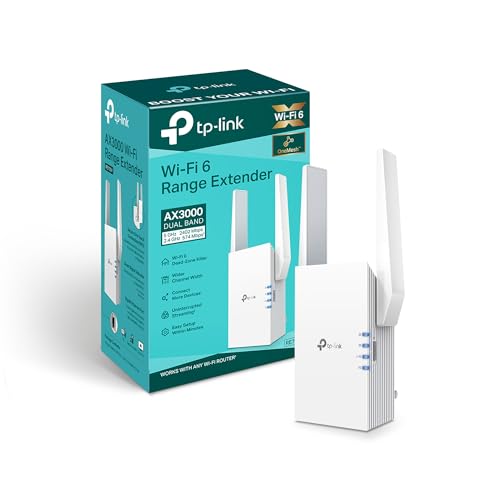
TP-Link AX3000 Wi-Fi 6 Range Extender
Best for: fast dual-band Wi-Fi 6 network expansion
- Wi-Fi Standard
- Wi-Fi 6
- Speed Rating
- AX3000
- Frequency Bands
- Dual-Band
- Ethernet Ports
- Gigabit Port
- Operating Modes
- Range Extender, AP Mode
- Dimensions
- 8 × 6 × 4 inches
This TP-Link AX3000 Wi-Fi 6 Extender expands your home network using dual-band Wi-Fi 6 connectivity. It provides an AX3000 speed rating alongside integrated OFDMA and beamforming technologies to direct wireless signals. A built-in Gigabit port supports wired connections or operates in Access Point Mode for flexible deployment. You will find this unit practical if you need fast dual-band coverage and wired bridging.
Pros
- AX3000 Wi-Fi 6 dual-band wireless rating
- Gigabit Ethernet port for wired connectivity
- Supports Access Point Mode
- Includes OFDMA, beamforming, and OneMesh compatibility
Cons
- Dual-band design instead of tri-band
- Provides only one Ethernet port
Good fit if
- You need AX3000 dual-band Wi-Fi 6 speeds.
- You want access point mode capability over Gigabit Ethernet.
- You are pairing with an existing OneMesh setup.
Skip if
- You need a tri-band extender with a dedicated backhaul band.
- You require multiple wired Ethernet connections.
Verdict: TP-Link AX3000 Wi-Fi 6 Extender delivers dual-band Wi-Fi 6 performance, beamforming, and access point mode over a Gigabit port. It provides a straightforward upgrade for OneMesh networks needing AX3000 speeds.

TP-Link Tri-Band Wi-Fi 7 Range Extender
Best for: multi-gigabit Wi-Fi 7 tri-band coverage
- Wi-Fi Standard
- Wi-Fi 7
- Speed Rating
- BE10000
- Frequency Bands
- Tri-Band
- Operating Modes
- Range Extender, EasyMesh
- Antenna Count
- 4
- Dimensions
- 7.95 × 5.63 × 4.69 inches
This Wi-Fi 7 range extender adds a dedicated 6 GHz band alongside 5 GHz and 2.4 GHz frequencies to your network. It delivers up to 10 Gbps across six streams and includes a 2.5 Gbps Ethernet port for wired hardware. Coverage reaches up to 2,800 square feet for 128 devices. You should choose this unit if you need multi-gigabit throughput and EasyMesh support for a modern high-bandwidth home setup.
Pros
- Tri-band Wi-Fi 7 with dedicated 6 GHz band and 320 MHz channels
- Single 2.5 Gbps Ethernet port for multi-gigabit wired hardware
- Coverage reaches up to 2,800 square feet for up to 128 devices
- Multi-Link Operation (MLO) support with compatible Wi-Fi 7 routers
Cons
- Large physical footprint measuring 7.95 inches long and 5.63 inches wide
- Provides only a single Ethernet port
- Requires a Wi-Fi 7 router to utilize 320 MHz channels and MLO
Good fit if
- You have a Wi-Fi 7 router and want tri-band coverage utilizing 6 GHz channels.
- You need a 2.5 Gbps wired connection for high-speed local networking.
- You run an EasyMesh-compatible router network and require seamless roaming.
Skip if
- You only own dual-band Wi-Fi 5 or Wi-Fi 6 hardware that cannot use the 6 GHz band.
- You need multiple wired Ethernet ports to connect more than one stationary device.
Verdict: TP-Link Tri-Band Wi-Fi 7 Range Extender provides 10 Gbps tri-band bandwidth, 2.5 Gbps wired networking, and EasyMesh capability for high-demand networks. It is the most advanced repeater on this list if you need 6 GHz connectivity.

TP-Link BE3200 Dual-Band Wi-Fi 7 Extender
Best for: dual-band Wi-Fi 7 EasyMesh network expansion
- Wi-Fi Standard
- Wi-Fi 7
- Speed Rating
- BE3200
- Frequency Bands
- Dual-Band
- Operating Modes
- Range Extender
- Antenna Count
- 4
- Weight
- 9.92 ounces
This TP-Link dual-band range extender brings Wi-Fi 7 capability to your setup with total speeds up to 3.2 Gbps across the 5 GHz and 2.4 GHz bands. It covers up to 2,400 square feet and handles up to 64 devices using four antennas. It suits you if you need EasyMesh compatibility and features like Multi-Link Operation without a full mesh replacement.
Pros
- Supports Wi-Fi 7 features including Multi-Link Operation (MLO) and 160 MHz channels
- Provides up to 3.2 Gbps total bandwidth (2594 Mbps on 5 GHz, 688 Mbps on 2.4 GHz)
- Covers up to 2,400 square feet and supports up to 64 devices
- Works with EasyMesh-compatible routers
Cons
- Does not support the 6 GHz Wi-Fi band
- Incompatible with TP-Link Deco mesh systems
Good fit if
- You have an EasyMesh router and need up to 2,400 square feet of additional coverage.
- You want Wi-Fi 7 capabilities like MLO on dual-band frequencies.
- You need a wired Ethernet connection for a client device.
Skip if
- You require tri-band performance with the 6 GHz Wi-Fi band.
- You use a TP-Link Deco mesh network.
Verdict: TP-Link BE3200 Dual-Band Wi-Fi 7 Extender delivers entry-level Wi-Fi 7 speeds and EasyMesh expansion across 2,400 square feet. It provides reliable coverage for up to 64 devices without 6 GHz support.

TP-Link Wi-Fi 6 Dual-Band Range Extender
Best for: EasyMesh networks needing Wi-Fi 6 coverage
- Wi-Fi Standard
- Wi-Fi 6
- Speed Rating
- AX1750
- Frequency Bands
- Dual-Band
- Ethernet Ports
- Gigabit Ethernet
- Operating Modes
- Range Extender, AP
This plug-in range extender adds Wi-Fi 6 coverage to your existing network. It delivers dual-band wireless throughput up to 1201 Mbps on the 5 GHz band and 574 Mbps on the 2.4 GHz band. You get one built-in Gigabit Ethernet port for wired hardware or access point mode, plus EasyMesh compatibility for your network. It suits you if you need faster wireless speeds across distant rooms.
Pros
- Wi-Fi 6 speeds up to 1201 Mbps on 5 GHz and 574 Mbps on 2.4 GHz
- Gigabit Ethernet port for wired devices or access point mode
- EasyMesh support for unified whole-home coverage
- Quick setup via physical WPS button or mobile app
Cons
- Dual-band design lacks a dedicated third backhaul band
- Single Ethernet port limits wired device connections
Good fit if
- You need Wi-Fi 6 wireless speeds up to 1.75 Gbps total throughput.
- You want to connect a gaming console or TV via Gigabit Ethernet.
- You own an EasyMesh-compatible router for seamless roaming.
Skip if
- You require a tri-band extender with a dedicated backhaul channel.
- You need several local Ethernet ports for wired hardware.
Verdict: TP-Link Wi-Fi 6 Dual-Band Range Extender delivers practical Wi-Fi 6 speeds and EasyMesh integration for expanding home networks. Its single Gigabit Ethernet port and access point mode provide flexible wired options in a compact format.
Specifications side by side
| Spec | TP-Link AC1750 Dual-Band Wi-Fi Extender | TP-Link AC2600 Quad-Antenna Dual-Band Wi-Fi Extender | TP-Link AC750 Dual-Band Extender | TP-Link N300 WiFi Extender | TP-Link Dual-Band WiFi 6 Extender | TP-Link AC1900 Wi-Fi 5 Range Extender | TP-Link AC1200 Dual-Band Wi-Fi Extender | TP-Link AC1900 Wi-Fi 5 Range Extender | TP-Link AX1800 Dual-Band WiFi 6 Extender | TP-Link AX3000 Dual-Band WiFi 6 Extender | TP-Link AX3000 Wi-Fi 6 Range Extender | TP-Link Tri-Band Wi-Fi 7 Range Extender | TP-Link BE3200 Dual-Band Wi-Fi 7 Extender | TP-Link Wi-Fi 6 Dual-Band Range Extender |
|---|---|---|---|---|---|---|---|---|---|---|---|---|---|---|
| Wi-Fi Standard | not specified | not specified | not specified | not specified | WiFi 6 | WiFi 5 | not specified | WiFi 5 | WiFi 6 | WiFi 6 | Wi-Fi 6 | Wi-Fi 7 | Wi-Fi 7 | Wi-Fi 6 |
| Speed Rating | AC1750 (Up to 1750Mbps) | AC2600 | Up to 750Mbps | N300 | Up to 1.5 Gbps | AC1900 | not specified | not specified | AX1800 (up to 1.8 Gbps) | AX3000 | AX3000 | BE10000 | BE3200 | AX1750 |
| Frequency Bands | Dual Band | Dual Band | Dual Band | not specified | Dual-Band | not specified | Dual-Band | Dual-Band | Dual Band | Dual-Band | Dual-Band | Tri-Band | Dual-Band | Dual-Band |
| Coverage Area | Up to 2000 sq ft | not specified | not specified | not specified | not specified | not specified | not specified | not specified | Up to 1,500 sq. ft. | not specified | not specified | not specified | not specified | not specified |
| Ethernet Ports | Gigabit Ethernet port | Gigabit Ethernet port | 1 x Gigabit | not specified | 1 x Gigabit | not specified | 1 Fast Ethernet | not specified | 1 Gigabit | 1x Gigabit | Gigabit Port | not specified | not specified | Gigabit Ethernet |
| Operating Modes | not specified | not specified | Range Extender, Repeater, Access Point | Repeater, Access Point | Extender | not specified | Range Extender | Range Extender, Access Point (AP) | Repeater, Access Point (AP) | Range Extender, Access Point | Range Extender, AP Mode | Range Extender, EasyMesh | Range Extender | Range Extender, AP |
| Antenna Count | 3 external | not specified | not specified | 2 | not specified | not specified | 2 external | 3 external | 2 | 2 | not specified | 4 | 4 | not specified |
| Frequency Band | Dual-Band | Dual-Band | Dual-Band | not specified | not specified | not specified | Dual-Band | Dual-Band | Dual-Band | Dual-Band | Dual-Band | Tri-Band | Dual-Band | Dual-Band |
| Port Speed | not specified | not specified | not specified | not specified | not specified | not specified | not specified | not specified | Gigabit | not specified | Gigabit | not specified | not specified | not specified |
| Intended Use | not specified | not specified | Home | Home | not specified | not specified | not specified | not specified | not specified | not specified | not specified | not specified | not specified | not specified |
| Operating Mode | not specified | not specified | Access Point Mode | not specified | not specified | not specified | not specified | not specified | Access Point Mode | not specified | Access Point Mode | not specified | not specified | not specified |
| Dimensions | 3 × 6.4 × 2.6 inches | 3.4 × 6.4 × 1.6 inches | 4.33 × 2.59 × 2.2 inches | 3.15 × 2 × 2.7 inches | 3.83 × 2.48 × 6.23 inches | 4.92 × 3.39 × 7.95 inches | 3.5 × 2.05 × 4.89 inches | 6.4 × 3 × 2.6 inches | 6.23 × 3.83 × 1.81 inches | 4.21 × 1.58 × 6.3 inches | 8 × 6 × 4 inches | 7.95 × 5.63 × 4.69 inches | not specified | not specified |
| Weight | 12.3 ounces | 14.1 ounces | not specified | 4.23 ounces | 8 ounces | 10.6 ounces | 6.1 ounces | 8.16 ounces | 9.6 ounces | 13.4 ounces | 10.9 ounces | 15.2 ounces | 9.92 ounces | not specified |
| Size | AC1750 | AC2600 | [New Version] Wifi Extender - AC750 | WiFi Extender- N300(Newer Model) | not specified | not specified | 1 Count (Pack of 1) | WiFi 5, AC1900 | not specified | not specified | not specified | not specified | not specified | small |
| Color | White | white | [New Version] Wifi Extender - AC750 | White,Grey | White | not specified | White | White | White | White | White | White | White | White |
| Model | RE450 | RE650 | not specified | ELCM | RE505X | RE550 EU | RE315 | RE550 | RE605X | RE715X | not specified | RE653BE | not specified | not specified |
TP-Link Lineup at a Glance
If you manage an older network or have light browsing needs, Wi-Fi 4 and Wi-Fi 5 models provide practical coverage. The TP-Link N300 WiFi Extender handles single-band tasks through a Fast Ethernet port. For broader multi-device spaces, the TP-Link AC1750 Dual-Band Wi-Fi Extender expands dual-band Wi-Fi 5 reach across 2,000 square feet for up to 32 devices with a dedicated Gigabit port.
If you use modern routers, Wi-Fi 6 and Wi-Fi 7 models deliver higher throughput and device capacity. The TP-Link AX3000 Dual-Band WiFi 6 Extender covers up to 2,400 square feet with EasyMesh support. High-demand networks benefit from the TP-Link Tri-Band Wi-Fi 7 Range Extender, which provides tri-band operation, 6 GHz access, and a 2.5 Gbps wired port.
Where TP-Link Wi-Fi Repeaters Fit
TP-Link's range suits you if your home needs straightforward wall-plug expansion. Hardware spans from the compact 0.26-pound N300 unit to the 0.95-pound Wi-Fi 7 model measuring nearly eight inches tall. Enclosures come in white or white-and-gray finishes, using either integrated profiles or external antennas. Notable gaps exist across the 14 models. Every device requires direct wall-outlet mounting; the lineup includes no desktop formats or outdoor options. Furthermore, no extender provides multi-port Ethernet switching, restricting you to a single wired port. Tri-band operation is also limited to one unit.
If you require compatible client hardware, you can evaluate specifications for the best mini PCs with WiFi 6E.
How to Choose a TP-Link Repeater
-
Match Your Wi-Fi Generation
Check your current router specifications before selecting a wireless standard. Matching your repeater to your router ensures you do not downgrade connection capabilities across your home. If you use a Wi-Fi 6 router, choosing a Wi-Fi 6 model like the TP-Link AX1800 Dual-Band WiFi 6 Extender maintains higher network efficiency and lower latency. Pairing a Wi-Fi 5 extender with a newer router limits your extended speeds to older standards. Verify whether your host network runs on Wi-Fi 5, Wi-Fi 6, or Wi-Fi 7 before buying.
-
Check Frequency Band Options
Examine how many wireless frequency bands the repeater broadcasts. Single-band models operate exclusively on 2.4 GHz, which travels far but provides limited throughput. Dual-band models add a 5 GHz band, which offers faster speeds for streaming and downloads. If you need maximum bandwidth and minimal interference, tri-band hardware adds an extra band, such as the 6 GHz band found on the TP-Link Tri-Band Wi-Fi 7 Range Extender. Tri-band options suit busy homes where high wireless traffic slows down shared dual-band connections.
-
Evaluate Ethernet Port Speeds
Review the wired Ethernet port specification if you intend to connect game consoles, desktop PCs, or streaming boxes directly. Basic models like the TP-Link N300 WiFi Extender feature Fast Ethernet ports capped at 100 Mbps, which restricts wired transfer rates. If your internet subscription exceeds 100 Mbps or you transfer files across local devices, choose an extender with a Gigabit Ethernet port or higher. A faster port also ensures higher performance when using access point mode to create a new wireless hotspot over a wired cable run.
-
Confirm Mesh System Compatibility
Check which mesh roaming standard your router supports if you want a seamless single network name. TP-Link extenders typically support either OneMesh or EasyMesh protocols. For instance, the TP-Link AC1900 Wi-Fi 5 Range Extender connects to EasyMesh systems and standard routers, but it does not integrate with TP-Link Deco mesh systems. Deco hardware requires Deco nodes for mesh roaming. If you want seamless handoffs without manually switching networks, verify whether your existing router utilizes OneMesh or EasyMesh before selecting your extender model.
-
Check Stated Coverage Ratings
Look at the manufacturer coverage rating to determine how far the signal will reach in your layout. Smaller models like the TP-Link AC1200 Dual-Band Wi-Fi Extender cover up to 1,500 square feet, which works well for small dead zones, detached rooms, or outbuildings. Larger units reach up to 2,400 square feet to penetrate thicker interior walls and multiple levels. When selecting a unit, evaluate the distance between your host router and the coverage gap, keeping in mind that physical obstructions reduce real-world range compared to published laboratory ratings.
-
Assess Maximum Device Capacity
Count the number of smart devices, phones, and computers you expect to connect simultaneously. Entry-level extenders handle smaller households with up to 32 active devices without stalling. If your home has extensive smart home hardware, smart TVs, and active mobile users, look for higher-capacity units like the TP-Link BE3200 Dual-Band Wi-Fi 7 Extender, which supports up to 64 connected devices. Choosing hardware with insufficient client handling causes connection drops and high latency, even if the primary internet signal from your main gateway remains strong and stable.
Frequently asked questions
Can TP-Link extenders work with non-TP-Link routers?
Yes, standard TP-Link Wi-Fi repeaters work with almost any conventional wireless router. You connect them using standard Wi-Fi bands such as 2.4 GHz and 5 GHz. However, specific mesh coordination features like OneMesh require a compatible TP-Link host router, and models like the RE550 do not connect with Deco mesh systems.
What is the difference between OneMesh and EasyMesh on TP-Link repeaters?
OneMesh is TP-Link's proprietary system, whereas EasyMesh is an industry-wide standard for interoperable mesh networking. Models like the RE505X and RE605X use OneMesh to pair with compatible TP-Link routers. Newer units like the RE715X, RE315, and RE653BE feature EasyMesh, allowing them to form a unified network with broader EasyMesh-compatible hardware.
Can you use a TP-Link Wi-Fi repeater as an access point?
Yes, several TP-Link repeaters support a dedicated access point mode. Models including the N300, AC750, RE605X, and RE715X let you plug an Ethernet cable directly into their network ports to broadcast a new wireless signal. This setup bypasses wireless relay loss and gives you full wired backhaul stability in areas wired with Ethernet.
Do all TP-Link Wi-Fi 7 extenders include the 6 GHz wireless band?
No, not every TP-Link Wi-Fi 7 model includes the 6 GHz frequency band. The tri-band RE653BE provides tri-band connectivity and accesses the 6 GHz spectrum with speeds reaching 10 Gbps. In contrast, the BE3200 is a dual-band Wi-Fi 7 extender, meaning it operates strictly on 2.4 GHz and 5 GHz without 6 GHz support.
What Ethernet port speeds do TP-Link range extenders provide?
Ethernet speeds vary by model across Fast Ethernet, Gigabit, and Multi-Gigabit standards. Basic units like the N300 feature a single Fast Ethernet port capped at 100 Mbps. Mid-tier and high-tier units like the RE450, RE650, and RE605X include Gigabit Ethernet ports, while the flagship tri-band RE653BE steps up to a 2.5 Gbps wired port.
How many devices can a TP-Link Wi-Fi extender support?
Device capacity depends on the model hardware and Wi-Fi generation you select. For instance, the TP-Link AC1750 (RE450) is rated to handle up to 32 connected devices across its dual-band Wi-Fi 5 connection. Stepping up to newer hardware like the BE3200 Wi-Fi 7 extender expands simultaneous network capacity to support up to 64 client devices.
How much coverage area do TP-Link range extenders offer?
Wireless coverage ratings vary according to the transmitter specifications and antenna design. The TP-Link AC1200 RE315 covers modest layouts up to 1,500 square feet. Stepping up to the AC1750 RE450 expands range up to 2,000 square feet, while larger models such as the AX3000 RE715X and BE3200 provide coverage for spaces up to 2,400 square feet.