Best Wireless Access Points with Access Point Mode in 2026: 15 Picks Ranked by Specs
As an Amazon Associate we earn from qualifying purchases. Links on this page are affiliate links.
A dedicated wireless access point with access point mode converts a wired network connection into reliable wireless coverage for your devices. This guide ranks 15 products based strictly on the specifications published on their listings. The VSVABEFV Dual-Band Gigabit PoE Access Point earns the top spot because it pairs dual-band wireless connectivity with a Gigabit port and PoE support.
You can use these direct spec comparisons to decide whether your network requires compact indoor ceiling hardware or weather-resistant outdoor expansion.
Quick picks
The best fit for you
- You need dual-band ceiling coverage with Gigabit PoE backhaul VSVABEFV Dual-Band Gigabit PoE Access Point It features dual-band 802.11ac coverage, Gigabit port speeds, and PoE support for ceiling installations.
- You need weather-resistant outdoor Wi-Fi 5 network coverage TP-Link Omada AC1200 Outdoor Access Point Its outdoor rating, AC1200 Wi-Fi 5 standard, and PoE capability deliver dependable exterior network extension.
- You need faster indoor Wi-Fi 6 with Gigabit speeds TP-Link Omada AX3000 Wi-Fi 6 Access Point Its AX3000 Wi-Fi 6 rating and Gigabit port provide higher throughput for indoor access point setups.
- You need high-density device connectivity in a compact footprint Ubiquiti UniFi nanoHD Wave 2 Access Point Its MU-MIMO capability supports more than 200 clients inside a compact 6.3-inch form factor.
Our 15 picks

VSVABEFV Dual-Band Gigabit PoE Access Point
Best for: versatile ceiling-mount PoE access point setups
- Operating Mode
- Access Point Mode (what this guide is about)
- Wi-Fi Standard
- 802.11ac
- Speed Rating
- 1200 Mbps
- Frequency Band
- Dual-Band (2.4 GHz, 5.8 GHz)
- PoE Support
- 802.3af PoE+, 48V Passive PoE
- Ethernet Port Speed
- Gigabit
This ceiling-mount device operates as a dedicated access point to expand your local network. It delivers dual-band 802.11ac speeds reaching 300 Mbps on 2.4 GHz and 900 Mbps on 5.8 GHz through a Gigabit Ethernet port. You can power it using standard 802.3af PoE, 48V passive PoE, or the included 12V DC adapter. It suits indoor environments where you need versatile mounting and flexible wired power options without extra outlets.
Pros
- Supports 802.3af PoE, 48V passive PoE, and standard 12V DC power
- Gigabit Ethernet port for wired network connection
- Dual-band 802.11ac Wi-Fi reaching combined speeds of 1200 Mbps
- Hardware watchdog design with lightning and ESD protection
Cons
- Limited to Wi-Fi 5 standard rather than newer Wi-Fi 6
- Large surface footprint at 11.5 inches long by 7.6 inches wide
Good fit if
- You need flexible powering methods such as PoE or an included DC plug.
- You want a ceiling-installed access point with Gigabit wired throughput.
Skip if
- You require Wi-Fi 6 speeds or tri-band capacity.
- You prefer a small wall-plug unit over a ceiling-mounted fixture.
Verdict: VSVABEFV Dual-Band Gigabit PoE Access Point delivers dual-band 802.11ac coverage with Gigabit backhaul and multiple power choices. It provides reliable indoor access point mode operation for setups that do not demand Wi-Fi 6.

Ubiquiti UniFi White Access Point
Best for: dedicated Access Point Mode installations
- Operating Mode
- Access Point Mode (what this guide is about)
- Dimensions
- 7.13 × 2.37 × 13.5 inches
- Weight
- 1.4 pounds
The Ubiquiti Networks device provides a dedicated Access Point Mode for your local network. It features a white casing measuring 13.51 inches in height, 7.13 inches in length, and 2.37 inches in width, weighing 1.4 pounds. You use it directly in access point mode. It fits you if you want a dedicated UniFi unit with verified physical dimensions for your wired setup.
Pros
- Dedicated Access Point Mode operation
- Substantial 13.51-inch by 7.13-inch by 2.37-inch form factor
- 1.4-pound unit weight
- White finish
Cons
- Large 13.51-inch height requires significant installation clearance
- No Wi-Fi standard or throughput speeds listed in specifications
Good fit if
- You need hardware dedicated to Access Point Mode operation.
- You have vertical space to accommodate a 13.51-inch tall unit.
- You prefer a white UniFi network device.
Skip if
- You need a compact access point under 13 inches tall.
- You require verified Wi-Fi speed and protocol specifications before buying.
Verdict: Ubiquiti UniFi White Access Point delivers dedicated Access Point Mode functionality in a substantial 13.51-inch vertical form factor. It provides a simple UniFi hardware option when physical dimensions match your installation area.

TP-Link Omada Dual-Band PoE Access Point
Best for: Omada-managed networks needing flexible PoE deployment
- Operating Mode
- Access Point Mode (what this guide is about)
- Speed Rating
- AC1350
- Frequency Band
- Dual Band
- PoE Support
- 802.3af PoE, Passive PoE
- Ethernet Port Speed
- Gigabit
- Dimensions
- 8.09 × 7.15 × 1.47 inches
This TP-Link dual-band unit functions in access point mode to connect wireless devices to your wired network. It provides a Gigabit Ethernet port, MU-MIMO capability, and supports 802.11k and 802.11v seamless roaming. You can power it via 802.3af PoE or passive PoE using the included PoE adapter. With Omada SDN app management and built-in mesh support, it fits you if you want centrally managed business networking and flexible deployment without extra electrical wiring.
Pros
- Supports both 802.3af PoE and passive PoE power
- Includes a dedicated PoE power adapter in the package
- Equipped with a Gigabit Ethernet port and MU-MIMO
- Supports 802.11k and 802.11v seamless roaming protocols
- Integrates with Omada SDN cloud and mobile app management
Cons
- Uses Wi-Fi 5 (AC) speeds rather than Wi-Fi 6
- Features a standard 1 Gbps port rather than multi-gigabit
Good fit if
- You need flexible power via standard 802.3af PoE or passive PoE.
- You manage your network setup through the Omada SDN platform.
- You want seamless roaming support for 802.11k and 802.11v client devices.
Skip if
- You require Wi-Fi 6 connectivity instead of Wi-Fi 5.
- You need a multi-gigabit Ethernet port for high-speed throughput.
Verdict: TP-Link Omada Dual-Band PoE Access Point delivers reliable dual-band connectivity, flexible PoE support, and Omada SDN management for business networks. It provides seamless roaming and mesh capabilities in a compact single-gigabit design.

TP-Link Omada AC1200 Outdoor Access Point
Best for: outdoor Wi-Fi 5 network extensions
- Operating Mode
- Access Point Mode (what this guide is about)
- Wi-Fi Standard
- 802.11ac Wave 2
- Speed Rating
- AC1200, up to 1200 Mbps
- Frequency Band
- Dual-Band (2.4 GHz, 5 GHz)
- PoE Support
- 802.3af/at PoE, Passive PoE
- Weatherproof Rating
- IP65
This outdoor unit operates in access point mode to expand your network using Wi-Fi 5 standards. It delivers dual-band AC1200 speeds with 802.11ac Wave 2 MU-MIMO. Featuring an IP65 weatherproof casing and passive or 802.3af/at PoE power support, it suits your yard or exterior workspace if you need reliable outdoor coverage without upgrading your entire network to Wi-Fi 6.
Pros
- IP65-rated weatherproof housing for outdoor conditions
- Supports both 802.3af/at PoE and passive PoE
- Supports up to 16 SSIDs across both wireless bands
- Integrates with Omada SDN controllers or operates in standalone mode
Cons
- Uses older Wi-Fi 5 standard instead of Wi-Fi 6
- Maximum throughput capped at AC1200 speeds
Good fit if
- You need an IP65 weatherproof access point powered via PoE.
- You operate an Omada SDN setup or need standalone configuration.
- You want dual-band Wi-Fi 5 coverage across exterior areas.
Skip if
- You require the higher data rates of Wi-Fi 6.
- You need more wireless throughput than AC1200 provides.
Verdict: TP-Link Omada AC1200 Outdoor Access Point delivers dependable Wi-Fi 5 outdoor coverage with flexible PoE options and Omada SDN management. It provides a practical, weather-resistant networking expansion if you do not require Wi-Fi 6 speeds.

TP-Link Omada N300 Outdoor Access Point
Best for: long-range outdoor coverage on basic networks
- Operating Mode
- Access Point Mode (what this guide is about)
- Speed Rating
- N300, up to 300 Mbps
- PoE Support
- Passive PoE
- Intended Use
- Outdoors
- Dimensions
- 3.7 × 8.2 × 1.7 inches
- Weight
- 4.16 ounces
This outdoor wireless access point delivers N300 Wi-Fi speeds using 2x2 MIMO technology for network expansion outside. Designed for outdoor deployment, it supports wireless coverage up to 200 meters using high-gain antennas and high transmission power. It runs on Passive PoE to simplify outdoor wiring and supports per-SSID rate limiting alongside RADIUS authentication. It suits you if you need a dedicated, long-range outdoor access point for basic internet tasks.
Pros
- Wireless coverage reaches up to 200 meters outdoors
- Passive PoE support simplifies cabling and placement
- Per-SSID bandwidth rate limiting to restrict client usage
- Includes 802.1X RADIUS authentication and rogue AP detection
Cons
- Maximum Wi-Fi speed is limited to N300 (300Mbps)
- Lacks 5 GHz band and Wi-Fi 6 connectivity
- Uses passive PoE instead of standard 802.3af PoE
Good fit if
- You need outdoor Wi-Fi coverage spanning up to 200 meters.
- You want Passive PoE for installation without nearby outdoor outlets.
- You use Auranet Controller Software to centrally manage access points.
Skip if
- You require 5 GHz frequencies or Wi-Fi 6 transmission speeds.
- You need high-bandwidth performance beyond 300Mbps.
Verdict: TP-Link Omada N300 Outdoor Access Point provides long-range outdoor wireless coverage up to 200 meters using Passive PoE. It delivers essential N300 speeds for basic network expansion without dual-band complexity.
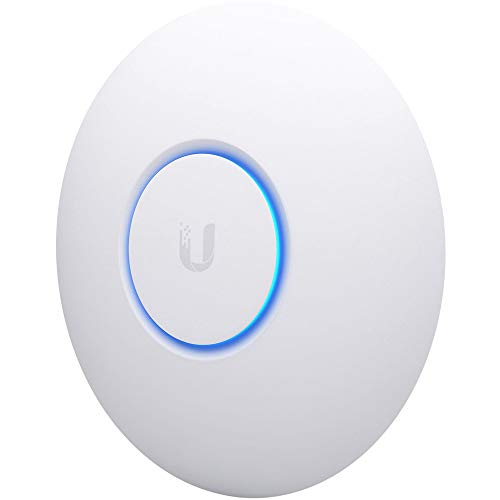
Ubiquiti UniFi nanoHD Wave 2 Access Point
Best for: high-density MU-MIMO client networks
- Operating Mode
- Access Point Mode (what this guide is about)
- Wi-Fi Standard
- 802.11ac Wave 2
- PoE Support
- 802.3af PoE
- Features
- MU-MIMO
- Dimensions
- 6.3 × 6.3 × 1.3 inches
- Weight
- 0.64 ounces
The Ubiquiti UniFi nanoHD Wave 2 Access Point operates in dedicated access point mode. It features four-stream 802.11ac Wave 2 technology with MU-MIMO support and handles over 200 concurrent users. Powered via 802.3af PoE, the unit measures 6.3 inches across and 1.3 inches thick. You get high-density client capacity in a low-profile build. It suits you if you need multi-user wireless coverage from a compact footprint.
Pros
- Four-stream 802.11ac Wave 2 technology with MU-MIMO
- Supports over 200 concurrent users
- Compatible with 802.3af PoE power
- Compact 6.3-inch diameter enclosure
Cons
- Uses 802.11ac standard rather than Wi-Fi 6
- Custom decorative covers sold separately
Good fit if
- You manage networks with up to 200 concurrent users.
- You power hardware using standard 802.3af PoE.
- You need four-stream MU-MIMO in a small 6.3-inch chassis.
Skip if
- You require newer 802.11ax Wi-Fi 6 wireless hardware.
- You need decorative covers included in the box.
Verdict: Ubiquiti UniFi nanoHD Wave 2 Access Point delivers four-stream MU-MIMO and 200+ client capacity in a 6.3-inch form factor. It provides dependable 802.3af PoE connectivity for high-density environments.

TP-Link Omada AX1800 Access Point
Best for: compact indoor Wi-Fi 6 deployments
- Operating Mode
- Access Point Mode (what this guide is about)
- Wi-Fi Standard
- Wi-Fi 6
- Speed Rating
- AX1800, up to 1800 Mbps
- Frequency Band
- Dual-Band
- PoE Support
- 802.3at PoE+, 48V/0.5A Passive PoE
- Ethernet Port Speed
- 1G
This TP-Link access point delivers dual-band Wi-Fi 6 connectivity with an AX1800 speed rating and four spatial streams. It features a single Gigabit Ethernet port and offers flexible power choices, including 802.3at PoE+, passive PoE, or the included DC adapter. You can run it standalone or manage it centrally using Omada cloud tools. It suits you if you need a compact, business-grade Wi-Fi 6 access point for indoor networking.
Pros
- Dual-band Wi-Fi 6 speeds up to 1800 Mbps with 4 spatial streams
- Three power options: 802.3at PoE+, 48V passive PoE, and included 12V DC adapter
- Supports WPA3, band steering, beamforming, and airtime fairness
- Includes a 5-year warranty
Cons
- Mesh and seamless roaming require an Omada SDN controller
- Ethernet uplink is limited to 1 Gbps rather than multi-gigabit
Good fit if
- You need an AX1800 Wi-Fi 6 access point that includes a DC power adapter.
- You want flexible management via cloud, hardware controller, or standalone mode.
- You plan to power your device using standard 802.3at PoE+ or passive PoE.
Skip if
- You need wired uplink speeds higher than 1 Gbps.
- You want mesh features without configuring a separate Omada controller.
Verdict: TP-Link Omada AX1800 Access Point offers entry-level Wi-Fi 6 performance and multiple power methods in a slim indoor chassis. It is a solid, manageable choice for standard Gigabit networks.

TP-Link Omada AX3000 Wi-Fi 6 Access Point
Best for: indoor networks needing flexible power options
- Operating Mode
- Access Point Mode (what this guide is about)
- Wi-Fi Standard
- Wi-Fi 6
- Speed Rating
- AX3000 (2976 Mbps)
- Frequency Band
- Dual-Band
- PoE Support
- 802.3at PoE+, 48V/0.5A Passive PoE
- Ethernet Port Speed
- 1 Gbps
This TP-Link unit is a dual-band Wi-Fi 6 access point rated up to 2976 Mbps. It provides one Gigabit Ethernet port and operates in standalone access point mode or with Omada cloud management. You can power it through standard 802.3at PoE+, passive 48V PoE, or the bundled 12V DC power adapter. It suits indoor environments where you need Wi-Fi 6 speeds and flexible power options.
Pros
- Dual-band Wi-Fi 6 speeds reach up to 2976 Mbps
- Powers via 802.3at PoE+, passive PoE, or included DC adapter
- Supports Omada SDN centralized cloud management and standalone mode
- Backed by a 5-year manufacturer warranty
Cons
- Gigabit Ethernet port caps wired connection at 1 Gbps
- Mesh Wi-Fi and seamless roaming require an Omada SDN controller
- Passive PoE injector is not included in the box
Good fit if
- You want a Wi-Fi 6 access point with an included DC power adapter
- You use Omada SDN management or need standalone access point mode
- You require 802.3at PoE+ or passive PoE deployment versatility
Skip if
- You require multi-gigabit Ethernet ports above 1 Gbps
- You need an outdoor-rated access point enclosure
Verdict: TP-Link Omada AX3000 Wi-Fi 6 Access Point delivers dual-band Wi-Fi 6 throughput alongside versatile PoE and DC power options. It provides reliable indoor connectivity backed by a 5-year hardware warranty.

Ubiquiti U6 Dual-Band Access Point
Best for: PoE+ wall-mounted dual-band network setups
- Operating Mode
- Access Point Mode (what this guide is about)
- Wi-Fi Standard
- 802.11a/b/g/n/ac/ax
- Speed Rating
- 3 Gbit/s
- Frequency Band
- Dual-Band
- PoE Support
- PoE+
- Ethernet Port Speed
- Gigabit
The Ubiquiti U6 Dual-Band Access Point provides dedicated access point mode operation for your local network. It supports IEEE 802.11ax dual-band connectivity with wireless transfer speeds up to 3 Gbit/s. A single Gigabit Ethernet port handles both network data and power through PoE+ up to 25.5W. At 0.74 pounds, this wall-mountable unit suits you if you want a compact wired installation without nearby power outlets.
Pros
- Up to 3 Gbit/s wireless transmission speed
- Supports IEEE 802.11 a/b/g/n/ac/ax wireless standards
- Gigabit Ethernet port with PoE+ power up to 25.5W
- Lightweight 0.74-pound wall-mountable design
Cons
- Provides only one Gigabit Ethernet port
- Requires PoE+ infrastructure with no DC adapter listed
Good fit if
- You have a PoE+ switch or injector capable of supplying up to 25.5W.
- You want an 802.11ax dual-band access point capable of 3 Gbit/s wireless rates.
- You intend to mount your access point to a wall.
Skip if
- You need secondary Ethernet ports to wire nearby devices directly into the unit.
- You rely on a standard AC wall outlet rather than PoE+ power.
Verdict: Ubiquiti U6 Dual-Band Access Point delivers 3 Gbit/s 802.11ax connectivity through a single PoE+ Gigabit Ethernet connection. It is an efficient, wall-mountable choice when you want a clean wired deployment powered over Ethernet.

Ubiquiti Dual-Band Wi-Fi 6 Access Point 5-Pack
Best for: multi-point Wi-Fi 6 deployments needing PoE
- Operating Mode
- Access Point Mode (what this guide is about)
- Wi-Fi Standard
- Wi-Fi 6 (802.11ax)
- Speed Rating
- Up to 5374 Mb/s
- Frequency Band
- Dual-Band (2.4 GHz / 5 GHz)
- PoE Support
- PoE Adapter included
View on Amazon: Ubiquiti Dual-Band Wi-Fi 6 Access Point 5-Pack
This multi-pack provides five white Wi-Fi 6 access points running in access point mode. You get dual-band operation across 2.4 GHz and 5 GHz with throughput reaching up to 5374 Mb/s. Ubiquiti includes PoE adapters along with wall and pole mounting hardware in the box. It suits you if you need to deploy unified, high-throughput wireless coverage across multiple mounting locations using wired PoE power delivery.
Pros
- Dual-band Wi-Fi 6 throughput up to 5374 Mb/s
- Pack of five units with PoE adapters included
- Wall and pole mounting kits included in the box
Cons
- Pack format is fixed to five units
- Dual-band design lacks 6 GHz spectrum
Good fit if
- You need five matching access points for multi-room coverage.
- You require Wi-Fi 6 speeds up to 5374 Mb/s on 2.4 GHz and 5 GHz.
- You plan to mount hardware to walls or poles with included PoE adapters.
Skip if
- You only require a single standalone access point.
- You need tri-band hardware featuring the 6 GHz band.
Verdict: Ubiquiti Dual-Band Wi-Fi 6 Access Point 5-Pack delivers multi-point Wi-Fi 6 network coverage with up to 5374 Mb/s throughput. It equips you with five matching units alongside included PoE injectors and mounting hardware.

WAVLINK AX3000 Outdoor Access Point
Best for: high-speed outdoor Wi-Fi 6 coverage
- Operating Mode
- Access Point Mode (what this guide is about)
- Wi-Fi Standard
- WiFi 6
- Speed Rating
- AX3000
- Frequency Band
- Dual-band (2.4GHz + 5GHz)
- PoE Support
- 802.3af/at active PoE, passive PoE
- Weatherproof Rating
- IP67
This outdoor unit functions as a dedicated Wi-Fi 6 access point delivering AX3000 dual-band speeds up to 2402 Mbps on 5 GHz and 573 Mbps on 2.4 GHz. You get an IP67-rated enclosure paired with four 8 dBi omnidirectional antennas and support for up to 256 connected devices. It handles both 802.3af/at active and passive PoE setups. It suits you if you need robust weatherproofing and extended outdoor wireless transmission.
Pros
- AX3000 dual-band Wi-Fi 6 speeds up to 2402 Mbps on 5 GHz and 573 Mbps on 2.4 GHz
- IP67 weatherproof casing with 15kV ESD and 6kV lightning protection
- Four external 8 dBi omnidirectional fiberglass tube antennas
- Supports both 802.3af/at active PoE and passive PoE connections
Cons
- Included PoE converter and power adapter are not waterproof
- Large physical footprint measuring 9.4 by 9.4 inches
Good fit if
- You need an outdoor access point with an IP67 rating and lightning protection.
- You require high-gain 8 dBi antennas to reach open outdoor spaces.
- You use existing 802.3af/at active or passive PoE infrastructure.
Skip if
- You need a waterproof power injector for exposed outdoor placement.
- You prefer a compact, low-profile indoor ceiling mount.
Verdict: WAVLINK AX3000 Outdoor Access Point combines high-bandwidth Wi-Fi 6 transmission with IP67 weather protection and high-gain antennas. It provides versatile PoE integration across large exterior zones.

Cudy Outdoor Wi-Fi 6 Access Point
Best for: high-speed outdoor Wi-Fi 6 deployments
- Operating Mode
- Access Point Mode (what this guide is about)
- Wi-Fi Standard
- Wi-Fi 6
- Speed Rating
- AX3000
- Frequency Band
- Dual-band (2.4 GHz + 5 GHz)
- PoE Support
- PoE injector included
- Weatherproof Rating
- IP65
This outdoor wireless access point operates in access point mode to expand your network into open-air spaces. It features dual-band Wi-Fi 6 connectivity delivering up to 2402 Mbps on 5 GHz and 574 Mbps on 2.4 GHz. A dedicated 2.5GbE Ethernet port handles multi-gigabit wired backhaul, while the IP65 weatherproof casing withstands extreme temperatures. It suits you if you need fast outdoor wireless coverage powered over Ethernet.
Pros
- AX3000 Wi-Fi 6 speeds reaching 2402 Mbps on 5 GHz and 574 Mbps on 2.4 GHz
- 2.5GbE multi-gigabit Ethernet port prevents backhaul bottlenecks
- IP65 weather-resistant housing rated from -22°F to 158°F with 6kV surge protection
- Includes PoE injector for combined power and data delivery over one cable
Cons
- Features only one Ethernet port with no secondary pass-through jack
- Weighs over 2 pounds, making it bulkier than standard indoor units
Good fit if
- You need high-speed outdoor Wi-Fi 6 with a 2.5GbE wired uplink.
- You deploy network gear in harsh temperatures between -22°F and 158°F.
- You want flexible configuration options including OpenWRT support and built-in VPNs.
Skip if
- You require a secondary Ethernet port to daisy-chain another outdoor device.
- You only plan to install networking equipment inside your home.
Verdict: Cudy Outdoor Wi-Fi 6 Access Point delivers multi-gigabit wired backhaul and rugged IP65 weather resistance for outdoor installations. It provides fast AX3000 wireless performance and versatile standalone or controller management options.

WAVLINK AX3000 Outdoor Wi-Fi 6 Access Point
Best for: long-range outdoor Wi-Fi 6 coverage
- Operating Mode
- Access Point Mode (what this guide is about)
- Wi-Fi Standard
- WiFi 6 (IEEE 802.11 ac/a/b/g/n)
- Speed Rating
- AX3000
- Frequency Band
- Dual-band (2.4GHz + 5GHz)
- PoE Support
- 802.3af/at active PoE, passive PoE
- Weatherproof Rating
- IP67
This WAVLINK outdoor access point adds dual-band Wi-Fi 6 to your exterior spaces, offering speeds up to 2402 Mbps on 5 GHz and 573 Mbps on 2.4 GHz. It features four detachable 8dBi omni-directional antennas, an IP67-rated waterproof housing, and a Gigabit Ethernet port supporting both active 802.3af/at and passive PoE. It suits you if you need long-range outdoor wireless coverage configured specifically for wired Access Point mode.
Pros
- Dual-band Wi-Fi 6 with AX3000 speeds up to 2402 Mbps on 5 GHz and 573 Mbps on 2.4 GHz
- IP67 waterproof rating with 15kV ESD and 6kV lightning protection
- Four detachable 8dBi omni-directional fiberglass antennas
- Supports both standard 802.3af/at active PoE and passive PoE
Cons
- Included PoE converter is not waterproof
- Mesh functionality is restricted to WAVLINK series devices
- Single Gigabit Ethernet port limits wired passthrough options
Good fit if
- You need an IP67 weatherproof Wi-Fi 6 access point for open outdoor environments.
- You want flexible powering via standard 802.3af/at active PoE or passive PoE.
- You need high antenna gain with four detachable 8dBi omni-directional antennas.
Skip if
- You require an all-weather, waterproof PoE injector for fully exposed setups.
- You intend to build a unified mesh system with third-party networking hardware.
Verdict: WAVLINK AX3000 Outdoor Wi-Fi 6 Access Point delivers dual-band Wi-Fi 6 performance and robust weather protection via an IP67 enclosure and high-gain antennas. It is an effective option when you need dedicated outdoor Access Point mode powered over Ethernet.

WAVLINK AC1200 Outdoor Access Point
Best for: weatherproof outdoor networking with high-gain antennas
- Operating Mode
- Access Point Mode (what this guide is about)
- Speed Rating
- AC1200
- Frequency Band
- Dual Band (2.4G+5G)
- PoE Support
- Active PoE
- Antenna Gain
- 4x 7dBi
- Ethernet Port Speed
- Gigabit
This WAVLINK unit functions as an outdoor dual-band AC1200 wireless access point providing up to 867 Mbps on 5 GHz and 300 Mbps on 2.4 GHz. It features four detachable 7 dBi omnidirectional antennas, dual Gigabit Ethernet ports, and an included active PoE converter. It suits you if you need to extend wired network coverage into outdoor spaces under wide temperature extremes without running a separate outdoor power line.
Pros
- Four detachable 7 dBi omnidirectional antennas
- Dual Gigabit Ethernet ports supporting active PoE
- Weatherproof enclosure rated for -22°F to 158°F with 4KV lightning protection
- Supports up to 96 simultaneous client connections
Cons
- Uses Wi-Fi 5 (802.11ac) rather than newer Wi-Fi 6 standards
- Maximum throughput is capped at 867 Mbps on the 5 GHz band
Good fit if
- You need outdoor wireless coverage powered over an Ethernet cable via active PoE.
- You want detachable high-gain antennas to direct dual-band signals in open spaces.
Skip if
- You require Wi-Fi 6 speeds or AX throughput for dense device environments.
- You prefer compact indoor ceiling-mount networking hardware.
Verdict: WAVLINK AC1200 Outdoor Access Point delivers Wi-Fi 5 outdoor coverage using four high-gain antennas and active PoE. It provides a solid wired-to-wireless bridge built for extreme weather conditions.

NETGEAR AX1800 WiFi 6 Access Point
Best for: small offices needing flexible PoE or DC power
- Operating Mode
- Access Point Mode (what this guide is about)
- Wi-Fi Standard
- WiFi 6
- Speed Rating
- AX1800 (up to 1,800 Mbps)
- Frequency Band
- Dual-Band (2.4 GHz and 5 GHz)
- PoE Support
- PoE
- Ethernet Port Speed
- 1 Gbps
The NETGEAR AX1800 WiFi 6 Access Point adds wireless coverage to your existing wired network. It provides dual-band speeds up to 1,800 Mbps across 2.4 GHz and 5 GHz bands, covering up to 1,500 square feet. You can connect it via its single 1G Ethernet port and power it with the included power adapter or a PoE switch. This standalone unit suits you if you need secure multi-SSID indoor deployment.
Pros
- Dual-band AX1800 speeds up to 1,800 Mbps across 2.4 GHz and 5 GHz
- Powers via included DC power adapter or a PoE switch
- Supports up to 4 separate SSIDs with WPA3 encryption
- Indoor coverage up to 1,500 square feet
Cons
- Single 1G Ethernet port caps wired uplink speeds at 1 Gbps
- Hardware limit of 30 simultaneous active client devices
- Indoor mounting only with no outdoor weather resistance listed
Good fit if
- You need up to 1,500 square feet of Wi-Fi 6 coverage powered by PoE or an outlet.
- You require up to 4 isolated SSIDs for client or guest network separation.
- You want standalone web browser management without mandatory app installation.
Skip if
- You need more than 30 active simultaneous client devices.
- You require an outdoor-rated enclosure for exterior deployment.
Verdict: NETGEAR AX1800 WiFi 6 Access Point delivers compact dual-band Wi-Fi 6 coverage with versatile power options and simple web configuration. Its 1G uplink and 30-active-client ceiling keep it suited strictly for small-scale deployments.
Specifications side by side
| Spec | VSVABEFV Dual-Band Gigabit PoE Access Point | Ubiquiti UniFi White Access Point | TP-Link Omada Dual-Band PoE Access Point | TP-Link Omada AC1200 Outdoor Access Point | TP-Link Omada N300 Outdoor Access Point | Ubiquiti UniFi nanoHD Wave 2 Access Point | TP-Link Omada AX1800 Access Point | TP-Link Omada AX3000 Wi-Fi 6 Access Point | Ubiquiti U6 Dual-Band Access Point | Ubiquiti Dual-Band Wi-Fi 6 Access Point 5-Pack | WAVLINK AX3000 Outdoor Access Point | Cudy Outdoor Wi-Fi 6 Access Point | WAVLINK AX3000 Outdoor Wi-Fi 6 Access Point | WAVLINK AC1200 Outdoor Access Point | NETGEAR AX1800 WiFi 6 Access Point |
|---|---|---|---|---|---|---|---|---|---|---|---|---|---|---|---|
| Wi-Fi Standard | 802.11ac | not specified | not specified | 802.11ac Wave 2 | not specified | 802.11ac Wave 2 | Wi-Fi 6 | Wi-Fi 6 | 802.11a/b/g/n/ac/ax | Wi-Fi 6 (802.11ax) | WiFi 6 | Wi-Fi 6 | WiFi 6 (IEEE 802.11 ac/a/b/g/n) | not specified | WiFi 6 |
| Speed Rating | 1200 Mbps | not specified | AC1350 | AC1200, up to 1200 Mbps | N300, up to 300 Mbps | not specified | AX1800, up to 1800 Mbps | AX3000 (2976 Mbps) | 3 Gbit/s | Up to 5374 Mb/s | AX3000 | AX3000 | AX3000 | AC1200 | AX1800 (up to 1,800 Mbps) |
| Frequency Band | Dual-Band (2.4 GHz, 5.8 GHz) | not specified | Dual Band | Dual-Band (2.4 GHz, 5 GHz) | not specified | not specified | Dual-Band | Dual-Band | Dual-Band | Dual-Band (2.4 GHz / 5 GHz) | Dual-band (2.4GHz + 5GHz) | Dual-band (2.4 GHz + 5 GHz) | Dual-band (2.4GHz + 5GHz) | Dual Band (2.4G+5G) | Dual-Band (2.4 GHz and 5 GHz) |
| PoE Support | 802.3af PoE+, 48V Passive PoE | not specified | 802.3af PoE, Passive PoE | 802.3af/at PoE, Passive PoE | Passive PoE | 802.3af PoE | 802.3at PoE+, 48V/0.5A Passive PoE | 802.3at PoE+, 48V/0.5A Passive PoE | PoE+ | PoE Adapter included | 802.3af/at active PoE, passive PoE | PoE injector included | 802.3af/at active PoE, passive PoE | Active PoE | PoE |
| Operating Mode | Access Point, Repeater, Mesh | Access Point | Access Point, Mesh | Access Point, Mesh, Standalone | Access Point | Access Point | Access Point, Mesh, Standalone | Access Point, Mesh | Access Point | not specified | Mesh, AP, Router, Repeater, AP/Repeater | not specified | Mesh, AP, Router, Repeater, AP+Repeater | Mesh Extender, Access Point, Repeater | Access Point |
| Weatherproof Rating | not specified | not specified | not specified | IP65 | not specified | not specified | not specified | not specified | not specified | not specified | IP67 | IP65 | IP67 | not specified | not specified |
| Antenna Gain | not specified | not specified | not specified | not specified | not specified | not specified | not specified | not specified | not specified | not specified | 4x 8 dBi | not specified | 4x 8dBi | 4x 7dBi | not specified |
| Ethernet Port Speed | Gigabit | not specified | Gigabit | not specified | not specified | not specified | 1G | 1 Gbps | Gigabit | not specified | not specified | 2.5 Gbps | Gigabit (1000/100/10Mbps) | Gigabit | 1 Gbps |
| Features | not specified | not specified | not specified | not specified | not specified | MU-MIMO | not specified | not specified | not specified | not specified | not specified | not specified | not specified | not specified | not specified |
| Port Speed | Gigabit | not specified | Gigabit | not specified | not specified | not specified | Gigabit | Gigabit | not specified | not specified | not specified | not specified | not specified | not specified | not specified |
| Intended Use | not specified | not specified | not specified | Outdoors | Outdoors | not specified | not specified | not specified | not specified | not specified | not specified | Outdoors | Outdoors | Outdoors | not specified |
| Placement | not specified | not specified | not specified | Outdoor | Outdoor | not specified | not specified | not specified | not specified | not specified | not specified | Outdoor | Outdoor | Outdoor | not specified |
| Dimensions | 11.5 × 7.6 × 2.3 inches | 7.13 × 2.37 × 13.5 inches | 8.09 × 7.15 × 1.47 inches | 8.46 × 1.81 × 1.05 inches | 3.7 × 8.2 × 1.7 inches | 6.3 × 6.3 × 1.3 inches | 6.3 × 6.3 × 1.32 inches | 6.3 × 6.3 × 1.32 inches | 7.8 × 7.2 × 2.1 inches | not specified | 9.4 × 9.4 × 2.8 inches | 3.94 × 2.13 × 9.45 inches | not specified | not specified | not specified |
| Weight | 1.1 pounds | 1.4 pounds | 1.1 pounds | 5.92 ounces | 4.16 ounces | 0.64 ounces | 13.8 ounces | 13.8 ounces | 11.8 ounces | not specified | 2.43 pounds | 2.02 pounds | 5.51 pounds | not specified | 15.2 ounces |
| Size | Compact | not specified | AC1200, 1G Port | 1 Count | N300 | 1-Pack | AX1800, 1G Port | AX3000, 1G Port | Small | not specified | not specified | Standard | AX3000GW | not specified | compact |
| Color | Dual-band Gigabit 1200Mbps | White | PVC | White | White | White | white | PVC | Information Not Available | White | not specified | White | White | Green | white |
| Model | AP240 | UAP-AC-M-PRO | EAP225 | EAP225-Outdoor | EAP110-Outdoor V3 | UAP-NANOHD-US | EAP610 | EAP650 | U6US | U6-Mesh | B0CY1S568K | AP3000 OUTDOOR | WL-WN573HX3 GW | WLAMUS-WN572HP3-GW-US | WAX210PA-100NAS |
If you need audio gear for personal listening, you can compare technical specifications for the best wireless earbuds.
How to Choose a Wireless Access Point
-
Power Delivery Options
Check how the access point receives power before running cables. Power over Ethernet, or PoE, sends electrical power and network data across one Ethernet line. This setup eliminates the need for an AC power outlet near your ceiling or wall location. Some hardware uses standard PoE, while others require higher-wattage PoE+ or include separate DC wall adapters. For instance, the Ubiquiti U6 Dual-Band Access Point relies on a dedicated PoE+ Ethernet connection. Verify that your network switch or injector matches the required PoE standard.
-
Outdoor Weather Protection
Inspect the ingress protection rating if you plan to install equipment outdoors. Standard indoor access points cannot handle rain, direct sunlight, or airborne dust. Exterior installations require weatherproof casings rated for outdoor use. Look for an IP65 or IP67 rating on the specification sheet to ensure the unit survives harsh exterior conditions. For example, the WAVLINK AX3000 Outdoor Access Point features an IP67 weather-resistant enclosure designed for extreme weather. Choosing certified outdoor hardware prevents moisture damage and maintains reliable exterior wireless coverage throughout the year.
-
Multi-Pack Deployment Scale
Evaluate your physical coverage area to decide between an individual access point and a multi-pack bundle. A single unit easily extends coverage across an apartment or small workspace. Larger properties, multiple floors, or expansive estates require several matched hardware units to prevent dead zones. Multi-unit bundles simplify installations by supplying identical hardware and individual power injectors in a single package. The Ubiquiti Dual-Band Wi-Fi 6 Access Point 5-Pack provides five matching access points to cover broad multi-point installations. Selecting a bundle ensures uniform hardware specs across your entire structure.
-
Concurrent Device Limits
Review the maximum client capacity and stream architecture if you connect many devices. Basic access points handle standard household loads, but high-density spaces demand higher capacity. Look for MU-MIMO support, which enables the access point to communicate with multiple devices at once instead of queuing requests one by one. The Ubiquiti UniFi nanoHD Wave 2 Access Point offers four-stream MU-MIMO and supports over 200 concurrent clients. If your network hosts smart sensors, streaming displays, and laptops simultaneously, choose an access point with multi-stream technology to avoid congestion.
-
Wired Backhaul Port Speeds
Check the Ethernet port speed specification to ensure your wired network does not throttle wireless data. An access point cannot transmit wireless data faster than its incoming wired backhaul connection. Standard Gigabit ports provide up to 1000 Mbps of wired bandwidth. However, if your router and local switches support higher bandwidth, a multi-gigabit port unlocks greater throughput for fast Wi-Fi 6 clients. For example, the Cudy Outdoor Wi-Fi 6 Access Point includes multi-gigabit wired backhaul capabilities. Verify that your switch ports match the access point port speed for peak data transfer.
-
Physical Size and Mounting
Examine physical dimensions and form factor before purchasing to verify mounting space. Access points vary dramatically in size based on internal antenna placement and chassis construction. Compact units measure roughly six inches across, fitting discreetly onto residential ceilings. In contrast, heavy-duty commercial units can exceed a foot in length, requiring sturdy wall brackets or pole fixtures. The Ubiquiti UniFi White Access Point measures 13.51 inches in height. Measuring your intended installation surface and checking hardware weight beforehand guarantees you have adequate structural clearance for secure, level attachment.
Frequently asked questions
What does access point mode do on a wireless access point?
Access point mode connects the device to an existing wired router or switch via Ethernet and broadcasts a fresh Wi-Fi signal. In this mode, the unit acts strictly as a wireless bridge rather than handling DHCP routing or network addressing. This configuration allows models like the NETGEAR AX1800 to supply local wireless connectivity without causing double NAT conflicts on your current home or business network.
What is the difference between Wi-Fi 5 and Wi-Fi 6 access points?
Wi-Fi 6 access points provide higher potential throughput and handle dense client environments more efficiently than Wi-Fi 5 units. For instance, the Ubiquiti U6 Dual-Band Access Point supports 802.11ax speeds up to 3 Gbit/s. In contrast, Wi-Fi 5 models like the TP-Link Omada AC1200 use 802.11ac standards. Wi-Fi 6 helps when you connect multiple modern smartphones, laptops, and streaming devices simultaneously.
How many client devices can a wireless access point support?
Client capacity depends on the internal hardware specifications of the individual access point. For example, the NETGEAR AX1800 specifies an active limit of up to 30 clients, which suits lighter office use. In contrast, high-density hardware like the Ubiquiti UniFi nanoHD Wave 2 supports more than 200 connected clients using four-stream MU-MIMO. Always verify device capacity limits before designing your network.
Can you install an indoor wireless access point outdoors?
You should never place standard indoor access points outdoors because they lack weatherproofing against rain, humidity, and extreme temperatures. Outdoor deployments require dedicated weatherproof enclosures. For exterior spaces, hardware like the WAVLINK AX3000 Outdoor Access Point features an IP67 rating, while the Cudy Outdoor Wi-Fi 6 unit provides IP65 weather resistance. Indoor models lack these environmental seals and will fail if exposed to weather.
What Ethernet backhaul speed do you need for a wireless access point?
Most standard wireless access points, such as the TP-Link Omada EAP610 and VSVABEFV AP240, utilize standard 1 Gigabit Ethernet backhaul ports. This matches standard Gigabit switches and home internet plans up to 1000 Mbps. However, units designed for heavier data transfers, such as the Cudy Outdoor Wi-Fi 6 Access Point, incorporate multi-gigabit wired ports to prevent Ethernet uplink bottlenecks during peak usage.
Do you need a hardware controller to manage a wireless access point?
A dedicated controller is not strictly required for basic operation, but management options vary by manufacturer. Some models feature standalone web-based management interfaces for direct setup, while others integrate into centralized platforms. For example, the Cudy Outdoor Wi-Fi 6 Access Point supports standalone operation or centralized controller management. Similarly, TP-Link Omada access points support Omada SDN management for coordinating multiple units across a site.
What does MU-MIMO do on a wireless access point?
MU-MIMO, or Multi-User Multiple-Input Multiple-Output, allows an access point to communicate with multiple devices at the same time instead of queuing requests sequentially. On units like the Ubiquiti UniFi nanoHD Wave 2, four-stream MU-MIMO architecture divides available spatial streams among compatible clients. This reduces wireless latency and prevents speed drops in environments where dozens of devices transmit data at the same time.