15 Best Wi-Fi 6 Mesh Wifi Systems, Compared
As an Amazon Associate we earn from qualifying purchases. Links on this page are affiliate links.
Finding the right Wi-Fi 6 mesh wifi system depends on your home layout, coverage needs, and wired port requirements. We compared 15 products based strictly on the specifications published on their listings.
The TP-Link Deco X55 3-Pack Wi-Fi 6 takes the top position because it provides 6,500 square feet of AX3000 coverage alongside three Gigabit ports per unit. This guide helps you evaluate coverage areas, pack sizes, and hardware features so you can choose the best setup for your home network.
Quick picks
The best fit for you
- You need broad coverage for up to 150 devices TP-Link Deco X55 3-Pack Wi-Fi 6 It delivers 6,500 square feet of Wi-Fi 6 coverage and three Gigabit ports per unit.
- You want dedicated gaming traffic with multi-gigabit speeds ASUS ROG Rapture Tri-Band Mesh System The tri-band design includes a 2.5 Gbps WAN port and dedicated backhaul for gaming environments.
- You have Ethernet cabling and prefer ceiling mounting TP-Link Deco PoE WiFi 6 3-Pack It features PoE+ power support alongside dual 2.5 Gbps Ethernet ports for multi-gigabit wired backhaul.
- You need to manage over 160 connected devices Tenda Nova 2-Pack AX3000 Mesh System This AX3000 mesh package supports more than 160 devices across 5,000 square feet of coverage.
Our 15 picks

TP-Link Deco X55 3-Pack Wi-Fi 6
Best for: large homes needing broad Wi-Fi 6 coverage
- Wi-Fi Standard
- Wi-Fi 6 (what this guide is about)
- Speed Rating
- AX3000
- Coverage Area
- up to 6500 sq ft
- Pack Size
- 3-Pack
- Port Speed
- Gigabit
- Device Capacity
- up to 150
The TP-Link Deco AX3000 3-Pack Mesh System provides Wi-Fi 6 coverage across areas up to 6,500 square feet. Each node delivers combined speeds up to 2,402 Mbps on 5 GHz and 574 Mbps on 2.4 GHz. With three Gigabit Ethernet ports per unit, you can connect wired devices or configure an Ethernet backhaul. It connects up to 150 devices, making it suitable if you manage many active household connections.
Pros
- Covers up to 6,500 square feet across the three included units
- Provides AX3000 speeds with 2,402 Mbps on 5 GHz and 574 Mbps on 2.4 GHz
- Features three Gigabit Ethernet ports per unit with wired backhaul support
- Supports network capacity for up to 150 connected devices
Cons
- Ethernet ports max out at 1 Gbps with no multi-gigabit support
- Dual-band design lacks a dedicated third wireless backhaul band
- Network setup and management require the Deco mobile app
Good fit if
- You need whole-home wireless coverage reaching up to 6,500 square feet.
- You want multiple Gigabit Ethernet ports on every mesh node for wired hardware.
- You have up to 150 devices requiring simultaneous network access.
Skip if
- You require multi-gigabit Ethernet ports exceeding 1 Gbps.
- You prefer a tri-band system with a dedicated wireless band for backhaul.
Verdict: TP-Link Deco AX3000 3-Pack Mesh System offers a balanced combination of 6,500 square feet of Wi-Fi 6 coverage and three Gigabit ports per unit. It gives you dependable multi-room coverage and wired connectivity for up to 150 devices.

Amazon eero 6 Mesh Wi-Fi Add-On Extender
Best for: expanding existing eero Wi-Fi 6 networks
- Wi-Fi Standard
- Wi-Fi 6 (what this guide is about)
- Coverage Area
- up to 1,500 sq. ft.
- Dimensions
- 3.91 × 3.82 × 2.42 inches
- Weight
- 10.1 ounces
The Amazon eero 6 add-on extender expands your Wi-Fi 6 setup by up to 1,500 square feet. It measures 3.91 by 3.82 by 2.42 inches and weighs 0.63 pounds. You manage it through the eero mobile app with automatic updates and TrueMesh traffic routing. This unit functions strictly as an add-on device, making it ideal if you already own an eero mesh network and need broader coverage for 4K streaming or gaming.
Pros
- Adds up to 1,500 sq. ft. of Wi-Fi 6 coverage
- Compact footprint at 3.91 x 3.82 x 2.42 inches
- TrueMesh technology for intelligent traffic routing
- Free support available 7 days a week
Cons
- Requires an existing eero network to operate
- Cannot function as a standalone router
Good fit if
- You already own an active eero mesh system.
- You need up to 1,500 sq. ft. of additional Wi-Fi 6 coverage.
Skip if
- You need a standalone primary router.
- You use a non-eero mesh network.
Verdict: Amazon eero 6 Mesh Wi-Fi Add-On Extender expands an existing eero network with up to 1,500 square feet of Wi-Fi 6 coverage. It provides a compact way to eliminate dead spots without replacing your current hardware.

TP-Link Deco Dual-Band Wi-Fi 6 3-Pack
Best for: large homes with up to 150 devices
- Wi-Fi Standard
- Wi-Fi 6 (what this guide is about)
- Speed Rating
- AX1800
- Coverage Area
- Up to 5800 sq ft
- Frequency Bands
- Dual-Band
- Pack Size
- 3-Pack
- Device Capacity
- Up to 150 devices
The TP-Link Deco Dual-Band Wi-Fi 6 3-Pack provides whole-home Wi-Fi 6 coverage across spaces up to 5,800 square feet. This AX1800 system operates on dual bands and connects up to 150 devices simultaneously. You can integrate it with any internet plan up to 1 Gbps. Management runs through the Deco app with basic HomeShield security tools included. It suits you if you need broad coverage for high device counts.
Pros
- Covers up to 5,800 square feet using three mesh nodes
- Connects up to 150 devices simultaneously
- Supports internet plans up to 1 Gbps
- Includes basic HomeShield network security and parental controls
Cons
- Limits wireless communication to dual-band rather than tri-band
- Caps Wi-Fi 6 throughput at the AX1800 specification
Good fit if
- You want whole-home Wi-Fi 6 coverage up to 5,800 square feet.
- You manage an active network with up to 150 connected devices.
- You have an internet service plan rated up to 1 Gbps.
Skip if
- You require tri-band connectivity with a dedicated backhaul channel.
- You need wireless throughput beyond AX1800 Wi-Fi 6 speeds.
Verdict: TP-Link Deco Dual-Band Wi-Fi 6 3-Pack provides solid AX1800 coverage across 5,800 square feet for up to 150 devices. It offers balanced, multi-room Wi-Fi 6 performance for internet plans up to 1 Gbps.
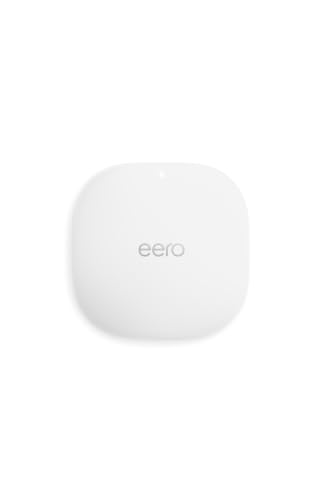
Amazon eero PoE 6 Dual-Band Access Point
Best for: wired PoE ceiling and wall installations
- Wi-Fi Standard
- Wi-Fi 6 (what this guide is about)
- Speed Rating
- 1.6 Gbps
- Coverage Area
- 2,000 sq. ft.
- Frequency Bands
- Dual-band
- Device Capacity
- 100+
- PoE Support
- PoE
The Amazon eero PoE 6 is a dual-band Wi-Fi 6 access point designed for ceiling or wall mounting. Powered through Power over Ethernet without an AC adapter, it delivers wireless speeds up to 1.6 Gbps and covers up to 2,000 square feet. It supports over 100 connected devices using wired PoE infrastructure. This unit fits you if you want ceiling-mounted coverage and already run PoE-capable Ethernet cabling throughout your home.
Pros
- Powered via Power over Ethernet for ceiling or wall mounting
- Covers up to 2,000 sq. ft. per unit with TrueMesh support
- Supports dual-band Wi-Fi 6 speeds up to 1.6 Gbps
- Handles 100+ connected devices
Cons
- No AC power adapter included in the box
- Requires existing PoE infrastructure to operate
- Dual-band configuration rather than tri-band
Good fit if
- You have Ethernet cabling with Power over Ethernet capability.
- You want to mount your Wi-Fi 6 access point directly on a ceiling or wall.
- You need coverage for up to 100 connected devices across 2,000 sq. ft.
Skip if
- You lack PoE switches or injectors and need a standard AC wall outlet plug.
- You prefer a tri-band Wi-Fi 6 system with a dedicated wireless backhaul band.
Verdict: Amazon eero PoE 6 Access Point delivers up to 1.6 Gbps Wi-Fi 6 speeds across 2,000 square feet using Power over Ethernet. It provides a clean, wired ceiling- or wall-mounted solution for homes with existing PoE wiring.

TP-Link Deco PoE WiFi 6 3-Pack
Best for: ceiling installations with wired multi-gigabit backhaul
- Wi-Fi Standard
- Wi-Fi 6 (what this guide is about)
- Speed Rating
- AX3000
- Coverage Area
- up to 6,500 sq.ft
- Frequency Bands
- Dual-Band
- Pack Size
- 3-Pack
- Port Speed
- 2.5 Gigabit
This Wi-Fi 6 system includes three nodes that cover up to 6,500 square feet and handle up to 150 connected devices. Each unit features two 2.5 Gigabit Ethernet ports and supports PoE+ for power and wired data over a single network cable, allowing ceiling or wall installations. It suits you if you have existing Ethernet cabling and want multi-gigabit wired backhaul without needing nearby AC power outlets at each node.
Pros
- Two 2.5 Gbps Ethernet ports on each unit
- PoE+ support enables ceiling mounting using single network cable
- AX3000 speeds up to 2402 Mbps on 5 GHz and 574 Mbps on 2.4 GHz
- Covers up to 6,500 square feet across three units
Cons
- PoE+ switch is not included for network power
- Dual-band design lacks a dedicated third wireless band
- Only two Ethernet ports per satellite unit
Good fit if
- You have Ethernet cabling routed to ceilings or walls and want PoE deployment.
- You need 2.5 Gbps Ethernet ports for multi-gigabit local backhaul.
- You want to cover up to 6,500 square feet with a three-node Wi-Fi 6 setup.
Skip if
- You want a tri-band mesh system with a dedicated wireless backhaul channel.
- You require more than two wired LAN ports at each node location.
- You do not have a PoE switch or injector and prefer conventional desktop units.
Verdict: TP-Link Deco 3-Pack PoE Mesh System delivers multi-gigabit wired backhaul and flexible mounting options with its dual 2.5 Gbps ports and PoE+ power input. It provides reliable whole-home Wi-Fi 6 coverage for homes pre-wired with Ethernet.

Tizomi eero 6 Wall Mount Holder (2-Pack)
Best for: mounting eero 6 routers without wall drilling
- Wi-Fi Standard
- Wi-Fi 6 (what this guide is about)
- Frequency Band
- Dual-Band
- Pack Size
- 2-Pack
- Mounting Type
- Wall Mount
- Weight
- 7.37 ounces
The Tizomi Wall Mount Holder is a two-pack mounting accessory built for eero 6 and eero 6+ mesh routers. If you need to clear shelf space, it secures your units using a tool-free clip-on design without drilling or screws. It integrates built-in cable routing channels to conceal cords behind the bracket. This setup suits you if you already own compatible dual-band eero hardware and want tidy wall placement.
Pros
- Tool-free clip-on installation requires no drilling or screws
- Built-in cable routing channel organizes cords behind bracket
- Includes two brackets, two cable organizers, and two plastic rings
- Compatible with both eero 6 and eero 6+ systems
Cons
- Does not include eero 6 router hardware or power plugs
- Incompatible with eero Pro 6 and other mesh router models
Good fit if
- You own an eero 6 or eero 6+ system and want wall-mounted placement.
- You want to mount routers without drilling holes or using screws.
- You need integrated cable routing to hide excess power cord.
Skip if
- You need a standalone Wi-Fi 6 router rather than an accessory mount.
- You own an eero Pro 6 or a non-eero mesh system.
Verdict: Tizomi eero 6 Wall Mount Holder (2-Pack) provides tool-free wall mounting and cable management strictly for eero 6 and 6+ units. It is an accessory mount, not a standalone Wi-Fi 6 router.

Sootozy Deco Mesh Wall Mount 3-Pack
Best for: wall-mounting TP-Link Deco mesh systems
- Wi-Fi Standard
- Wi-Fi 6 (what this guide is about)
- Speed Rating
- AX3000
- Pack Size
- 3-Pack
- Mounting Type
- Wall Mount
This three-pack wall mount kit is an accessory designed for TP-Link Deco Wi-Fi 6 units, including the X55, X20, and X60. It offers two mounting options: screw installation or drill-free adhesive pads. Built-in bottom ventilation holes maintain airflow to reduce heat buildup around your nodes. You get a clean, off-desk mounting solution that manages clutter across three separate rooms.
Pros
- Dual installation options using screws or included adhesive pads
- Bottom ventilation holes promote airflow to minimize heat buildup
- Compatible with TP-Link Deco X55, X20, X50, X60, and related models
- Three-pack bundle covers multi-node whole-home configurations
Cons
- Mounting brackets only; contains no active networking electronics
- Adhesive mounting requires clean surfaces and firmly attached paint
Good fit if
- You own compatible TP-Link Deco units and want them off desk surfaces.
- You want the choice between screw mounting and drill-free adhesive setup.
Skip if
- You need functional Wi-Fi 6 mesh routers rather than physical brackets.
- You use mesh hardware from other brands like Amazon eero or ASUS.
Verdict: Sootozy Deco Mesh Wall Mount 3-Pack delivers a practical mounting setup with built-in airflow slots for compatible TP-Link Deco units. It secures your hardware off tables without blocking unit ventilation.

TP-Link Deco X60 3-Pack Wi-Fi 6 System
Best for: Large homes needing broad Wi-Fi 6 coverage
- Wi-Fi Standard
- Wi-Fi 6 (what this guide is about)
- Speed Rating
- AX3000
- Coverage Area
- 7,000 sq. ft.
- Pack Size
- 3 Pack
- Intended Use
- Home
- Dimensions
- 4.33 × 4.33 × 4.49 inches
The TP-Link Deco X60 is a three-pack Wi-Fi 6 mesh system designed for whole-home coverage up to 7,000 square feet. It delivers AX3000 speeds up to 3 Gbps using OFDMA and MU-MIMO data transmission. If you need wide wireless coverage across a large house and want seamless roaming between nodes, this renewed setup provides the hardware to connect your devices.
Pros
- Covers up to 7,000 sq. ft. with three units
- AX3000 speed rating supporting up to 3 Gbps
- Includes OFDMA and MU-MIMO Wi-Fi 6 features
- Automatic connection selection across nodes
Cons
- Sold as renewed rather than brand-new hardware
- No Ethernet port specifications listed in the data
Good fit if
- You need coverage for spaces up to 7,000 square feet.
- You want AX3000 Wi-Fi 6 speeds across three mesh units.
- You are satisfied with renewed hardware specifications.
Skip if
- You prefer brand-new, factory-sealed hardware.
- You need confirmed multi-gigabit Ethernet port details.
Verdict: TP-Link Deco X60 Wi-Fi 6 Mesh 3-Pack delivers AX3000 speeds and covers up to 7,000 square feet across three compact nodes. It is a practical Wi-Fi 6 option if you want broad coverage and accept renewed equipment.

TP-Link Deco X25 Wi-Fi 6 3-Pack
Best for: large homes needing entry-level Wi-Fi 6 coverage
- Wi-Fi Standard
- Wi-Fi 6 (what this guide is about)
- Speed Rating
- AX1800
- Coverage Area
- 5800 sq. ft.
- Frequency Bands
- Dual-Band
- Pack Size
- 3-Pack
- Intended Use
- Home
The TP-Link Deco AX1800 Mesh 3-Pack provides Wi-Fi 6 coverage for homes up to 5,800 square feet. This dual-band setup operates with an AX1800 speed rating across three units to link your devices throughout your living space. If you need wide whole-home wireless coverage with entry-level Wi-Fi 6 throughput across multiple rooms, this renewed three-unit system fits your layout.
Pros
- Covers areas up to 5,800 square feet
- Wi-Fi 6 standard with AX1800 speed rating
- Three-pack configuration for multi-room coverage
Cons
- Dual-band frequency without a dedicated third backhaul band
- AX1800 speed rating offers lower throughput than AX3000 models
Good fit if
- You need up to 5,800 square feet of Wi-Fi 6 coverage.
- You want a three-unit dual-band system for a home network.
Skip if
- You require tri-band connectivity for a dedicated wireless backhaul.
- You want higher throughput ratings such as AX3000 or AX4300.
Verdict: TP-Link Deco AX1800 Mesh 3-Pack delivers Wi-Fi 6 connectivity and up to 5,800 square feet of coverage across three dual-band modules. It provides straightforward multi-room distribution for standard home network demands.

Tenda Nova 2-Pack AX3000 Mesh System
Best for: homes managing over 160 connected devices
- Wi-Fi Standard
- Wi-Fi 6 (what this guide is about)
- Speed Rating
- AX3000
- Coverage Area
- 5,000 sq ft
- Frequency Bands
- Dual-Band
- Pack Size
- 2-Pack
- Device Capacity
- 160+
This Tenda Nova two-pack is a dual-band Wi-Fi 6 mesh system rated at AX3000 speeds. It covers up to 5,000 square feet and supports over 160 connected devices simultaneously using OFDMA and MU-MIMO technologies. Gigabit ports handle your wired connections, and separate SSIDs can be configured for the 2.4 GHz and 5 GHz frequency bands. It suits you if you need wide whole-home wireless coverage for high volumes of smart equipment.
Pros
- Rated for 160+ connected devices with OFDMA and MU-MIMO
- Coverage up to 5,000 square feet with two units
- AX3000 speeds reaching 2402 Mbps on 5 GHz and 574 Mbps on 2.4 GHz
- Supports separate SSIDs for individual frequency bands
Cons
- Dual-band design lacks a dedicated third wireless backhaul band
- Comes as a two-pack rather than a three-pack system
Good fit if
- You need to connect up to 160 devices across your home network.
- You require up to 5,000 square feet of Wi-Fi 6 wireless coverage.
- You prefer assigning distinct network names to 2.4 GHz and 5 GHz bands.
Skip if
- You want a tri-band mesh system with a dedicated wireless backhaul.
- You need three or more physical units included in the package.
Verdict: Tenda Nova 2-Pack AX3000 Mesh System provides dual-band Wi-Fi 6 coverage across 5,000 square feet with capacity for over 160 devices. Its separate SSID controls and Gigabit ports make it a dependable option for handling large device loads.

TP-Link Deco 3-Pack Wi-Fi 6 Mesh System
Best for: Large homes needing basic Wi-Fi 6 coverage
- Wi-Fi Standard
- Wi-Fi 6 (what this guide is about)
- Speed Rating
- AX1500
- Coverage Area
- up to 5,600 Sq. ft.
- Pack Size
- 3
- Device Capacity
- up to 120 Devices
- Features
- Parental Controls
This three-pack Wi-Fi 6 mesh system replaces your existing router to cover up to 5,600 square feet. It delivers dual-band AX1500 speeds, providing up to 1,201 Mbps on the 5 GHz band and 300 Mbps on the 2.4 GHz band. The system includes OFDMA, MU-MIMO, and built-in parental controls. It suits you if you want extensive home coverage for everyday browsing and streaming.
Pros
- Up to 5,600 square feet of coverage across three units
- AX1500 speeds with 1,201 Mbps on 5 GHz and 300 Mbps on 2.4 GHz
- OFDMA and MU-MIMO for simultaneous device transmissions
- Built-in parental controls
Cons
- 2.4 GHz speed limited to 300 Mbps
- Dual-band design lacks dedicated wireless backhaul
Good fit if
- You need whole-home coverage reaching up to 5,600 square feet.
- You manage household access using built-in parental controls.
Skip if
- You require multi-gigabit throughput across your local network.
- You want a tri-band system with a dedicated backhaul channel.
Verdict: TP-Link Deco 3-Pack Wi-Fi 6 Mesh System delivers entry-level AX1500 dual-band Wi-Fi 6 across large layouts up to 5,600 square feet. It handles standard multi-device traffic reliably using OFDMA and MU-MIMO.

TP-Link Deco 3-Pack Wi-Fi 6 System
Best for: multi-device Wi-Fi 6 home setups
- Wi-Fi Standard
- Wi-Fi 6 (what this guide is about)
- Speed Rating
- 4,300 MBPS
- Pack Size
- 3 Pack
- Intended Use
- Home
- Dimensions
- 14 × 10 × 4 inches
This TP-Link Deco system gives you a three-pack home setup operating on the Wi-Fi 6 standard. It supports theoretical speeds up to 4,300 Mbps and handles concurrent data transmissions across multiple compatible devices for gaming or video chat. It suits you if you need multi-room coverage and want an easy setup process using three matching white mesh units.
Pros
- Wi-Fi 6 standard support
- Maximum throughput up to 4,300 Mbps
- Three-pack hardware coverage
- Handles concurrent gaming and video streams
Cons
- Renewed hardware condition
- Ethernet port specs omitted from data
Good fit if
- You need three Wi-Fi 6 mesh nodes for home coverage.
- You run concurrent video calls and gaming on compatible devices.
Skip if
- You require brand-new factory units rather than renewed gear.
- You need verified wired port counts before buying.
Verdict: TP-Link Deco 3-Pack Wi-Fi 6 System provides multi-room Wi-Fi 6 coverage with rated speeds up to 4,300 Mbps. It suits homes needing concurrent connections across three renewed units.

NETGEAR Orbi Tri-Band WiFi 6 Satellite
Best for: expanding compatible Orbi Wi-Fi 6 networks
- Wi-Fi Standard
- Wi-Fi 6 (what this guide is about)
- Speed Rating
- AX4200
- Coverage Area
- up to 2,500 sq. ft.
- Frequency Bands
- Tri-Band
- Intended Use
- Home
- Dimensions
- 9.75 × 7.75 × 6 inches
This unit is an add-on satellite for your existing Orbi Wi-Fi 6 setup. It provides AX4200 speeds across three frequency bands and extends wireless coverage by up to 2,500 square feet. You manage network setup through the Orbi app under a single network name. It suits you if you already operate a compatible system and need more coverage for streaming or gaming without replacing your hardware.
Pros
- Adds up to 2,500 sq. ft. of Wi-Fi 6 coverage
- Tri-band connectivity supporting speeds up to 4.2Gbps
- App-based setup and control via the Orbi app
Cons
- Requires a compatible Orbi system like the RBK752 to operate
- Large physical footprint measuring 9.75 by 7.75 by 6 inches
Good fit if
- You already own a compatible RBK752 Orbi Wi-Fi 6 system.
- You need to eliminate dead zones across an additional 2,500 sq. ft.
Skip if
- You need a standalone router to start a new network.
- You use a mesh networking system from another manufacturer.
Verdict: NETGEAR Orbi Tri-Band Wi-Fi 6 Add-on Satellite expands an existing compatible network by 2,500 square feet with AX4200 tri-band performance. It functions strictly as an add-on unit rather than a standalone router.
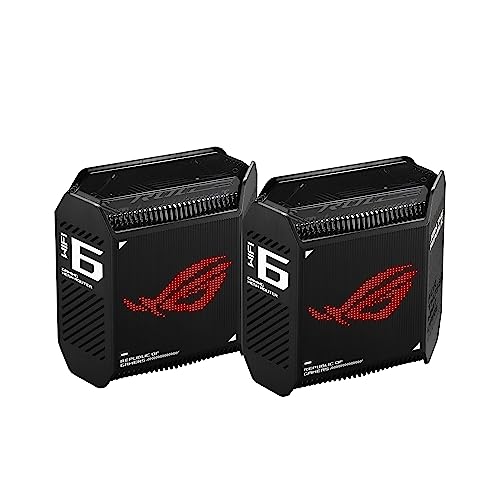
ASUS ROG Rapture Tri-Band Mesh System
Best for: multi-gigabit gaming and heavy traffic networks
- Wi-Fi Standard
- Wi-Fi 6 (what this guide is about)
- Speed Rating
- AX10000
- Coverage Area
- 5,800 sq ft
- Frequency Bands
- Tri-Band
- Pack Size
- 2-Pack
- Port Speed
- 2.5 Gbps
The ASUS ROG Rapture Tri-Band Mesh System is a Wi-Fi 6 setup designed for high-throughput gaming. It includes two nodes providing up to 5,800 square feet of coverage and aggregate speeds reaching 10,000 Mbps. With a 2.5 Gbps WAN port, a 1.7GHz tri-core processor, and dedicated tri-band backhaul, you get prioritized game traffic. It suits you if you need multi-gigabit internet support.
Pros
- Tri-band Wi-Fi 6 with up to 10,000 Mbps total throughput
- 2.5 Gbps WAN port with LAN aggregation support
- Dedicated wireless backhaul and 160 MHz channel capability
- Covers up to 5,800 square feet across two units
Cons
- Includes only one 2.5 Gbps port per unit
- Pack size capped at two units in this configuration
Good fit if
- You have an internet plan over 1 Gbps requiring a 2.5 Gbps WAN port.
- You need a dedicated tri-band wireless backhaul to keep gaming latency low.
- You want built-in network security features with no ongoing subscription.
Skip if
- You require Power over Ethernet (PoE) hardware for ceiling or wall mounting.
- You only require basic coverage for standard sub-gigabit internet connections.
Verdict: ASUS ROG Rapture Tri-Band Mesh System provides high-speed Wi-Fi 6 coverage and multi-gigabit routing tailored for gaming environments. Its dedicated wireless backhaul and 2.5 Gbps WAN interface ensure consistent throughput across your local network.

WAVLINK AX3000 Dual-Band Mesh 2-Pack
Best for: 5,000-square-foot homes seeking dual-band Wi-Fi 6
- Wi-Fi Standard
- Wi-Fi 6 (what this guide is about)
- Speed Rating
- AX3000 (up to 3.0 Gbps)
- Coverage Area
- Up to 5,000 Sq.Ft
- Frequency Bands
- Dual-Band
- Pack Size
- 2-Pack
- Device Capacity
- 256+
The WAVLINK AX3000 Dual-Band Mesh 2-Pack delivers whole-home Wi-Fi 6 coverage across spaces up to 5,000 square feet. It provides combined speeds up to 3.0 Gbps using dual-band channels, with 2402 Mbps on the 5 GHz band and 573 Mbps on 2.4 GHz. If you have a large layout and manage up to 256 connected devices, this two-node setup supports both wireless links and wired Ethernet backhaul.
Pros
- Up to 5,000 square feet of Wi-Fi 6 coverage from two nodes
- AX3000 dual-band speeds with 160MHz channel bandwidth
- Supports wired Ethernet backhaul and AP mode
- Handles up to 256 simultaneously connected devices
Cons
- Dual-band design lacks a dedicated third wireless backhaul band
- Each node stands 7.8 inches tall, requiring vertical clearance
Good fit if
- You need up to 5,000 square feet of Wi-Fi 6 coverage from a two-pack.
- You plan to run wired Ethernet backhaul between your mesh nodes.
- You have up to 256 devices requiring WPA3 network security.
Skip if
- You require a tri-band mesh system with a dedicated wireless band.
- You need compact nodes that fit into spaces shorter than 7.8 inches.
Verdict: WAVLINK AX3000 Dual-Band Mesh 2-Pack provides up to 5,000 square feet of coverage and 3.0 Gbps dual-band throughput across two nodes. It serves as a practical Wi-Fi 6 solution if you want wired backhaul options and high device capacity.
Specifications side by side
| Spec | TP-Link Deco X55 3-Pack Wi-Fi 6 | Amazon eero 6 Mesh Wi-Fi Add-On Extender | TP-Link Deco Dual-Band Wi-Fi 6 3-Pack | Amazon eero PoE 6 Dual-Band Access Point | TP-Link Deco PoE WiFi 6 3-Pack | Tizomi eero 6 Wall Mount Holder (2-Pack) | Sootozy Deco Mesh Wall Mount 3-Pack | TP-Link Deco X60 3-Pack Wi-Fi 6 System | TP-Link Deco X25 Wi-Fi 6 3-Pack | Tenda Nova 2-Pack AX3000 Mesh System | TP-Link Deco 3-Pack Wi-Fi 6 Mesh System | TP-Link Deco 3-Pack Wi-Fi 6 System | NETGEAR Orbi Tri-Band WiFi 6 Satellite | ASUS ROG Rapture Tri-Band Mesh System | WAVLINK AX3000 Dual-Band Mesh 2-Pack |
|---|---|---|---|---|---|---|---|---|---|---|---|---|---|---|---|
| Wi-Fi Standard | Wi-Fi 6 | Wi-Fi 6 | Wi-Fi 6 | Wi-Fi 6 | WiFi 6 | not specified | not specified | Wi-Fi 6 | Wi-Fi 6 | Wi-Fi 6 | Wi-Fi 6 | Wi-Fi 6 | WiFi 6 | WiFi 6 | WiFi 6 |
| Speed Rating | AX3000 | not specified | AX1800 | 1.6 Gbps | AX3000 | not specified | not specified | AX3000 | AX1800 | AX3000 | AX1500 | 4,300 MBPS | AX4200 | AX10000 | AX3000 (up to 3.0 Gbps) |
| Coverage Area | up to 6500 sq ft | up to 1,500 sq. ft. | Up to 5800 sq ft | 2,000 sq. ft. | up to 6,500 sq.ft | not specified | not specified | 7,000 sq. ft. | 5800 sq. ft. | 5,000 sq ft | up to 5,600 Sq. ft. | not specified | up to 2,500 sq. ft. | 5,800 sq ft | Up to 5,000 Sq.Ft |
| Frequency Bands | not specified | not specified | Dual-Band | Dual-band | Dual-Band | not specified | not specified | not specified | Dual-Band | Dual-Band | not specified | not specified | Tri-Band | Tri-Band | Dual-Band |
| Pack Size | 3-Pack | not specified | 3-Pack | not specified | 3-Pack | not specified | not specified | 3 Pack | 3-Pack | 2-Pack | 3 | 3 Pack | not specified | 2-Pack | 2-Pack |
| Port Speed | Gigabit | not specified | not specified | not specified | 2.5 Gigabit | not specified | not specified | not specified | not specified | not specified | not specified | not specified | not specified | 2.5 Gbps | not specified |
| Device Capacity | up to 150 | not specified | Up to 150 devices | 100+ | up to 150 devices | not specified | not specified | not specified | not specified | 160+ | up to 120 Devices | not specified | not specified | not specified | 256+ |
| Frequency Band | not specified | not specified | Dual-Band | Dual-Band | not specified | Dual-Band | not specified | not specified | Dual-Band | Dual-Band | not specified | not specified | Tri-Band | Tri-Band | not specified |
| PoE Support | not specified | not specified | not specified | PoE | PoE | not specified | not specified | not specified | not specified | not specified | not specified | not specified | not specified | not specified | not specified |
| Use Case | not specified | not specified | not specified | not specified | not specified | not specified | not specified | not specified | not specified | not specified | not specified | not specified | not specified | Gaming | not specified |
| Features | not specified | not specified | not specified | not specified | not specified | not specified | not specified | not specified | not specified | not specified | Parental Controls | not specified | not specified | not specified | not specified |
| Mounting Type | not specified | not specified | not specified | not specified | not specified | Wall Mount | Wall Mount | not specified | not specified | not specified | not specified | not specified | not specified | not specified | not specified |
| Intended Use | not specified | not specified | not specified | not specified | not specified | not specified | not specified | Home | Home | not specified | not specified | Home | Home | not specified | not specified |
| Operating Mode | not specified | not specified | not specified | Access Point Mode | not specified | not specified | not specified | not specified | not specified | not specified | not specified | not specified | not specified | not specified | not specified |
| Dimensions | 4.33 × 4.33 × 4.49 inches | 3.91 × 3.82 × 2.42 inches | 4.33 × 4.33 × 4.49 inches | 6.45 × 6.45 × 1.69 inches | 6.1 × 6.1 × 2.7 inches | not specified | not specified | 4.33 × 4.33 × 4.49 inches | 13 × 5 × 12 inches | 3.39 × 3.39 × 7.48 inches | not specified | 14 × 10 × 4 inches | 9.75 × 7.75 × 6 inches | 6.77 × 3.07 × 6.93 inches | 4.7 × 4.7 × 7.8 inches |
| Weight | 5.07 pounds | 10.1 ounces | not specified | 15.5 ounces | not specified | 7.37 ounces | not specified | 2.58 pounds | not specified | 3.48 pounds | not specified | not specified | 2.69 pounds | 1.94 pounds | not specified |
| Size | 3 Pack | 1 add-on extender | 3 Pack | not specified | 3 Pack | 2 Pack | 3 Pack for Tp-Link Deco | 4.33 x 4.33 x 4.49 inches | 5800 sq. ft. | 2 Pack | not specified | 3 Pack | Satellite | not specified | 2-Pack |
| Color | Black, White | WHITE | White | WHITE | White | White | White 3 Pack | White | White | Gold Vermeil | White | White | White | BLACK | not specified |
| Model | Deco X55 | Q010111 | Deco X20(3-pack) | T010001 | Deco X50-PoE(3-pack) | erp602 | TPWH-01 | DecoX60_cr | Deco X25 | MX12 | Deco W4500 | Deco X4300 Pro | RBS750-100NAS | GT6 (B-2-PK) | 551X2 |
Is a Wi-Fi 6 Mesh System Worth It?
Wi-Fi 6 mesh systems handle dense traffic across your home. The standard incorporates OFDMA and MU-MIMO to distribute data efficiently among numerous concurrent connections. Hardware on this list supports high client volumes, handling loads from 150 to over 160 connected devices. Systems also provide speed ratings ranging from AX1500 to AX3000, with rated transmission reaching up to 4,300 Mbps across areas as large as 7,000 square feet. Wi-Fi 6 balances high bandwidth with capacity to maintain steady connectivity for crowded smart homes.
Worth it if
- You need to manage high device traffic across 150 to over 160 concurrent connections.
- You want hardware supporting OFDMA and MU-MIMO for efficient multi-device data distribution.
Skip it if
- You only have a small number of connected devices and do not need high client capacity.
- You only want to expand an existing compatible network by 1,500 square feet using a single add-on unit.
If you need low-bandwidth client hardware for downloads alongside your home network setup, compare specifications for an e reader with wi fi.
How We Picked These Systems
To select the 15 systems in this guide, we identified Amazon listings that explicitly state Wi-Fi 6 in their title or feature list. We include only one size or variant per product family to keep the comparison direct and uncluttered. All details come directly from published manufacturer specifications and feature lists, without physical product handling or lab testing.
We order products by stock availability first, placing in-stock units at the top. We then rank them by Amazon sales rank, listing better-selling products first. Comparing published specs like coverage area, pack size, speed rating, and port speed helps you determine the right Wi-Fi 6 hardware for your specific home layout.
How to Choose a Wi-Fi 6 Mesh System
-
Match Pack Size to Layout
Calculate your home layout before choosing node counts. Two-pack systems cover mid-sized homes, while three-pack bundles suit multi-story structures. A setup like the TP-Link Deco X60 3-Pack Wi-Fi 6 System is rated for up to 7,000 square feet across three separate units. Placing nodes across multiple floors prevents dead zones and maintains steady wireless handoffs between rooms. Check your square footage against published vendor coverage numbers, and pick a pack size that distributes signal evenly without leaving distant corners disconnected.
-
Check Ethernet Port Speeds
Review the number and speed of Ethernet ports on every node. Standard mesh units include one or two Gigabit ports, which limit local wired connections. If you plan to connect desktop computers, smart TVs, or network switches directly to a node, choose hardware with extra interfaces. The TP-Link Deco X55 3-Pack Wi-Fi 6 provides three Gigabit ports on each module. Extra ports let you establish reliable wired backhaul links between nodes while still leaving physical ports free for your stationary wired clients.
-
Verify Power over Ethernet
Inspect power delivery specifications if you want clean ceiling or wall installations. Standard mesh systems rely on AC power adapters plugged into nearby wall outlets. Systems with Power over Ethernet receive both network data and electrical power through a single Ethernet cable. The Amazon eero PoE 6 Dual-Band Access Point operates using PoE wiring, making it practical for homes with structured in-wall network drops. Choose PoE-capable hardware if you have existing PoE switches and want to mount access points without running new electrical cables.
-
Distinguish Add-ons From Systems
Check whether a product is a standalone router kit or an expansion unit. An add-on satellite or extender cannot create a network by itself. It requires an existing, compatible primary router from the same brand to function. The NETGEAR Orbi Tri-Band WiFi 6 Satellite adds 2,500 square feet of coverage, but it only pairs with compatible Orbi hardware. If you are starting fresh, purchase a complete mesh router system. Only select single-node add-ons when you want to extend a working mesh setup.
-
Separate Mounts From Routers
Verify that a listing includes actual Wi-Fi networking hardware rather than unpowered mounting gear. Some search results display mounting brackets designed specifically for mesh units. The Sootozy Deco Mesh Wall Mount 3-Pack provides plastic brackets and ventilation slots for Deco hardware, but it contains no router internals, radios, or antennas. If you need whole-home wireless coverage, you must buy the electronic mesh nodes separately. Buy dedicated mounting brackets only when you already own the nodes and want them elevated off flat furniture.
-
Evaluate Speed Class Ratings
Look closely at the AX speed rating to match your internet plan bandwidth. Wi-Fi 6 equipment ranges from entry-level AX1500 tiers up to AX3000 and higher. An AX1500 setup, like the TP-Link Deco 3-Pack Wi-Fi 6 Mesh System, offers entry-level data distribution suited for basic web browsing and media streaming. Higher AX ratings provide more concurrent throughput across 2.4 GHz and 5 GHz channels. Match the speed rating to your incoming service speed so your mesh network does not throttle local connections.
Frequently asked questions
Can you add an extender to an existing mesh system instead of buying a whole new kit?
Yes, you can add standalone nodes or extenders to expand an existing setup without replacing your primary router. For example, the Amazon eero 6 Mesh Wi-Fi Add-On Extender expands an existing eero network by up to 1,500 square feet. Similarly, the NETGEAR Orbi Tri-Band WiFi 6 Satellite operates strictly as an add-on unit, providing 2,500 square feet of extra coverage for compatible systems.
What is Power over Ethernet on a mesh access point?
Power over Ethernet, or PoE, delivers electrical power and network data through a single Ethernet cable. This setup eliminates separate power cords near your outlets. Hardware like the Amazon eero PoE 6 operates in access point mode across 2,000 square feet using this cabling. Additionally, the TP-Link Deco PoE system accepts PoE+ power and includes dual 2.5 Gbps ports for wired multi-gigabit backhaul.
Do wall mounts affect mesh router performance?
Wall mounts do not degrade network signals if they maintain proper ventilation and unit placement. Dedicated accessories, such as the Sootozy Deco Mesh Wall Mount, incorporate built-in airflow slots so hardware vents remain clear. Other options, like the Tizomi Wall Mount Holder for eero 6, allow tool-free outlet mounting. Elevating nodes off furniture and floors keeps pathways open without hindering your system hardware.
What speed rating should you look for on a Wi-Fi 6 mesh system?
Speed ratings like AX1500, AX1800, and AX3000 represent the theoretical maximum combined bandwidth across all wireless bands. An AX1500 unit, such as the TP-Link Deco W4500, provides baseline speeds for regular network tasks across 5,600 square feet. Systems rated at AX3000, like the WAVLINK AX3000 Dual-Band Mesh or TP-Link Deco X55, deliver higher overall throughput for bandwidth-demanding local network transfers.
Can you manage guest or smart home traffic separately on a mesh system?
Yes, many mesh systems support multiple network names, or SSIDs, to segment device traffic across your home. The Tenda Nova AX3000 Mesh System features separate SSID controls while supporting capacity for over 160 devices. Assigning smart home electronics and visitor devices to their own SSID keeps secondary hardware isolated from your primary computers, helping you organize local traffic efficiently without changing hardware.
How many Ethernet ports do mesh nodes provide for wired devices?
Port counts vary significantly depending on the design of the mesh node. Full-sized units like the TP-Link Deco X55 provide three Gigabit ports per node, giving you direct wired connections for computers, game consoles, and switches in multiple rooms. In contrast, dedicated wireless extenders like the eero 6 add-on focus purely on repeating wireless signals and do not supply built-in Ethernet switches.