15 Best Wifi Routers with Parental Controls, Compared
As an Amazon Associate we earn from qualifying purchases. Links on this page are affiliate links.
Finding the right wifi router with parental controls helps you manage household screen time and filter network access across connected devices. We compared 15 models based on the specifications published on their listings.
The ASUS Dual-Band WiFi 6 Router earns the top recommendation because it delivers Wi-Fi 6 speeds, Gigabit wired connectivity, and integrated VPN tools without subscription requirements. This guide helps you decide which wireless generation, frequency band, and hardware layout fit your family network.
Quick picks
The best fit for you
- You want standard Wi-Fi 6 with subscription-free controls ASUS Dual-Band WiFi 6 Router This dual-band Wi-Fi 6 model delivers Gigabit ports, VPN tools, and parental controls without subscription fees.
- You need multi-gigabit wired speed and Wi-Fi 7 ASUS ZenWiFi Quad-Band WiFi 7 Router This router pairs quad-band Wi-Fi 7 capability with dual 10G ports and parental controls.
- You need whole-home mesh coverage for large layouts ASUS ZenWiFi Tri-Band Mesh System 3-Pack This three-pack tri-band Wi-Fi 6E system covers up to 7,800 square feet with integrated parental controls.
- You need basic coverage for a smaller home Linksys Dual-Band Wi-Fi 5 Router It provides dual-band Wi-Fi 5 coverage up to 1,500 square feet alongside four Gigabit ports.
Our 15 picks

ASUS Dual-Band WiFi 6 Router
Best for: homes wanting subscription-free parental controls and security
- Features
- VPN, Parental Controls (what this guide is about)
- Wi-Fi Standard
- Wi-Fi 6
- Speed Rating
- AX1800
- Frequency Bands
- Dual-Band
- Max Port Speed
- 1 Gbps
- Ethernet Ports
- 5
This dual-band Wi-Fi 6 router provides built-in parental controls and network security without requiring a paid subscription. You get four external antennas, OFDMA, and MU-MIMO support for handling multiple connected devices across your home. Its rear panel houses one Gigabit WAN port and four Gigabit LAN ports for wired setups. It suits you if you want manageable family internet access, integrated VPN capabilities, and reliable Wi-Fi 6 performance.
Pros
- Built-in parental controls and subscription-free security software
- One Gigabit WAN port plus four Gigabit LAN ports
- Wi-Fi 6 dual-band operation with OFDMA and MU-MIMO
- Instant Guard mobile VPN functionality
Cons
- Dual-band design lacks a dedicated 6 GHz or second 5 GHz band
- No multi-gigabit Ethernet ports for connections exceeding 1 Gbps
- No USB ports included for network attached storage
Good fit if
- You want built-in parental controls without paying ongoing subscription fees.
- You connect several wired devices using standard Gigabit Ethernet.
- You need a straightforward dual-band Wi-Fi 6 router for home streaming and gaming.
Skip if
- You need internet speeds over 1 Gbps requiring multi-gigabit ports.
- You want tri-band coverage or 6 GHz Wi-Fi 6E/7 frequency support.
Verdict: ASUS Dual-Band WiFi 6 Router delivers essential parental controls, integrated VPN tools, and full Gigabit wired connectivity for typical home networks. It offers solid Wi-Fi 6 features without requiring subscription fees for built-in security.

ASUS ZenWiFi Quad-Band WiFi 7 Router
Best for: high-bandwidth homes needing advanced parental controls
- Features
- VPN, Parental Controls (what this guide is about)
- Wi-Fi Standard
- WiFi 7
- Frequency Bands
- Quad-Band
- Coverage Area
- 4,000 sq ft
- Max Port Speed
- 10 Gbps
- Pack Size
- 1-Pack
The ASUS ZenWiFi BQ16 Pro WiFi 7 Router is a standalone quad-band mesh router designed for up to 4,000 square feet of coverage. It integrates Smart Home Master to configure parental controls across three separate SSIDs alongside AiProtection Pro security. With quad-band WiFi 7 bandwidth reaching 30,000 Mbps and two 10G Ethernet ports, it suits you if you need high-capacity bandwidth alongside granular screen-time and access management for family devices.
Pros
- Smart Home Master controls provide access rules across up to three SSIDs
- Two 10G ports support multi-gigabit wired backhaul and WAN connections
- Quad-band WiFi 7 delivery provides speeds up to 30,000 Mbps
- Twelve internal antennas provide coverage up to 4,000 square feet
Cons
- Single-pack configuration covers one area unless paired with additional AiMesh units
- Internal antennas offer no physical angle adjustment
Good fit if
- You want parental controls and IoT segmentation configured on distinct SSIDs.
- You have a 10G wired network or multi-gigabit internet service.
- You need a single unit covering up to 4,000 square feet with WiFi 7.
Skip if
- You only require standard dual-band connectivity for simple web browsing.
- You need an out-of-the-box multi-node pack to cover multiple floors immediately.
Verdict: ASUS ZenWiFi BQ16 Pro WiFi 7 Router pairs quad-band WiFi 7 performance and dual 10G ports with comprehensive parental controls. It is a solid choice if you need advanced network segmentation and high throughput across a large home.

Tenda Dual-Band AX1500 Wi-Fi 6 Router
Best for: basic home networks needing parental schedules
- Features
- Parental Controls (what this guide is about)
- Wi-Fi Standard
- WiFi 6
- Speed Rating
- AX1500
- Frequency Bands
- Dual Band
- Max Port Speed
- Gigabit
- Ethernet Ports
- 4
This Tenda router gives you entry-level Wi-Fi 6 networking with built-in parental controls. It delivers dual-band AX1500 speeds, offering up to 1201 Mbps on the 5 GHz band and 300 Mbps on 2.4 GHz. You can use the dedicated Tenda app to set up the network and manage your children's online time and behavior remotely. It suits households needing basic wireless coverage with Gigabit wired ports and WPA3 security.
Pros
- Tenda app controls children's online time and behavior remotely
- Dual-band Wi-Fi 6 speeds up to 1501 Mbps
- Five external 6dBi antennas with signal enhancement
- Modern WPA3 wireless security standard
- Gigabit wired port speeds
Cons
- Top speed on the 2.4 GHz band is limited to 300 Mbps
- AX1500 throughput is lower than higher-tier Wi-Fi 6 routers
- Single-pack unit provides standalone coverage rather than a mesh system
Good fit if
- You want app-based parental controls to manage children's online schedules.
- You need a standalone Wi-Fi 6 router with Gigabit Ethernet connections.
- You prefer external high-gain antennas for dual-band home coverage.
Skip if
- You require multi-gigabit wired or wireless port speeds.
- You need a multi-node mesh system to cover a very large property.
- You want faster throughput than 300 Mbps on the 2.4 GHz band.
Verdict: Tenda Dual-Band AX1500 Wi-Fi 6 Router delivers reliable entry-level wireless performance with app-based parental time controls. It is a practical standalone choice if you need standard Gigabit connections and modern WPA3 encryption.
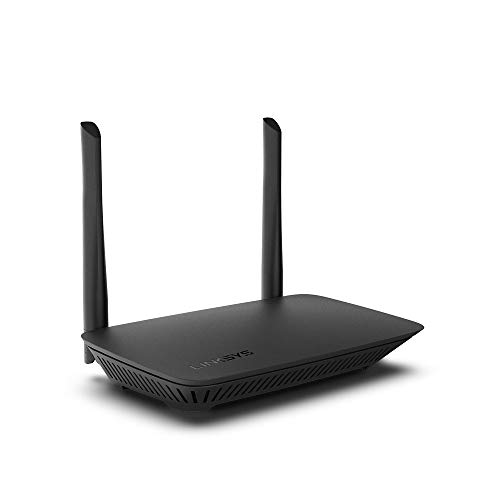
Linksys Dual-Band Wi-Fi 5 Router
Best for: small homes needing scheduled parental controls
- Features
- Parental Controls (what this guide is about)
- Wi-Fi Standard
- WiFi 5
- Speed Rating
- AC1200
- Frequency Bands
- Dual Band
- Coverage Area
- 1,500 Sq. ft
- Device Capacity
- 10+ Devices
This Linksys dual-band Wi-Fi 5 router provides AC1200 throughput up to 1.2 Gbps across 1,500 square feet of coverage. Built-in parental controls let you set time limits, schedule access times, and block specific websites on children's devices. With four Gigabit Ethernet ports and support for 10 or more connected devices, it suits you if you need straightforward network management and essential boundary controls for a modest-sized household.
Pros
- Built-in parental controls for website blocking and access scheduling
- Four Gigabit Ethernet ports for wired connections
- Dual-band Wi-Fi 5 speeds up to 1.2 Gbps
- Dedicated guest network supporting up to 10 guests
Cons
- Wi-Fi 5 standard lacks newer Wi-Fi 6 or 7 capabilities
- WPA2 encryption without listed WPA3 support
- Rated capacity limited to 10+ devices
Good fit if
- You need parental controls to restrict websites and schedule Wi-Fi access.
- You live in a home up to 1,500 square feet with around 10 connected devices.
- You require four Gigabit Ethernet ports for wired desktop or media setups.
Skip if
- You need modern Wi-Fi 6 or Wi-Fi 7 throughput for high-bandwidth devices.
- You must support dozens of concurrent smart home devices across a large space.
Verdict: Linksys Dual-Band AC1200 WiFi 5 Router delivers essential parental controls, four Gigabit ports, and 1,500 square feet of coverage for smaller homes. It provides practical scheduling and web filtering without requiring newer wireless standards.

ASUS WiFi 7 2.5G Extendable Router
Best for: homes needing Wi-Fi 7 and parental controls
- Features
- Parental Controls (what this guide is about)
- Wi-Fi Standard
- WiFi 7
- Speed Rating
- BE3600
- Max Port Speed
- 2.5G
- Dimensions
- 7.6 × 2.3 × 9.37 inches
- Weight
- 1.01 pounds
This ASUS extendable router pairs Wi-Fi 7 networking with built-in parental controls for your home network. You get one dedicated 2.5G port alongside four 1G Ethernet ports for wired gear. Multi-Link Operation and 4K-QAM support compatible devices, while AiMesh enables system expansion. It suits you if you want current wireless standards, a multi-gigabit port, and active parental controls in a standalone router.
Pros
- Wi-Fi 7 standard with Multi-Link Operation (MLO) and 4K-QAM
- One 2.5G port and four 1G Ethernet ports
- Built-in parental controls
- AiMesh extendable support
Cons
- Only one 2.5G port included
- Single router unit without bundled mesh nodes
Good fit if
- You want Wi-Fi 7 features like MLO and 4K-QAM for compatible devices.
- You have an internet plan that benefits from a 2.5G port.
- You manage family screen time using onboard parental controls.
Skip if
- You require multiple 2.5G ports for high-speed local network devices.
- You need a multi-unit mesh system out of the box.
Verdict: ASUS WiFi 7 Extendable Router combines Wi-Fi 7 capabilities, a 2.5G port, and parental controls in a single setup. It provides a practical foundation if you want newer wireless standards and future AiMesh expansion.

ASUS ZenWiFi Tri-Band WiFi 6E Mesh 2-Pack
Best for: 5,500 square foot homes needing family controls
- Features
- Parental Controls (what this guide is about)
- Wi-Fi Standard
- WiFi 6E
- Frequency Bands
- Tri-band
- Coverage Area
- 5,500 sq.ft
- Pack Size
- 2-Pack
- Intended Use
- Home
This two-pack tri-band Wi-Fi 6E mesh system delivers network speeds up to 7,800 Mbps across areas up to 5,500 square feet. It provides 6GHz band access alongside standard bands for connected devices. For family management, you get built-in parental controls including content filters, safe browsing, and kid-safe presets without extra subscriptions. It suits medium-to-large households that need multi-room coverage and direct parental management tools.
Pros
- Covers up to 5,500 square feet with two mesh units
- Tri-band Wi-Fi 6E with speeds up to 7,800 Mbps and 6GHz band support
- Parental controls include kid-safe presets, content filters, and safe browsing
- Subscription-free network security powered by Trend Micro
Cons
- Uses Wi-Fi 6E rather than the newer Wi-Fi 7 standard
- Hardware is available only in white
Good fit if
- You need whole-home coverage reaching up to 5,500 square feet.
- You want built-in parental controls with content filters and browsing protection.
- You own 6GHz-compatible devices that can utilize Wi-Fi 6E bands.
Skip if
- You need coverage beyond 5,500 square feet without adding extra nodes.
- You require the newer Wi-Fi 7 networking standard.
Verdict: ASUS ZenWiFi Tri-Band WiFi 6E Mesh System 2-Pack delivers robust 5,500-square-foot coverage and fast 7,800 Mbps speeds alongside integrated parental controls. It provides practical content filtering and safe browsing for connected homes without requiring ongoing subscription fees.

ASUS AX5400 Dual-Band WiFi 6 Router
Best for: AX5400 Wi-Fi 6 home network security
- Features
- VPN, Parental Controls (what this guide is about)
- Wi-Fi Standard
- WiFi 6
- Speed Rating
- AX5400
- Frequency Bands
- Dual Band
- Use Case
- Gaming, Streaming
- Intended Use
- Home
This ASUS dual-band Wi-Fi 6 router delivers AX5400 speed ratings for home streaming and gaming. It provides built-in parental controls to manage family access, alongside integrated VPN support and lifetime internet security. Its dual-band architecture handles high-bandwidth tasks across your devices. It fits your needs if you want dependable Wi-Fi 6 speed paired with network management tools.
Pros
- AX5400 Wi-Fi 6 speed rating
- Built-in parental controls and VPN
- Lifetime internet security included
- Designed for gaming and streaming use cases
Cons
- Dual-band design without a 6 GHz band
- Lacks newer Wi-Fi 7 wireless support
Good fit if
- You want an AX5400 Wi-Fi 6 router with built-in parental controls.
- You need integrated VPN features and lifetime internet security.
Skip if
- You require tri-band or quad-band wireless capacity.
- You want Wi-Fi 6E or Wi-Fi 7 standards.
Verdict: ASUS AX5400 Dual-Band WiFi 6 Router provides dedicated parental controls and lifetime security for home networks. It offers solid AX5400 throughput for your daily streaming and gaming.

TP-Link AX3000 Dual-Band Wi-Fi 6 Router
Best for: homes wanting included parental controls
- Features
- Parental Controls, MU-MIMO (what this guide is about)
- Wi-Fi Standard
- Wi-Fi 6
- Speed Rating
- AX3000
- Frequency Bands
- Dual Band
- Max Port Speed
- Gigabit
- Dimensions
- 13 × 2.95 × 9.65 inches
This dual-band Wi-Fi 6 router delivers up to 2402 Mbps on the 5 GHz band and 574 Mbps on the 2.4 GHz band. You get Gigabit port speeds and an Intel dual-core processor to manage traffic across multiple devices. Included TP-Link HomeCare provides built-in parental controls, QoS, and antivirus protection. It suits you if you want reliable home networking and parental control tools without requiring an ongoing subscription.
Pros
- Lifetime TP-Link HomeCare subscription with parental controls, antivirus, and QoS
- Dual-band Wi-Fi 6 speeds up to 2402 Mbps on 5 GHz and 574 Mbps on 2.4 GHz
- Intel dual-core CPU with OFDMA and MU-MIMO support
- Target Wake Time technology to lower client device power consumption
Cons
- Dual-band setup lacks a dedicated third wireless band or 6 GHz support
- Wired networking tops out at standard Gigabit port speeds
Good fit if
- You want integrated parental controls and network security without an extra subscription.
- You need dual-band Wi-Fi 6 speeds for 4K streaming and low-latency gaming.
- You connect multiple devices simultaneously using OFDMA and MU-MIMO.
Skip if
- You need multi-gigabit wired Ethernet ports faster than 1 Gbps.
- You require tri-band operation or the 6 GHz Wi-Fi 6E spectrum.
Verdict: TP-Link AX3000 WiFi 6 Router delivers dual-band wireless performance alongside included HomeCare parental controls and antivirus. It provides essential network management tools without requiring an ongoing subscription.
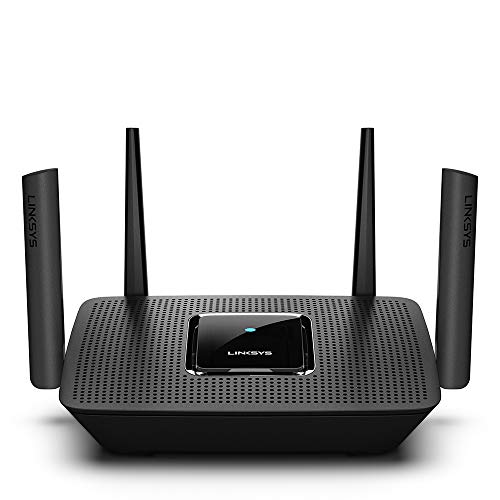
Linksys AC2200 Tri-Band Mesh WiFi Router
Best for: AC2200 tri-band homes needing parental controls
- Features
- Parental Controls (what this guide is about)
- Wi-Fi Standard
- Wifi 5
- Speed Rating
- AC2200
- Frequency Bands
- Tri-Band
- Coverage Area
- 2,000 Sq. ft
- Device Capacity
- 20+
The Linksys Tri-Band Wi-Fi 5 Mesh Router provides up to 2,000 square feet of wireless coverage for more than 20 devices. It features an AC2200 tri-band design delivering combined speeds up to 2.2 Gbps across one 2.4 GHz and two 5 GHz bands. With built-in parental controls and integration as a master node in Velop mesh networks, it suits you if you need steady multi-band management across a medium-sized home.
Pros
- Tri-band AC2200 speeds reaching up to 2.2 Gbps
- Covers up to 2,000 square feet for 20+ devices
- Acts as a master node with Linksys Velop mesh systems
- Includes dedicated parental controls and guest network support
Cons
- Uses older Wi-Fi 5 standard rather than newer Wi-Fi generations
- Setup requires the Linksys mobile app on Android or iOS
Good fit if
- You need up to 2,000 square feet of tri-band coverage for 20+ devices.
- You plan to integrate the router as the master node in a Velop mesh system.
- You want built-in parental controls managed through a mobile app.
Skip if
- You want newer Wi-Fi 6, 6E, or Wi-Fi 7 hardware.
- You prefer configuring your router without requiring a smartphone app.
Verdict: Linksys Tri-Band Wi-Fi 5 Mesh Router delivers dependable AC2200 tri-band coverage and parental controls for homes up to 2,000 square feet. It serves reliably as a standalone router or as the core node in an expandable Velop mesh network.

ASUS Tri-Band WiFi 6E Router
Best for: households needing 6 GHz Wi-Fi and content filters
- Features
- VPN, Parental Controls (what this guide is about)
- Wi-Fi Standard
- WiFi 6E
- Frequency Bands
- Tri-Band
- Max Port Speed
- 2.5G
- Dimensions
- 8.27 × 9.49 × 2.44 inches
- Weight
- 2.28 pounds
This ASUS tri-band Wi-Fi 6E router provides wireless connectivity across three bands, including 6 GHz, with speeds up to 7800 Mbps and a 2.5G port. It features built-in Safe Browsing to filter explicit search results and free customizable parental controls without a subscription. You can also pair it with AiMesh devices for expanded coverage. It suits households that need multi-gigabit wired speed, clean search filtering, and dedicated 6 GHz bandwidth for compatible devices.
Pros
- Tri-band Wi-Fi 6E includes a dedicated 6 GHz frequency band
- Free parental controls and Safe Browsing explicit content filtering
- 2.5G port speed for high-bandwidth wired connections
- AiMesh support for expanding coverage across compatible ASUS hardware
Cons
- Comes as a single router rather than a multi-node pack
- Uses Wi-Fi 6E instead of the newer Wi-Fi 7 standard
Good fit if
- You have Wi-Fi 6E devices that can use the 6 GHz band
- You want built-in parental controls and safe search without ongoing fees
- You need a 2.5G port for high-speed wired devices
Skip if
- You want the newer Wi-Fi 7 networking standard
- You need a pre-packaged multi-node mesh system for immediate wide coverage
Verdict: ASUS Tri-Band WiFi 6E Router delivers dedicated 6 GHz wireless access alongside subscription-free content filters and a 2.5G port. It is a capable option if you want reliable parental controls without extra monthly fees.

ASUS ZenWiFi Tri-Band Mesh System 3-Pack
Best for: Large homes needing tri-band 6GHz mesh coverage
- Features
- Parental Controls (what this guide is about)
- Wi-Fi Standard
- WiFi 6E
- Frequency Bands
- Tri-Band
- Coverage Area
- Up to 7,800 sq ft
- Pack Size
- 3-Pack
- Intended Use
- Home
This ASUS ZenWiFi system includes three compact white units designed for home networks. It operates on tri-band Wi-Fi 6E, adding access to the 6GHz band alongside standard bands, with speeds up to 7800Mbps and coverage reaching 7,800 square feet. It includes built-in parental controls to manage family access across your rooms. It suits you if you need wide whole-home wireless coverage across multiple floors without adding separate extenders.
Pros
- Coverage reaches up to 7,800 square feet
- Tri-band Wi-Fi 6E includes dedicated 6GHz band access
- Total theoretical transfer speeds up to 7800Mbps
- Three-node pack covers multi-room home layouts
Cons
- Hardware comes only in white
- Uses Wi-Fi 6E rather than the newer Wi-Fi 7 standard
Good fit if
- You need up to 7,800 square feet of multi-room coverage.
- You want tri-band hardware with access to the 6GHz spectrum.
- You manage home access using built-in parental controls.
Skip if
- You prefer a single standalone router over a three-unit mesh system.
- You require dark hardware to match your interior equipment.
- You want the newer Wi-Fi 7 protocol.
Verdict: ASUS ZenWiFi Tri-Band WiFi 6E 3-Pack delivers up to 7,800 square feet of coverage and 7800Mbps speeds with native parental controls for home use. Its three-unit design makes it a capable choice for distributing 6GHz signals across large floor plans.

ASUS Dual-Band Wi-Fi 5 Router
Best for: family networks needing parental controls and link aggregation
- Features
- Parental Controls, MU-MIMO (what this guide is about)
- Wi-Fi Standard
- 802.11ac
- Speed Rating
- AC3100
- Frequency Bands
- Dual Band
- Dimensions
- 15.9 × 10.2 × 5.1 inches
- Weight
- 5.4 pounds
This dual-band router uses 802.11ac wireless technology to deliver combined speeds up to 3167 Mbps across 2.4 GHz and 5 GHz bands. Built-in parental controls let you monitor and restrict internet access for devices on your network. A 1.4 GHz dual-core processor and 4x4 MU-MIMO antennas manage multiple connections simultaneously. It suits you if you need wired link aggregation and web filtering for your family home.
Pros
- Integrated parental controls to monitor and restrict web activity
- Combined dual-band data rates up to 3167 Mbps
- Link aggregation support for up to 2 Gbps wired speeds
- AiProtection security powered by Trend Micro
- 4x4 MU-MIMO antenna design with beamforming
Cons
- Uses 802.11ac instead of newer Wi-Fi 6 or Wi-Fi 7 standards
- Dual-band design lacks a dedicated third wireless band
- Large 15.9-inch footprint weighing over 5.4 pounds
Good fit if
- You want built-in tools to monitor and restrict family web activity.
- You need wired link aggregation to reach transmission speeds near 2 Gbps.
- You connect multiple devices concurrently via 4x4 MU-MIMO.
Skip if
- You want newer Wi-Fi 6, 6E, or Wi-Fi 7 networking standards.
- You need a tri-band router to spread device traffic across three bands.
- You have limited desk or shelf space for a bulky unit.
Verdict: ASUS Dual-Band Wi-Fi 5 Router delivers 3167 Mbps wireless speeds alongside functional parental controls and 2 Gbps link aggregation. It serves as a dependable networking hub for homes that prioritize connection monitoring over newer Wi-Fi generation protocols.
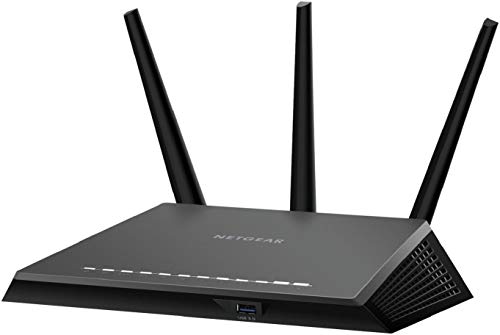
NETGEAR Nighthawk AC1900 Dual-Band Router
Best for: AC1900 networks needing parental controls
- Features
- Parental Controls (what this guide is about)
- Speed Rating
- AC1900
- Frequency Bands
- Dual-Band
- Max Port Speed
- 1 Gbps
- Dimensions
- 11.2 × 7.26 × 1.97 inches
- Weight
- 2 pounds
The NETGEAR Nighthawk AC1900 Dual-Band Router provides wireless networking with dedicated parental controls for your home. It features dual-band connectivity with an AC1900 speed rating for daily internet tasks and streaming. Wired connections run through onboard Gigabit Ethernet ports to supply stable data to fixed hardware. This standalone unit suits you if you need straightforward device management and standard coverage without complex mesh hardware.
Pros
- AC1900 dual-band wireless connectivity
- Built-in parental controls
- Gigabit Ethernet ports for wired devices
- Open source support
Cons
- Dual-band design lacks a third band
- Uses older AC standard instead of Wi-Fi 6 or 7
- Certified refurbished unit
Good fit if
- You need parental controls to manage connected home devices.
- You require Gigabit Ethernet ports for wired hardware.
- You want an AC1900 dual-band router for general streaming and browsing.
Skip if
- You want newer Wi-Fi 6, 6E, or Wi-Fi 7 wireless standards.
- You require a tri-band or quad-band network setup.
- You prefer brand-new factory hardware over certified refurbished units.
Verdict: NETGEAR Nighthawk AC1900 Dual-Band Router delivers essential parental controls, dual-band Wi-Fi, and Gigabit Ethernet ports for basic household networking. It serves standard connectivity needs without the complexity of newer multi-band mesh systems.

ASUS Tri-Band Gigabit Gaming Router
Best for: large homes needing tri-band Wi-Fi 5 coverage
- Features
- Parental Controls, MU-MIMO (what this guide is about)
- Frequency Bands
- Tri-band
- Max Port Speed
- Gigabit
- Use Case
- Gaming, Streaming
- Dimensions
- 24.5 × 6.5 × 24.5 inches
- Weight
- 3.21 pounds
This tri-band router provides built-in parental controls and network security powered by Trend Micro. It delivers combined speeds up to 5334 Mbps across one 2.4 GHz band and two 5 GHz bands using 802.11ac technology, with coverage rated up to 5,000 square feet. It suits you if you need wide whole-home wireless coverage, manage multiple family devices simultaneously, and want dedicated parental filtering alongside gigabit wired connectivity.
Pros
- Coverage rated up to 5,000 sq. ft. with 4x4 802.11ac technology
- Tri-band design provides two 5 GHz bands and one 2.4 GHz band
- AiProtection powered by Trend Micro with parental controls
- MU-MIMO support for simultaneous client transmission
Cons
- Uses Wi-Fi 5 (802.11ac) rather than newer Wi-Fi 6 or Wi-Fi 7 standards
- Multifunctional printer server feature is limited to Windows only
Good fit if
- You need coverage for spaces up to 5,000 square feet.
- You want built-in parental controls and Trend Micro security.
- You have high client counts that benefit from dual 5 GHz bands.
Skip if
- You want newer Wi-Fi 6 or Wi-Fi 7 networking capabilities.
- You need network printer server functionality on macOS or Linux.
Verdict: ASUS Tri-Band Gigabit AiMesh Router delivers broad 5,000-square-foot coverage and integrated parental controls across three wireless bands. It serves as a capable Wi-Fi 5 central router for multi-device households.

Tenda BE5100 Dual-Band WiFi 7 Router
Best for: multi-gig access point setups with parental controls
- Features
- VPN, Parental Controls (what this guide is about)
- Wi-Fi Standard
- WiFi 7
- Speed Rating
- BE5100
- Frequency Bands
- Dual-Band
- Max Port Speed
- 2.5Gbps
- Ethernet Ports
- 4
This dual-band Wi-Fi 7 router delivers aggregate wireless speeds up to 5,011 Mbps across 5 GHz and 2.4 GHz bands. For wired networks, you get one 2.5 Gbps multi-gig port and three gigabit ports, plus dedicated access point mode operation. Built-in parental controls let you manage household internet use through device filtering, URL filtering, and scheduled time limits. It suits homes needing high-speed Wi-Fi 7 access and network management without extra hardware.
Pros
- Wi-Fi 7 speeds up to 5,011 Mbps with Multi-Link Operation and 4K-QAM
- One 2.5 Gbps multi-gig port and three gigabit WAN/LAN ports
- Parental controls including device filtering, URL filtering, and time limits
- Native support for access point mode operation
Cons
- Dual-band design does not include a 6 GHz wireless frequency band
- Requires a separate ISP modem to establish an internet connection
Good fit if
- You need a dedicated access point with a 2.5 Gbps multi-gig wired port.
- You want app-based parental controls to schedule time limits and filter URLs.
- You use Wi-Fi 7 client devices compatible with 160MHz channels and MLO.
Skip if
- You need tri-band Wi-Fi that includes the 6 GHz band.
- You want an integrated modem inside the primary router housing.
Verdict: Tenda BE5100 Dual-Band WiFi 7 Router provides multi-gig wired input, modern Wi-Fi 7 protocols, and core parental filtering tools. It serves as an effective standalone router or high-throughput access point for networks that do not require 6 GHz spectrum.
Specifications side by side
| Spec | ASUS Dual-Band WiFi 6 Router | ASUS ZenWiFi Quad-Band WiFi 7 Router | Tenda Dual-Band AX1500 Wi-Fi 6 Router | Linksys Dual-Band Wi-Fi 5 Router | ASUS WiFi 7 2.5G Extendable Router | ASUS ZenWiFi Tri-Band WiFi 6E Mesh 2-Pack | ASUS AX5400 Dual-Band WiFi 6 Router | TP-Link AX3000 Dual-Band Wi-Fi 6 Router | Linksys AC2200 Tri-Band Mesh WiFi Router | ASUS Tri-Band WiFi 6E Router | ASUS ZenWiFi Tri-Band Mesh System 3-Pack | ASUS Dual-Band Wi-Fi 5 Router | NETGEAR Nighthawk AC1900 Dual-Band Router | ASUS Tri-Band Gigabit Gaming Router | Tenda BE5100 Dual-Band WiFi 7 Router |
|---|---|---|---|---|---|---|---|---|---|---|---|---|---|---|---|
| Wi-Fi Standard | Wi-Fi 6 | WiFi 7 | WiFi 6 | WiFi 5 | WiFi 7 | WiFi 6E | WiFi 6 | Wi-Fi 6 | Wifi 5 | WiFi 6E | WiFi 6E | 802.11ac | not specified | not specified | WiFi 7 |
| Speed Rating | AX1800 | not specified | AX1500 | AC1200 | BE3600 | not specified | AX5400 | AX3000 | AC2200 | not specified | not specified | AC3100 | AC1900 | not specified | BE5100 |
| Frequency Bands | Dual-Band | Quad-Band | Dual Band | Dual Band | not specified | Tri-band | Dual Band | Dual Band | Tri-Band | Tri-Band | Tri-Band | Dual Band | Dual-Band | Tri-band | Dual-Band |
| Coverage Area | not specified | 4,000 sq ft | not specified | 1,500 Sq. ft | not specified | 5,500 sq.ft | not specified | not specified | 2,000 Sq. ft | not specified | Up to 7,800 sq ft | not specified | not specified | not specified | not specified |
| Device Capacity | not specified | not specified | not specified | 10+ Devices | not specified | not specified | not specified | not specified | 20+ | not specified | not specified | not specified | not specified | not specified | not specified |
| Max Port Speed | 1 Gbps | 10 Gbps | Gigabit | Gigabit | 2.5G | not specified | not specified | Gigabit | not specified | 2.5G | not specified | not specified | 1 Gbps | Gigabit | 2.5Gbps |
| Ethernet Ports | 5 | not specified | 4 | 4 | not specified | not specified | not specified | not specified | not specified | not specified | not specified | not specified | not specified | not specified | 4 |
| Frequency Band | Dual-Band | Quad-Band | Dual-Band | Dual-Band | not specified | Tri-Band | Dual-Band | Dual-Band | Tri-Band | Tri-Band | Tri-Band | Dual-Band | Dual-Band | Tri-Band | Dual-Band |
| Pack Size | not specified | 1-Pack | 1-Pack | not specified | not specified | 2-Pack | not specified | not specified | not specified | not specified | 3-Pack | not specified | not specified | not specified | not specified |
| Use Case | Gaming, Streaming | not specified | not specified | not specified | not specified | not specified | Gaming, Streaming | not specified | not specified | not specified | not specified | not specified | not specified | Gaming, Streaming | Gaming |
| Features | VPN, Parental Controls | VPN, Parental Controls | Parental Controls | Parental Controls | Parental Controls | Parental Controls | VPN, Parental Controls | Parental Controls, MU-MIMO | Parental Controls | VPN, Parental Controls | Parental Controls | Parental Controls, MU-MIMO | Parental Controls | Parental Controls, MU-MIMO | VPN, Parental Controls |
| Port Speed | not specified | 10G | Gigabit | not specified | Gigabit, 2.5G | not specified | not specified | Gigabit | not specified | 2.5G | not specified | not specified | Gigabit | Gigabit | 2.5G |
| Intended Use | Home | Home | Home | not specified | not specified | Home | Home | not specified | not specified | not specified | Home | not specified | not specified | not specified | not specified |
| Operating Mode | not specified | not specified | not specified | not specified | not specified | not specified | not specified | not specified | not specified | not specified | not specified | not specified | not specified | not specified | Access Point Mode |
| Dimensions | 9.06 × 5.28 × 2.2 inches | 6.9 × 2.8 × 8.6 inches | 9.4 × 5.67 × 1.59 inches | 2.17 × 8.46 × 7.36 inches | 7.6 × 2.3 × 9.37 inches | 6.3 × 2.95 × 6.38 inches | 6.54 × 8.91 × 6.31 inches | 13 × 2.95 × 9.65 inches | 7.3 × 10.1 × 6.3 inches | 8.27 × 9.49 × 2.44 inches | 6.3 × 2.95 × 6.38 inches | 15.9 × 10.2 × 5.1 inches | 11.2 × 7.26 × 1.97 inches | 24.5 × 6.5 × 24.5 inches | 10.1 × 8.49 × 2.36 inches |
| Weight | 13.1 ounces | 2.9 pounds | 1.68 pounds | not specified | 1.01 pounds | 1.57 pounds | 1.35 pounds | 2.2 pounds | 1.59 pounds | 2.28 pounds | 1.57 pounds | 5.4 pounds | 2 pounds | 3.21 pounds | 10.5 ounces |
| Size | Router | 1-Pack | 1Pack | WIFI 5 | not specified | Compact | not specified | not specified | WIFI 5 | 199.97 cubic inches | Compact | AC3150 | AC1900 | AiMesh | not specified |
| Color | BLACK | WHITE | Black2 | Black | BLACK | WHITE | BLACK | Black | black | BLACK | WHITE | Black | Black | Black | Black |
| Model | RT-AX1800S | BQ16 Pro(W-1-PK) | RX2Pro | E5400 | RT-BE58U | ET9 (W-2-PK) | RT-AX5400 | Archer AX50 | MR8300 | RT-AXE7800 | ET9 | RT-AC3100 | not specified | RT-AC5300 | RE6L Pro |
You might also want to see the best deadbolts with remote control for your home security setup.
How to Choose a Parental Control Router
-
Select the Wi-Fi Standard
Check the Wi-Fi generation listed on the router. Wi-Fi 5 models suit basic internet browsing on older hardware. Wi-Fi 6 provides better multi-device efficiency for average modern homes. If you want the newest throughput technologies and spectrum management for upcoming client devices, step up to Wi-Fi 7. For example, the ASUS WiFi 7 2.5G Extendable Router features Wi-Fi 7 protocol support, whereas standard options use Wi-Fi 6 or Wi-Fi 5. Match your device ecosystem to the appropriate standard.
-
Check Wired Port Speeds
Examine the maximum Ethernet port speed on the spec sheet. Standard Gigabit ports handle broadband internet plans up to 1,000 Mbps. If your service tier or local network exceeds 1 Gbps, prioritize routers offering 2.5G or 10G ports. The ASUS ZenWiFi Quad-Band WiFi 7 Router includes dual 10G ports for high-bandwidth wired backhauls and incoming connections. Homes with lower-tier broadband only require standard Gigabit jacks for switches, consoles, and desktop PCs. Choose ports that match your internet connection.
-
Evaluate Square Footage Ratings
Look at the manufacturer coverage area rating and pack size. Single standalone routers often suit apartments or modest homes up to 1,500 or 2,000 square feet. Multi-pack mesh bundles distribute coverage across broad layouts and multi-story floor plans without weak spots. For instance, the ASUS ZenWiFi Tri-Band Mesh System 3-Pack covers up to 7,800 square feet. Select a standalone unit for concentrated spaces, or choose a multi-pack system if you must push parental control policies and wireless access across expansive square footage.
-
Compare Wireless Speed Ratings
Review the aggregate speed rating shown in the specifications. Ratings such as AX1500 or AC1200 indicate entry-level combined bandwidth across available bands, which works well for light streaming and general family internet use. Higher tiers like AX5400 provide more combined capacity for active households running simultaneous data-heavy tasks. The ASUS AX5400 Dual-Band WiFi 6 Router delivers AX5400 class bandwidth for multiple clients. Pick a speed rating that aligns with your concurrent video streaming, gaming, and connected device demands.
-
Review Supported Operating Modes
Check the supported operating modes if you plan to integrate the unit into an existing network setup. Most models run as standard gateway routers, managing addressing, firewall tasks, and parental schedules. However, some hardware explicitly supports dedicated access point modes to add modern wireless connectivity to an upstream gateway. The Tenda BE5100 Dual-Band WiFi 7 Router includes access point mode support for this scenario. Verify whether you need standalone routing or secondary access point capabilities before buying.
-
Verify Hardware VPN Capabilities
Check the specifications for built-in VPN client or server support if you want network-wide privacy. Many parental control routers only filter web traffic, but select models integrate VPN tools directly into the firmware. For example, the ASUS Tri-Band WiFi 6E Router pairs parental controls with integrated VPN features. This capability allows you to route home traffic through encrypted tunnels without installing separate software on every child's laptop or mobile phone. Choose a VPN-equipped model if encryption matters alongside content filtering.
Frequently asked questions
Do wifi routers with parental controls require monthly subscriptions?
Not always. Many routers include built-in parental controls without requiring an ongoing paid subscription. For example, the ASUS RT-AX1800S and TP-Link Archer AX50 include integrated parental controls and security tools at no additional recurring cost. You can manage schedules, filter traffic, and protect your home network directly through standard firmware or mobile management apps.
Can router parental controls set bedtimes and internet schedules?
Yes, router-based controls let you set custom internet schedules for specific hardware connected to your network. Models such as the Tenda RX2Pro and Linksys E5400 specify time controls and scheduling features. This functionality allows you to shut off network access automatically for children's tablets, phones, or gaming consoles during bedtime or study hours without interrupting internet service for the rest of your home.
Do parental controls still function across mesh satellite units?
Yes, mesh systems manage parental control settings centrally so the rules apply evenly to every node. When you configure filters or schedules on multi-node setups like the ASUS ZenWiFi ET9 2-Pack or 3-Pack, the primary gateway pushes those policies to all satellites. Devices moving between nodes across your 5,500 or 7,800 square foot layout remain bound to the same restrictions.
Will parental controls on a router slow down your internet connection?
No, standard router-level parental controls do not noticeably degrade your connection speeds. Basic content filtering checks domain requests against predetermined lists with negligible processing delay. Modern high-throughput routers, such as the Wi-Fi 7 ASUS RT-BE58U or Tenda RE6L Pro equipped with 2.5G ports, easily handle intensive tasks like streaming and gaming while executing access rules in real time.
What happens to router parental controls in access point mode?
Most routers disable parental controls and firewall filters when you switch them to access point mode. In this mode, the unit passes traffic management duties to your upstream gateway. If you deploy a device like the Tenda RE6L Pro and want its native parental controls active, you should run it as your primary router rather than selecting access point mode.
Can router parental controls block content if a device uses a VPN?
Router-based content filters generally cannot inspect traffic if a client device connects through an independent encrypted VPN tunnel. The encrypted tunnel hides destination domain names from the router's filter. However, routers with built-in VPN features, such as the ASUS RT-AX5400 and ASUS RT-AXE7800, give you integrated tools to manage network connections and monitor connected devices directly.
What is the difference between time scheduling and content filtering?
Time scheduling governs when a device can access the internet, while content filtering controls which websites and services it can reach. Routers like the Linksys E5400 and ASUS RT-AXE7800 utilize both methods. Scheduling lets you turn off Wi-Fi during study hours, whereas web filters block inappropriate domains or platforms during active hours to maintain a safer browsing environment for your family.