15 Best 2.5G Wifi Routers, Compared
As an Amazon Associate we earn from qualifying purchases. Links on this page are affiliate links.
Upgrading to a 25g wifi router lets your home network handle internet speeds beyond standard gigabit limits. We compared 15 models based on the specifications published on their official listings. The Amazon eero 7 Dual-Band Wi-Fi 7 Router takes the top position because it combines a 2.5G port speed with dual-band Wi-Fi 7 connectivity across 2,000 square feet of coverage.
This guide helps you choose the right hardware configuration, port layout, and wireless standard for your specific home layout and bandwidth needs.
Our top pick: GL.iNet Beryl AX Travel Router.
Quick picks
The best fit for you
- You want the most compact model on the list GL.iNet Beryl AX Travel Router The GL.iNet Beryl AX weighs just 6.91 ounces and fits in your pocket.
- You need dual-WAN redundancy for backup internet ASUS Dual-Band WiFi 7 Dual-WAN Router The ASUS Dual-Band WiFi 7 Router includes dual-WAN features for reliable failover.
- You require a full 3-pack mesh system TP-Link Deco AX3000 Mesh System 3-Pack The TP-Link Deco AX3000 comes as a 3-Pack with dual 2.5G ports per node.
- You need hardware-accelerated VPN for gaming GL.iNet Flint 2 Dual 2.5G Wi-Fi 6 Router The GL.iNet Flint 2 offers dedicated dual 2.5G ports for fast encrypted throughput.
Our 15 picks

GL.iNet Beryl AX Travel Router
Best for: portable OpenWrt networking with 2.5G WAN
- Port Speed
- 2.5G (what this guide is about)
- Wi-Fi Standard
- Wi-Fi 6
- Frequency Bands
- Dual Band
- Max Port Speed
- 2.5 Gbps
- Use Case
- Travel
- Features
- VPN, OpenWrt
The GL.iNet Beryl AX Wi-Fi 6 Travel Router delivers pocket-sized networking with a dedicated 2.5G WAN port and dual-band Wi-Fi 6 speeds up to 2402 Mbps on 5 GHz. It runs OpenWrt 21.02 firmware, giving you access to thousands of software plugins alongside built-in OpenVPN and WireGuard support. Weighing under 0.44 pounds, this compact router fits your travel kit while providing multi-gigabit wired input and encrypted remote access on the go.
Pros
- 2.5G multi-gigabit WAN port paired with a 1G LAN port
- OpenWrt 21.02 firmware supporting over 5,000 customization plugins
- Dual-band Wi-Fi 6 speeds up to 2402 Mbps on 5 GHz and 574 Mbps on 2.4 GHz
- Built-in OpenVPN and WireGuard server and client capability
- Programmable physical toggle switch for functions like VPN or AdGuard Home
Cons
- Ethernet LAN port tops out at 1G rather than 2.5G
- VPN transfer speeds cap at 300 Mbps for WireGuard and 150 Mbps for OpenVPN
- Dual-band design lacks 6 GHz spectrum support
Good fit if
- You need a portable travel router that runs standard OpenWrt 21.02 firmware.
- You want a 2.5G WAN interface for high-speed wired network drops.
- You use hardware-based WireGuard or OpenVPN encryption while traveling.
Skip if
- You require 2.5G wired transfer speeds across your local LAN devices.
- You need VPN throughput exceeding 300 Mbps.
- You want tri-band connectivity with dedicated 6 GHz channel support.
Verdict: GL.iNet Beryl AX Wi-Fi 6 Travel Router combines a 2.5G WAN port with OpenWrt firmware for customizable, secure networking in a pocket-sized package. It gives you flexible multi-gigabit wired connectivity and integrated VPN client-server hosting wherever you travel.
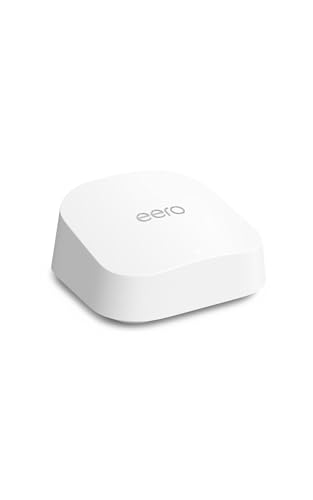
Amazon eero 7 Dual-Band Wi-Fi 7 Router
Best for: simple dual-band multi-gigabit mesh setups
- Port Speed
- 2.5G (what this guide is about)
- Wi-Fi Standard
- Wi-Fi 7
- Frequency Bands
- Dual-Band
- Coverage Area
- up to 2,000 sq. ft.
- Device Capacity
- 120+ devices
- Max Port Speed
- 2.5 Gbps
The eero 7 Dual-Band Mesh Wi-Fi 7 Router provides modern multi-gigabit networking for your home. It features two auto-sensing 2.5 GbE ports to handle internet plans up to 2.5 Gbps, alongside wireless speeds up to 1.8 Gbps. With coverage reaching up to 2,000 square feet and capacity for over 120 devices, it suits you if you need reliable Wi-Fi 7 connectivity and simple wired integration.
Pros
- Two auto-sensing 2.5 GbE ports for multi-gigabit wired connections
- Wi-Fi 7 support with Multi-Link Operation (MLO)
- Coverage up to 2,000 square feet and support for 120+ devices
- Backward compatibility with prior eero hardware and select Echo units
Cons
- Dual-band design lacks a dedicated 6 GHz frequency band
- Maximum wireless throughput capped at 1.8 Gbps
- Limited to two physical Ethernet ports
Good fit if
- You have an internet service plan up to 2.5 Gbps.
- You want Wi-Fi 7 coverage up to 2,000 square feet in a single unit.
- You already own compatible eero devices or Echo units to expand your network.
Skip if
- You require tri-band operation with dedicated 6 GHz spectrum access.
- You need more than two wired LAN ports without buying an extra switch.
Verdict: eero 7 Dual-Band Mesh Wi-Fi 7 Router delivers 2.5 GbE connectivity and Wi-Fi 7 standard features in a compact unit. It provides practical multi-gigabit throughput and expands easily across compatible mesh hardware.

Amazon eero Pro 6E Mesh Router
Best for: multi-gigabit internet plans with 6 GHz devices
- Port Speed
- 2.5G (what this guide is about)
- Wi-Fi Standard
- Wi-Fi 6E
- Coverage Area
- up to 2,000 sq. ft.
- Device Capacity
- 100+ devices
- Max Port Speed
- 2.5 Gbps
- Pack Size
- 1-Pack
The Amazon eero Pro 6E is a tri-band Wi-Fi 6E mesh router designed around a 2.5 Gb Ethernet port for multi-gigabit connections. It provides network coverage up to 2,000 square feet, supports over 100 connected devices, and reaches wireless speeds up to 1.6 Gbps using the 6 GHz band. This unit fits you if you want quick app-based management and clean integration into an existing eero mesh system.
Pros
- Includes a 2.5 Gb Ethernet port supporting internet plans up to 2.5 Gbps
- Provides Wi-Fi 6E connectivity with access to the 6 GHz band
- Covers up to 2,000 square feet and handles over 100 devices
- Works interchangeably with previous generations of eero hardware
Cons
- Caps wired client speeds at 1 Gbps
- Requires a mobile app for network setup and management
Good fit if
- You subscribe to an internet service tier up to 2.5 Gbps.
- You own Wi-Fi 6E devices capable of connecting via the 6 GHz band.
- You want to extend an existing eero network or cover up to 2,000 square feet.
Skip if
- You require more than one 2.5 Gbps port for wired devices.
- You prefer web browser setup instead of using a mobile smartphone app.
Verdict: Amazon eero Pro 6E Mesh Router pairs a 2.5 Gb Ethernet interface with Wi-Fi 6E access for up to 2,000 square feet. It delivers reliable multi-gigabit WAN input for homes running modern 6 GHz client devices.

TP-Link Archer Tri-Band WiFi 7 Desktop Router
Best for: multi-gigabit desktop setups needing tri-band Wi-Fi 7
- Port Speed
- 2.5G (what this guide is about)
- Wi-Fi Standard
- WiFi 7
- Speed Rating
- BE9300
- Frequency Bands
- Tri-Band
- Max Port Speed
- 2.5G
- Mounting Type
- Desktop
View on Amazon: TP-Link Archer Tri-Band WiFi 7 Desktop Router
This TP-Link router provides tri-band Wi-Fi 7 connectivity with full 2.5G Ethernet ports for your wired devices. It delivers up to six spatial streams with combined speeds reaching 9.2 Gbps across its wireless bands. Designed strictly for desktop placement, it suits you if you operate a multi-gigabit home network and require high-bandwidth connections for multiple devices simultaneously without bottlenecking your wired or wireless data transfers.
Pros
- Full 2.5G Ethernet ports for wired networking
- Tri-band Wi-Fi 7 wireless connectivity
- 6-stream capability delivering up to 9.2 Gbps
Cons
- Desktop mounting type only with no wall-mount support listed
- Lacks 10G ports found in other style variations
Good fit if
- You need 2.5G speeds across your wired connections.
- You want tri-band Wi-Fi 7 performance for newer wireless hardware.
- You plan to place your hardware on a desk or flat surface.
Skip if
- You need 10G Ethernet ports for ultra-high-speed local transfers.
- You require wall-mountable hardware.
Verdict: TP-Link Archer Tri-Band Wi-Fi 7 Router delivers tri-band Wi-Fi 7 speeds alongside multi-gigabit wired connectivity across its full array of 2.5G ports. It suits desktop setups requiring high-throughput wireless streams and multi-gigabit connections.

ASUS Dual-Band WiFi 7 Dual-WAN Router
Best for: dual-WAN redundancy and reliable backup internet
- Port Speed
- 2.5G (what this guide is about)
- Wi-Fi Standard
- Wi-Fi 7
- Frequency Bands
- Dual-Band
- Features
- VPN, Dual WAN
- Dimensions
- 7.6 × 2.3 × 9.37 inches
- Weight
- 1.01 pounds
This ASUS dual-band WiFi 7 router provides wireless speeds up to 3.6 Gbps and features a 2.5G port for multi-gigabit wired connections. Built-in Dual-WAN capabilities with AI WAN detection let you configure primary and backup connections, including mobile tethering through its USB port. It suits you if you want resilient home networking with Multi-Link Operation, VPN support, and commercial-grade AiProtection Pro security without stepping up to a bulkier tri-band unit.
Pros
- Dual-WAN setup with AI WAN detection and 4G/5G USB mobile tethering
- WiFi 7 dual-band speeds reaching up to 3600 Mbps with 4096-QAM
- Multi-Link Operation connects across bands simultaneously
- Dedicated 2.5G port for fast wired connectivity
- Smart Home Master isolates up to three separate SSIDs
Cons
- Dual-band design lacks a dedicated 6 GHz frequency band
- Maximum throughput is limited to 3.6 Gbps
Good fit if
- You require Dual-WAN redundancy using broadband failover or USB cellular tethering.
- You want WiFi 7 Multi-Link Operation paired with a 2.5G wired uplink.
- You need network isolation using up to three dedicated SSIDs for smart home gear.
Skip if
- You require tri-band connectivity to access the 6 GHz band.
- You need wireless throughput beyond 3.6 Gbps for heavy local transfers.
Verdict: ASUS Dual-Band WiFi 7 Dual-WAN Router delivers dependable multi-gigabit throughput and failover redundancy via its 2.5G port and USB tethering. It provides essential WiFi 7 features and robust network segmentation for multi-device setups.

GL.iNet Slate 7 Wi-Fi 7 Travel Router
Best for: secure multi-gigabit travel and VPN networking
- Port Speed
- 2.5G (what this guide is about)
- Wi-Fi Standard
- Wi-Fi 7
- Speed Rating
- BE3600
- Frequency Bands
- Dual Band
- Max Port Speed
- 2.5 Gbps
- Ethernet Ports
- 2
The GL.iNet Slate 7 is a compact Wi-Fi 7 travel router featuring two 2.5G Ethernet ports for dedicated WAN and LAN connections. It delivers dual-band wireless throughput reaching 688 Mbps on 2.4 GHz and 2882 Mbps on 5 GHz. An integrated touchscreen allows quick VPN toggling and mode switching without opening a browser. It suits you if you need secure, multi-gigabit routing during travel or open-source OpenWrt network control in a pocket-sized package.
Pros
- Dual 2.5G Ethernet ports for WAN and LAN
- Integrated touchscreen for status monitoring and VPN toggling
- Dual-band Wi-Fi 7 up to 2882 Mbps on the 5 GHz band
- Pre-installed OpenWrt 23.05 supporting WireGuard and OpenVPN
- Includes US, UK, EU, and AU power adapters
Cons
- Dual-band design lacks the 6 GHz Wi-Fi spectrum
- WireGuard transfer speeds reach a maximum of 540 Mbps
- Limited to two total Ethernet ports
Good fit if
- You need a portable Wi-Fi 7 router with dual 2.5G ports for travel setups.
- You want an on-device touchscreen to control VPNs and check network modes without logging into an admin panel.
- You require OpenWrt firmware with support for concurrent VPN server and client routing.
Skip if
- You need tri-band Wi-Fi 7 with access to the 6 GHz spectrum.
- You require more than two wired Ethernet connections for client devices.
- You need encrypted WireGuard VPN throughput above 540 Mbps.
Verdict: GL.iNet Slate 7 Dual 2.5G Wi-Fi 7 Travel Router pairs dual-band Wi-Fi 7 with dual 2.5G ports and an onboard touchscreen for compact, highly portable networking. It delivers robust OpenWrt customization and pre-configured VPN cascading in a lightweight pocket frame.

GL.iNet Flint 2 Dual 2.5G Wi-Fi 6 Router
Best for: high-speed VPN tunnels and network ad filtering
- Port Speed
- 2.5G (what this guide is about)
- Wi-Fi Standard
- Wi-Fi 6
- Device Capacity
- over a hundred devices
- Max Port Speed
- 2.5G
- Use Case
- Gaming
- Dimensions
- 5.39 × 2.09 × 9.17 inches
The GL.iNet Flint 2 Dual 2.5G Wi-Fi 6 Router delivers wired multi-gigabit speeds through two 2.5G ports and wireless rates up to 6 Gbps across 8 streams. It features 1 GB DDR4 RAM and 8 GB eMMC storage to support AdGuard Home, 900 Mbps WireGuard, and 880 Mbps OpenVPN. You get a focused networking hub built for encrypted traffic and custom plugin management.
Pros
- Dual 2.5G Ethernet ports for multi-gigabit connectivity
- WireGuard speeds up to 900 Mbps and OpenVPN up to 880 Mbps
- 8-stream Wi-Fi 6 with aggregate bandwidth up to 6 Gbps
- Integrated AdGuard Home DNS ad blocking and tracking protection
- 1 GB DDR4 RAM and 8 GB eMMC internal storage for plugins
Cons
- Limited to Wi-Fi 6 without support for 6 GHz bands
- Provides only two 2.5G ports rather than all-port 2.5G switching
- Requires a firmware update during initial setup for proper operation
Good fit if
- You need high-throughput WireGuard or OpenVPN connections across your home network.
- You want dual 2.5G ports to handle multi-gigabit WAN and LAN traffic.
- You plan to run local network ad blocking and custom router plugins.
Skip if
- You want newer Wi-Fi 6E or Wi-Fi 7 equipment that uses the 6 GHz frequency.
- You require more than two wired 2.5G Ethernet connections.
Verdict: GL.iNet Flint 2 Dual 2.5G Wi-Fi 6 Router delivers fast encrypted throughput and network-level filtering via dedicated dual 2.5G ports. It is a solid choice if you need hardware-accelerated VPN performance without upgrading to Wi-Fi 7.

ASUS Dual-Band WiFi 7 Router
Best for: multi-gigabit wired setups needing Wi-Fi 7
- Port Speed
- 2.5G (what this guide is about)
- Wi-Fi Standard
- WiFi 7
- Frequency Bands
- Dual-Band
- Max Port Speed
- 2.5 Gbps
- Features
- VPN
- Dimensions
- 13.9 × 0.89 × 10.4 inches
This ASUS dual-band Wi-Fi 7 router delivers aggregate wireless speeds up to 6500 Mbps and features five 2.5GbE ports for multi-gigabit wired networking. It includes Multi-Link Operation, VPN compatibility, and AiMesh support for expanding coverage across your home. Built-in AiProtection Pro provides integrated security scanning. It suits you if you need multiple high-speed 2.5G Ethernet connections alongside Wi-Fi 7 capabilities for wired and wireless home devices.
Pros
- Five 2.5GbE Ethernet ports
- Wi-Fi 7 speeds up to 6500 Mbps with 4096-QAM
- Multi-Link Operation support for simultaneous band linking
- AiProtection Pro security and VPN compatibility
- AiMesh extendable mesh support
Cons
- Dual-band frequency lacks a 6 GHz band
- Lacks 10G or SFP+ ports found on higher-tier variations
Good fit if
- You need five 2.5GbE ports for wired network hardware.
- You want Wi-Fi 7 features such as Multi-Link Operation on dual-band wireless.
- You plan to build a mesh network using AiMesh extendable units.
Skip if
- You need a tri-band router with access to the 6 GHz frequency band.
- You require 10GbE or SFP+ wired network connections.
Verdict: ASUS Dual-Band 2.5G WiFi 7 Router provides five 2.5GbE wired ports and 6.5 Gbps wireless speeds for multi-gigabit home networks. It delivers essential Wi-Fi 7 capabilities and AiMesh expandability in a dual-band configuration.

GL.iNet Flint 3 Tri-Band Wi-Fi 7 Router
Best for: multi-gigabit wired setups running hardware VPNs
- Port Speed
- 2.5G (what this guide is about)
- Wi-Fi Standard
- Wi-Fi 7
- Speed Rating
- BE9300
- Frequency Bands
- Tri-Band
- Coverage Area
- up to 2,000 square feet
- Device Capacity
- over a hundred devices
The GL.iNet Flint 3 is a tri-band Wi-Fi 7 router built with five 2.5G Ethernet ports and dedicated VPN processing. It provides Wi-Fi speeds up to 9 Gbps across up to 2,000 square feet, backed by 1GB DDR4 RAM and 8GB eMMC storage. Integrated WireGuard and OpenVPN services reach up to 680 Mbps. This hardware suits you if you need multi-gigabit wired networking paired with self-hosted network tools.
Pros
- Five 2.5G Ethernet ports for multi-gigabit connections
- WireGuard and OpenVPN throughput up to 680 Mbps
- Tri-band Wi-Fi 7 with Multi-Link Operation support
- 1GB DDR4 RAM and 8GB eMMC storage for plugin installations
- Integrated AdGuard Home DNS filtering and Bark parental controls
Cons
- Coverage limited to 2,000 square feet on standalone unit
- Mandatory firmware update needed during initial setup
- Initial setup requires web admin panel access via Ethernet
Good fit if
- You need multiple 2.5G Ethernet ports for wired devices and fast incoming broadband.
- You run WireGuard or OpenVPN encryption directly on your router hardware.
- You want built-in network-level DNS filtering and ad blocking.
Skip if
- You need whole-home mesh coverage for spaces larger than 2,000 square feet.
- You prefer an automated mobile app setup without accessing an admin panel.
Verdict: GL.iNet Flint 3 Tri-Band Wi-Fi 7 Router delivers five 2.5G Ethernet ports alongside fast onboard VPN handling and tri-band Wi-Fi 7 capabilities. It provides extensive local control for users managing high-speed wired and encrypted connections.

TP-Link Roam 7 BE3600 Travel Router
Best for: portable multi-gigabit travel and VPN networking
- Port Speed
- 2.5G (what this guide is about)
- Wi-Fi Standard
- Wi-Fi 7
- Speed Rating
- BE3600
- Frequency Bands
- Dual-Band
- Device Capacity
- up to 90 devices
- Max Port Speed
- 2.5 Gbps
The TP-Link Roam 7 is a compact dual-band Wi-Fi 7 travel router built for secure networking on the go. For multi-gigabit connections, you get a dedicated 2.5 Gbps WAN port alongside a 1 Gbps LAN port. It reaches wireless throughput up to 2882 Mbps on the 5 GHz band and 688 Mbps on 2.4 GHz. This setup suits you if you need fast wired throughput and VPN capabilities in a portable form.
Pros
- Dedicated 2.5 Gbps WAN port alongside a 1 Gbps LAN port
- WireGuard and OpenVPN client and server support
- Powered via USB-C using standard 5V power sources or power banks
- Lightweight 0.55-pound chassis measuring under five inches long
Cons
- Dual-band design lacks support for the 6 GHz band
- Does not support OpenWrt firmware
- Local wired LAN port speed caps at 1 Gbps
Good fit if
- You need a portable Wi-Fi 7 router with a 2.5 Gbps WAN input for hotel or field use.
- You require hardware-level WireGuard or OpenVPN security when using public hotspots.
- You want a travel router that runs directly off a 5V USB-C power bank.
Skip if
- You need tri-band Wi-Fi 7 hardware with access to 6 GHz channels.
- You require 2.5 Gbps speeds across your local wired LAN connections.
- You rely on third-party OpenWrt firmware packages.
Verdict: TP-Link Roam 7 Wi-Fi 7 Travel Router packs a 2.5 Gbps WAN port, dual-band Wi-Fi 7 speeds, and versatile VPN modes into a pocket-sized build. It delivers fast external throughput and encrypted browsing wherever you travel.
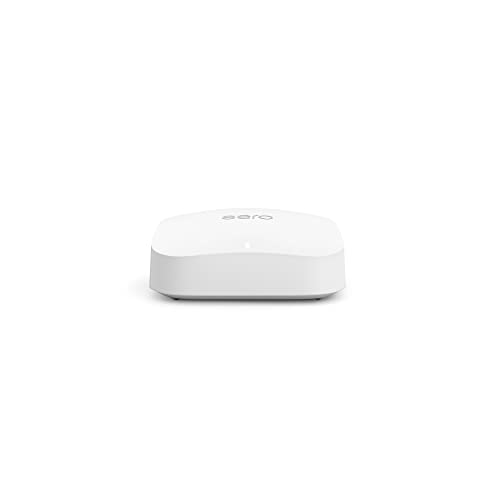
Amazon eero Pro 6E Mesh Router
Best for: Wi-Fi 6E mesh setups with 2.5G WAN
- Port Speed
- 2.5G (what this guide is about)
- Wi-Fi Standard
- Wi-Fi 6E
- Coverage Area
- 2,000 sq ft
- Device Capacity
- 100+ devices
- Max Port Speed
- 2.5 Gbps
- Pack Size
- 1-Pack
The Amazon eero Pro 6E Mesh Router brings Wi-Fi 6E connectivity and multi-gigabit capability to your home network. It features a 2.5 Gb Ethernet port alongside a gigabit Ethernet port, letting you connect to multi-gig internet plans. With support for the 6 GHz band, coverage up to 2,000 square feet, and capacity for over 100 devices, this router suits you if you want a compact mesh unit for high-speed wireless setups.
Pros
- Dedicated 2.5 Gb Ethernet port supports multi-gigabit internet plans
- Wi-Fi 6E connectivity provides direct access to the 6 GHz frequency band
- Covers up to 2,000 square feet and connects over 100 devices
- Backward-compatible with earlier-generation eero hardware
Cons
- Online security and extra network controls require a separate subscription
- Refurbished hardware that may arrive in generic packaging
Good fit if
- You subscribe to an internet tier above 1 Gbps and need a 2.5 Gb Ethernet port.
- You have Wi-Fi 6E devices that can use the 6 GHz band for lower latency.
- You want a single mesh node that covers up to 2,000 square feet.
Skip if
- You need more than one multi-gigabit Ethernet port for wired hardware.
- You prefer all advanced security controls included without an extra subscription.
Verdict: Amazon eero Pro 6E Mesh Router delivers Wi-Fi 6E coverage across 2,000 square feet with a 2.5 Gb port built for multi-gigabit connections. It provides an efficient entry into 6 GHz mesh networking using certified refurbished hardware.

TP-Link Deco AX3000 Mesh System 3-Pack
Best for: multi-gigabit coverage across large homes
- Port Speed
- 2.5G (what this guide is about)
- Wi-Fi Standard
- Wi-Fi 6
- Speed Rating
- AX3000
- Coverage Area
- 6,500 square feet
- Device Capacity
- more than 150 devices
- Max Port Speed
- 2.5 Gbps
This TP-Link whole-home mesh system includes three units to provide up to 6,500 square feet of Wi-Fi 6 coverage. Each node features two 2.5 Gbps Ethernet ports for multi-gigabit broadband connections or wired backhaul between nodes. Delivering combined AX3000 speeds across two wireless bands and supporting more than 150 connected devices, it fits large homes where you need reliable high-speed wired links and broad coverage.
Pros
- Two 2.5 Gbps Ethernet ports on every unit
- Up to 6,500 square feet of Wi-Fi 6 coverage
- Supports connections for over 150 devices
- Speeds up to 2,402 Mbps on 5 GHz and 574 Mbps on 2.4 GHz
Cons
- Only two Ethernet ports per unit
- Dual-band Wi-Fi 6 without 6 GHz support
Good fit if
- You need whole-home multi-gigabit coverage across up to 6,500 square feet.
- You want 2.5 Gbps wired ports for fast Ethernet backhaul or local network devices.
- You need to connect dozens of devices across three separate mesh nodes.
Skip if
- You require the 6 GHz frequency band provided by Wi-Fi 6E or Wi-Fi 7.
- You need more than two wired Ethernet ports on each unit.
Verdict: TP-Link Deco Wi-Fi 6 Mesh 3-Pack delivers solid dual-band AX3000 speeds paired with dual 2.5 Gbps ports on every node. It gives you dependable multi-gigabit wired backhaul and wide wireless coverage without requiring newer wireless standards.

TP-Link Archer Multi-Gigabit AX3000 Router
Best for: dual 2.5 Gbps multi-gigabit wired connections
- Port Speed
- 2.5G (what this guide is about)
- Wi-Fi Standard
- WiFi 6
- Speed Rating
- AX3000
- Frequency Bands
- Dual-Band
- Max Port Speed
- 2.5 Gbps
- Ethernet Ports
- 5
This Wi-Fi 6 router delivers AX3000 speeds across dual bands, reaching up to 2402 Mbps on 5 GHz and 574 Mbps on 2.4 GHz. It equips your setup with two 2.5 Gbps multi-gigabit Ethernet ports alongside three 1 Gbps LAN ports. Built-in VPN client and server support handles secure connections directly. It fits your home if you need multi-gigabit wired passthrough paired with EasyMesh expansion support.
Pros
- Two 2.5 Gbps multi-gigabit ports for WAN and LAN
- Up to 2402 Mbps on 5 GHz band with 160 MHz channel support
- Built-in VPN client and server capability
- EasyMesh compatibility for network expansion
Cons
- Dual-band design lacks a 6 GHz frequency band
- Three of the five Ethernet ports remain limited to 1 Gbps
Good fit if
- You need a dedicated 2.5 Gbps LAN port alongside a 2.5 Gbps WAN link.
- You want network-level VPN client or server support for your devices.
- You plan to build a mesh network using EasyMesh hardware.
Skip if
- You require tri-band connectivity or the 6 GHz spectrum.
- You need more than two multi-gigabit Ethernet ports.
Verdict: TP-Link Dual 2.5G WiFi 6 Router provides two multi-gigabit ports and AX3000 throughput for fast local and broadband traffic. It is a capable choice when you want multi-gigabit wired links and mesh expandability without upgrading to tri-band hardware.

Tenda Dual-Band WiFi 7 Router
Best for: Dual 2.5G port home networks
- Port Speed
- 2.5G (what this guide is about)
- Wi-Fi Standard
- Wi-Fi 7
- Speed Rating
- BE7200
- Frequency Bands
- Dual-Band
- Max Port Speed
- 2.5 Gbps
- Ethernet Ports
- 5
The Tenda BE12Pro is a dual-band Wi-Fi 7 router with two 2.5 Gbps ports. It uses a quad-core 2 GHz processor and nine signal-boosting modules for stable connections. You get NFC tap-to-connect for guests and OpenWrt compatibility for advanced users. The vertical design aids cooling. It suits homes needing multi-gig wired speeds without tri-band complexity.
Pros
- Two 2.5 Gbps Ethernet ports
- Wi-Fi 7 with MLO support
- NFC tap-to-connect for guests
- OpenWrt compatible firmware
- Vertical design for better airflow
Cons
- Dual-band only lacks 6 GHz band
- No mention of dedicated gaming features
- Single unit covers limited area
Good fit if
- You need two 2.5G wired ports
- You want Wi-Fi 7 on a budget
- You prefer vertical space-saving designs
Skip if
- You require tri-band coverage
- You need 6 GHz band support
- You want a mesh system
Verdict: Tenda BE12Pro Wi-Fi 7 Router offers dual 2.5G ports and MLO for users who need multi-gig wired speeds without tri-band costs.

TP-Link Omada Multi-WAN Wired Router
Best for: Multi-WAN wired networks using dedicated access points
- Port Speed
- 2.5G (what this guide is about)
- Max Port Speed
- 2.5 Gbps
- Features
- VPN
- Weight
- 1.23 pounds
The Omada Fusion 2.5G is a wired multi-WAN router equipped with five 2.5G Ethernet ports, a quad-core processor, and an integrated 2.51-inch touchscreen for local monitoring. It supports up to four WAN connections for load balancing and automatic failover, alongside built-in VPN functionality and license-free cloud management. You will find this unit ideal if you want multi-gigabit wired routing and plan to connect dedicated wireless access points for your network coverage.
Pros
- Five 2.5G ports with up to 4-WAN load balancing
- Built-in 2.51-inch touchscreen for on-site monitoring
- License-free Omada cloud management platform
- Quad-core CPU with integrated VPN capability
Cons
- No built-in Wi-Fi radios included
- Requires standalone wireless access points for Wi-Fi coverage
Good fit if
- You need multi-WAN failover or load balancing across 2.5G connections.
- You want on-device touchscreen diagnostics without connecting a laptop.
- You run an Omada network setup using dedicated access points.
Skip if
- You need an all-in-one router with integrated Wi-Fi broadcasting.
- You want a consumer mesh system that works without external hardware.
Verdict: Omada Fusion 2.5G Wired Multi-WAN Router provides five 2.5G ports, quad-core processing, and direct touchscreen diagnostics for dedicated network management. It serves as a reliable wired controller and multi-WAN gateway when paired with separate access points.
Specifications side by side
| Spec | GL.iNet Beryl AX Travel Router | Amazon eero 7 Dual-Band Wi-Fi 7 Router | Amazon eero Pro 6E Mesh Router | TP-Link Archer Tri-Band WiFi 7 Desktop Router | ASUS Dual-Band WiFi 7 Dual-WAN Router | GL.iNet Slate 7 Wi-Fi 7 Travel Router | GL.iNet Flint 2 Dual 2.5G Wi-Fi 6 Router | ASUS Dual-Band WiFi 7 Router | GL.iNet Flint 3 Tri-Band Wi-Fi 7 Router | TP-Link Roam 7 BE3600 Travel Router | Amazon eero Pro 6E Mesh Router | TP-Link Deco AX3000 Mesh System 3-Pack | TP-Link Archer Multi-Gigabit AX3000 Router | Tenda Dual-Band WiFi 7 Router | TP-Link Omada Multi-WAN Wired Router |
|---|---|---|---|---|---|---|---|---|---|---|---|---|---|---|---|
| Wi-Fi Standard | Wi-Fi 6 | Wi-Fi 7 | Wi-Fi 6E | WiFi 7 | Wi-Fi 7 | Wi-Fi 7 | Wi-Fi 6 | WiFi 7 | Wi-Fi 7 | Wi-Fi 7 | Wi-Fi 6E | Wi-Fi 6 | WiFi 6 | Wi-Fi 7 | not specified |
| Speed Rating | not specified | not specified | not specified | BE9300 | not specified | BE3600 | not specified | not specified | BE9300 | BE3600 | not specified | AX3000 | AX3000 | BE7200 | not specified |
| Frequency Bands | Dual Band | Dual-Band | not specified | Tri-Band | Dual-Band | Dual Band | not specified | Dual-Band | Tri-Band | Dual-Band | not specified | not specified | Dual-Band | Dual-Band | not specified |
| Coverage Area | not specified | up to 2,000 sq. ft. | up to 2,000 sq. ft. | not specified | not specified | not specified | not specified | not specified | up to 2,000 square feet | not specified | 2,000 sq ft | 6,500 square feet | not specified | not specified | not specified |
| Device Capacity | not specified | 120+ devices | 100+ devices | not specified | not specified | not specified | over a hundred devices | not specified | over a hundred devices | up to 90 devices | 100+ devices | more than 150 devices | not specified | not specified | not specified |
| Max Port Speed | 2.5 Gbps | 2.5 Gbps | 2.5 Gbps | 2.5G | not specified | 2.5 Gbps | 2.5G | 2.5 Gbps | 2.5G | 2.5 Gbps | 2.5 Gbps | 2.5 Gbps | 2.5 Gbps | 2.5 Gbps | 2.5 Gbps |
| Ethernet Ports | not specified | 2 | not specified | not specified | not specified | 2 | not specified | not specified | 5 | 2 | not specified | not specified | 5 | 5 | not specified |
| Frequency Band | not specified | Dual-Band | not specified | Tri-Band | not specified | not specified | not specified | Dual-Band | Tri-Band | Dual-Band | not specified | not specified | not specified | Dual-Band | not specified |
| Pack Size | not specified | 1-Pack | 1-Pack | not specified | not specified | not specified | not specified | not specified | not specified | not specified | 1-Pack | 3-Pack | not specified | 1-Pack | not specified |
| Use Case | Travel | not specified | not specified | not specified | not specified | Travel | Gaming | not specified | not specified | Travel | not specified | not specified | not specified | not specified | not specified |
| Features | VPN, OpenWrt | not specified | not specified | not specified | VPN, Dual WAN | not specified | not specified | VPN | VPN | not specified | not specified | not specified | not specified | VPN, OpenWrt | VPN |
| Port Speed | 2.5G | 2.5G | 2.5G | 2.5G | 2.5G | 2.5G | 2.5G | 2.5G | 2.5G | 2.5G | 2.5G | 2.5G | 2.5G | 2.5G | 2.5G |
| Mounting Type | not specified | not specified | not specified | Desktop | not specified | not specified | not specified | not specified | not specified | not specified | not specified | not specified | not specified | not specified | not specified |
| Intended Use | not specified | not specified | not specified | not specified | not specified | not specified | not specified | not specified | not specified | not specified | not specified | Home | not specified | Home | not specified |
| Dimensions | 4.53 × 3.15 × 1.18 inches | 5.12 × 2.52 × 5.12 inches | 5.47 × 5.47 × 2.21 inches | not specified | 7.6 × 2.3 × 9.37 inches | 3.5 × 1.3 × 5.1 inches | 5.39 × 2.09 × 9.17 inches | 13.9 × 0.89 × 10.4 inches | 6.18 × 2.91 × 9.45 inches | 4.96 × 3.68 × 1.5 inches | 5.47 × 5.47 × 2.21 inches | 4.33 × 4.33 × 4.48 inches | 10.3 × 5.3 × 1.62 inches | 10.5 × 6.54 × 8.74 inches | not specified |
| Weight | 6.91 ounces | 1.34 pounds | 1.41 pounds | not specified | 1.01 pounds | 10.6 ounces | 1.68 pounds | 1.1 pounds | 1.87 pounds | 8.8 ounces | 1.41 pounds | 2.91 pounds | 1.2 pounds | 1.11 pounds | 1.23 pounds |
| Size | 4.7 x 3.2 x 1.3 Inch | not specified | not specified | not specified | Dual-Band | 3.5 x 1.3 x 5.1 inches (Mini) | not specified | Dual-Band | Compact | Compact Design | not specified | 3 Pack | 10.3 x 5.3 x 1.6 inches | 1Pack | not specified |
| Color | Blue | WHITE | WHITE | not specified | BLACK | Dark Gray | Black | Eclipse Gray | Black | Black | WHITE | White/Black | black | Black | silver |
| Model | GL-MT3000 | PA10001 | B091G65HH6 | not specified | RT-BE58U | GL-BE3600 | GL-MT6000 | RT-BE82U | GL-BE9300 | TL-WR3602BE | S010001 | Deco X55 Pro(3-Pack) | Archer AX55 Pro | BE12Pro | Fusion 2.5G |
For devices with similar ports, see the guide to best mini PCs with 2 5g lan.
How to Choose a 2.5G WiFi Router
-
Choose Your Wi-Fi Standard
Check the Wi-Fi generation spec listed on the router. Wi-Fi 6 handles standard multi-device traffic efficiently. Wi-Fi 6E introduces access to the clear 6 GHz band. Wi-Fi 7 provides updated wireless features and higher potential throughput. If your home uses standard connected hardware, a Wi-Fi 6 model easily matches your needs. If your client devices already support newer wireless protocols, choose a Wi-Fi 7 model like the TP-Link Archer Tri-Band WiFi 7 Desktop Router to match your fast 2.5G network connection.
-
Select Dual-Band or Tri-Band
Evaluate whether your household needs dual-band or tri-band wireless broadcasting. Dual-band routers transmit over standard 2.4 GHz and 5 GHz frequencies. Tri-band routers provide an additional radio band, typically adding a dedicated 6 GHz frequency or a secondary 5 GHz channel. Dual-band units work well for basic households with standard bandwidth demands. If you run numerous active devices simultaneously, select a tri-band unit. The Smart Air Minions Tri-Band Wi-Fi 6E Router uses tri-band capacity to route compatible devices onto an uncongested 6 GHz channel.
-
Consider Physical Form Factor
Check the physical dimensions and weight specifications if you require portable networking. Standard desktop routers feature bulky footprints designed for permanent home placement. In contrast, portable travel routers weigh under a pound and measure only a few inches across. If you relocate often or set up temporary networks in hotels, a compact travel model is practical. The TP-Link Roam 7 BE3600 Travel Router weighs 0.55 pounds and measures under five inches long, providing a 2.5 Gbps WAN port in a pocket-sized build.
-
Check Internet Redundancy Features
Check the feature list for dual-WAN functionality if you cannot afford network downtime. Standard routers support a single internet connection from one provider. Routers with dual-WAN capabilities let you connect a secondary incoming line or configure a cellular phone via USB tethering. If your primary multi-gigabit broadband service drops, the router switches traffic to your secondary link automatically. The ASUS Dual-Band WiFi 7 Dual-WAN Router features dual-WAN support and USB tethering to maintain continuous connectivity during unexpected broadband service disruptions.
-
Review VPN and Firmware
Review the software and security specifications if you require advanced network privacy. Standard routers use fixed manufacturer firmware with minimal configuration settings. If you want granular network control, look for OpenWrt firmware compatibility and integrated VPN support. Routers with built-in VPN features encrypt traffic for your connected devices without extra client software. The GL.iNet Slate 7 Wi-Fi 7 Travel Router provides OpenWrt customization alongside pre-configured VPN cascading, giving you secure routing control over your multi-gigabit connections.
-
Match Wireless Versus Wired
Decide whether you need an all-in-one wireless router or a dedicated wired gateway. Most consumer models integrate routing logic, ethernet ports, and wireless antennas into a single casing. However, wired-only routers do not transmit Wi-Fi signals directly. They manage local IP routing, multi-WAN balancing, and network traffic, relying on separate wireless access points for device connectivity. The TP-Link Omada Multi-WAN Wired Router operates purely as a wired multi-gigabit gateway, making it appropriate if you deploy independent access points.
Frequently asked questions
Do I need a 2.5G router if my internet plan is under 1 Gbps?
You do not need a 2.5G router if your internet plan is under 1 Gbps. The 2.5G port is designed to handle incoming speeds exceeding 1 Gbps. Your wired devices will still connect at standard gigabit speeds. You only gain an advantage if your ISP provides multi-gigabit service or if you transfer large files between local wired devices.
What is the difference between a 2.5G WAN port and a 2.5G LAN port?
A 2.5G WAN port connects to your modem to handle high-speed internet input. A 2.5G LAN port connects to local devices like PCs or NAS drives for fast internal transfers. Some routers, like the ASUS Dual-Band WiFi 7 Router, offer five 2.5G ports for extensive local connectivity. Others, like the GL.iNet Slate 7, provide dual 2.5G ports for flexible routing.
Can I use a 2.5G router with my existing gigabit devices?
Yes, you can use a 2.5G router with existing gigabit devices. The router automatically negotiates the highest common speed with each connected device. A gigabit PC will still connect at 1 Gbps. This setup future-proofs your network, allowing you to upgrade devices later without replacing the router. It also ensures your modem connection does not become a bottleneck.
Which 2.5G router is best for travel?
The GL.iNet Beryl AX is a strong choice for travel due to its compact size and OpenWrt firmware. It weighs just 6.91 ounces and fits in a pocket. The GL.iNet Slate 7 also offers dual 2.5G ports and a touchscreen in a mini frame. The TP-Link Roam 7 provides Wi-Fi 7 speeds in a similarly portable build. These models handle VPNs well on the go.
Is Wi-Fi 7 necessary for a 2.5G router?
Wi-Fi 7 is not strictly necessary for a 2.5G router, but it offers newer features. Wi-Fi 6 models like the GL.iNet Flint 2 still deliver fast encrypted throughput and dual 2.5G ports. Wi-Fi 7 routers, such as the Amazon eero 7, provide updated wireless standards. You should choose based on whether you need the latest Wi-Fi generation or just multi-gigabit wired speeds.
How many devices can a 2.5G router support?
The Amazon eero Pro 6E supports over 100 devices simultaneously. Most routers handle typical home loads well, but capacity varies by model. The eero 7 covers up to 2,000 square feet for consistent connectivity. Tri-band models like the TP-Link Archer reduce congestion by using separate bands for traffic. Check the device capacity spec if you have many smart home gadgets.
Do I need a mesh system for a 2.5G router?
You need a mesh system if your home is large or has many walls. The TP-Link Deco AX3000 3-Pack offers dual 2.5G ports on every node for wired backhaul. Single routers like the ASUS Dual-Band WiFi 7 Router cover less area but provide AiMesh expandability. Mesh systems ensure consistent speeds across multiple rooms. Single units are better for small apartments or offices.
What is dual-WAN redundancy and do I need it?
Dual-WAN redundancy allows a router to connect to two different internet sources for backup. The ASUS Dual-Band WiFi 7 Router supports this feature for reliable failover. If your primary connection drops, the router switches to the backup line automatically. This is useful for remote work or critical home operations. Most standard 2.5G routers do not include this feature.