Best Network Switches Under $200: 15 Spec-Based Picks
As an Amazon Associate we earn from qualifying purchases. Links on this page are affiliate links.
Finding the best network switches under $200 requires balancing port count, throughput, and power delivery for your connected devices. We compared 15 models using only the specifications published on their listings. The NETGEAR 16-Port Gigabit Fanless PoE+ Switch leads the list because it delivers unmanaged Gigabit connectivity across 16 ports with a 76W PoE+ power budget in a fanless chassis.
This guide helps you decide whether your setup needs high-power PoE budgets, multi-gigabit SFP+ uplinks, or smart managed traffic controls. You can easily choose the right hardware configuration for your specific wired expansion needs.
Quick picks
The best fit for you
- You need silent plug-and-play Gigabit PoE+ expansion NETGEAR 16-Port Gigabit Fanless PoE+ Switch It offers 16 unmanaged Gigabit ports with 76W of PoE+ power in a fanless chassis.
- You need compact multi-gigabit speeds with PoE++ power TP-Link 5-Port 2.5G PoE++ Switch It provides five 2.5 Gigabit ports supporting PoE++ output up to 60W per port.
- You need all-fiber ten-gigabit Layer 3 management XikeStor 12-Port 10G SFP+ L3 Managed Switch It features twelve 10G SFP+ ports with Layer 3 management and 240 Gbps switching capacity.
- You need maximum PoE+ power budget for many devices YuanLey 24-Port PoE+ Gigabit Switch It provides a 400W power budget across 24 Gigabit PoE+ ports with 28 total connections.
Our 15 picks
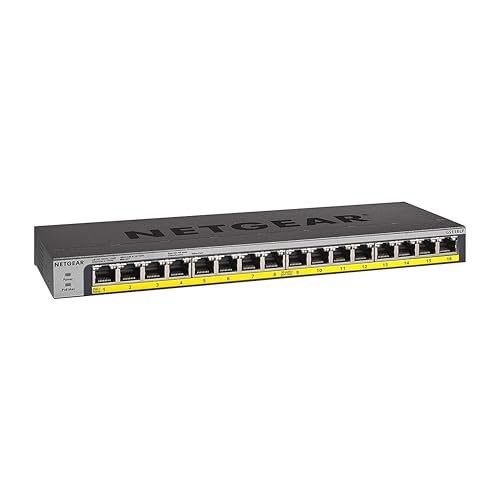
NETGEAR 16-Port Gigabit Fanless PoE+ Switch
Best for: silent plug-and-play 16-port PoE+ network expansion
- Port Count
- 16
- Port Speed
- 1.0Gbps
- Management Type
- Unmanaged
- PoE Support
- PoE+
- PoE Power Budget
- 76W
- Mounting Type
- Desktop, Wall-mount, Rack-mount
The NETGEAR 16-Port Gigabit PoE+ Unmanaged Switch provides sixteen 1.0Gbps ports to expand your wired network. All sixteen ports deliver PoE+ power from an integrated 76W budget, suitable for running multiple access points or IP cameras without separate power injectors. Its fanless metal chassis operates silently on a desktop, wall, or rack. This unmanaged switch fits your setup if you need straightforward plug-and-play deployment without software configuration or network management.
Pros
- 16 Gigabit (1.0Gbps) auto-negotiating Ethernet ports
- PoE+ on all 16 ports with 76W power budget
- Fanless metal chassis for silent operation
- Flexible desktop, wall-mount, or rack-mount installation
Cons
- Unmanaged design lacks VLANs, QoS, and remote management
- Higher 183W PoE budget requires a separately purchased power module
Good fit if
- You need 16 plug-and-play Gigabit ports without software setup.
- You run PoE+ powered devices within a 76W total power envelope.
- You require silent, fanless hardware for an office or rack.
Skip if
- You need managed switch features such as VLAN segmentation.
- You need faster multi-gigabit or 10Gbps link speeds.
Verdict: NETGEAR 16-Port Gigabit PoE+ Unmanaged Switch delivers silent, plug-and-play PoE+ across sixteen ports for simple wired expansion. It gives you flexible mounting and reliable hardware without the overhead of managed network software.

TP-Link 16-Port Unmanaged PoE+ Switch
Best for: high-budget surveillance camera deployments
- Port Speed
- 10/100 Mbps
- Management Type
- Unmanaged
- PoE Support
- PoE+ (802.3at/af)
- PoE Power Budget
- 250W
- Uplink Ports
- 2 × Gigabit SFP
- Number of Ports
- 16 Ports
This unmanaged switch gives you 16 PoE+ ports with a 250W power budget, alongside two Gigabit RJ45 uplink ports and two Gigabit SFP slots. While its PoE ports run at 10/100 Mbps Fast Ethernet speeds rather than Gigabit, it includes hardware switches for port isolation, priority queues, and extended range up to 250 meters. It suits you if you need to power multiple IP cameras without complex configuration.
Pros
- 250W total PoE power budget across 16 PoE+ ports
- Two dedicated Gigabit RJ45 uplinks and two Gigabit SFP slots
- Extend Mode supports transmission up to 250 meters at 10 Mbps
- Hardware toggles for port isolation and priority mode
Cons
- PoE ports operate at 10/100 Mbps Fast Ethernet speeds
- Unmanaged design lacks software configuration and web management
Good fit if
- You need a high 250W PoE power budget for surveillance setups.
- You want plug-and-play installation without software management.
- You require long-distance cable runs up to 250 meters.
Skip if
- You require Gigabit transfer speeds on every PoE port.
- You need managed switch features such as web-based VLAN configuration.
Verdict: TP-Link 16-Port PoE+ Unmanaged Switch delivers a substantial 250W power budget and Gigabit uplinks for large surveillance deployments. It trades Gigabit speeds on downstream ports for high power capacity and straightforward operation.
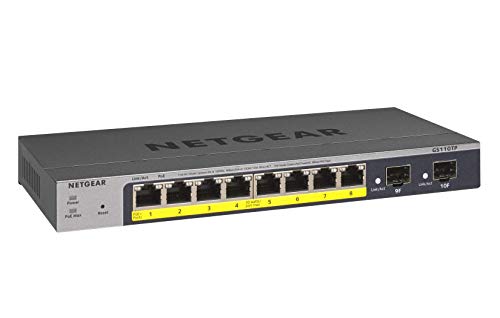
NETGEAR 10-Port Smart Managed PoE Switch
Best for: small networks requiring fiber uplinks and PoE+
- Port Count
- 10
- Port Speed
- 1.0Gbps
- Management Type
- Smart Managed
- PoE Support
- PoE+
- PoE Power Budget
- 55W
- Uplink Ports
- 2 x 1G SFP
This compact smart managed switch provides eight gigabit Ethernet ports with PoE+ support alongside two dedicated 1G SFP fiber ports. With a 55W total PoE power budget, it delivers power and data across your connected network hardware while enabling desktop or wall mounting. It suits you if you need managed network control, remote management capabilities, and fiber uplinks for a small setup.
Pros
- Eight gigabit ports with PoE+ support
- Two dedicated 1G SFP ports for fiber uplinks
- Smart management with SNMP and 1-year Insight access
- Compact metal casing supports desktop or wall mounting
Cons
- Total PoE power budget capped at 55W
- Ethernet speeds limited to 1.0Gbps
Good fit if
- You need fiber uplinks alongside eight gigabit PoE+ ports.
- You want smart software control with remote management options.
- You require desktop or wall mounting for a compact setup.
Skip if
- You need more than 55W of combined PoE power across your gear.
- You require multi-gigabit or 10G transfer speeds.
Verdict: NETGEAR 10-Port Smart Managed PoE+ Switch delivers capable smart management and fiber connectivity for smaller networks. Its 55W power budget makes it ideal for running a few low-power devices alongside dedicated uplinks.

NETGEAR 16-Port Fanless PoE+ Unmanaged Switch
Best for: silent plug-and-play multi-device PoE+ power
- Port Count
- 16
- Port Speed
- 1.0 Gbps
- Management Type
- Unmanaged
- PoE Support
- PoE+
- PoE Power Budget
- 115W
- Mounting Type
- Desktop, Wall-mount
View on Amazon: NETGEAR 16-Port Fanless PoE+ Unmanaged Switch
This is an unmanaged 16-port Gigabit switch designed for quiet operation and straightforward setup. You get 16 PoE+ ports powered by a 115W total budget to run access points, cameras, and IP phones. Its fanless metal chassis fits on a desk or mounts to a wall without noise. It suits you if you need reliable wired power distribution across multiple devices without needing to configure complex network settings.
Pros
- 16 Gigabit Ethernet ports with PoE+ support
- 115W total PoE power budget with dynamic allocation
- Fanless design for silent desktop or wall installation
- Plug-and-play operation with no configuration required
Cons
- Unmanaged design lacks VLAN and traffic management options
- Total PoE budget capped at 115W across all 16 ports
Good fit if
- You want plug-and-play PoE+ power for up to 16 hardware devices.
- You need silent operation for a desk or wall-mount location.
- You prefer hardware that requires zero network software configuration.
Skip if
- You need managed features like VLANs, QoS, or traffic monitoring.
- You require more than 115W of total PoE power across your equipment.
- You need standard server rack-mount installation hardware.
Verdict: NETGEAR 16-Port Gigabit Fanless PoE+ Switch provides simple, silent power distribution for home or office networking gear. It delivers 16 PoE+ ports with a 115W budget without requiring any manual setup.

TP-Link 16-Port Smart Managed Gigabit PoE+ Switch
Best for: high-power PoE camera and access point networks
- Port Count
- 16
- Port Speed
- 10/100/1000 Mbps
- Management Type
- Easy Smart
- PoE Support
- PoE+ (802.3at/af)
- PoE Power Budget
- 250W
- Uplink Ports
- 2 x Gigabit, 2 x Combo SFP
View on Amazon: TP-Link 16-Port Smart Managed Gigabit PoE+ Switch
This TP-Link smart switch provides 16 Gigabit PoE+ ports with a 250W total power budget, along with two dedicated Gigabit non-PoE ports and two combo SFP slots. You get web-based management supporting VLAN traffic segmentation, QoS prioritization, and PoE auto-recovery for unresponsive gear. It suits you if you need to run high-draw access points or security cameras while keeping uplink ports open for your network router.
Pros
- 250W total PoE+ power budget across 16 ports
- PoE auto-recovery reboots unresponsive powered devices automatically
- Two non-PoE Gigabit ports and two combo SFP slots for uplinks
- Web management interface with VLAN and QoS traffic controls
Cons
- Port speeds max out at 1 Gbps with no multi-gigabit support
- Combo SFP uplink slots share physical interfaces
Good fit if
- You need up to 250W of PoE+ power for access points or security cameras.
- You want traffic segmentation and QoS without complex enterprise software.
- You need automatic power cycling for connected PoE hardware that freezes.
Skip if
- You need 2.5 Gbps or 10 Gbps Ethernet throughput for high-speed local storage.
- You require fully managed Layer 3 routing functions.
Verdict: TP-Link 16-Port Smart Managed PoE+ Switch delivers a substantial 250W power budget alongside essential web-managed network segmentation. It gives you reliable device monitoring and automated recovery for high-density wired installations.

TP-Link 24-Port Smart Managed PoE+ Switch
Best for: high-density Gigabit PoE+ hardware setups
- Port Count
- 28
- Port Speed
- 10/100/1000 Mbps
- Management Type
- Easy Smart
- PoE Support
- PoE+ (802.3at/af)
- PoE Power Budget
- 250W
- Uplink Ports
- 2 SFP Slot
This switch gives you 24 PoE+ Gigabit ports, two standard Gigabit ports, and two SFP slots for uplinks. It provides a total power budget of 250W with up to 30W per port. You get web-based Easy Smart management to configure VLANs and enable automated PoE recovery. It suits you if you need to power numerous access points or IP cameras across a wired network.
Pros
- 24 Gigabit PoE+ ports with 250W total power budget
- Two dedicated Gigabit RJ45 and two Gigabit SFP uplink slots
- PoE Auto Recovery reboots unresponsive connected devices automatically
- Web interface and utility support VLAN traffic segmentation
Cons
- Port speeds max out at Gigabit with no 2.5G or 10G options
- Uplink SFP slots limited to 1 Gbps rather than 10 Gbps SFP+
Good fit if
- You need to connect and power up to 24 PoE+ network devices.
- You require dedicated SFP fiber uplinks alongside standard copper ports.
- You want automated rebooting of unresponsive PoE equipment via PoE Auto Recovery.
Skip if
- You need multi-gigabit speeds like 2.5 Gbps or 10 Gbps.
- You require advanced Layer 3 management capabilities.
Verdict: TP-Link 28-Port Easy Smart PoE+ Switch delivers high-density PoE+ delivery with a 250W budget and basic smart management. It gives you 28 total ports including SFP uplinks for expanding standard Gigabit network infrastructure.
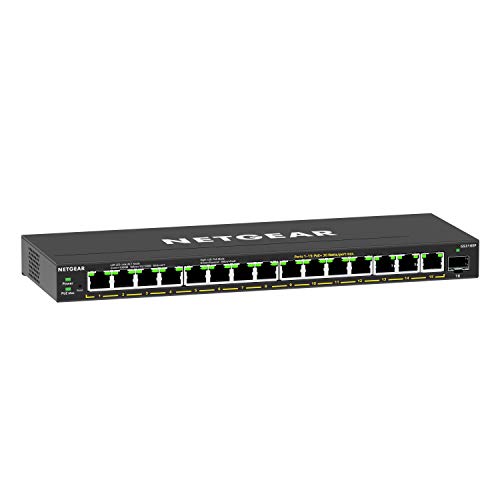
NETGEAR 16-Port Smart Managed PoE+ Switch
Best for: small networks needing PoE+ and basic VLANs
- Port Count
- 16
- Port Speed
- 1.0 Gbps
- Management Type
- Easy Smart Managed
- PoE Support
- PoE+
- PoE Power Budget
- 180W
- Uplink Ports
- 1 x 1G SFP
This NETGEAR switch gives you 15 Gigabit Ethernet ports with PoE+ support alongside a dedicated 1G SFP port for fiber connectivity. With a total PoE budget of 180W and uninterrupted power features, it easily supplies access points and IP cameras. Its Easy Smart management interface lets you configure VLANs, prioritize traffic with QoS, and monitor ports, making it suitable if you need basic network oversight without enterprise complexity.
Pros
- 15 PoE+ ports delivering up to 180W of total power
- Dedicated 1G SFP port for fiber optic network expansion
- Easy Smart interface provides VLAN, QoS, and port monitoring controls
- Uninterrupted PoE maintains power delivery to connected equipment
Cons
- Data ports are limited to 1.0 Gbps with no multi-gigabit options
- Mounting specifications cover only desktop and wall placement
Good fit if
- You need up to 180W of total PoE+ power across 15 devices.
- You want basic traffic prioritization and VLAN segmentation without complex management.
- You plan to link network switches over fiber using a 1G SFP module.
Skip if
- You need multi-gigabit transfer speeds such as 2.5Gbps or 10Gbps.
- You require standard 19-inch rackmount hardware out of the box.
Verdict: NETGEAR 16-Port Smart Managed PoE+ Switch provides dependable 180W PoE+ power and essential traffic management for small business setups. Its compact chassis fits cleanly onto desktops or walls while offering useful VLAN and QoS capabilities.

TP-Link Omada 24-Port Managed Gigabit Switch
Best for: complex wired networks needing centralized Omada control
- Port Count
- 24
- Port Speed
- 10/100/1000 Mbps
- Management Type
- Smart Managed
- Uplink Ports
- 4 x Gigabit SFP
- Number of Ports
- 24 Ports
- Dimensions
- 17.3 × 7.09 × 1.73 inches
View on Amazon: TP-Link Omada 24-Port Managed Gigabit Switch
This TP-Link Omada switch gives you 24 dedicated Gigabit Ethernet ports alongside four dedicated Gigabit SFP slots for fiber uplinks. It provides L2+ management features, including static routing, 802.1Q VLAN support, access control lists, and centralized management through the Omada SDN platform or standalone web and CLI interfaces. It suits you if you need extensive port capacity and advanced local network segmentation for wired devices without requiring built-in Power over Ethernet.
Pros
- 24 Gigabit RJ45 ports plus 4 dedicated Gigabit SFP slots
- L2+ features including static routing and 802.1Q VLAN support
- Supports Omada SDN centralized cloud management and standalone CLI or web control
- Five-year manufacturer warranty
Cons
- No Power over Ethernet (PoE) capability
- SFP uplink slots limited to 1 Gbps speed
Good fit if
- You need 24 Gigabit Ethernet ports and SFP uplinks to connect wired equipment.
- You manage your network via TP-Link Omada SDN or command-line interfaces.
- You want L2+ network traffic control features like static routing and access control lists.
Skip if
- You need to power access points, IP cameras, or phones directly over Ethernet.
- You require 10 Gbps uplinks or multi-gigabit Ethernet transfer speeds.
Verdict: TP-Link Omada 24-Port Gigabit Managed Switch delivers comprehensive L2+ traffic management and 28 total Gigabit connections for complex wired setups. It offers robust centralized control, provided you do not need integrated Power over Ethernet.

YuanLey 24-Port PoE+ Gigabit Switch
Best for: high-capacity unmanaged PoE+ device installations
- Port Count
- 28
- Port Speed
- 1 Gbps
- Management Type
- Unmanaged
- PoE Support
- PoE+ (802.3af/at)
- PoE Power Budget
- 400W
- Uplink Ports
- 2 x Gigabit, 2 x SFP
The YuanLey 24-Port PoE+ Gigabit Switch expands your wired network with 24 PoE+ ports, two dedicated Gigabit uplink ports, and two SFP slots. A 400W internal power budget delivers up to 30W per port for security cameras, access points, and VoIP phones. Unmanaged plug-and-play operation and hardware-based port isolation make setup straightforward if you need heavy power delivery across dozens of devices without managing complex network software.
Pros
- 400W total internal PoE power budget supporting up to 30W per port
- 24 PoE+ ports alongside 2 dedicated Gigabit and 2 SFP uplink ports
- 56 Gbps switching capacity with non-blocking data forwarding
- Hardware VLAN mode switch isolates PoE ports while retaining uplink communication
- AI Watchdog function detects and reboots disconnected PoE devices
Cons
- Unmanaged design provides no web management interface or software controls
- Ports cap at 1 Gbps with no multi-gigabit or 10G uplink options
Good fit if
- You need up to 400W of total PoE+ power distributed across up to 24 hardware endpoints.
- You prefer zero-configuration, plug-and-play operation with physical toggle switches.
- You want dedicated RJ45 and SFP uplink ports that do not consume PoE connections.
Skip if
- You require web-based L2 management, remote configuration, or custom VLAN tagging.
- You need port speeds exceeding 1 Gbps for multi-gigabit access points or NAS units.
Verdict: YuanLey 24-Port PoE+ Gigabit Switch delivers a robust 400W power budget and 28 total ports to sustain high-density surveillance or access point networks. It is a capable pick when you prioritize straightforward hardware deployment over complex network management.

TRENDnet 10-Port Multi-Gigabit Web Smart Switch
Best for: Multi-gigabit networks needing 10G fiber uplinks
- Port Count
- 10
- Port Speed
- 2.5 Gbps
- Management Type
- Web Smart
- Uplink Ports
- 2 x 10G SFP+
- Switching Capacity
- 80Gbps
- Number of Ports
- 10 Ports
View on Amazon: TRENDnet 10-Port Multi-Gigabit Web Smart Switch
This TRENDnet switch provides eight 2.5Gbps RJ-45 ports alongside two 10G SFP+ slots for high-speed uplinks. It delivers an 80Gbps switching capacity within a compact metal housing. Web-based management gives you control over VLANs, link aggregation, and access policies without needing complex console commands. It fits your setup if you need multi-gigabit speeds for local network storage or access points without upgrading to fully managed enterprise hardware.
Pros
- Eight 2.5Gbps Ethernet ports
- Two 10G SFP+ uplink slots
- 80Gbps total switching capacity
- Web-based smart management interface
Cons
- No Power over Ethernet support
- No native 10G copper RJ-45 ports
Good fit if
- You need 2.5Gbps connections for computers, NAS units, or access points.
- You want 10G uplinks via SFP+ slots.
- You require VLANs and traffic management through a web browser.
Skip if
- You need Power over Ethernet to power devices directly.
- You require RJ-45 ports that operate at 10Gbps speeds.
Verdict: TRENDnet 10-Port Multi-Gig Web Smart Switch pairs eight 2.5Gbps ports with dual 10G SFP+ uplinks for balanced multi-gigabit throughput. It provides essential smart-managed controls in a compact metal enclosure without requiring complex console configuration.

TP-Link 5-Port 2.5G PoE++ Switch
Best for: compact multi-gigabit PoE++ setups
- Port Count
- 5
- Port Speed
- 2.5 Gbps
- PoE Support
- PoE++ (802.3bt/at/af)
- PoE Power Budget
- 123W
- Switching Capacity
- 25 Gbps
- Number of Ports
- 5 Ports
This unmanaged switch gives you five 2.5 Gbps Ethernet ports with a 25 Gbps switching capacity. Four ports supply 802.3bt PoE++ power up to 60W each, backed by a 123W total budget. A dedicated PoE auto-recovery switch monitors connected hardware, while the fanless design maintains silent operation. It fits your setup if you need multi-gigabit connections and high-wattage power without handling software configuration.
Pros
- Five 2.5 Gbps Ethernet ports with 25 Gbps switching capacity
- Four 802.3bt PoE++ ports delivering up to 60W per port
- 123W total PoE power budget
- PoE auto-recovery detects and reboots unresponsive devices
- Fanless design ensures quiet operation
Cons
- Total port count limited to five ports
- Unmanaged hardware lacks web management and VLAN configuration
- Only four of the five ports provide PoE output
Good fit if
- You need 2.5 Gbps transfer rates across up to five wired devices.
- You power PoE++ hardware requiring up to 60W per port.
- You want plug-and-play deployment with no software setup required.
Skip if
- You need more than five physical network ports.
- You require managed switch features like VLANs or traffic monitoring.
Verdict: TP-Link 5-Port 2.5G PoE++ Switch delivers multi-gigabit speeds and up to 60W per port in a quiet, fanless package. It provides plug-and-play PoE++ power without the need for manual configuration.

XikeStor 12-Port 10G SFP+ L3 Managed Switch
Best for: High-speed 10G SFP+ Layer 3 network setups
- Port Count
- 12
- Management Type
- L3 Managed
- Uplink Ports
- 12 x 10G SFP+
- Switching Capacity
- 240 Gbps
- Dimensions
- 13 × 9.06 × 1.69 inches
The XikeStor 12-Port 10G L3 Managed SFP+ Switch provides 12 dedicated 10Gbps SFP+ ports with a 240 Gbps switching capacity and a forwarding rate of 178.56 Mpps. You get full Layer 3 routing features, including IPv4 and IPv6 routes, VLAN, QoS, and ERPS ring protection. It suits you if you need high-bandwidth fiber or copper transceivers to manage high-speed traffic across workstations, servers, or storage networks without bottlenecks.
Pros
- Twelve 10Gbps SFP+ ports supporting 10G and 2.5G rates
- 240 Gbps switching capacity with 178.56 Mpps forwarding rate
- Layer 3 routing capabilities including IPv4/IPv6 routes and ARP
- Supports ERPS with sub-50ms failover and 12KB jumbo frames
Cons
- Contains no integrated RJ45 copper ports
- Optical modules and SFP transceivers are not included
- Provides no Power over Ethernet (PoE) capability
Good fit if
- You need 10G SFP+ connectivity for local servers, workstations, or NAS appliances.
- You require Layer 3 management controls like IPv4/IPv6 routing, VLANs, and ACLs.
Skip if
- You need standard RJ45 Ethernet ports directly out of the box without adapters.
- You need Power over Ethernet to power IP cameras or access points.
Verdict: XikeStor 12-Port 10G L3 Managed SFP+ Switch delivers 240 Gbps switching capacity and Layer 3 management across twelve 10Gbps cages. It fits environments configured for fiber uplinks or user-supplied transceiver modules.

YuanLey 18-Port 2.5G Switch with 10G SFP+
Best for: unmanaged multi-gigabit networks needing 10G uplinks
- Port Count
- 18
- Port Speed
- 2.5 Gbps
- Management Type
- Unmanaged
- Uplink Ports
- 2 x 10G SFP+
- Switching Capacity
- 120 Gbps
- Mounting Type
- Desktop, Rackmount
This YuanLey switch provides sixteen 2.5 Gbps Ethernet ports alongside two 10G SFP+ uplink slots for high-bandwidth connections. It operates as an unmanaged plug-and-play unit with a total switching capacity of 120 Gbps. A fanless metal chassis keeps operation completely silent during desktop or 19-inch rackmount use. This switch suits you if you need multi-gigabit connections for 2.5G NAS storage, servers, or access points without configuring complex network settings.
Pros
- Sixteen 2.5 Gbps RJ45 ports with auto-negotiation
- Two 10G SFP+ uplink ports
- 120 Gbps switching capacity
- Fanless silent metal chassis
Cons
- No Power over Ethernet (PoE) support
- Unmanaged with no VLAN or QoS configuration options
- SFP modules not included
Good fit if
- You need high port density at 2.5 Gbps speeds for local client devices.
- You want 10G SFP+ uplinks without active cooling fan noise.
- You prefer plug-and-play setup without managing software configurations.
Skip if
- You require PoE to power access points, cameras, or phones directly.
- You need managed switch features like VLANs, link aggregation, or traffic control.
Verdict: YuanLey 18-Port 2.5G Unmanaged Switch delivers high-speed 2.5 Gbps wired connectivity and dual 10G SFP+ uplinks in a silent, fanless enclosure. It offers an easy plug-and-play expansion path for multi-gigabit hardware when managed features and PoE are not needed.

Davuaz 8-Port 10G Unmanaged Switch
Best for: wall-mounted unmanaged multi-gigabit home networks
- Port Speed
- 10 Gbps
- Management Type
- Unmanaged
- Uplink Ports
- 2 x 10G SFP+
- Switching Capacity
- 160Gbps
- Mounting Type
- Desktop, Wall Mount
- Intended Use
- Home
This Davuaz switch provides six 10G Base-T RJ45 ports alongside two 10G SFP+ uplink slots for high-bandwidth home setups. With a 160Gbps switching capacity and multi-gigabit auto-negotiation across 1G, 2.5G, 5G, and 10G speeds, you can link fast storage, PCs, and access points without manual configuration. Its metal chassis supports wall mounting or desktop placement, making it a practical choice if you need simple, unmanaged multi-gigabit speeds off your desk.
Pros
- Six 10G RJ45 ports and two 10G SFP+ uplink slots
- 160Gbps total switching capacity
- Multi-gigabit auto-negotiation across 1G, 2.5G, 5G, and 10G
- Supports wall mounting and desktop deployment
- 6KV lightning protection in a metal chassis
Cons
- Unmanaged design provides no VLAN or traffic controls
- No Power over Ethernet (PoE) support
- Uses an internal cooling fan rather than fanless cooling
Good fit if
- You need six 10Gbps RJ45 ports and two 10G SFP+ uplinks for local transfers.
- You want plug-and-play installation mounted directly to a wall.
- You run mixed multi-gigabit hardware spanning 1G, 2.5G, 5G, and 10G speeds.
Skip if
- You require managed switch features like VLAN segmentation or QoS settings.
- You need PoE to power access points or security cameras directly.
- You require a completely silent, fanless switch for quiet areas.
Verdict: Davuaz 8-Port 10G Unmanaged Switch delivers high-speed 10Gbps copper and optical connectivity with straightforward wall mounting for compact setups. It serves high-bandwidth devices reliably if you do not need managed software features.
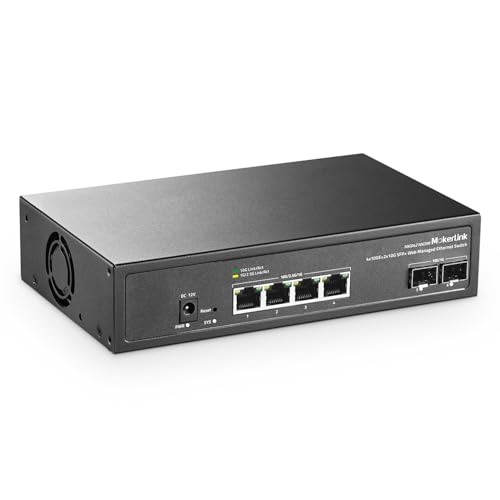
MokerLink 6-Port 10G Managed Switch
Best for: small high-speed 10Gbps wired networks
- Port Count
- 6
- Port Speed
- 10 Gbps
- Management Type
- Web Managed
- Uplink Ports
- 2 x 10G SFP+
- Switching Capacity
- 120 Gbps
The MokerLink 6-Port 10G Web Managed Switch is a compact multi-gigabit network switch designed for high-bandwidth local connections. You get four 10Gbps RJ45 Ethernet ports supporting multi-gigabit negotiation down to 100Mbps, along with two 10Gbps SFP+ slots for optical uplinks. With 120Gbps total switching capacity and Layer 2 management tools like VLANs and link aggregation, this unit suits you if you need fast data transfers across network storage and workstations.
Pros
- Four 10Gbps RJ45 ports with 100M to 10G auto-negotiation
- Two 10Gbps SFP+ uplink ports supporting 1G and 10G modules
- 120Gbps non-blocking switching capacity
- Layer 2 web management features including VLAN, QoS, and LACP
Cons
- Only six total network ports
- SFP modules are not included in the package
- Uses an active cooling fan rather than a silent fanless build
Good fit if
- You need 10Gbps transfer rates across RJ45 copper cabling and SFP+ fiber.
- You require Layer 2 web management capabilities such as VLANs, QoS, and LACP.
- You connect multi-gigabit hardware requiring 2.5G, 5G, or 10G auto-negotiation.
Skip if
- You need Power over Ethernet (PoE) to power access points or cameras.
- You require more than six total network ports on one switch.
- You want a completely silent fanless switch design.
Verdict: MokerLink 6-Port 10G Web Managed Switch delivers high-speed 10Gbps throughput and Layer 2 management across four RJ45 ports and two SFP+ slots. It is an effective option when you need high-bandwidth connectivity for a small set of wired devices.
Specifications side by side
| Spec | NETGEAR 16-Port Gigabit Fanless PoE+ Switch | TP-Link 16-Port Unmanaged PoE+ Switch | NETGEAR 10-Port Smart Managed PoE Switch | NETGEAR 16-Port Fanless PoE+ Unmanaged Switch | TP-Link 16-Port Smart Managed Gigabit PoE+ Switch | TP-Link 24-Port Smart Managed PoE+ Switch | NETGEAR 16-Port Smart Managed PoE+ Switch | TP-Link Omada 24-Port Managed Gigabit Switch | YuanLey 24-Port PoE+ Gigabit Switch | TRENDnet 10-Port Multi-Gigabit Web Smart Switch | TP-Link 5-Port 2.5G PoE++ Switch | XikeStor 12-Port 10G SFP+ L3 Managed Switch | YuanLey 18-Port 2.5G Switch with 10G SFP+ | Davuaz 8-Port 10G Unmanaged Switch | MokerLink 6-Port 10G Managed Switch |
|---|---|---|---|---|---|---|---|---|---|---|---|---|---|---|---|
| Port Count | 16 | not specified | 10 | 16 | 16 | 28 | 16 | 24 | 28 | 10 | 5 | 12 | 18 | not specified | 6 |
| Port Speed | 1.0Gbps | 10/100 Mbps | 1.0Gbps | 1.0 Gbps | 10/100/1000 Mbps | 10/100/1000 Mbps | 1.0 Gbps | 10/100/1000 Mbps | 1 Gbps | 2.5 Gbps | 2.5 Gbps | not specified | 2.5 Gbps | 10 Gbps | 10 Gbps |
| Management Type | Unmanaged | Unmanaged | Smart Managed | Unmanaged | Easy Smart | Easy Smart | Easy Smart Managed | Smart Managed | Unmanaged | Web Smart | not specified | L3 Managed | Unmanaged | Unmanaged | Web Managed |
| PoE Support | PoE+ | PoE+ (802.3at/af) | PoE+ | PoE+ | PoE+ (802.3at/af) | PoE+ (802.3at/af) | PoE+ | not specified | PoE+ (802.3af/at) | not specified | PoE++ (802.3bt/at/af) | not specified | not specified | not specified | not specified |
| PoE Power Budget | 76W | 250W | 55W | 115W | 250W | 250W | 180W | not specified | 400W | not specified | 123W | not specified | not specified | not specified | not specified |
| Uplink Ports | not specified | 2 × Gigabit SFP | 2 x 1G SFP | not specified | 2 x Gigabit, 2 x Combo SFP | 2 SFP Slot | 1 x 1G SFP | 4 x Gigabit SFP | 2 x Gigabit, 2 x SFP | 2 x 10G SFP+ | not specified | 12 x 10G SFP+ | 2 x 10G SFP+ | 2 x 10G SFP+ | 2 x 10G SFP+ |
| Switching Capacity | not specified | not specified | not specified | not specified | not specified | not specified | not specified | not specified | 56 Gbps | 80Gbps | 25 Gbps | 240 Gbps | 120 Gbps | 160Gbps | 120 Gbps |
| Mounting Type | Desktop, Wall-mount, Rack-mount | not specified | Desktop, Wall-Mount | Desktop, Wall-mount | not specified | not specified | Desktop, Wall-Mount | not specified | Desktop, Rackmount | not specified | not specified | not specified | Desktop, Rackmount | Desktop, Wall Mount | not specified |
| Number of Ports | 16 Ports | 16 Ports | 10 Ports | 16 Ports | 16 Ports | 24 Ports | 16 Ports | 24 Ports | 24 Ports | 10 Ports | 5 Ports | not specified | 18 Ports | not specified | not specified |
| Uplink Port Type | not specified | SFP | SFP | not specified | SFP | not specified | not specified | SFP | SFP | SFP | not specified | SFP | SFP | SFP | SFP |
| Intended Use | not specified | not specified | not specified | not specified | not specified | not specified | not specified | not specified | not specified | not specified | not specified | not specified | not specified | Home | not specified |
| Operating Mode | not specified | not specified | not specified | not specified | not specified | not specified | not specified | not specified | not specified | not specified | not specified | not specified | Access Point Mode | not specified | not specified |
| Dimensions | 4.02 × 1.06 × 11.3 inches | 17.3 × 7.09 × 1.73 inches | 4 × 9.29 × 1.06 inches | 4 × 11.3 × 1.1 inches | 17.3 × 7.09 × 1.73 inches | 17.3 × 8.66 × 1.73 inches | 11.3 × 4.02 × 1.06 inches | 17.3 × 7.09 × 1.73 inches | 17.3 × 8.66 × 1.73 inches | 9.45 × 4.09 × 1.06 inches | 8.23 × 4.96 × 1.02 inches | 13 × 9.06 × 1.69 inches | not specified | not specified | not specified |
| Weight | 1.94 pounds | 2 pounds | 1.31 pounds | 1.94 pounds | 5.34 pounds | 6.83 pounds | 5.07 pounds | 4.25 pounds | 6.66 pounds | 1.46 pounds | 1.23 pounds | not specified | 4.06 pounds | not specified | not specified |
| Size | 16 Port, PoE+ @ 76W | 18 Port w/ 16-Port PoE+ | 8 Port, PoE+ @ 55W, 2 x 1G SFP | 16 Port, PoE+ @ 115W | 18 Port w/ 16-Port PoE+ | 28 Port w/ 24 PoE+ Port | 16 Port, PoE+ @ 180W | 24 Port + 4 SFP Slots | 28 Port | 24*PoE+(1000Mbps) (400w) | not specified | 5 Port, 2.5 Gigabit | 12×10G SFP ports | 16x2.5G +2x10G SFP | A-6 x 10G RJ45+2 x 10G SFP+ | not specified |
| Color | Silver / black | Black | Black | Black | Black | black or gray | Black | BLACK | Blue | Black | Black | L3 | 12×10G SFP+ | Black | not specified | black |
| Model | GS116LP-100NAS | TL-SL1218MP | GS110TP-300NAS | GS316P-100NAS | TL-SG1218MPE | TL-SG1428PE | GS316EP-100NAS | TL-SG3428 | 28 Port | 24*PoE+ (1000Mbps) (400w) | TEG-3102WS | TL-SG105PP-M2 | 12*10G SFP+(L3 Managed) | 16 Port 2.5G Switch | DZ-W0602WS | 4*10G Eth,2*10G SFP Managed |
If you are equipping a workspace alongside your network hardware, you can review specifications for the best refrigerators under 200.
Choosing the Right Network Switch
-
Choose Your Management Level
Decide whether your network requires software configuration or simple plug-and-play operation. Unmanaged switches pass data immediately with zero setup required. They work well for standard home environments where devices merely need internet access. Smart managed or Layer 2 and Layer 3 switches provide web interfaces for VLAN traffic isolation, QoS prioritization, and link aggregation. If you run separated guest networks or surveillance cameras, select a smart managed unit such as the NETGEAR 16-Port Smart Managed PoE+ Switch to retain control over local traffic rules.
-
Check Dedicated Uplink Types
Examine whether a model includes dedicated SFP or SFP+ slots alongside regular copper ports. Standard RJ45 ports connect local endpoints, but connecting switches together over long distances often requires fiber optic transceivers. SFP slots operate at 1Gbps, while SFP+ slots support up to 10Gbps throughput. Dedicated uplinks prevent you from sacrificing downstream client ports to feed the main router. Consider the TRENDnet 10-Port Multi-Gigabit Web Smart Switch if your setup demands 10G SFP+ uplinks to maintain high-capacity backhaul connections.
-
Verify Mounting and Size
Review the dimensions and mounting specifications to match your physical installation space. Compact desktop models fit on shelves or small desks without occupying excessive room. Units with wall-mounting capability include specialized chassis slots to secure the hardware vertically against utility boards or inside media panels. Larger models exceeding 17 inches in length fit standard server racks using rackmount brackets. If space is restricted and you plan to install hardware against a flat vertical surface, check models like the Davuaz 8-Port 10G Unmanaged Switch that explicitly support desktop and wall-mount placements.
-
Calculate Total Port Count
Count your wired gear before selecting a model to prevent running out of ports. Ethernet devices include access points, computers, storage enclosures, printers, and gaming consoles. Small units provide five to eight ports for basic desks, while dense models supply sixteen to twenty-eight connections for entire households. Always reserve two or three empty ports for future hardware additions and router connection lines. Choosing an expanded model like the TP-Link 24-Port Smart Managed PoE+ Switch ensures you have twenty-eight total ports available to handle large wired deployments.
-
Match Speeds to Endpoints
Match the port speed specification directly to the capabilities of your client hardware. Standard Gigabit ports deliver 1000Mbps, which handles media streaming, basic smart home hubs, and general web browsing. If you transfer large local backups to network storage or connect Wi-Fi 6 access points, standard Gigabit introduces local data limits. Look for multi-gigabit hardware providing 2.5G or 10G port ratings to accommodate faster data transfers. The YuanLey 18-Port 2.5G Switch with 10G SFP+ supplies 2.5 Gbps speeds across sixteen ports, allowing multi-gigabit clients to operate without link saturation.
Frequently asked questions
Can you mix standard Gigabit and multi-gigabit devices on the same switch?
Yes, multi-gigabit ports auto-negotiate down to match slower Ethernet devices. When you connect standard Gigabit hardware to multi-gigabit models like the YuanLey 18-Port 2.5G Switch or the Davuaz 8-Port 10G Switch, each port syncs at the fastest speed your connected client supports. This allows you to run legacy gear alongside high-speed network attached storage or access points without bottlenecking the entire setup.
What is the difference between PoE+ and PoE++ on these switches?
PoE++ supplies significantly higher power per port than standard PoE+. Most PoE options on this list provide PoE+ output, but compact models like the TP-Link 5-Port 2.5G PoE++ Switch provide up to 60W per port. This extra capacity powers demanding hardware such as pan-tilt-zoom cameras, high-output wireless access points, and smart displays that exceed standard PoE+ operating limits.
What are SFP and SFP+ ports used for on a network switch?
SFP ports accept modular transceivers for fiber optic cables or direct-attach copper runs. Switches like the NETGEAR 10-Port Smart Managed Switch include 1G SFP slots for long-distance runs, while models like the TRENDnet 10-Port Multi-Gigabit Switch feature 10G SFP+ uplinks. These connections allow you to link separate switches or servers together across long spans without consuming your standard copper Ethernet ports.
When should you choose an unmanaged switch over a smart managed switch?
You should choose an unmanaged switch when you want zero-configuration hardware that works right out of the box. Models like the NETGEAR 16-Port Gigabit Fanless PoE+ Switch simply pass data without administrative software. Smart managed units, such as the NETGEAR GS316EP, add controls for VLAN isolation and Quality of Service, which are beneficial only if you need to separate guest traffic or prioritize data streams.
Are fanless network switches suitable for multi-device PoE setups?
Fanless switches work reliably if their power consumption matches your environment. Units like the NETGEAR 16-Port Fanless PoE+ Switch operate completely silently while supplying up to 115W across connected hardware. However, high-wattage hardware setups exceeding 200W, such as the TP-Link TL-SG1218MPE or the 400W YuanLey 24-Port model, generate substantial heat under load and generally rely on internal fans to maintain safe operating temperatures.
What is the advantage of a Layer 3 managed switch?
A Layer 3 switch performs routing directly on the hardware instead of passing traffic through an external router. The XikeStor 12-Port 10G L3 Managed Switch delivers 240 Gbps switching capacity and handles internal IP routing between subnets on its own. This reduces congestion on your main gateway router when transferring high volumes of local data between separate virtual networks or storage servers.
Can you power non-PoE devices using a PoE switch?
Yes, standard PoE and PoE+ switches safely connect to non-PoE devices like desktop PCs and printers. Switches adhering to active standards negotiate power delivery before sending electric current down the cable. If a connected device does not request power, the port transmits standard data only, preventing any electrical damage to standard network equipment.