15 Best 2.5G Network Switches, Compared
As an Amazon Associate we earn from qualifying purchases. Links on this page are affiliate links.
Upgrading your local wired network begins with choosing the right 25g network switch to eliminate bandwidth bottlenecks across connected devices. This guide compares 15 models based strictly on the specifications published on their listings. The TRENDnet 5-Port Unmanaged 2.5G Switch takes the top spot because it packs five dedicated 2.5G ports into a compact 0.8-pound metal chassis for plug-and-play multi-gigabit speeds.
This comparison helps you decide which port count, management type, and uplink configuration fit your home or office networking setup.
Quick picks
The best fit for you
- You need a compact plug-and-play desktop switch. TRENDnet 5-Port Unmanaged 2.5G Switch It gives you five unmanaged 2.5G ports in a 0.8-pound metal chassis.
- You need high port density and PoE power. TP-Link 24-Port 2.5G Managed PoE Switch This smart managed switch gives you 24 ports with 2.5G speeds and PoE support.
- You want a wall-mounted switch with PoE capability. YuanLey 8-Port Multi-Gig PoE Switch This eight-port unmanaged switch supports wall mounting and delivers 2.5G connectivity with PoE power.
- You want multi-gigabit connections with dual 10G uplinks. Davuaz 10-Port 2.5G Switch with 10G SFP+ It includes 10 total unmanaged ports, pairing eight 2.5G ethernet ports with two 10G SFP uplinks.
Our 15 picks

TRENDnet 5-Port Unmanaged 2.5G Switch
Best for: compact plug-and-play multi-gigabit home setups
- Port Speed
- 2.5G (what this guide is about)
- Port Count
- 5
- Management Type
- Unmanaged
- Switching Capacity
- 25 Gbps
- Mounting Type
- Wall-Mount
- Number of Ports
- 5 Ports
This TRENDnet unit is an unmanaged desktop switch designed to upgrade your local wired speeds. It gives you five 2.5GBASE-T ports capable of up to 2.5Gbps over Cat5e or better cabling, paired with a 25Gbps switching capacity. Backwards compatibility supports standard 1000Mbps gear. It suits you if you need a compact, wall-mountable metal switch to expand multi-gigabit connections across a few computers, gaming setups, or network storage devices.
Pros
- Five 2.5GBASE-T RJ-45 ports supporting up to 2.5Gbps
- 25Gbps total switching capacity
- Durable wall-mountable metal housing
- Backwards compatible with 1000Mbps Ethernet devices
Cons
- Unmanaged design lacks configuration interfaces and VLAN support
- Limited to five ports with no 10G SFP+ uplink slot
- Does not supply Power over Ethernet
Good fit if
- You want plug-and-play 2.5Gbps networking without configuring software.
- You have five or fewer devices to connect over Cat5e or better cabling.
- You need a compact metal switch that supports wall mounting.
Skip if
- You need more than five network ports or dedicated 10G uplink slots.
- You require PoE to power access points or cameras.
- You want managed switch controls like port configuration and traffic monitoring.
Verdict: TRENDnet 5-Port Unmanaged 2.5G Switch delivers plug-and-play 2.5Gbps transfer rates in a sturdy, compact metal chassis. It provides dependable multi-gigabit connectivity for simple desktop and home office setups.

TP-Link 8-Port 2.5G Multi-Gigabit Switch
Best for: silent eight-port multi-gigabit home network expansion
- Port Speed
- Gigabit, 2.5G (what this guide is about)
- Port Count
- 8
- Management Type
- Unmanaged
- Switching Capacity
- 40 Gbps
- Mounting Type
- Desktop, Wall-Mount
- Number of Ports
- 8 Ports
The TP-Link 8-Port 2.5G Unmanaged Switch expands your local network with eight dedicated 2.5 Gbps ports and a 40 Gbps switching capacity. Its fanless metal enclosure keeps operation quiet on a desk or mounted to a wall. With plug-and-play deployment and 3-speed auto-negotiation, you get straightforward multi-gigabit throughput for your gaming computers, access points, and storage servers without managing software.
Pros
- Eight 2.5 Gbps ports with 100Mb/1G/2.5G auto-negotiation
- 40 Gbps total switching capacity
- Fanless design for silent operation
- Metal case with desktop and wall-mount support
Cons
- No 10G SFP+ uplink slots
- Unmanaged with no VLAN or configuration support
- No Power over Ethernet capabilities
Good fit if
- You need eight dedicated 2.5 Gbps Ethernet ports for client devices.
- You want a silent, fanless switch for a desktop or living area.
- You require a zero-configuration plug-and-play setup.
Skip if
- You require 10G SFP+ ports for high-speed fiber uplinks.
- You need managed networking features like VLANs or traffic shaping.
- You want to power access points or cameras over Ethernet.
Verdict: TP-Link 8-Port 2.5G Unmanaged Switch delivers reliable multi-gigabit connectivity across eight silent, fanless ports. It provides simple high-bandwidth expansion when you do not need managed switch software.

NETGEAR 5-Port 2.5G Unmanaged Switch
Best for: silent five-port multi-gigabit desktop expansion
- Port Speed
- Gigabit, 2.5G (what this guide is about)
- Port Count
- 5
- Management Type
- Unmanaged
- Mounting Type
- Desktop, Wall-Mount
- Number of Ports
- 5 Ports
- Dimensions
- 4 × 9 × 9 inches
This NETGEAR switch gives you five 2.5-Gigabit Ethernet ports in an unmanaged, plug-and-play setup. It auto-negotiates connection speeds over standard Cat5e or Cat6 cables, eliminating manual configuration. A fanless metal housing provides silent cooling while supporting desktop or wall mounting. It suits you if you need a quiet, compact multi-gigabit switch to link up to five wired devices across your home network without needing management software.
Pros
- Five 2.5Gbps auto-negotiating Ethernet ports
- Fanless metal chassis for silent operation
- Supports desktop or wall-mount installation
- IEEE 802.3az Energy Efficient Ethernet support
Cons
- Unmanaged with no software configuration options
- Limited to five network ports
- Specified for use in the US and Canada only
Good fit if
- You need five quiet 2.5Gbps ports for desktop or wall mounting.
- You prefer a plug-and-play unmanaged switch without software setup.
- You want to run multi-gigabit speeds over existing Cat5e or Cat6 cables.
Skip if
- You need managed switch features such as VLANs or traffic controls.
- You have more than five wired devices requiring 2.5G connections.
- You live outside the US and Canada.
Verdict: NETGEAR 5-Port 2.5G Unmanaged Switch delivers plug-and-play multi-gigabit networking in a silent, fanless metal enclosure. It offers a straightforward hardware upgrade when you need five 2.5G ports without configuration overhead.

NETGEAR 5-Port 2.5G Multi-Gigabit Switch
Best for: silent multi-gigabit home or office setups
- Port Speed
- Gigabit, 2.5G (what this guide is about)
- Port Count
- 5
- Management Type
- Unmanaged
- Mounting Type
- Desktop, Wall-Mount, Rack-Mount
- Number of Ports
- 5 Ports
- Dimensions
- 6.2 × 4 × 1.1 inches
The NETGEAR 5-Port 2.5G Unmanaged Switch expands your local network with five auto-negotiating 2.5Gbps Ethernet ports over standard Cat5e or Cat6 cables. It features a fanless metal chassis measuring 6.2 by 4 by 1.1 inches, supporting desktop, wall-mount, or rack-mount setups. This plug-and-play hardware suits you if you need silent multi-gigabit connections for a few wired devices without configuring software or network settings.
Pros
- Five auto-negotiating 2.5Gbps ports compatible with Cat5e and Cat6 cabling
- Fanless metal chassis for silent operation
- Supports desktop, wall-mount, and rack-mount placement
- IEEE 802.3az Energy Efficient Ethernet compliance
Cons
- Provides only five ports with no 10G expansion uplinks
- Unmanaged design lacks VLAN and software configuration options
- Restricted to operation within the United States and Canada
Good fit if
- You want silent 2.5Gbps connections across up to five wired devices.
- You prefer unmanaged plug-and-play hardware without software setup.
- You need versatile mounting on a desktop, wall, or rack.
Skip if
- You need more than five ports or dedicated 10G SFP+ uplinks.
- You require managed switch features like VLANs or traffic control.
- You live or deploy equipment outside the United States and Canada.
Verdict: NETGEAR 5-Port 2.5G Unmanaged Switch delivers quiet multi-gigabit connectivity in a compact metal housing. It is a straightforward upgrade for small wired setups requiring reliable 2.5Gbps speeds without configuration.

YuLinca 8-Port 2.5G Switch with 10G SFP+
Best for: silent multi-gigabit expansion with 10G uplink
- Port Speed
- Gigabit, 2.5G, 10G (what this guide is about)
- Management Type
- Unmanaged
- Uplink Ports
- 1 x 10G SFP
- Switching Capacity
- 60Gbps
- Number of Ports
- 8 Ports
- Use Case
- Gaming
This YuLinca unmanaged network switch provides eight 2.5G Ethernet ports alongside a single 10G SFP+ uplink slot. It features a fanless metal chassis for silent operation and delivers 60Gbps backplane switching capacity. If you need multi-gigabit speeds for your home entertainment, NAS, gaming PC, or WiFi 6 access points without complex network configuration, this plug-and-play unit fits your setup.
Pros
- Eight 2.5GBASE-T ports with auto-negotiation
- One 10G SFP+ uplink port supporting 1G and 2.5G modules
- 60Gbps backplane switching bandwidth
- Fanless metal chassis for silent operation
Cons
- SFP module not included
- No Power over Ethernet support
- Unmanaged with no VLAN or L2 configuration options
Good fit if
- You need eight 2.5G ports and a 10G uplink for high-bandwidth local devices.
- You want silent, fanless operation in a desktop or office environment.
- You require simple plug-and-play setup without software configuration.
Skip if
- You require Power over Ethernet to power access points or cameras.
- You need managed switch features such as VLANs or link aggregation.
Verdict: YuLinca 8-Port 2.5G Switch with 10G SFP+ delivers high multi-gigabit throughput and silent operation for simple networks. It gives you eight 2.5G ports and a 10G uplink without configuration complexity.

Real HD 8-Port 2.5G Switch with 10G SFP+
Best for: quiet multi-gigabit setups needing a 10G uplink
- Port Speed
- Gigabit, 2.5G, 10G (what this guide is about)
- Port Count
- 8
- Management Type
- Unmanaged
- Uplink Ports
- 1 x 10G SFP+
- Switching Capacity
- 60G
- Number of Ports
- 8 Ports
The Real HD 8-Port 2.5G Switch with 10G SFP+ is an unmanaged desktop switch built for high-bandwidth local connections. It gives you eight 2.5 Gbps RJ45 ports alongside a dedicated 10G SFP+ uplink for high-speed fiber or DAC connections. The fanless metal chassis ensures quiet operation in shared rooms or home offices. This switch fits your setup if you need multi-gigabit speeds for NAS units, PCs, or access points without complex network configuration.
Pros
- Eight 2.5G RJ45 ports plus one 10G SFP+ uplink port
- Fanless design for silent desktop or office operation
- Sturdy metal housing with 4KV lightning protection
- Unmanaged plug-and-play setup requiring no software configuration
Cons
- Does not support Power over Ethernet (PoE)
- Lacks managed switch features such as VLANs or QoS
Good fit if
- You need eight 2.5G ports and a 10G SFP+ port for an uplink.
- You want silent, fanless operation in a quiet workspace.
- You prefer a simple plug-and-play switch without management overhead.
Skip if
- You need Power over Ethernet to power IP cameras or access points.
- You require managed switch capabilities like VLAN tagging or traffic shaping.
Verdict: Real HD 8-Port 2.5G Switch with 10G SFP+ provides eight multi-gigabit ports and a 10G optical uplink in a quiet, fanless metal enclosure. It is a practical plug-and-play solution for expanding local network bandwidth without complex setup.

D-Link 5-Port 2.5G Unmanaged Switch
Best for: quiet desktop office setups needing multi-gigabit speeds
- Port Speed
- 2.5G (what this guide is about)
- Port Count
- 5
- Management Type
- Unmanaged
- Switching Capacity
- 25Gbps
- Number of Ports
- 5 Ports
- Use Case
- Gaming
The D-Link 5-Port 2.5G Unmanaged Switch expands your wired office network with five multi-speed Ethernet ports supporting 100Mb, 1G, and 2.5G connections. It provides a total switching capacity of 25Gbps alongside automated 8-level QoS traffic prioritization and IGMP snooping. Housed in a compact, fanless metal chassis, this silent plug-and-play desktop unit suits quiet workspaces where you need to connect high-speed storage, computers, or wireless access points without software setup.
Pros
- Five multi-gigabit ports with auto-negotiation for 100Mb, 1G, and 2.5G speeds
- Fanless metal chassis for silent operation and passive heat dissipation
- 25Gbps switching capacity with 8-level QoS traffic prioritization
- IEEE 802.3az Energy-Efficient Ethernet compliance to reduce power draw
Cons
- Unmanaged design lacks VLAN and manual network configuration settings
- Provides only five Ethernet ports without higher-speed SFP+ uplink slots
Good fit if
- You need a silent, fanless multi-gigabit switch for a quiet desk or office space.
- You want plug-and-play 2.5G connectivity without dealing with software configurations.
- You connect up to five multi-gigabit devices like NAS units, PCs, or access points.
Skip if
- You require managed switch capabilities like manual port controls or VLANs.
- You need more than five network ports or dedicated 10G SFP+ uplinks.
Verdict: D-Link 5-Port 2.5G Unmanaged Switch delivers silent, plug-and-play multi-gigabit connectivity in a compact metal package for desktop office setups. It gives you 25Gbps total switching capacity and built-in QoS without configuration overhead.

MokerLink 8-Port 2.5G Switch with 10G SFP+
Best for: silent multi-gigabit networks needing 10G uplink
- Port Speed
- Gigabit, 2.5G, 10G, Fast Ethernet (what this guide is about)
- Port Count
- 8
- Management Type
- Unmanaged
- Uplink Ports
- 1 x 10G SFP+
- Switching Capacity
- 60 Gbps
- Mounting Type
- Desktop, Wall-Mount
This unmanaged switch from MokerLink expands your network with eight 2.5G Base-T Ethernet ports and one 10G SFP+ uplink slot. The fanless metal chassis operates silently on a desk or mounted to a wall. With a 60Gbps backplane bandwidth and auto-negotiating ports compatible with 10M, 100M, 1G, and 2.5G speeds, it suits you if you need high-bandwidth connections for NAS units, gaming PCs, and WiFi 6 access points.
Pros
- Eight 2.5G Ethernet ports with 10/100/1000M backward compatibility
- One 10G SFP+ slot compatible with 1G and 2.5G modules
- 60Gbps backplane bandwidth
- Fanless metal chassis for silent operation
- Supports desktop or wall mounting
Cons
- Does not include an SFP module
- Unmanaged design lacks VLAN or QoS management
- No Power over Ethernet support
Good fit if
- You need eight multi-gigabit copper ports and a high-speed 10G fiber or DAC uplink.
- You want a silent, fanless switch for a desktop or wall-mounted installation.
- You prefer plug-and-play operation without software configuration.
Skip if
- You require managed switch features to segment network traffic.
- You need Power over Ethernet to run access points or security cameras directly.
- You want an included SFP transceiver in the package.
Verdict: MokerLink 8-Port 2.5G Switch with 10G SFP+ delivers straightforward multi-gigabit wired connectivity and high uplink capacity in a silent metal enclosure. It provides eight auto-negotiating ports and a 60Gbps backplane without requiring network setup.

TP-Link 24-Port 2.5G Managed PoE Switch
Best for: large multi-gigabit networks needing high PoE budgets
- Port Speed
- Gigabit, 2.5G (what this guide is about)
- Port Count
- 24
- Management Type
- L2+ Smart Managed
- PoE Support
- PoE+ (802.3at/af), PoE++ (802.3bt)
- PoE Power Budget
- 500W
- Uplink Ports
- 4 x 10G SFP+
This TP-Link smart managed switch provides 24 multi-gigabit 2.5G Ethernet ports and 4 10G SFP+ uplink slots for high-speed backbones. It delivers a 500W total PoE power budget across 16 PoE+ and 8 high-power PoE++ ports. You can manage your configuration centrally through Omada SDN or use standalone operation. It suits you if you need extensive multi-gigabit density and high PoE power for access points and network gear across a busy network.
Pros
- 24 multi-gigabit 2.5G Base-T Ethernet ports
- 4 dedicated 10G SFP+ uplink slots
- 500W total PoE budget with 8 PoE++ and 16 PoE+ ports
- L2+ smart management with Omada SDN and standalone support
Cons
- Weighs over 11 pounds with a 17.3-inch rack-width footprint
- 10G uplinks use SFP+ slots rather than standard RJ45 copper ports
Good fit if
- You need 24 dedicated 2.5G ports with high-power PoE++ hardware support.
- You want 10G SFP+ fiber or DAC uplinks for network aggregation.
- You manage your infrastructure using TP-Link Omada SDN controllers.
Skip if
- You only need an unmanaged plug-and-play desktop switch.
- You do not need Power over Ethernet for your connected devices.
- You require 10G Base-T RJ45 copper ports instead of SFP+ slots.
Verdict: TP-Link 24-Port 2.5G Managed PoE Switch delivers massive multi-gigabit port density alongside 500W of PoE power and 10G uplinks. It is a capable backbone switch for structured networks requiring centralized management and high-wattage power delivery.

MokerLink 8-Port 10G SFP+ Switch
Best for: all-SFP+ fiber and multi-gigabit transceiver setups
- Port Speed
- Gigabit, 2.5G, 10G (what this guide is about)
- Port Count
- 8
- Management Type
- Unmanaged
- Switching Capacity
- 160Gbps
- Number of Ports
- 8 Ports
- Uplink Port Type
- SFP
This MokerLink unit is an unmanaged network switch equipped with eight 10Gbps SFP+ slots that support 1G, 2.5G, and 10G transceivers. You can toggle individual port speeds using built-in DIP switches. With 160Gbps total switching capacity and a fanless metal enclosure, it suits your setup if you deploy fiber or modular transceiver connections and need multi-gigabit speeds without operational fan noise.
Pros
- Eight 10Gbps SFP+ slots supporting 1G, 2.5G, and 10G modules
- Total non-blocking switching bandwidth of 160Gbps
- Fanless design inside a metal case for silent operation
- DIP switches allow manual rate configuration per port
Cons
- SFP transceivers are not included
- No built-in RJ45 Ethernet ports
Good fit if
- You need high-bandwidth fiber or SFP+ transceiver links running at 2.5G or 10G.
- You prefer a silent, fanless metal switch for your desktop or rack area.
Skip if
- You want standard RJ45 copper ports straight out of the box without buying modules.
- You require managed switch features like VLANs or software configuration.
Verdict: MokerLink 8-Port 10G SFP+ Switch delivers eight flexible optical slots with up to 160Gbps forwarding capacity in a quiet, fanless chassis. It is a capable choice if your network backbone relies on custom SFP+ fiber or copper transceivers.

Aumox PRO 9-Port 2.5G Switch with 10G SFP
Best for: silent multi-gigabit setups needing a 10G uplink
- Port Speed
- 2.5G, 10G (what this guide is about)
- Port Count
- 9
- Management Type
- Unmanaged
- Uplink Ports
- 1 x 10G SFP
- Switching Capacity
- 60 Gbps
- Mounting Type
- Desktop, Wall-Mount
This unmanaged switch gives you eight 2.5G Ethernet ports alongside a single 10G SFP uplink slot, delivering up to 60 Gbps of switching capacity. Its fanless design keeps operation silent, while the compact metal chassis supports both desktop placement and wall mounting. It suits you if you need straightforward multi-gigabit connections for workstations, network storage, or gaming systems without dealing with software setup or noisy cooling fans.
Pros
- Eight 2.5G ports and one 10G SFP uplink
- 60 Gbps total switching capacity
- Fanless metal chassis for silent operation
- Desktop and wall-mount installation support
Cons
- Unmanaged with no software configuration options
- No Power over Ethernet support
Good fit if
- You need eight 2.5G ports with a 10G SFP uplink.
- You want silent, fanless operation in a metal chassis.
- You prefer plug-and-play setup without software management.
Skip if
- You need managed features like VLANs or link aggregation.
- You require Power over Ethernet to run access points or cameras.
Verdict: Aumox PRO 9-Port 2.5G Switch with 10G SFP delivers multi-gigabit transfer speeds and high uplink bandwidth in a silent, plug-and-play metal housing. It is a dependable pick when you want fast local networking without configuration overhead.
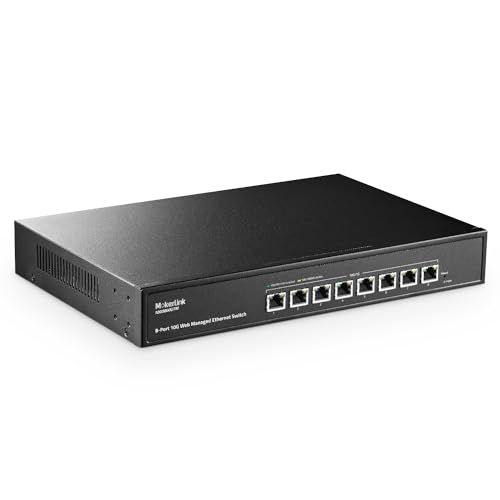
MokerLink 8-Port Multi-Gigabit Managed Switch
Best for: multi-gigabit networks needing managed Layer 2 controls
- Port Speed
- Gigabit, 2.5G, 10G (what this guide is about)
- Port Count
- 8
- Management Type
- Smart Web Managed
- Switching Capacity
- 160 Gbps
- Mounting Type
- Desktop, Rackmount
- Number of Ports
- 8 Ports
View on Amazon: MokerLink 8-Port Multi-Gigabit Managed Switch
This MokerLink network switch features eight auto-negotiating Ethernet ports that run at 100M, 1G, 2.5G, 5G, or 10G speeds. With a 160Gbps total switching capacity, it provides full line-rate performance for high-speed local data transfers across all ports simultaneously. It includes web-based Layer 2 management tools like VLANs, QoS, and link aggregation. It suits you if you need flexible multi-gigabit connections and configurable network controls for local servers, storage, and access points.
Pros
- Eight multi-gigabit ports supporting 100M, 1G, 2.5G, 5G, and 10G speeds
- 160Gbps total switching capacity for non-blocking forwarding
- Web-managed Layer 2 features including VLAN, QoS, LACP, and Spanning Tree
- Desktop and rackmount deployment options with included rack ears
Cons
- Uses an internal fan for cooling rather than a fanless silent design
- No Power over Ethernet (PoE) support
- 10G transfer distance capped at 50 meters over Cat6 cabling
Good fit if
- You need eight multi-gigabit Ethernet ports capable of running at 2.5G, 5G, or 10G.
- You want Layer 2 management features like VLANs, QoS, and link aggregation.
- You plan to mount the switch in a standard rack or use it on a desk.
Skip if
- You need a silent, fanless switch for a noise-sensitive workspace.
- You need Power over Ethernet (PoE) to power access points or cameras.
- You prefer a plug-and-play unmanaged switch without web configuration interfaces.
Verdict: MokerLink 8-Port Multi-Gigabit Managed Switch delivers eight multi-speed ports reaching up to 10G alongside web-based Layer 2 network controls. It is a solid step up for setups requiring managed traffic separation and speeds beyond standard 2.5G.

Davuaz 10-Port 2.5G Switch with 10G SFP+
Best for: ten-port networks requiring dual 10G uplinks
- Port Speed
- 2.5G, 10G (what this guide is about)
- Port Count
- 8
- Management Type
- Unmanaged
- Uplink Ports
- 2 x 10G SFP+
- Switching Capacity
- 80 Gbps
- Number of Ports
- 10 Ports
The Davuaz 10-port switch expands your wired local network with eight 2.5G Base-T Ethernet ports and two 10G SFP+ uplink slots. It provides an 80Gbps switching capacity to handle high-bandwidth hardware such as WiFi 6 access points, network-attached storage, and gaming setups. Featuring a fanless metal enclosure, it operates silently without moving parts. This plug-and-play unmanaged device fits home offices or media setups where you need multi-gigabit connections without complex software configuration.
Pros
- Eight 2.5G Base-T ports and two 10G SFP+ uplink ports
- 80Gbps total switching capacity
- Fanless metal chassis for silent operation
- Port LEDs clearly indicate 2.5G versus 100/1000Mbps link speeds
- Plug-and-play unmanaged operation with zero configuration
Cons
- Unmanaged design lacks VLAN, QoS, and traffic monitoring controls
- No Power over Ethernet (PoE) functionality
- 10G uplinks require separate SFP+ modules or DAC cables
Good fit if
- You need eight 2.5G client ports plus two 10G uplinks for high-speed transfers.
- You want a completely silent, fanless metal switch for desktop or quiet environments.
- You prefer an unmanaged plug-and-play setup that works straight out of the box.
Skip if
- You need Power over Ethernet to run access points or security cameras.
- You require managed L2/L3 features such as VLAN segmentation or link aggregation.
- You need native RJ45 copper ports for your 10G connections.
Verdict: Davuaz 10-Port 2.5G Switch with 10G SFP+ provides eight multi-gigabit ports and dual 10G uplinks in a silent, fanless metal housing. It is a practical unmanaged choice when you need reliable high-bandwidth connections without software management.

YuanLey 18-Port 2.5G Switch with 10G SFP+
Best for: silent, high-density 2.5G multi-gigabit networks
- Port Speed
- 2.5G, 10G (what this guide is about)
- Port Count
- 18
- Management Type
- Unmanaged
- Uplink Ports
- 2 x 10G SFP+
- Switching Capacity
- 120 Gbps
- Mounting Type
- Desktop, Rackmount
This YuanLey switch provides 16 multi-gigabit 2.5G RJ45 ports and two 10G SFP+ slots for high-speed uplinks. It operates as an unmanaged plug-and-play device delivering a 120Gbps switching capacity. Built with a fanless metal chassis, it runs silently whether placed on a desk or mounted inside a standard 19-inch rack. It suits you if you need extensive 2.5G wired connections for access points and servers without configuration overhead.
Pros
- 16 2.5G Base-T ports with 10/100/1000M/2.5G auto-negotiation
- Two 10G SFP+ slots compatible with 1G and 2.5G modules
- 120Gbps total switching capacity
- Fanless silent design in a durable metal case
- Supports both desktop and standard 19-inch rackmount placement
Cons
- SFP modules are not included in the package
- Unmanaged architecture offers no VLAN, QoS, or traffic controls
Good fit if
- You need 16 dedicated 2.5G Base-T Ethernet ports for your wired devices.
- You want dual 10G SFP+ uplinks for high-bandwidth NAS or backbone connections.
- You require a silent, fanless switch suitable for a 19-inch rack or desk.
Skip if
- You require managed switch features like VLAN segmentation or link aggregation.
- You need Power over Ethernet (PoE) to power network devices directly.
Verdict: YuanLey 18-Port 2.5G Unmanaged Switch provides high multi-gigabit port density and dual 10G SFP+ uplinks in a silent, fanless metal housing. It serves as an effective plug-and-play option when you need expanded 2.5G capacity without network management requirements.

YuanLey 8-Port Multi-Gig PoE Switch
Best for: wall-mounted multi-gigabit PoE setups
- Port Speed
- Gigabit, 2.5G, 10G (what this guide is about)
- Port Count
- 8
- Management Type
- Unmanaged
- PoE Support
- PoE+ (IEEE 802.3af/at)
- PoE Power Budget
- 110W
- Switching Capacity
- 160 Gbps
The YuanLey 8-Port Multi-Gig PoE Switch is an unmanaged network switch equipped with eight RJ45 ports that auto-adapt between 100Mbps, 1G, 2.5G, 5G, and 10G. It delivers up to 110W of total power across IEEE 802.3af/at devices, supplying up to 30W per port. With its metal casing and wall-mounting support, it fits your setup if you want multi-gigabit throughput for access points or servers without complex configuration.
Pros
- Eight multi-gigabit RJ45 ports supporting 2.5G, 5G, and 10G speeds
- 110W total IEEE 802.3af/at PoE budget with up to 30W per port
- 160Gbps overall switching capacity
- Supports wall mount and standard 19-inch rackmount installations
- Metal enclosure with 4KV lightning protection
Cons
- Active 24dB cooling fan is not completely silent
- Unmanaged design lacks VLAN and traffic management controls
- No dedicated SFP+ fiber ports included
Good fit if
- You need wall-mounted placement for high-speed networking gear.
- You connect 2.5G or faster PoE devices requiring up to 110W total power.
- You want unmanaged, plug-and-play setup without software configuration.
Skip if
- You require fanless, silent hardware for noise-sensitive locations.
- You need managed switch controls such as VLAN segmentation.
- You rely on SFP+ fiber transceivers for switch uplinks.
Verdict: YuanLey 8-Port Multi-Gig PoE Switch combines auto-negotiating multi-gigabit Ethernet with 110W of PoE power in a wall-ready chassis. It provides a simple plug-and-play solution when you need fast, powered connections without software management.
Specifications side by side
| Spec | TRENDnet 5-Port Unmanaged 2.5G Switch | TP-Link 8-Port 2.5G Multi-Gigabit Switch | NETGEAR 5-Port 2.5G Unmanaged Switch | NETGEAR 5-Port 2.5G Multi-Gigabit Switch | YuLinca 8-Port 2.5G Switch with 10G SFP+ | Real HD 8-Port 2.5G Switch with 10G SFP+ | D-Link 5-Port 2.5G Unmanaged Switch | MokerLink 8-Port 2.5G Switch with 10G SFP+ | TP-Link 24-Port 2.5G Managed PoE Switch | MokerLink 8-Port 10G SFP+ Switch | Aumox PRO 9-Port 2.5G Switch with 10G SFP | MokerLink 8-Port Multi-Gigabit Managed Switch | Davuaz 10-Port 2.5G Switch with 10G SFP+ | YuanLey 18-Port 2.5G Switch with 10G SFP+ | YuanLey 8-Port Multi-Gig PoE Switch |
|---|---|---|---|---|---|---|---|---|---|---|---|---|---|---|---|
| Port Count | 5 | 8 | 5 | 5 | not specified | 8 | 5 | 8 | 24 | 8 | 9 | 8 | 8 | 18 | 8 |
| Port Speed | 2.5 Gbps | 2.5 Gbps | 2.5 Gbps | 2.5 Gbps | 2.5 Gbps | 2.5 Gbps | 2.5 Gbps | 2.5 Gbps | 2.5 Gbps | not specified | 2.5 Gbps | 10 Gbps | 2.5 Gbps | 2.5 Gbps | 10 Gbps |
| Management Type | Unmanaged | Unmanaged | Unmanaged | Unmanaged | Unmanaged | Unmanaged | Unmanaged | Unmanaged | L2+ Smart Managed | Unmanaged | Unmanaged | Smart Web Managed | Unmanaged | Unmanaged | Unmanaged |
| PoE Support | not specified | not specified | not specified | not specified | not specified | not specified | not specified | not specified | PoE+ (802.3at/af), PoE++ (802.3bt) | not specified | not specified | not specified | not specified | not specified | PoE+ (IEEE 802.3af/at) |
| PoE Power Budget | not specified | not specified | not specified | not specified | not specified | not specified | not specified | not specified | 500W | not specified | not specified | not specified | not specified | not specified | 110W |
| Uplink Ports | not specified | not specified | not specified | not specified | 1 x 10G SFP | 1 x 10G SFP+ | not specified | 1 x 10G SFP+ | 4 x 10G SFP+ | not specified | 1 x 10G SFP | not specified | 2 x 10G SFP+ | 2 x 10G SFP+ | not specified |
| Switching Capacity | 25 Gbps | 40 Gbps | not specified | not specified | 60Gbps | 60G | 25Gbps | 60 Gbps | not specified | 160Gbps | 60 Gbps | 160 Gbps | 80 Gbps | 120 Gbps | 160 Gbps |
| Mounting Type | Wall-Mount | Desktop, Wall-Mount | Desktop, Wall-Mount | Desktop, Wall-Mount, Rack-Mount | not specified | not specified | not specified | Desktop, Wall-Mount | not specified | not specified | Desktop, Wall-Mount | Desktop, Rackmount | not specified | Desktop, Rackmount | Rackmount, Wall-Mount |
| Number of Ports | 5 Ports | 8 Ports | 5 Ports | 5 Ports | 8 Ports | 8 Ports | 5 Ports | 8 Ports | 24 Ports | 8 Ports | not specified | 8 Ports | 10 Ports | 18 Ports | 8 Ports |
| Use Case | Gaming | not specified | not specified | not specified | Gaming | not specified | Gaming | not specified | not specified | not specified | not specified | not specified | not specified | not specified | not specified |
| Uplink Port Type | not specified | not specified | not specified | not specified | SFP | SFP | not specified | SFP | not specified | SFP | SFP | not specified | SFP | SFP | not specified |
| Recommended Use | not specified | not specified | not specified | not specified | not specified | not specified | Office | not specified | not specified | not specified | not specified | not specified | not specified | not specified | not specified |
| Operating Mode | not specified | not specified | not specified | not specified | not specified | not specified | not specified | not specified | not specified | not specified | not specified | not specified | not specified | Access Point Mode | not specified |
| Dimensions | 6.29 × 0.98 × 4.29 inches | 8.9 × 5.2 × 1.38 inches | 4 × 9 × 9 inches | 6.2 × 4 × 1.1 inches | not specified | 7.5 × 3.9 × 1.1 inches | 3.54 × 3.85 × 1.14 inches | not specified | 17.3 × 13 × 1.73 inches | not specified | 7.7 × 2.8 × 1.2 inches | not specified | not specified | not specified | not specified |
| Weight | 12.8 ounces | 2.05 pounds | 1.06 pounds | not specified | 1.48 pounds | 1.17 pounds | 8.48 ounces | not specified | 11.2 pounds | 1.92 pounds | not specified | not specified | not specified | 4.06 pounds | not specified |
| Size | 5-Port | 8 Port 2.5G | 5 Port, 2.5G, Unmanaged | 5 Port, 2.5G Multi-Gig | not specified | not specified | 5 Port Multi-Gig 2.5Gb | not specified | 24 Port, 2.5 Gigabit | not specified | 9|8*2.5G Port+1*10G SFP | not specified | 8 x 2.5G RJ45+2 x 10G SFP+ | 16x2.5G +2x10G SFP | not specified |
| Color | Black | 8 Port, 2,5G | Black | Black | Black | Black | Black | not specified | black | black | Black | Black | black | Black | Black |
| Model | TEG-S350 | TL-SG108-M2 | MS305-100NAS | MS105-100NAS | 8x2.5G + 1x10G SFP Unmanaged | 8 port 2.5G ethernet switch without PoE | DMS-105 | 8x2.5G + 1x10G SFP+ Unmanaged | TL-SG3428XPP-M2 | 8x10G SFP | 9 Port| 8*2.5G Port+1*10G SFP | 8*10G Eth Managed | Da-K10802WS | 16 Port 2.5G Switch | 8 Port 10G PoE Unmanaged Switch (110W) |
If you also need 2.5G ports on your computer, see our list of best mini PCs with 2 5g lan for more options.
Choosing the Right 2.5G Switch
-
Select Management Type
Check whether you need an unmanaged or smart managed switch before buying. Unmanaged switches require zero configuration and work immediately upon connection. Smart managed models provide web interfaces for virtual LANs, Quality of Service prioritization, and Layer 2 traffic controls. If you operate isolated subnets or need fine control over local network traffic, choose a smart managed model like the MokerLink 8-Port Multi-Gigabit Managed Switch. If you simply want straightforward wired expansion across client devices without software settings, select an unmanaged unit.
-
Assess Power Delivery Requirements
Determine whether your connected devices require Power over Ethernet directly through their data cables. Standard multi-gigabit switches transfer data only, requiring separate power adapters for each connected client. Models equipped with PoE deliver operating wattage to compatible access points, IP surveillance cameras, and VoIP phones over Ethernet wiring. If you plan to power hardware remotely without nearby wall outlets, verify the switch attributes for PoE support. The YuanLey 8-Port Multi-Gig PoE Switch integrates power delivery alongside multi-gigabit speeds in a single chassis.
-
Verify Multi-Gigabit Auto Negotiation
Review the specific speed tiers supported across all Ethernet ports. While a switch provides 2.5G throughput, older connected gear might rely on Gigabit or Fast Ethernet standards. Reliable multi-gigabit ports feature auto-negotiation, syncing down to legacy speeds when connected to slower network interface cards. Examine the port speed specifications to verify compatibility across your mixed-speed hardware inventory. The MokerLink 8-Port 2.5G Switch with 10G SFP+ supports Fast Ethernet, Gigabit, 2.5G, and 10G rates, ensuring stable links across both older hardware and modern high-bandwidth equipment.
-
Check Optical SFP+ Compatibility
Decide between standard copper RJ45 ports and dedicated optical SFP+ cages. Fixed RJ45 jacks use standard twisted-pair Ethernet cables for direct device hookups. SFP+ slots require separate optical or direct-attach copper transceivers, enabling high-bandwidth fiber links over extended distances without electrical interference. If your backbone infrastructure connects remote buildings, distinct wiring closets, or fiber-based network storage, prioritize a model featuring dedicated optical slots. The MokerLink 8-Port 10G SFP+ Switch provides multiple high-speed optical cages specifically for transceiver-based fiber configurations.
-
Evaluate Cooling and Noise
Check the cooling design if you place the switch on a desk or in a quiet living space. Many compact multi-gigabit units employ fanless passive cooling, which operates with zero acoustic noise. Passive cooling relies on heat dissipation through ventilated metal enclosures, keeping desktop work areas silent. For quiet workstations or media rooms, look for models documented with silent or fanless operation. The TP-Link TL-SG108-M2 uses a fanless build that keeps network traffic moving silently without distracting fan hum.
-
Review Mounting and Placement
Check the mounting specifications and physical dimensions before selecting your switch. Desktop models feature compact footprints suitable for desks or media consoles. If you plan to install hardware inside a server cabinet, wiring closet, or on a backboard, look for rackmount or wall-mount attributes. Units designed for server racks match standard shelf widths or include mounting brackets, whereas wall-mountable enclosures feature dedicated chassis slots. The YuanLey 18-Port 2.5G Switch with 10G SFP+ supports both desktop and rackmount placement depending on your installation environment.
Frequently asked questions
What is a 2.5G network switch used for?
A 2.5G network switch connects multi-gigabit devices to increase local network data transfer speeds beyond standard Gigabit limits. You use it to connect compatible computers, network-attached storage units, and wireless access points without bottlenecks. Unmanaged options like the TRENDnet TEG-S350 provide immediate 2.5Gbps connections to your desktop gear using standard RJ45 ports.
Can you connect regular Gigabit devices to a 2.5G switch?
Yes, 2.5G Ethernet switches backward-negotiate automatically to work with slower Gigabit and Fast Ethernet hardware. Multi-gigabit ports detect the maximum capability of each attached client. For instance, the MokerLink 8-Port switch supports Fast Ethernet, Gigabit, and 2.5G rates across its standard ports, so your older wired equipment maintains network communication without requiring upgrades or special adapters.
Do you need Cat6 cabling to achieve 2.5Gbps speeds?
You do not strictly need Cat6 cabling for 2.5G speeds over typical home network distances. Standard Cat5e cables support 2.5Gbps transmission rates up to 100 meters under normal operating conditions. Upgrading to Cat6 or Cat6a provides extra shielding against crosstalk in dense installations, but existing Cat5e wiring works reliably with multi-gigabit hardware like the D-Link DMS-105.
What does an SFP+ port do on a 2.5G switch?
An SFP+ port provides a 10Gbps uplink channel to prevent traffic congestion across multiple active multi-gigabit connections. It accepts optical fiber or copper transceivers to bridge data quickly to your router, server, or another switch. Models like the Davuaz Da-K10802WS include dual 10G SFP+ uplinks, allowing high-throughput aggregation for eight attached 2.5G client devices.
Are 2.5G switches loud during regular operation?
Most compact multi-gigabit switches run silently because they use fanless passive cooling metal enclosures. Without internal motorized fans, units such as the TP-Link TL-SG108-M2 and NETGEAR MS305-100NAS emit zero operational noise. This quiet design makes them well suited for bedrooms, home offices, and open workspace environments where spinning fan noise would otherwise create an unwelcome distraction.
Can a 2.5G switch supply power to connected PoE devices?
Only switches specifically equipped with Power over Ethernet circuitry deliver electrical power over network cables. Standard unmanaged models transmit data exclusively. If you need to power compatible hardware such as access points or surveillance cameras, switches like the YuanLey 8-Port 10G PoE model provide dedicated PoE power output alongside multi-gigabit wired data across supported Ethernet ports.
What is the difference between an unmanaged and smart managed 2.5G switch?
Unmanaged switches operate strictly plug-and-play with automated port negotiation and zero configurable settings. In contrast, smart managed switches feature web configuration interfaces that enable virtual network segmentation, port monitoring, and traffic prioritization. For example, the TP-Link TL-SG3428XPP-M2 provides smart management functions across 24 multi-gigabit ports, whereas five-port units like the NETGEAR MS105-100NAS operate purely unmanaged.