15 Best Network Switches Under $100, Compared
As an Amazon Associate we earn from qualifying purchases. Links on this page are affiliate links.
Finding the best network switches under $100 requires balancing port count, wired bandwidth, and traffic management options. This guide compares 15 switches based strictly on the specifications published on their product listings.
The TP-Link 24-Port Gigabit Smart Managed Switch leads the ranking by providing 24 Gigabit ports alongside smart management features like VLANs and QoS. Whether you need high-density Ethernet expansion, Power over Ethernet for connected hardware, or 2.5G multi-gigabit speeds, this guide helps you decide which model fits your home or office setup.
Quick picks
The best fit for you
- You need high port density with smart traffic controls TP-Link 24-Port Gigabit Smart Managed Switch It provides 24 Gigabit ports with smart management features such as VLANs and QoS.
- You need multi-gigabit speeds for gaming or local storage D-Link 8-Port 2.5G Unmanaged Switch It features eight 2.5G ports that deliver a 40 Gbps switching capacity without setup overhead.
- You need maximum PoE wattage for powered network devices Real HD 16-Port Gigabit PoE Switch with SFP It offers a 300W power budget across 16 Gigabit PoE ports and dedicated SFP uplinks.
- You need silent plug-and-play capacity for many wired devices NETGEAR 24-Port Unmanaged Gigabit Switch It gives you 24 unmanaged Gigabit ports inside a fanless design for quiet operation.
Our 15 picks

TP-Link 24-Port Gigabit Smart Managed Switch
Best for: large wired setups needing traffic management
- Port Count
- 24
- Port Speed
- Gigabit
- Management Type
- Easy Smart Managed
- Number of Ports
- 24 Ports
- Dimensions
- 11.6 × 7.1 × 1.7 inches
- Weight
- 3.75 pounds
View on Amazon: TP-Link 24-Port Gigabit Smart Managed Switch
This TP-Link switch provides you with 24 Gigabit Ethernet ports and Easy Smart management capabilities. You can segment traffic using VLAN configurations, prioritize critical data with port and tag-based QoS, and inspect connections with cable diagnostics and port mirroring. It also supports 9K jumbo frames for data transfers. It suits you if you need high wired capacity and structured network control without deploying fully managed enterprise gear.
Pros
- 24 Gigabit Ethernet ports
- VLAN support, IGMP snooping, and port/tag-based QoS
- Port mirroring, loop prevention, and cable diagnostics
- Supports 9K jumbo frames
- Three-year warranty and weekday technical support
Cons
- No Power over Ethernet (PoE) capability
- No multi-gigabit (2.5G/10G) or SFP uplink ports
Good fit if
- You need 24 dedicated Gigabit Ethernet ports for wired devices.
- You want traffic separation and QoS controls without enterprise setup complexity.
- You need integrated diagnostic tools like loop prevention and cable testing.
Skip if
- You need PoE to power access points, IP cameras, or phones.
- You require transfer speeds above 1 Gbps or fiber SFP slots.
Verdict: TP-Link 24-Port Gigabit Smart Managed Switch delivers 24 Gigabit ports alongside core management features such as VLANs and QoS. It provides structured traffic control and network monitoring for high-density wired setups without PoE.

TP-Link 16-Port Smart Managed Gigabit Switch
Best for: managed 16-port Gigabit local network expansion
- Port Count
- 16
- Port Speed
- Gigabit
- Management Type
- Easy Smart Managed
- Number of Ports
- 16 Ports
- Dimensions
- 15.8 × 9.84 × 3.15 inches
- Weight
- 2 pounds
View on Amazon: TP-Link 16-Port Smart Managed Gigabit Switch
This TP-Link switch gives you 16 Gigabit ports with Easy Smart management tools. You get built-in traffic management including port-based and tag-based QoS, VLAN segmentation, and IGMP snooping. It also provides network monitoring utilities like cable diagnostics, loop prevention, and port mirroring. This unit suits you if you need to connect numerous wired devices, segment local network traffic, and maintain 1 Gbps transfer speeds across your home or office setup.
Pros
- 16 Gigabit Ethernet ports with 9K jumbo frame support
- Traffic controls including VLAN segmentation, QoS, and IGMP snooping
- Diagnostics with port mirroring, loop prevention, and cable testing
- Three-year warranty with weekday technical support
Cons
- No Power over Ethernet (PoE) support
- No multi-gigabit speeds or dedicated SFP ports
Good fit if
- You need 16 dedicated Gigabit wired connections.
- You want traffic segmentation using VLANs and QoS prioritization.
- You need built-in loop prevention and cable diagnostics.
Skip if
- You need PoE output to power cameras or access points directly.
- You require network speeds higher than 1 Gbps.
Verdict: TP-Link 16-Port Smart Managed Gigabit Switch delivers 16 wired connections alongside essential VLAN, QoS, and diagnostic controls. It provides dependable local management for expanding standard Gigabit networks.

Zyxel 24-Port Fanless Gigabit Desktop Switch
Best for: silent high-capacity desktop network expansion
- Port Count
- 24
- Port Speed
- Gigabit
- Management Type
- Unmanaged
- Uplink Ports
- Dual SFP
- Mounting Type
- Desktop
- Number of Ports
- 24 Ports
View on Amazon: Zyxel 24-Port Fanless Gigabit Desktop Switch
The Zyxel 24-Port Gigabit Switch with Dual SFP provides 24 gigabit Ethernet ports alongside two SFP ports for fiber uplinks. It features a fanless design for silent operation and supports Auto MDI/MDI-X to configure cable types automatically. Because this is an unmanaged desktop unit, it requires no software configuration, making it a straightforward choice if you need to expand wired connections across your home network or small office.
Pros
- 24 gigabit Ethernet ports
- Dual SFP slots for fiber uplinks
- Fanless design for silent desktop operation
- Auto MDI/MDI-X automatic cable detection
Cons
- Unmanaged with no VLAN or traffic management settings
- No Power over Ethernet support
Good fit if
- You need high-density wired gigabit connections without fan noise.
- You want plug-and-play desktop switching with fiber uplink options.
Skip if
- You require managed switch features like VLANs or QoS.
- You need PoE to power access points or cameras directly.
Verdict: Zyxel 24-Port Gigabit Switch with Dual SFP offers high-density wired capacity and quiet desktop operation for straightforward network expansion. It delivers reliable unmanaged gigabit speeds without configuration overhead.

Real HD 24-Port Fast Ethernet PoE+ Switch
Best for: High-density IP cameras and Fast Ethernet endpoints
- Port Count
- 24
- Port Speed
- 10/100Mbps
- Management Type
- Unmanaged
- PoE Support
- PoE+ (IEEE 802.3af/at)
- PoE Power Budget
- 280W
- Uplink Ports
- 2 x Gigabit
This unmanaged rackmount switch from Real HD pairs 24 Fast Ethernet PoE+ ports with two Gigabit uplinks. It provides up to 30 watts per port across a substantial 280-watt total power budget. Built-in range extension lets you push data up to 250 meters at 10 Mbps on ports 9 through 24. It suits your setup if you deploy high-density IP cameras or low-bandwidth devices needing centralized power.
Pros
- 280W total PoE power budget with up to 30W per port
- 24 PoE+ ports conforming to IEEE 802.3af/at standards
- Two dedicated Gigabit uplink ports for core network connections
- Extend mode supports runs up to 250 meters at 10Mbps on ports 9 through 24
- Sturdy rackmount metal housing with an internal power adapter
Cons
- Main downlink ports are limited to 10/100Mbps Fast Ethernet
- Does not support 24V passive PoE hardware
- Unmanaged design provides no software configuration or traffic management
Good fit if
- You need to connect and power dozens of 10/100Mbps devices like IP surveillance cameras.
- You require a high PoE budget up to 280W for standard 802.3af/at endpoints.
- You have long cable runs up to 250 meters that can operate at 10Mbps.
Skip if
- You need Gigabit connection speeds for high-bandwidth local clients.
- You deploy 24V passive PoE hardware such as certain access points.
- You require managed switch features like VLAN segmentation or QoS controls.
Verdict: Real HD 24-Port Fast Ethernet PoE+ Switch delivers substantial PoE capacity and 24 powered ports for setups where 10/100Mbps transfer rates are sufficient. Its dual Gigabit uplinks keep your trunk connection fast without requiring network configuration.
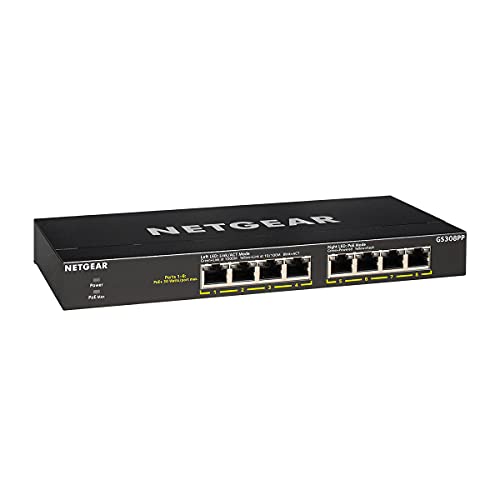
NETGEAR 8-Port Gigabit PoE+ Unmanaged Switch
Best for: powering multiple PoE+ devices without configuration
- Port Count
- 8
- Port Speed
- 1.0 Gbps
- Management Type
- Unmanaged
- PoE Support
- PoE+
- PoE Power Budget
- 83W
- Mounting Type
- Desktop, Wall-mount
View on Amazon: NETGEAR 8-Port Gigabit PoE+ Unmanaged Switch
This NETGEAR switch gives you eight Gigabit Ethernet ports with PoE+ output across every port. It delivers an 83W total power budget with dynamic allocation to distribute power where connected equipment needs it. Because it is an unmanaged switch, you need no software setup or configuration. The fanless metal enclosure supports desktop or wall placement while maintaining silent, energy-efficient operation.
Pros
- 8 PoE+ Gigabit Ethernet ports with 83W total power budget
- Dynamic PoE allocation balances power between connected devices
- Fanless metal housing provides silent operation
- Supports both desktop and wall-mount installation
Cons
- Unmanaged operation provides no software configuration options
- Ports top out at 1.0 Gbps with no multi-gigabit support
- No dedicated uplink or SFP expansion ports
Good fit if
- You need to power up to eight PoE+ devices from a single switch.
- You want silent, fanless operation on a desk or mounted to a wall.
- You prefer plug-and-play setup without managing software or network settings.
Skip if
- You require managed switch features like VLANs or web configuration.
- You need network speeds higher than 1.0 Gbps.
- You need dedicated uplink ports separate from your eight PoE+ connections.
Verdict: NETGEAR 8-Port Gigabit PoE+ Unmanaged Switch provides silent plug-and-play Gigabit networking with an 83W PoE+ budget across all eight ports. It is a straightforward option when you need power delivery without software configuration.

TP-Link 10-Port Gigabit PoE+ Switch with SFP
Best for: compact PoE+ setups with SFP uplinks
- Port Count
- 8
- Port Speed
- 10/100/1000 Mbps
- PoE Support
- PoE+ (802.3at/af)
- PoE Power Budget
- 63W
- Uplink Ports
- 1 x Gigabit RJ45, 1 x Gigabit SFP
- Mounting Type
- Desktop, Wall-Mount
View on Amazon: TP-Link 10-Port Gigabit PoE+ Switch with SFP
This 10-port desktop and wall-mount switch provides eight Gigabit PoE+ ports alongside dedicated Gigabit RJ45 and SFP uplink options. Each PoE+ port delivers up to 30W within a 63W total power budget. Plug-and-play operation requires no software installation or setup, while built-in QoS and IGMP snooping help manage your network traffic. It suits you if you need compact multi-port PoE delivery.
Pros
- Eight Gigabit PoE+ ports supporting up to 30W per port
- One dedicated Gigabit RJ45 uplink port and one Gigabit SFP slot
- Plug-and-play operation with no configuration required
- Supports 802.1p/DSCP QoS and IGMP snooping
Cons
- Total PoE power budget is limited to 63W
- No software management interface or configuration options
Good fit if
- You need eight PoE+ ports with dedicated RJ45 and SFP uplinks.
- You want an unmanaged switch that works immediately without setup.
- You have PoE devices that stay within the 63W total power budget.
Skip if
- You need a total PoE power budget higher than 63W.
- You require managed switch software features or configuration controls.
Verdict: TP-Link 10-Port Gigabit PoE+ Switch provides eight PoE+ ports and two dedicated gigabit uplinks for desktop or wall installations. It is a practical unmanaged solution as long as your connected hardware fits within the 63W power budget.

NETGEAR 5-Port Gigabit Smart Managed PoE+ Switch
Best for: compact high-wattage PoE setups
- Port Count
- 5
- Port Speed
- 1.0 Gbps
- Management Type
- Easy Smart
- PoE Support
- PoE+
- PoE Power Budget
- 120W
- Mounting Type
- Desktop, Wall-Mount
View on Amazon: NETGEAR 5-Port Gigabit Smart Managed PoE+ Switch
This NETGEAR switch gives you five gigabit Ethernet ports, pairing compact desktop or wall mounting with Easy Smart management. Four ports deliver PoE+ with a 120W total power budget, allowing you to run power-hungry access points or cameras. You can configure VLANs, prioritize traffic with QoS, and manage port power via software. It suits you if you need compact, quiet power delivery with essential traffic control.
Pros
- 120W total power budget across 4 PoE+ ports
- Easy Smart management with VLAN, QoS, and per-port PoE controls
- Fanless metal chassis for silent operation
- Supports both desktop and wall-mount installation
Cons
- Provides only 5 total Ethernet ports
- Lacks multi-gigabit speeds beyond 1.0 Gbps
Good fit if
- You need up to 120W of PoE+ power across four connected devices.
- You want basic traffic control features like VLANs and QoS prioritization.
- You need silent, fanless operation for a desktop or living area.
Skip if
- You need more than five total Ethernet ports for your network devices.
- You require network transfer speeds faster than 1.0 Gbps.
Verdict: NETGEAR 5-Port Gigabit Smart Managed PoE+ Switch delivers high-wattage power delivery and basic management in a silent, compact form factor. It provides reliable control for small PoE installations without taking up excessive space.

BV-Tech 8-Port Gigabit PoE+ Switch with 2 Uplinks
Best for: powering 802.3af/at cameras and access points
- Port Speed
- Gigabit
- PoE Support
- 802.3af/at
- PoE Power Budget
- 96W
- Uplink Ports
- 2 x Gigabit
- Number of Ports
- 8 Ports
- Dimensions
- 9.5 × 4 × 1 inches
View on Amazon: BV-Tech 8-Port Gigabit PoE+ Switch with 2 Uplinks
This network switch provides eight Gigabit PoE+ ports alongside two dedicated Gigabit uplink ports. You get a total power budget of 96W, delivering up to 30W per port using active 802.3af/at PoE. It suits setups where you need to run powered devices such as IP cameras, VoIP phones, or wireless access points without using up your PoE ports for router uplinks.
Pros
- 96W total PoE power budget with up to 30W per port
- Two dedicated Gigabit uplink ports keep all eight PoE ports free
- Supports standard 802.3af/at 48V active PoE
- NDAA compliant
Cons
- Incompatible with 24V passive PoE hardware
- No multi-gigabit or 2.5G port speeds
Good fit if
- You need eight PoE+ ports and separate uplink connections for your router or storage.
- You deploy standard 802.3af/at powered devices within a 96W overall budget.
- You require hardware certified for NDAA compliance.
Skip if
- You run 24V passive PoE equipment.
- You need network speeds higher than standard 1Gbps Gigabit.
Verdict: BV-Tech 8-Port Gigabit PoE+ Switch with 2 Uplinks delivers a solid 96W power budget across eight ports while keeping two uplinks open for network devices. It serves as a dependable choice for powering standard access points and cameras.

NETGEAR 24-Port Unmanaged Gigabit Switch
Best for: silent, high-density unmanaged gigabit wired networking
- Port Count
- 24
- Port Speed
- 1.0Gbps
- Management Type
- Unmanaged
- Mounting Type
- Desktop, wall-mount, or rack-mount
- Number of Ports
- 24 Ports
- Dimensions
- 13.5 × 11.1 × 3.12 inches
This NETGEAR network switch provides 24 gigabit Ethernet ports in a plug-and-play, unmanaged design. You can connect standard Cat5e or Cat6 cables directly without installing software or configuring network settings. Its fanless metal chassis ensures silent operation, and it supports desktop, wall-mount, or rack-mount installation. This unit suits you if you need to wire numerous high-speed devices across your home or office without managing complex network configurations.
Pros
- 24 auto-negotiating gigabit Ethernet ports
- Fanless metal chassis for silent operation
- Desktop, wall-mount, and rack-mount installation options
- IEEE 802.3az Energy Efficient Ethernet support
Cons
- No Power over Ethernet (PoE) output
- Unmanaged design lacks VLAN and traffic management
- Regional compatibility limited to U.S. and Canada
Good fit if
- You need 24 plug-and-play gigabit ports without software management.
- You require silent operation for a desktop or rack setup.
- You want flexible mounting options for wall, desk, or rack.
Skip if
- You need Power over Ethernet to run cameras or access points.
- You require managed switch features like VLANs or QoS.
- You plan to operate equipment outside the U.S. or Canada.
Verdict: NETGEAR 24-Port Fanless Unmanaged Switch delivers high port density and completely silent operation for straightforward wired networks. It is a practical choice when you want reliable gigabit expansion without dealing with software setup.

STEAMEMO 16-Port Smart Managed Gigabit PoE Switch
Best for: high-budget PoE camera and access point deployments
- Port Count
- 16
- Port Speed
- 10/100/1000 Mbps
- Management Type
- Smart Managed
- PoE Support
- PoE+ (802.3af/at)
- PoE Power Budget
- 240W
- Mounting Type
- Desktop, Rackmount
View on Amazon: STEAMEMO 16-Port Smart Managed Gigabit PoE Switch
The STEAMEMO 16-Port Gigabit Smart Managed PoE+ Switch delivers 16 Gigabit Ethernet ports backed by a 240W power budget. You get smart cloud control via a mobile app, PoE port timing, VLAN support, and extended transmission reach up to 250 meters. It suits you if you run multiple IP cameras, access points, or VoIP phones across a facility and want remote status monitoring and desktop or rackmount installation.
Pros
- 240W total PoE+ power budget across 16 Gigabit ports
- Cloud management via mobile app with port timing and VLAN support
- Ultra-Far mode enables data and power delivery up to 250 meters
- Internal power supply eliminates external power brick
- Integrated 4KV lightning and port short-circuit protection
Cons
- Requires active internet connection for initial device setup in the app
- Lacks multi-gigabit speeds and dedicated SFP fiber uplink slots
Good fit if
- You need to power many PoE devices using a substantial 240W shared budget.
- You want remote app-based monitoring, PoE port schedules, and VLAN isolation.
- You run long Ethernet lines up to 250 meters for surveillance cameras or access points.
Skip if
- You need network speeds higher than 1 Gbps.
- You prefer completely local offline management without mobile app activation.
Verdict: STEAMEMO 16-Port Gigabit Smart Managed PoE+ Switch provides a high 240W power budget alongside app-based cloud controls and 250-meter transmission reach. It is a capable choice for deploying dense setups of powered access points and security hardware.

NETGEAR 5-Port 2.5G Unmanaged Switch
Best for: compact multi-gigabit desktop setups
- Port Count
- 5
- Port Speed
- 2.5 Gbps
- Management Type
- Unmanaged
- Mounting Type
- Desktop, Wall-Mount
- Number of Ports
- 5 Ports
- Dimensions
- 4 × 9 × 9 inches
This NETGEAR switch gives you five 2.5Gbps Multi-Gigabit Ethernet ports in an unmanaged desktop or wall-mount metal enclosure. It upgrades wired connections beyond standard Gigabit speeds using your existing Cat5e or Cat6 cables with simple plug-and-play setup. The fanless build ensures completely silent operation and low energy consumption. It suits you if you need faster transfer rates across a small group of high-speed devices without managing network settings.
Pros
- Five 2.5Gbps Multi-Gigabit auto-negotiating Ethernet ports
- Fanless metal chassis for silent operation
- Supports both desktop and wall-mount placement
- Works over existing Cat5e and Cat6 cabling
Cons
- Only five network ports available
- Unmanaged design provides no software configuration options
- No Power over Ethernet support
Good fit if
- You need 2.5Gbps transfer speeds across up to five devices.
- You want a silent, fanless switch for desktop or wall placement.
- You prefer an unmanaged plug-and-play setup without software configuration.
Skip if
- You need more than five Ethernet ports for your devices.
- You require Power over Ethernet to power connected equipment.
- You need managed switch controls like traffic configuration.
Verdict: NETGEAR 5-Port 2.5G Multi-Gigabit Switch delivers fast 2.5Gbps wired speeds in a compact, fanless metal body. It is an ideal plug-and-play upgrade when you need multi-gigabit throughput across five devices.
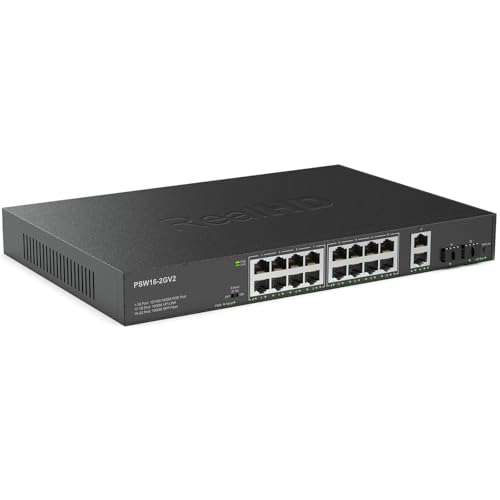
Real HD 16-Port Gigabit PoE Switch with SFP
Best for: high-power silent IP camera and AP deployments
- Port Count
- 16
- Port Speed
- 10/100/1000 Mbps
- Management Type
- Unmanaged
- PoE Support
- 802.3af/at
- PoE Power Budget
- 300W
- Uplink Ports
- 2 x Gigabit SFP, 2 x Gigabit RJ45
This unmanaged switch gives you 16 gigabit PoE+ ports backed by a 300W total power budget, supplying up to 30W per port. It includes two gigabit RJ45 and two gigabit SFP uplink ports for network or NVR connections. The fanless metal design keeps operation quiet in office setups. It suits you if you need silent plug-and-play power for multiple IP cameras or access points without configuring software.
Pros
- 300W total PoE budget with up to 30W per port (802.3af/at)
- Dedicated uplinks: 2 Gigabit RJ45 ports and 2 Gigabit SFP ports
- Fanless metal chassis for silent operation
- Extend mode transmits data and PoE up to 600 feet
Cons
- Unmanaged with no VLAN, QoS, or software configuration options
- Extend mode reduces port data speeds to 10 Mbps
Good fit if
- You need high PoE wattage across up to 16 devices simultaneously.
- You want silent operation using a fanless metal housing.
- You require fiber uplinks via SFP alongside standard copper RJ45 runs.
Skip if
- You need managed switch features like VLAN segmentation or traffic monitoring.
- You require multi-gigabit speeds above 1 Gbps.
Verdict: Real HD 16-Port Gigabit PoE Switch with SFP delivers a heavy 300W power budget and silent fanless cooling for dense PoE setups. Its dedicated SFP and RJ45 uplinks offer flexible connections without sacrificing unmanaged simplicity.
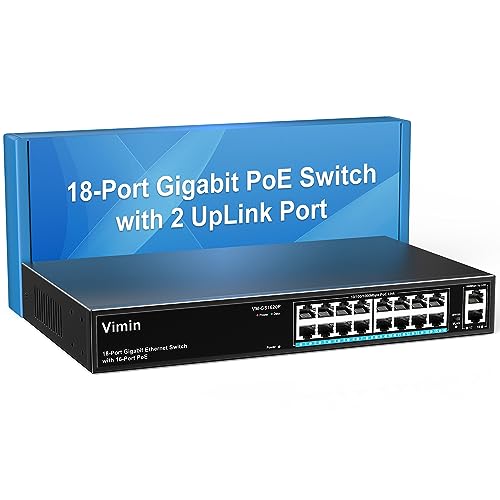
VIMIN 18-Port Gigabit PoE+ Rackmount Switch
Best for: multi-device PoE setups on unmanaged networks
- Port Count
- 18
- Port Speed
- Gigabit
- Management Type
- Unmanaged
- PoE Support
- IEEE 802.3af/at
- PoE Power Budget
- 250W
- Uplink Ports
- 2 x Gigabit
If you need to power numerous access points or IP cameras, this unmanaged switch provides 16 Gigabit PoE+ ports alongside two dedicated Gigabit uplink ports. You get a total PoE power budget of 250W across IEEE 802.3af/at devices, supplying up to 30W per port. A physical switch enables One-Key VLAN isolation, and the metal chassis supports desktop or standard 19-inch rack mounting.
Pros
- 250W total PoE power budget with up to 30W per port
- 16 Gigabit PoE+ ports and 2 dedicated Gigabit uplink ports
- One-Key VLAN mode isolates ports 1 through 16
- Integrated 4KV lightning protection
- Supports both desktop and 19-inch rack-mount installation
Cons
- Unmanaged design lacks web or software management options
- Lacks SFP slots for direct fiber uplink connectivity
Good fit if
- You need to power up to 16 PoE or PoE+ hardware devices within a 250W limit.
- You want basic client isolation via a physical One-Key VLAN toggle without complex setup.
- You intend to install the switch inside a standard 19-inch server rack.
Skip if
- You require managed switch features such as web-based configuration or L2 management.
- You need fiber-optic SFP transceivers for long-distance network runs.
- You need multi-gigabit data transfer speeds higher than 1 Gbps.
Verdict: VIMIN 18-Port Gigabit PoE Switch delivers a 250W budget across 16 PoE+ ports with hardware VLAN isolation for plug-and-play deployments. It offers reliable, high-capacity power if you do not require managed configuration software or optical uplinks.

D-Link 8-Port 2.5G Unmanaged Switch
Best for: Multi-gigabit gaming and local storage
- Port Count
- 8
- Port Speed
- 2.5 Gbps
- Management Type
- Unmanaged
- Switching Capacity
- 40 Gbps
- Number of Ports
- 8 Ports
- Use Case
- Gaming
The D-Link 8-Port 2.5G Unmanaged Switch expands your wired network beyond standard gigabit speeds. It features eight 2.5 Gbps Ethernet ports that deliver up to 40 Gbps of switching capacity. Its fanless metal housing ensures quiet heat dissipation for desks or media centers. This switch suits you if you need plug-and-play connectivity for high-speed gaming computers, Wi-Fi 6 access points, and multi-gigabit storage without software setup.
Pros
- Eight 2.5 Gbps auto-negotiating Ethernet ports
- 40 Gbps total switching capacity
- Silent operation with fanless metal housing
- Plug-and-play installation requiring no configuration
Cons
- Unmanaged design provides no web management or manual configuration interface
- Lacks Power over Ethernet support for powered devices
Good fit if
- You want 2.5 Gbps wired bandwidth for gaming PCs, access points, and NAS devices.
- You need a silent, zero-configuration desktop switch in a metal casing.
- You use existing Cat5e or Cat6 cables to achieve multi-gigabit speeds.
Skip if
- You require Power over Ethernet to run access points or cameras.
- You need managed switch controls such as manual VLAN configurations.
Verdict: D-Link 8-Port 2.5G Unmanaged Switch provides silent multi-gigabit connectivity with 40 Gbps switching capacity across eight dedicated 2.5G ports. It is an effective plug-and-play upgrade for fast local file transfers and gaming setups.

MokerLink 26-Port Gigabit Managed Switch
Best for: Silent high-density rackmount network management
- Port Count
- 26
- Port Speed
- 1 Gbps
- Management Type
- L2 Smart Web Managed
- Uplink Ports
- 2 x 1G SFP
- Switching Capacity
- 52 Gbps
- Mounting Type
- 1U rackmount
The MokerLink 26-Port Gigabit Managed Switch provides 24 Gigabit Ethernet ports alongside two dedicated 1G SFP uplink slots for fiber connections. Built inside a fanless metal 1U rackmount chassis, it offers a 52 Gbps switching capacity and Layer 2 management tools including 802.1Q VLANs, link aggregation, and QoS. This switch suits you if you need silent, high-density wired distribution and web-based traffic control across a busy local network.
Pros
- 24 Gigabit RJ45 ports plus two 1G SFP uplink slots
- Fanless design for silent 1U rackmount operation
- Layer 2 management tools including 802.1Q VLAN, QoS, and link aggregation
- 52 Gbps total switching capacity
Cons
- Does not provide Power over Ethernet (PoE)
- Ports limited to 1 Gbps without multi-gigabit support
Good fit if
- You need 24 Gigabit Ethernet ports and two dedicated fiber SFP uplinks.
- You want silent, fanless operation inside a standard 1U equipment rack.
- You require Layer 2 management features like VLAN tagging, ACLs, and QoS.
Skip if
- You need Power over Ethernet to power cameras or access points directly.
- You require 2.5 Gbps or faster multi-gigabit network speeds.
Verdict: MokerLink 26-Port Gigabit Managed Switch delivers high-density wired connections and silent Layer 2 management for standard rack setups. It offers substantial port capacity and fiber uplinks if you do not require PoE or multi-gigabit speeds.
Specifications side by side
| Spec | TP-Link 24-Port Gigabit Smart Managed Switch | TP-Link 16-Port Smart Managed Gigabit Switch | Zyxel 24-Port Fanless Gigabit Desktop Switch | Real HD 24-Port Fast Ethernet PoE+ Switch | NETGEAR 8-Port Gigabit PoE+ Unmanaged Switch | TP-Link 10-Port Gigabit PoE+ Switch with SFP | NETGEAR 5-Port Gigabit Smart Managed PoE+ Switch | BV-Tech 8-Port Gigabit PoE+ Switch with 2 Uplinks | NETGEAR 24-Port Unmanaged Gigabit Switch | STEAMEMO 16-Port Smart Managed Gigabit PoE Switch | NETGEAR 5-Port 2.5G Unmanaged Switch | Real HD 16-Port Gigabit PoE Switch with SFP | VIMIN 18-Port Gigabit PoE+ Rackmount Switch | D-Link 8-Port 2.5G Unmanaged Switch | MokerLink 26-Port Gigabit Managed Switch |
|---|---|---|---|---|---|---|---|---|---|---|---|---|---|---|---|
| Port Count | 24 | 16 | 24 | 24 | 8 | 8 | 5 | not specified | 24 | 16 | 5 | 16 | 18 | 8 | 26 |
| Port Speed | Gigabit | Gigabit | Gigabit | 10/100Mbps | 1.0 Gbps | 10/100/1000 Mbps | 1.0 Gbps | Gigabit | 1.0Gbps | 10/100/1000 Mbps | 2.5 Gbps | 10/100/1000 Mbps | Gigabit | 2.5 Gbps | 1 Gbps |
| Management Type | Easy Smart Managed | Easy Smart Managed | Unmanaged | Unmanaged | Unmanaged | not specified | Easy Smart | not specified | Unmanaged | Smart Managed | Unmanaged | Unmanaged | Unmanaged | Unmanaged | L2 Smart Web Managed |
| PoE Support | not specified | not specified | not specified | PoE+ (IEEE 802.3af/at) | PoE+ | PoE+ (802.3at/af) | PoE+ | 802.3af/at | not specified | PoE+ (802.3af/at) | not specified | 802.3af/at | IEEE 802.3af/at | not specified | not specified |
| PoE Power Budget | not specified | not specified | not specified | 280W | 83W | 63W | 120W | 96W | not specified | 240W | not specified | 300W | 250W | not specified | not specified |
| Uplink Ports | not specified | not specified | Dual SFP | 2 x Gigabit | not specified | 1 x Gigabit RJ45, 1 x Gigabit SFP | not specified | 2 x Gigabit | not specified | not specified | not specified | 2 x Gigabit SFP, 2 x Gigabit RJ45 | 2 x Gigabit | not specified | 2 x 1G SFP |
| Switching Capacity | not specified | not specified | not specified | not specified | not specified | not specified | not specified | not specified | not specified | not specified | not specified | not specified | not specified | 40 Gbps | 52 Gbps |
| Mounting Type | not specified | not specified | Desktop | Rack Mount | Desktop, Wall-mount | Desktop, Wall-Mount | Desktop, Wall-Mount | not specified | Desktop, wall-mount, or rack-mount | Desktop, Rackmount | Desktop, Wall-Mount | Desktop, Wall, Rack Mount | Desktop, 19 inch Rack-Mount | not specified | 1U rackmount |
| Number of Ports | 24 Ports | 16 Ports | 24 Ports | 24 Ports | 8 Ports | 10 Ports | 5 Ports | 8 Ports | 24 Ports | 16 Ports | 5 Ports | 16 Ports | 16 Ports | 8 Ports | 24 Ports |
| Use Case | not specified | not specified | not specified | not specified | not specified | not specified | not specified | not specified | not specified | not specified | not specified | not specified | not specified | Gaming | not specified |
| Uplink Port Type | not specified | not specified | not specified | Gigabit Uplink | not specified | SFP | not specified | not specified | not specified | not specified | not specified | SFP | not specified | not specified | SFP |
| Recommended Use | not specified | not specified | not specified | not specified | not specified | not specified | not specified | not specified | not specified | not specified | not specified | not specified | not specified | Office | not specified |
| Dimensions | 11.6 × 7.1 × 1.7 inches | 15.8 × 9.84 × 3.15 inches | 6 × 2 × 11 inches | not specified | not specified | 8.23 × 4.96 × 1.02 inches | 10.4 × 6.8 × 3.5 inches | 9.5 × 4 × 1 inches | 13.5 × 11.1 × 3.12 inches | 10.6 × 7 × 1.8 inches | 4 × 9 × 9 inches | not specified | not specified | 5.71 × 3.34 × 1.1 inches | not specified |
| Weight | 3.75 pounds | 2 pounds | 3.4 pounds | 5.27 pounds | 1.32 pounds | 2.7 pounds | 14.1 ounces | not specified | 2.87 pounds | 3.84 pounds | 1.06 pounds | 5.42 pounds | 4.59 pounds | 12.3 ounces | 6.6 pounds |
| Size | 24 Port | Enhanced Features | 16 Port | Enhanced Features | 24-Port | Desktop | v3 | not specified | 8 Port, PoE+ @ 83W | 10 Port w/ 8-Port PoE+ | 5 Port, PoE+ @ 120W | not specified | 24 Port | 18 Gigabit Ports|240W 16xPoE+ | 5 Port, 2.5G, Unmanaged | not specified | 18 Port Gigabit PoE Switch | 8 Port Multi-Gig 2.5Gb | not specified |
| Color | Black | Black | NA (Not Applicable) | black | Black | Black | black | Black | Black | Black | Black | Black | black | Black | black |
| Model | TL-SG1024DE | TL-SG1016DE | GS1100-24E | 24 port poe switch | GS308PP-100NAS | TL-SG1210P | GS305EPP-100NAS | POE-SW811G-PLUS | GS324-200NAS | 18 Gigabit Ports|200W 16xPoE+ | MS305-100NAS | 16 port poe gigabit switch | 18 Port | 16xPoE + 250W | 2xUPLink | DMS-108 | 26*1G Managed |
If you need VLAN configuration and traffic prioritization, compare the best smart switches under 100 to evaluate hardware with browser management utilities.
How to Choose the Right Network Switch
-
Select the Management Level
Unmanaged switches operate immediately without configuration software. They send packets automatically across your local hardware. Choose an unmanaged unit if you only need straightforward plug-and-play wired connectivity for computers or printers. Choose a smart managed switch if you must isolate devices using virtual local area networks or prioritize traffic through quality of service controls. For example, the TP-Link 16-Port Smart Managed Gigabit Switch provides local web-based configuration tools to monitor link health, set up VLANs, and troubleshoot cable problems directly on your network.
-
Check Dedicated Uplink Hardware
Standard ports connect client endpoints, while uplink ports link your switch to routers, servers, or downstream switches. Connecting through normal ports consumes usable device connections. Look for switches with dedicated uplink ports to maintain your full port count. If you run long-distance wiring between separate buildings or server closets, verify whether the switch includes SFP slots for fiber transceivers. The TP-Link 10-Port Gigabit PoE+ Switch with SFP includes dedicated optical uplink capability, which leaves all eight standard PoE+ ports open for local devices without bottlenecking your backhaul link.
-
Calculate Total PoE Wattage
Power over Ethernet supplies electrical power and network data over a single copper cable. You must calculate the exact wattage draw of all connected devices before purchasing. IP cameras, access points, and VoIP phones each demand specific wattages under the 802.3af or 802.3at standards. If your combined load exceeds the power supply rating, connected devices will reboot or fail to power on. The STEAMEMO 16-Port Smart Managed Gigabit PoE Switch features a 240W power budget, providing enough electrical capacity across its 16 powered ports for high-draw hardware deployments.
-
Match Port Speed to Needs
Network switches offer different interface speeds ranging from 100Mbps Fast Ethernet to 2.5Gbps multi-gigabit. Fast Ethernet works fine for standard surveillance cameras that stream low-bitrate video, but it severely limits file transfers between computers. Standard Gigabit ports provide 1000Mbps, which handles typical household internet plans and local file streaming. If your network includes multi-gigabit internet connections, high-speed network attached storage, or modern Wi-Fi access points, select higher interface speeds. The NETGEAR 5-Port 2.5G Unmanaged Switch provides 2.5Gbps ports to eliminate transfer bottlenecks across fast client devices.
-
Evaluate Mounting and Placement
Physical dimensions and mounting hardware dictate where a switch can operate. Desktop switches feature compact enclosures intended for shelves or desks near workstations. Wall-mountable models include screw slots on the chassis base, allowing you to secure the switch inside wiring closets or utility rooms. Rackmount switches match standard 19-inch equipment racks and often include dedicated bracket hardware for server cabinets. The Zyxel 24-Port Fanless Gigabit Desktop Switch provides high port capacity within a desktop-friendly chassis, making it suitable for quiet workspaces without standard server racks.
Frequently asked questions
What is the purpose of an SFP port on a network switch?
An SFP port allows you to connect fiber optic cables or specialized copper transceivers for long-distance network runs. Standard Ethernet cables face signal degradation past 100 meters. Models like the TP-Link TL-SG1210P and Real HD 16-Port Gigabit switch feature SFP uplink slots. You can use these ports to bridge switches across different buildings without bottlenecking traffic.
Can you use Fast Ethernet switches for modern security cameras?
Yes, Fast Ethernet switches provide adequate bandwidth for standard security camera streams. Most individual IP cameras consume between 4 Mbps and 15 Mbps, well below the 100 Mbps ceiling of Fast Ethernet. The Real HD 24-Port Fast Ethernet switch powers cameras at 10/100 Mbps speeds while using dedicated Gigabit uplinks. The Gigabit uplinks pass combined video feeds to your network recorder without creating bottlenecks.
What happens if your connected devices exceed the switch PoE budget?
If your connected devices exceed the total PoE power budget, the switch shuts off power to lower-priority ports to prevent hardware damage. Total power draw must stay beneath the published limit, such as 120W on the NETGEAR GS305EPP-100NAS or 240W on the STEAMEMO 16-Port switch. Adding device wattage ratings before connecting them ensures that access points and security cameras remain powered without unexpected disconnections.
Can you connect standard Gigabit devices to a 2.5G network switch?
Yes, multi-gigabit switches are backward compatible with standard Gigabit and Fast Ethernet hardware. Multi-rate ports automatically negotiate the fastest supported speed with each connected client. The NETGEAR MS305-100NAS supports both Gigabit and 2.5G connections across its five ports. Connecting an older Gigabit computer will not slow down a 2.5G storage drive connected to an adjacent port on the same switch.
Can you mount a desktop network switch into an equipment rack?
You cannot mount a dedicated desktop switch into a standard rack without an aftermarket shelf or bracket adapter. Desktop switches, such as the Zyxel GS1100-24E, feature compact dimensions suited for tables. In contrast, rackmount units like the Real HD 24-Port and VIMIN 18-Port models match rack-mounting standards and include mounting hardware. You should verify whether a model lists desktop, wall, or rackmount installation before choosing.
Will a PoE switch damage regular non-PoE network devices?
Standard 802.3af and 802.3at PoE+ switches will not damage non-PoE network devices. They use active sensing protocols that check for power requirements before delivering electrical current. When you plug a standard computer or printer into an active PoE port, like those on the BV-Tech POE-SW811G-PLUS, the switch detects no PoE signature. It transmits regular Gigabit data while keeping the power supply safely disabled.
Do you need special software to run a smart managed switch?
Most smart managed switches do not require installed software and can be configured through a standard web browser. Units like the TP-Link TL-SG1016DE allow you to manage VLANs, QoS, and cable diagnostics via an embedded web interface or utility. Unmanaged switches omit this software interface entirely. If you do not configure any settings on a smart managed switch, it functions as a regular unmanaged Gigabit switch out of the box.