What Is Pack Size? A Guide for Mesh Wifi Systems Buyers (2026)
As an Amazon Associate we earn from qualifying purchases. Links on this page are affiliate links.
Understanding Pack Size for Mesh Systems
Pack size refers to the number of individual nodes included in a single purchase. When you buy a mesh WiFi system, you are not just buying one router. You are buying a set of devices that work together to create a seamless network. This spec is critical because it determines how many points of access you get out of the box.
Manufacturers label these bundles clearly. You will see options like a 1-Pack, a 2-Pack, or a 3-Pack. The 1-Pack usually contains the main router. The 2-Pack adds one satellite node. The 3-Pack includes two satellites. Some brands offer larger bundles for bigger homes.
The pack size explained helps you match the hardware to your space. A single node covers a small apartment. It broadcasts the signal from one central location. As you add more nodes, you extend the range. Each node communicates with the others. This creates a single, unified network name. Your devices connect to the nearest node automatically.
Why does this matter to you? Coverage area is the main factor. If you have a large house with multiple floors, one node will not reach every corner. Dead zones will appear. You need more nodes to fill those gaps. However, adding too many nodes can cause congestion. Each node uses bandwidth to talk to the others.
Check the listing details carefully. The product title often states the pack size. Look for phrases like "3-Node System" or "3-Pack." This tells you exactly how many units you receive. Do not assume the main router is included if it says "Satellite Only." Always verify the count. Buying the correct pack size saves you from returning items or dealing with weak signal areas later. Plan your home layout first. Then choose the pack size that covers your entire square footage.
Choosing Your Mesh Pack Size
Pack Size: 3-Pack
A three-unit set covers large areas and handles many devices. The TP-Link Deco X55 3-Pack fits homes needing broad Wi-Fi 6 coverage and high device capacity. It suits users who prioritize wired connectivity and large area coverage. The eero Pro 7 Tri-Band Mesh System (3-Pack) is ideal for users with high-speed internet plans and large spaces requiring extensive device capacity. It provides the bandwidth necessary for demanding network tasks. You get multiple nodes for seamless roaming. This option is best for multi-story homes or those with dense device counts. It ensures consistent signal strength throughout the house without dead zones.
Pack Size: 2-Pack
A two-unit set offers a balance between coverage and cost. It typically covers medium-sized homes or apartments. You get a primary router and one satellite node. This setup extends Wi-Fi to another floor or a large living area. It is suitable for users who do not need extensive whole-home coverage but want to eliminate dead spots. The trade-off is limited scalability. You cannot easily expand the network later without buying additional units separately. It is a practical choice for smaller households or those on a budget who still want the benefits of mesh networking. It provides better performance than a single router in larger spaces.
Pack Size: 1-Pack
A single unit is a starter kit or an expansion node. The Amazon eero 6 Wi-Fi 6 Router (1-Pack) is a compact solution for small spaces. It fits users who need basic Wi-Fi 6 coverage and smart home integration without the bulk of a multi-pack system. The NETGEAR Orbi 770 Tri-Band WiFi 7 Satellite is a single expansion unit for existing Orbi 770 owners. It adds Wi-Fi 7 coverage to large homes but requires your current router. This option is best for small apartments or as an add-on. It does not provide full mesh coverage on its own unless paired with another compatible device. It is the most affordable entry point for mesh technology.
Is Pack Size Worth Your Money
Who needs it
You need this spec if your home exceeds one thousand square feet or has multiple stories. A single unit cannot cover dead zones effectively. You should choose a three-pack if you have more than ten connected devices. This ensures each node handles a manageable load. It prevents congestion during peak usage times. The two-pack is ideal for medium-sized apartments. It provides balanced coverage without wasting units. You benefit from seamless roaming across rooms. Each node extends the signal range. This creates a single network name. You avoid switching between different access points. Consistent speed matters for streaming and video calls. If your floor plan is complex, more nodes help. Walls and floors block signals. Additional units bridge these gaps. You get better reliability. The system adapts to your layout. This spec directly impacts your daily experience. Choose based on your actual square footage and device count. Do not guess. Measure your space first.
Who can skip it
You can ignore pack size if you live in a small studio or one-bedroom apartment. A single unit often suffices for this space. You do not need multiple nodes for basic browsing. Focus on Wi-Fi standard instead. Wi-Fi 6 or Wi-Fi 7 offers better performance per unit. Prioritize speed and latency over quantity. You save complexity by using fewer devices. Less maintenance is required. Fewer nodes mean fewer points of failure. You also reduce potential interference between units. If you only use your network for email and light web, one unit is enough. Do not buy extra hardware you will not use. Save your resources for a faster single router. Check your internet plan speed. If it is under one hundred megabits, extra nodes will not help. Match the pack to your actual needs. Avoid overbuying. Simplicity often wins for small spaces. Consider wired backhaul if available. It improves stability without adding nodes.
Mesh WiFi Glossary
Wi-Fi Standard
The protocol version, like Wi-Fi 6 or Wi-Fi 7. Newer standards offer faster speeds, better efficiency, and support for more simultaneous device connections in modern homes.
Frequency Band
The radio waves used for data, such as 2.4 GHz or 5 GHz. Dual-band systems use both for range and speed, while tri-band adds a dedicated backhaul lane.
Coverage Area
The total square footage the system can effectively blanket with signal. This spec helps you determine how many nodes you need to eliminate dead zones in your home.
Speed Rating
The theoretical maximum data throughput, often listed as AX3000 or AX5400. Higher numbers indicate faster potential speeds, though real-world performance depends on your internet plan and device capabilities.
Number of Ports
The count of Ethernet jacks on each node for wired connections. More ports allow you to connect gaming consoles, smart TVs, or desktops directly for stable, low-latency performance.
PoE Support
Power over Ethernet capability, allowing nodes to receive power through the network cable. This simplifies installation in ceilings or walls by eliminating the need for nearby electrical outlets.
Device Capacity
The maximum number of devices the system can handle simultaneously without slowing down. High capacity is essential for smart homes with dozens of connected phones, laptops, and IoT gadgets.
Quick picks
| # | Product | Best for | Price |
|---|---|---|---|
| 1 | TP-Link Deco X55 3-Pack Wi-Fi 6 | Large homes needing high device capacity | Check price of TP-Link Deco X55 3-Pack Wi-Fi 6 on Amazon |
| 2 | TP-Link Deco Tri-Band WiFi 6E 3-Pack | Large homes with many connected devices | Check price of TP-Link Deco Tri-Band WiFi 6E 3-Pack on Amazon |
| 3 | Amazon eero Pro 7 Tri-Band Mesh System (3-Pack) | large homes with 5 Gbps internet plans | Check price of Amazon eero Pro 7 Tri-Band Mesh System (3-Pack) on Amazon |
| 4 | Amazon eero 6 Wi-Fi 6 Router (1-Pack) | small apartments and basic Wi-Fi 6 needs | Check price of Amazon eero 6 Wi-Fi 6 Router (1-Pack) on Amazon |
| 5 | Eero Pro 6E 3-Pack Mesh System | Large homes with gigabit+ internet plans | Check price of Eero Pro 6E 3-Pack Mesh System on Amazon |
| 6 | NETGEAR Orbi 770 Tri-Band WiFi 7 Satellite | expanding existing Orbi 770 networks | Check price of NETGEAR Orbi 770 Tri-Band WiFi 7 Satellite on Amazon |
Our 6 picks

TP-Link Deco X55 3-Pack Wi-Fi 6
Best for: Large homes needing high device capacity
- Pack Size
- 3-Pack (what this guide is about)
- Wi-Fi Standard
- Wi-Fi 6
- Speed Rating
- AX3000
- Coverage Area
- Up to 6,500 sq ft
- Port Speed
- 1 Gbps
- Device Capacity
- Up to 150 devices
View on Amazon: TP-Link Deco X55 3-Pack Wi-Fi 6 Affiliate link
The TP-Link Deco X55 3-Pack delivers AX3000 Wi-Fi 6 coverage for up to 6500 square feet. It supports up to 150 connected devices, making it suitable for larger homes with multiple users. Each unit includes three Gigabit Ethernet ports for wired backhaul. The system uses AI-driven mesh technology to optimize signal distribution. You get whole-home coverage without dead zones.
Pros
- AX3000 Wi-Fi 6 standard for modern performance
- Covers up to 6500 square feet with three units
- Supports up to 150 simultaneous devices
- Three Gigabit Ethernet ports per node for wired backhaul
Cons
- Limited to Wi-Fi 6, not the newer Wi-Fi 6E or 7 standards
- Does not mention support for 2.5 Gigabit or higher WAN ports
- No mention of dedicated tri-band radios for backhaul
Good fit if
- You need coverage for a home up to 6500 square feet
- You have many devices connecting simultaneously
- You prefer wired Ethernet backhaul options
Skip if
- You require the latest Wi-Fi 6E or Wi-Fi 7 speeds
- You need more than 6500 square feet of coverage
- You want a system with dedicated tri-band backhaul
Verdict: TP-Link Deco X55 3-Pack fits homes needing broad Wi-Fi 6 coverage and high device capacity. It suits users who prioritize wired connectivity and large area coverage over the newest wireless standards.

TP-Link Deco Tri-Band WiFi 6E 3-Pack
Best for: Large homes with many connected devices
- Pack Size
- 3-Pack (what this guide is about)
- Wi-Fi Standard
- WiFi 6E
- Speed Rating
- AXE5400
- Coverage Area
- up to 7200 Sq.Ft
- Frequency Bands
- Tri-Band
- Device Capacity
- 200 devices
View on Amazon: TP-Link Deco Tri-Band WiFi 6E 3-Pack Affiliate link
The TP-Link Deco XE75 is a 3-pack mesh system using Wi-Fi 6E tri-band technology. It covers up to 7,200 square feet and supports 200 devices with AXE5400 speeds. The dedicated 6 GHz band serves as the backhaul, reducing congestion. This setup suits large homes needing high capacity and modern standards. You get seamless coverage for multiple users and devices without sacrificing speed on the main connection.
Pros
- Wi-Fi 6E tri-band support with a dedicated 6 GHz band
- Covers up to 7,200 square feet with three nodes
- Supports up to 200 connected devices simultaneously
- AXE5400 speed rating for high throughput
- Includes TP-Link HomeShield basic security and parental controls
Cons
- Larger physical footprint at 6.65 inches tall
- Heavier at 3.51 pounds per unit
- Requires Wi-Fi 6E devices to utilize the 6 GHz backhaul
Good fit if
- You have a large home over 2,000 square feet
- You need to connect more than 50 devices
- You want to use the dedicated 6 GHz backhaul
Skip if
- You have a small apartment under 1,000 square feet
- You only have Wi-Fi 5 or older devices
- You prefer a more compact single-node setup
Verdict: The TP-Link Deco XE75 3-Pack delivers robust coverage for large homes with many devices. It is the right choice if you need the speed and capacity of Wi-Fi 6E tri-band networking.

Amazon eero Pro 7 Tri-Band Mesh System (3-Pack)
Best for: large homes with 5 Gbps internet plans
- Pack Size
- 3-Pack (what this guide is about)
- Wi-Fi Standard
- Wi-Fi 7
- Speed Rating
- 3.9 Gbps
- Coverage Area
- 6,000 sq ft
- Frequency Bands
- Tri-Band
- Port Speed
- 5 Gbps
View on Amazon: Amazon eero Pro 7 Tri-Band Mesh System (3-Pack) Affiliate link
The eero Pro 7 is a Wi-Fi 7 mesh system designed for high-bandwidth environments. It supports internet plans up to 5 Gbps and delivers wireless speeds up to 3.9 Gbps. The 3-pack configuration covers up to 6,000 square feet and handles 600+ devices. This setup suits users with large homes or small businesses who need reliable connectivity across multiple floors. It includes two 5 GbE ports for wired connections.
Pros
- Wi-Fi 7 standard with Multi-Link Operation (MLO)
- Supports internet plans up to 5 Gbps
- Covers up to 6,000 square feet
- Handles 600+ connected devices
- Includes two auto-sensing 5 GbE ports
Cons
- Advanced security features require an optional eero Plus subscription
- Larger footprint at 7.09 inches in height
- No mention of Ethernet backhaul support in specifications
Good fit if
- You have an internet plan faster than 1 Gbps
- You need coverage for a large home or small business
- You connect more than 200 devices simultaneously
Skip if
- You only need basic Wi-Fi 6 performance
- You want advanced security features included without a subscription
- You have a small apartment under 1,500 square feet
Verdict: eero Pro 7 Tri-Band Wi-Fi 7 3-Pack is ideal for users with high-speed internet plans and large spaces requiring extensive device capacity. It provides the bandwidth necessary for demanding network tasks.
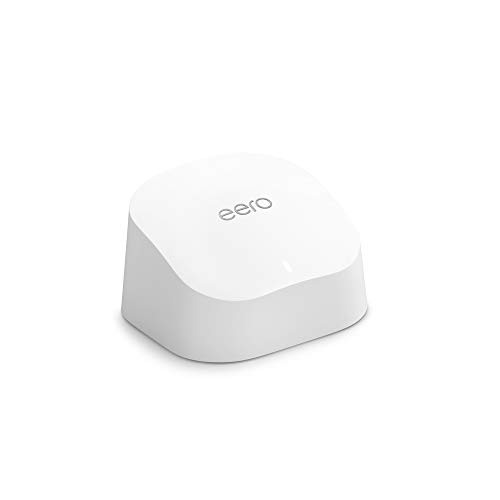
Amazon eero 6 Wi-Fi 6 Router (1-Pack)
Best for: small apartments and basic Wi-Fi 6 needs
- Pack Size
- 1-Pack (what this guide is about)
- Wi-Fi Standard
- Wi-Fi 6
- Speed Rating
- up to 900 Mbps
- Coverage Area
- up to 1,500 sq. ft.
- Device Capacity
- 75+
- Features
- Mesh
View on Amazon: Amazon eero 6 Wi-Fi 6 Router (1-Pack) Affiliate link
The eero 6 is a single Wi-Fi 6 router designed for smaller spaces. It covers up to 1,500 square feet and supports internet speeds up to 900 Mbps. The system handles 75 or more connected devices simultaneously. It includes a built-in Zigbee hub for smart home devices. This 1-pack unit suits renters or small apartments who need basic whole-home coverage without buying a multi-pack system.
Pros
- Wi-Fi 6 standard for improved device handling
- Built-in Zigbee smart home hub
- Covers up to 1,500 sq. ft.
- Supports 75+ connected devices
Cons
- Single router limits coverage to 1,500 sq. ft.
- Speed capped at 900 Mbps
- No mention of Wi-Fi 6E or 7 support
Good fit if
- You live in a small apartment under 1,500 sq. ft.
- You want a simple setup with app management
- You have smart home devices that use Zigbee
Skip if
- You need coverage for large homes over 1,500 sq. ft.
- You have internet plans faster than 900 Mbps
- You require tri-band or Wi-Fi 7 performance
Verdict: eero 6 1-Pack Mesh Router is a compact solution for small spaces. It fits users who need basic Wi-Fi 6 coverage and smart home integration without the bulk of a multi-pack system.

Eero Pro 6E 3-Pack Mesh System
Best for: Large homes with gigabit+ internet plans
- Pack Size
- 3-Pack (what this guide is about)
- Wi-Fi Standard
- Wi-Fi 6E
- Speed Rating
- 2.3 Gbps
- Coverage Area
- 6,000 sq. ft.
- Port Speed
- 2.5 Gbps
- Device Capacity
- 100+
View on Amazon: Eero Pro 6E 3-Pack Mesh System Affiliate link
The eero Pro 6E 3-pack covers up to 6,000 square feet and supports over 100 connected devices. It uses Wi-Fi 6E to access the 6 GHz band for lower latency. The system includes a 2.5 Gbps port to handle internet plans faster than gigabit. Wireless speeds reach 1.6 Gbps, while wired speeds go up to 1 Gbps. This setup suits large homes needing high bandwidth and dense device support.
Pros
- Wi-Fi 6E standard with 6 GHz band support
- 2.5 Gbps Ethernet port for fast internet plans
- Covers 6,000 sq. ft. with 100+ device capacity
- TrueMesh technology routes traffic to reduce dead spots
Cons
- Lower speed rating (2.3 Gbps) than Wi-Fi 7 competitors
- No mention of Wi-Fi 7 (802.11be) support
- Limited to 100+ device capacity
Good fit if
- You have internet plans faster than 1 Gbps
- You need coverage for large areas up to 6,000 sq. ft.
- You want to use the 6 GHz band for lower latency
Skip if
- You require the latest Wi-Fi 7 standard
- You need speeds exceeding 2.3 Gbps total
- You have more than 100 connected devices
Verdict: The eero Pro 6E 3-Pack Mesh System fits users who need gigabit+ wired speeds and broad coverage for dense networks. It is a solid choice for those prioritizing 6 GHz connectivity over the newest Wi-Fi 7 generation.

NETGEAR Orbi 770 Tri-Band WiFi 7 Satellite
Best for: expanding existing Orbi 770 networks
- Pack Size
- 1-Pack (what this guide is about)
- Wi-Fi Standard
- Wi-Fi 7
- Speed Rating
- 11 Gbps
- Coverage Area
- 2,750 sq ft
- Frequency Bands
- Tri-Band
- Device Capacity
- 100
View on Amazon: NETGEAR Orbi 770 Tri-Band WiFi 7 Satellite Affiliate link
This is a single add-on satellite for the NETGEAR Orbi 770 Series. It supports Wi-Fi 7 with speeds up to 11 Gbps. The unit is tri-band, using enhanced backhaul to keep connections fast. Each satellite covers up to 2,750 square feet. It works only with existing Orbi 770 systems. You should use this if you need more coverage for a large home. It fits users who already own the main router units.
Pros
- Wi-Fi 7 standard for next-gen speeds
- Tri-band technology with enhanced backhaul
- Covers up to 2,750 sq ft per unit
- Seamless roaming on one network name
Cons
- Sold as a 1-Pack add-on satellite only
- Does not work with non-Orbi 770 systems
- Made for use in the US only
Good fit if
- You already own an Orbi 770 Series router
- You need to expand coverage by 2,750 sq ft
- You want Wi-Fi 7 speeds for devices
Skip if
- You need a complete mesh system starter kit
- You do not have an existing Orbi 770 base
- You live outside the United States
Verdict: NETGEAR Orbi 770 Add-on Satellite is a single expansion unit for existing Orbi 770 owners. It adds Wi-Fi 7 coverage to large homes but requires your current router.
Specifications side by side
| Spec | TP-Link Deco X55 3-Pack Wi-Fi 6 | TP-Link Deco Tri-Band WiFi 6E 3-Pack | Amazon eero Pro 7 Tri-Band Mesh System (3-Pack) | Amazon eero 6 Wi-Fi 6 Router (1-Pack) | Eero Pro 6E 3-Pack Mesh System | NETGEAR Orbi 770 Tri-Band WiFi 7 Satellite |
|---|---|---|---|---|---|---|
| Wi-Fi Standard | Wi-Fi 6 | WiFi 6E | Wi-Fi 7 | Wi-Fi 6 | Wi-Fi 6E | Wi-Fi 7 |
| Speed Rating | AX3000 | AXE5400 | 3.9 Gbps | up to 900 Mbps | 2.3 Gbps | 11 Gbps |
| Coverage Area | Up to 6,500 sq ft | up to 7200 Sq.Ft | 6,000 sq ft | up to 1,500 sq. ft. | 6,000 sq. ft. | 2,750 sq ft |
| Frequency Bands | not stated | Tri-Band | Tri-Band | not stated | not stated | Tri-Band |
| Pack Size | 3-Pack | 3-Pack | 3-Pack | 1-pack | 3-pack | 1-Pack |
| Port Speed | 1 Gbps | not stated | 5 Gbps | not stated | 2.5 Gbps | not stated |
| Device Capacity | Up to 150 devices | 200 devices | 600+ | 75+ | 100+ | 100 |
| Frequency Band | not stated | Tri-Band | Tri-Band | not stated | not stated | Tri-Band |
| Features | Mesh | WPA3 | Mesh | Mesh | Mesh | Mesh |
| Placement | Indoor | not stated | not stated | not stated | not stated | not stated |
| Dimensions | 4.33 × 4.33 × 4.49 inches | 4.13 × 4.13 × 6.65 inches | 5.79 × 3.11 × 7.09 inches | 3.91 × 3.82 × 2.42 inches | 5.47 × 5.47 × 2.21 inches | not stated |
| Weight | 5.07 pounds | 3.51 pounds | 1.68 pounds | 10.6 ounces | 1.41 pounds | not stated |
| Size | 3 Pack | 3 Pack | 3-pack | 1 router | not stated | 1 Pack |
| Color | Black, White | Black and White | WHITE | WHITE | WHITE | not stated |
| Model | Deco X55 | Deco XE75(3-pack) | ME10001 | N010111 | S010001 | RBE770-100NAS |
Frequently asked questions
Do I need a 3-pack for a large home?
Yes, if your space exceeds 1,500 square feet or has multiple stories. A single unit often leaves dead zones. Systems like the eero Pro 7 3-Pack cover up to 6,000 square feet. This ensures consistent signal strength throughout every room without needing additional extenders.
Can I buy just one mesh node to start?
You can buy a single node, but it acts as a starter kit. The eero 6 1-Pack covers about 1,500 square feet. It supports over 75 devices. You can add more nodes later to expand coverage, but starting with one limits your initial network reach.
What is the difference between a 2-pack and a 3-pack?
The main difference is coverage area and device capacity. A 3-pack, like the TP-Link Deco X55, covers more square footage and handles more simultaneous connections. A 2-pack is smaller and cheaper. Choose a 3-pack if you have a large floor plan or many smart devices.
Is a 3-pack better for gigabit internet?
Yes, because more nodes distribute the load better. The eero Pro 6E 3-Pack supports 2.5G ports and 100+ devices. It manages high-speed data streams efficiently. A single node might bottleneck a gigabit connection. Multiple nodes ensure each area of your home gets full speed.
Can I add a single node to an existing system?
Some brands sell expansion satellites separately. The NETGEAR Orbi 770 1-Pack is an add-on satellite. It requires your current router to function. You cannot use it as a standalone system. Check if your chosen brand offers individual nodes for future expansion before buying.
Does pack size affect Wi-Fi standard performance?
Pack size does not change the standard, but it affects real-world performance. Wi-Fi 7 systems like the eero Pro 7 3-Pack offer higher bandwidth. More nodes mean less congestion on the 6 GHz band. A 3-pack maintains higher speeds across a larger area than a single node.