Eero Amazon eero 7 Dual-Band or Eero Amazon eero Pro 6E? Which Eero Model to Buy
As an Amazon Associate we earn from qualifying purchases. Links on this page are affiliate links.
You are comparing the eero amazon eero 7 dual band vs amazon eero pro 6e. Both units cover 2,000 square feet and support internet plans up to 2.5 Gbps. They share eero TrueMesh technology for stable connections. The main difference lies in their Wi-Fi generation. The eero Pro 6E uses Wi-Fi 6E with a 6 GHz band. The eero 7 uses Wi-Fi 7 on dual bands only. This choice affects speed and device handling.
Key differences
| Aspect | Amazon eero Pro 6E Mesh Router | Amazon eero 7 Dual-Band Wi-Fi 7 Router |
|---|---|---|
| Wi-Fi Standard | Wi-Fi 6E | Wi-Fi 7 |
| Frequency Bands | Tri-band (includes 6 GHz) | Dual-band |
| Device Capacity | 100+ devices | 120+ devices |
| Ethernet Ports | Not listed | 2 ports |
| Max Wireless Speed | 1.6 Gbps | 1.8 Gbps |
Which one should you choose?
Choose Amazon eero Pro 6E Mesh Router if
- You want access to the less crowded 6 GHz band for lower latency
- You have devices that specifically benefit from Wi-Fi 6E tri-band separation
- You prefer a model with a longer track record in the eero lineup
Choose Amazon eero 7 Dual-Band Wi-Fi 7 Router if
- You want the latest Wi-Fi 7 features like multi-link operation
- You need two Ethernet ports for wired connections
- You plan to connect more than 100 devices simultaneously
Verdict: Choose the eero Pro 6E if you value the extra 6 GHz band for reduced interference. Pick the eero 7 if you want newer Wi-Fi 7 technology and extra Ethernet ports. Both models handle gigabit speeds well, so your choice depends on specific hardware needs.
Eero 7 vs Pro 6E Comparison
Wi-Fi standard
The eero 7 Dual-Band router uses the latest Wi-Fi 7 standard. This newer generation brings advanced features like multi-link operation, which allows devices to connect on multiple bands simultaneously for better reliability and lower latency. The eero Pro 6E relies on Wi-Fi 6E. While Wi-Fi 6E is still excellent and adds the less congested 6 GHz band, it is an older technology than Wi-Fi 7. If you have newer Wi-Fi 7 devices, the eero 7 will utilize those specific performance improvements that the Pro 6E cannot access.
Frequency band
Frequency band support differs significantly between these two models. The eero 7 is a dual-band router, meaning it operates on the 2.4 GHz and 5 GHz bands. It does not include a dedicated 6 GHz band. In contrast, the eero Pro 6E is a tri-band device that includes the 6 GHz band alongside 2.4 GHz and 5 GHz. The 6 GHz band offers more channels and less interference from neighboring networks. If you want to avoid congestion on the 5 GHz band, the Pro 6E provides that extra dedicated spectrum for high-speed traffic.
Speed rating
Wireless speed capabilities show a slight advantage for the newer model. The eero 7 Dual-Band supports wireless speeds up to 1.8 Gbps. The eero Pro 6E supports wireless speeds up to 1.6 Gbps. Both units support internet plans up to 2.5 Gbps via their wired ports. The higher wireless throughput on the eero 7 means it can handle heavy internal network traffic, such as large file transfers between devices, slightly faster than the Pro 6E. For most streaming and browsing tasks, both are more than fast enough.
Device capacity
Both routers are designed to handle a large number of connected smart home devices. The eero 7 Dual-Band supports 120 or more connected devices. The eero Pro 6E supports 100 or more connected devices. While both cover the same 2,000 square feet, the eero 7 has a higher stated capacity limit. This makes it a better choice if you have a very dense smart home with many sensors, lights, and gadgets. The difference is modest, but the eero 7 can manage a slightly larger network of devices without strain.
Number of ports
The physical connectivity options vary between the two units. The eero 7 Dual-Band features two auto-sensing 2.5 GbE Ethernet ports. This allows you to connect two wired devices, such as a gaming console and a desktop PC, at high speeds. The eero Pro 6E includes one 2.5 GbE Ethernet port and standard Gigabit ports. Having two high-speed ports on the eero 7 gives you more flexibility for wired connections. If you need to connect multiple high-bandwidth devices via cable, the eero 7 offers more convenience without needing a separate switch.
Which eero mesh router fits you
Future-proofing seekers wanting latest tech
The eero 7 uses Wi-Fi 7, introducing multi-link operation for enhanced reliability and lower latency. It supports 120 connected devices and includes two 2.5 Gbps Ethernet ports. This setup ensures your network handles future internet plans and modern devices with greater efficiency than older standards.
Budget conscious buyers wanting value
The eero Pro 6E offers Wi-Fi 6E performance at a typically lower entry point. It covers 2,000 square feet and supports over 100 devices. It includes a single 2.5 Gbps port for wired speeds up to a gigabit. This model provides solid coverage without the premium cost of the newest generation.
Users needing maximum device capacity
With support for 120+ devices, the eero 7 handles larger households better than the Pro 6E, which supports 100+. Its dual-band Wi-Fi 7 design minimizes disruptions. The additional Ethernet port and higher device capacity make it ideal for homes with many smart gadgets and streaming devices.
Existing eero ecosystem members
If you already own Wi-Fi 6E devices, the Pro 6E integrates seamlessly with your current setup. It maintains backward compatibility with previous eero generations. The 6E band offers direct access to less congested spectrum. This ensures stable connections for your existing gear without needing to upgrade every device immediately.
The products compared

Amazon eero Pro 6E Mesh Router
Best for: Gigabit-plus internet plans and 6 GHz devices
- Wi-Fi Standard
- Wi-Fi 6E
- Coverage Area
- up to 2,000 sq. ft.
- Device Capacity
- 100+ devices
- Max Port Speed
- 2.5 Gbps
- Pack Size
- 1-Pack
- Features
- Mesh
View on Amazon: Amazon eero Pro 6E Mesh Router Affiliate link
The eero Pro 6E is Amazon’s first Wi-Fi 6E mesh router. It supports internet plans up to 2.5 Gbps and covers up to 2,000 square feet. The unit handles 100+ connected devices using TrueMesh technology. You get a 2.5 Gbps Ethernet port for wired speeds. It is designed for users who need faster 6 GHz connectivity and higher capacity than standard dual-band systems.
Pros
- Supports Wi-Fi 6E with 6 GHz band access
- 2.5 Gbps Ethernet port for gigabit+ internet plans
- Covers up to 2,000 square feet
- Supports 100+ connected devices
- Backward-compatible with previous-generation eero devices
Cons
- Dual-band wireless speed capped at 1.6 Gbps
- Single unit covers only 2,000 square feet
- Requires eero app for setup and management
Good fit if
- You have internet plans faster than 1 Gbps
- You use Wi-Fi 6E devices for lower latency
- You need coverage for medium-sized homes
Skip if
- You require Wi-Fi 7 speeds
- You need coverage larger than 2,000 square feet per unit
- You prefer standalone hardware without app control
Verdict: Eero Pro 6E Wi-Fi 6E Router is the right choice if you need 6 GHz speeds and a 2.5 Gbps port. It suits users with gigabit-plus plans who want reliable coverage for up to 100 devices.
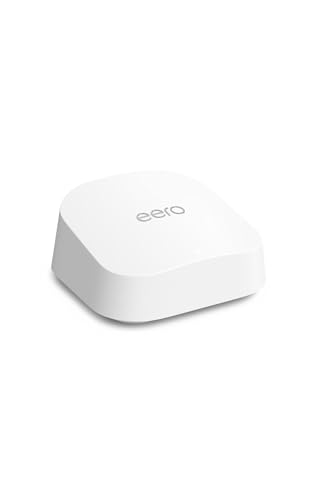
Amazon eero 7 Dual-Band Wi-Fi 7 Router
Best for: small homes needing Wi-Fi 7 entry
- Wi-Fi Standard
- Wi-Fi 7
- Frequency Bands
- Dual-Band
- Coverage Area
- 2,000 sq ft
- Device Capacity
- 120+ devices
- Max Port Speed
- 2.5 Gbps
- Ethernet Ports
- 2
View on Amazon: Amazon eero 7 Dual-Band Wi-Fi 7 Router Affiliate link
The eero 7 is a dual-band Wi-Fi 7 router designed for homes up to 2,000 square feet. It supports internet plans up to 2.5 Gbps and includes two 2.5 GbE ports. The system handles 120+ devices and uses TrueMesh technology for stable connections. It fits users who want Wi-Fi 7 features without tri-band hardware. This model serves as a solid gateway for smaller spaces or existing eero networks.
Pros
- Wi-Fi 7 standard with Multi-Link Operation
- Two 2.5 GbE auto-sensing ports
- Supports internet plans up to 2.5 Gbps
- Handles 120+ connected devices
- Backward compatible with previous eero generations
Cons
- Dual-band only, lacking a dedicated 6 GHz band
- 2,000 sq. ft. coverage is smaller than tri-band competitors
- Single unit capacity limits large home coverage
Good fit if
- You have an internet plan under 2.5 Gbps
- You need Wi-Fi 7 features on a budget
- You are expanding an existing eero mesh system
Skip if
- You require dedicated tri-band performance
- Your home exceeds 2,000 square feet
- You need coverage for more than 120 devices
Verdict: Eero 7 Dual-Band Wi-Fi 7 Router is a practical entry point for Wi-Fi 7, but its dual-band design and limited coverage make it unsuitable for large homes or users needing the speed of a 6 GHz band.
Specifications side by side
| Spec | Amazon eero Pro 6E Mesh Router | Amazon eero 7 Dual-Band Wi-Fi 7 Router |
|---|---|---|
| Wi-Fi Standard | Wi-Fi 6E | Wi-Fi 7 |
| Frequency Bands | not stated | Dual-Band |
| Coverage Area | up to 2,000 sq. ft. | 2,000 sq ft |
| Device Capacity | 100+ devices | 120+ devices |
| Max Port Speed | 2.5 Gbps | 2.5 Gbps |
| Ethernet Ports | not stated | 2 |
| Frequency Band | not stated | Dual-Band |
| Pack Size | 1-Pack | 1-Pack |
| Features | Mesh | Mesh |
| Port Speed | 2.5G | 2.5G |
| Dimensions | 5.47 × 5.47 × 2.21 inches | 5.12 × 2.52 × 5.12 inches |
| Weight | 1.41 pounds | 1.34 pounds |
| Color | WHITE | WHITE |
| Model | B091G65HH6 | PA10001 |
Frequently asked questions
Which Eero model supports the 6 GHz band?
The eero Pro 6E supports the 6 GHz band. This dedicated band reduces congestion and interference from other devices. The eero 7 is dual-band, meaning it only uses 2.4 GHz and 5 GHz frequencies. If you need the extra speed and clarity of 6 GHz, the Pro 6E is the correct choice.
Does the eero 7 support Wi-Fi 7?
Yes, the eero 7 Dual-Band router supports Wi-Fi 7. This standard offers improved efficiency and lower latency through multi-link operation. The eero Pro 6E uses Wi-Fi 6E instead. While Wi-Fi 7 is newer, the Pro 6E still provides robust performance for most homes.
Can I connect 100 devices to the eero Pro 6E?
Yes, the eero Pro 6E supports over 100 devices. It is designed for homes with many connected gadgets. The eero 7 also handles a high number of connections. Both models manage device capacity well, but the Pro 6E is optimized for larger networks with gigabit-plus internet plans.
What is the coverage area for each Eero router?
Both the eero 7 and the eero Pro 6E cover 2,000 square feet. Each unit is sold as a single pack for this coverage. You may need additional nodes for larger homes. The physical size differs, but the stated coverage area remains the same for both models.
Does the eero Pro 6E have a 2.5 Gbps port?
Yes, the eero Pro 6E includes a 2.5 Gbps Ethernet port. This allows for faster wired connections for compatible devices. The eero 7 also features a 2.5 Gbps port. Both routers support high-speed internet plans up to 2.5 Gbps through their wired connections.
Which Eero is better for gigabit-plus internet plans?
The eero Pro 6E is the better choice for gigabit-plus internet plans. It is explicitly recommended for users needing 6 GHz speeds and high throughput. The eero 7 is a practical entry for Wi-Fi 7 but lacks the 6 GHz band. For maximum speed potential, choose the Pro 6E.