Best Tri-Band Mesh Wifi Systems: 15 Spec-Based Picks
As an Amazon Associate we earn from qualifying purchases. Links on this page are affiliate links.
A tri band mesh wifi system adds a third frequency band to reduce network congestion and maintain steady wireless speeds across your living space. We evaluated 15 products based on the specifications published on their listings. The TP-Link Deco Tri-Band WiFi 6E 2-Pack earns the top spot with its AXE5400 speed rating and coverage of up to 5,500 square feet.
Use this comparison to decide which system best fits your layout by evaluating supported Wi-Fi standards, coverage area, and Ethernet port speeds.
Quick picks
The best fit for you
- You want balanced Wi-Fi 6E coverage for large spaces TP-Link Deco Tri-Band WiFi 6E 2-Pack This two-pack provides AXE5400 tri-band Wi-Fi 6E connectivity across up to 5,500 square feet with dedicated 6 GHz backhaul.
- You manage hundreds of devices on multi-gigabit internet Amazon eero Pro 7 Tri-Band Mesh System (3-Pack) It handles up to 600 devices and provides tri-band Wi-Fi 7 with dual 5 GbE ports across 6,000 square feet.
- You need wide wireless coverage for an expansive property ASUS ZenWiFi BT8 Tri-Band WiFi 7 Mesh This three-pack covers up to 8,850 square feet with tri-band Wi-Fi 7 speeds reaching 14 Gbps.
- You need prioritized network traffic for online gaming ASUS ROG Rapture Tri-Band Mesh System It features dedicated gaming traffic optimization, a 2.5G port, and up to 10,000 Mbps tri-band throughput.
Our 15 picks

TP-Link Deco Tri-Band WiFi 6E 2-Pack
Best for: large homes wanting Wi-Fi 6E coverage
- Frequency Band
- Tri-Band
- Wi-Fi Standard
- WiFi 6E
- Speed Rating
- AXE5400
- Coverage Area
- Up to 5,500 Sq.Ft
- Frequency Bands
- Tri-Band
- Pack Size
- 2-Pack
View on Amazon: TP-Link Deco Tri-Band WiFi 6E 2-Pack (paid link)
The TP-Link Deco XE75 Tri-Band Mesh 2-Pack is a whole-home Wi-Fi 6E system designed to blanket up to 5,500 square feet. It provides combined speeds reaching 5,400 Mbps across three discrete channels: 2402 Mbps on 6 GHz, 2402 Mbps on 5 GHz, and 574 Mbps on 2.4 GHz. It suits you if you need dedicated 6 GHz backhaul or direct 6E device connections for up to 200 devices.
Pros
- Dedicated 6 GHz band operates as wireless backhaul or for Wi-Fi 6E client devices
- Total combined throughput reaches up to 5,400 Mbps across three bands
- Two-pack covers up to 5,500 square feet and connects up to 200 devices
- TP-Link HomeShield provides network security scanning and basic parental controls
Cons
- Uses Wi-Fi 6E standard instead of newer Wi-Fi 7 technology
- Bandwidth on the 2.4 GHz band tops out at 574 Mbps
Good fit if
- You want to clear traffic using a dedicated 6 GHz backhaul channel.
- You need whole-home coverage for areas up to 5,500 square feet.
- You manage a large network with up to 200 connected devices.
Skip if
- You require the newer Wi-Fi 7 networking standard.
- You need higher bandwidth throughput on legacy 2.4 GHz hardware.
Verdict: TP-Link Deco XE75 Tri-Band Mesh 2-Pack delivers balanced tri-band Wi-Fi 6E performance with dedicated 6 GHz backhaul options for large homes. It provides dependable coverage up to 5,500 square feet across three distinct wireless frequencies.

Amazon eero Pro 7 Tri-Band Mesh System (3-Pack)
Best for: high-device homes with multi-gigabit internet
- Frequency Band
- Tri-Band
- Wi-Fi Standard
- Wi-Fi 7
- Speed Rating
- up to 3.9 Gbps
- Coverage Area
- up to 6,000 sq. ft.
- Frequency Bands
- Tri-Band
- Pack Size
- 3-pack
View on Amazon: Amazon eero Pro 7 Tri-Band Mesh System (3-Pack) (paid link)
The Amazon eero Pro 7 3-pack is a tri-band Wi-Fi 7 mesh system designed for high-bandwidth networks. It covers up to 6,000 square feet, supports over 600 devices, and delivers wireless speeds up to 3.9 Gbps. Each unit includes two auto-sensing 5 GbE wired ports to support multi-gigabit internet plans up to 5 Gbps. It suits you if you need wide coverage and multi-gig wired backhaul for device-dense homes.
Pros
- Two auto-sensing 5 GbE ports per unit
- Covers up to 6,000 square feet and supports 600+ devices
- Supports Wi-Fi 7 features including Multi-Link Operation (MLO)
- Backward compatible with previous eero devices and select Echo hardware
Cons
- Only two wired Ethernet ports available on each unit
- Advanced parental controls and security require an optional subscription
Good fit if
- You have an internet plan up to 5 Gbps and want matching 5 GbE ports.
- You need coverage for up to 6,000 square feet across multiple rooms or floors.
- You run a dense network with up to 600 connected devices.
Skip if
- You need more than two wired network jacks per unit without buying a separate switch.
- You want full access to parental controls and ad blocking without a recurring subscription.
Verdict: Amazon eero Pro 7 Tri-Band Wi-Fi 7 3-Pack provides fast multi-gigabit wired and wireless speeds across up to 6,000 square feet. It handles up to 600 devices reliably using Wi-Fi 7 and dual 5 GbE ports.

TP-Link Deco Tri-Band Wi-Fi 7 3-Pack
Best for: large homes with multi-gigabit internet plans
- Frequency Band
- Tri-Band
- Wi-Fi Standard
- Wi-Fi 7
- Speed Rating
- BE14000
- Coverage Area
- Up to 8,100 sq ft
- Frequency Bands
- Tri-Band
- Pack Size
- 3 Pack
View on Amazon: TP-Link Deco Tri-Band Wi-Fi 7 3-Pack (paid link)
The TP-Link Deco Tri-Band Wi-Fi 7 3-Pack is a multi-gigabit mesh system designed for large spaces. It provides up to 8,100 square feet of coverage and supports over 200 connected devices across three wireless bands. Each unit includes a dedicated 10 Gbps port, a 2.5 Gbps port, and a 1 Gbps port for high-speed wired connections. This setup suits you if you run multi-gigabit internet and need reliable whole-home coverage.
Pros
- Tri-band Wi-Fi 7 speeds reaching up to 14 Gbps across 8 streams
- Each unit includes 10 Gbps, 2.5 Gbps, and 1 Gbps Ethernet ports
- Covers up to 8,100 square feet and connects over 200 devices
- Built-in USB 3.0 port on each node
Cons
- Requires a separate standalone broadband modem
- Setup and management require the Deco mobile app
Good fit if
- You subscribe to an internet service tier up to 10 Gbps.
- You need to blanket up to 8,100 square feet across multiple rooms.
- You want 10 Gbps wired backhaul connectivity between nodes.
Skip if
- You live in a compact apartment where 8,100 square feet of coverage is unnecessary.
- You require an all-in-one mesh unit with a built-in cable modem.
Verdict: TP-Link Deco Tri-Band Wi-Fi 7 3-Pack delivers 10 Gbps wired connectivity and tri-band speeds across expansive homes. It is an ideal multi-gigabit mesh foundation if you manage dozens of high-bandwidth Wi-Fi 7 devices.

TP-Link Deco Tri-Band WiFi 6E 2-Pack
Best for: homes needing multi-gig WAN and 6 GHz backhaul
- Frequency Band
- Tri-Band
- Wi-Fi Standard
- WiFi 6E
- Speed Rating
- AXE5400
- Coverage Area
- Up to 5,500 sq ft
- Frequency Bands
- Tri-Band
- Pack Size
- 2-Pack
View on Amazon: TP-Link Deco Tri-Band WiFi 6E 2-Pack (paid link)
This two-pack Wi-Fi 6E mesh system delivers tri-band coverage across 2.4 GHz, 5 GHz, and 6 GHz bands up to 5,500 square feet. It provides up to 5,400 Mbps total bandwidth and handles up to 200 connected devices. Each unit includes one 2.5 Gbps port alongside two 1 Gbps ports. This setup suits you if you have a multi-gigabit internet plan and want dedicated 6 GHz backhaul or client connections.
Pros
- One 2.5 Gbps WAN/LAN port and two 1 Gbps LAN ports per unit
- Covers up to 5,500 square feet and supports up to 200 devices
- Dedicated 6 GHz band functions as a mesh backhaul or direct Wi-Fi 6E access
- Total bandwidth reaches up to 5,400 Mbps across three wireless bands
Cons
- Requires a separate standalone modem
- Includes only one 2.5 Gbps port per node
Good fit if
- You have an internet plan up to 2.5 Gbps.
- You need coverage for up to 5,500 square feet across up to 200 devices.
- You want to utilize the 6 GHz band for dedicated backhaul or Wi-Fi 6E hardware.
Skip if
- You need multiple multi-gigabit ports on each node for wired devices.
- You want an all-in-one mesh unit with an integrated modem.
Verdict: TP-Link Deco Tri-Band WiFi 6E System (2-Pack) provides 5,400 Mbps tri-band connectivity and a 2.5 Gbps port for multi-gigabit broadband. It delivers flexible 6 GHz backhaul options for homes covering up to 5,500 square feet.

ASUS ZenWiFi BT10 2-Pack
Best for: Multi-gigabit homes needing 10G wired backhaul
- Frequency Band
- Tri-Band
- Wi-Fi Standard
- WiFi 7
- Speed Rating
- Up to 18 Gbps
- Coverage Area
- Up to 6,000 sq ft
- Frequency Bands
- Tri-Band
- Pack Size
- 2-Pack
View on Amazon: ASUS ZenWiFi BT10 2-Pack (paid link)
This two-pack tri-band Wi-Fi 7 mesh system covers homes up to 6,000 square feet. It delivers transfer rates up to 18 Gbps and includes dual 10-gigabit Ethernet ports alongside USB mobile tethering for backup connectivity. You get eight internal antennas per unit and network segmentation supporting up to three SSIDs. It fits your setup if you require multi-gigabit wired infrastructure and wide wireless reach for high-demand local network devices.
Pros
- Dual 10 Gbps Ethernet ports for ultra-high-speed wired networking
- Wi-Fi 7 tri-band throughput rated up to 18 Gbps
- Up to 6,000 square feet of coverage from two nodes
- Multi-WAN support including USB 4G and 5G mobile tethering
Cons
- Supplies two nodes instead of three for distributed layouts
- Internal antenna design prevents manual physical reorientation
Good fit if
- You need 10 Gbps wired Ethernet connections for high-speed local backhaul.
- You require up to 6,000 square feet of Wi-Fi 7 coverage.
- You want network failover options using 4G or 5G mobile USB tethering.
Skip if
- You need a three-pack system to spread coverage across more individual rooms.
- You use sub-gigabit broadband and do not need 10G wired ports.
Verdict: ASUS ZenWiFi Tri-Band WiFi 7 2-Pack provides high-throughput Wi-Fi 7 speeds alongside dual 10G wired ports for demanding home networks. It delivers broad 6,000-square-foot coverage and flexible multi-WAN tethering options.

TP-Link Deco Tri-Band WiFi 7 2-Pack
Best for: Multi-gigabit fiber connections and heavy device traffic
- Frequency Band
- Tri-Band
- Wi-Fi Standard
- Wi-Fi 7
- Speed Rating
- BE22000
- Frequency Bands
- Tri-Band
- Pack Size
- 2-Pack
- Port Speed
- 10 Gbps
View on Amazon: TP-Link Deco Tri-Band WiFi 7 2-Pack (paid link)
This two-pack tri-band system brings Wi-Fi 7 connectivity to your home network. It combines total theoretical bandwidth of up to 22,000 Mbps across 6 GHz, 5 GHz, and 2.4 GHz bands with two 10 Gbps wired ports per unit. You also get two 2.5 Gbps Ethernet ports and a USB 3.0 connection. It suits you if you need multi-gigabit wired backhaul and high-capacity wireless throughput for over 200 devices.
Pros
- Dual 10 Gbps ports per node, including an SFP+ fiber and Ethernet combo port
- Tri-band Wi-Fi 7 speeds reaching up to 11,520 Mbps on the 6 GHz band
- Simultaneous wired and wireless backhaul support
- Two 2.5 Gbps Ethernet ports and one USB 3.0 port per unit
Cons
- Tall physical footprint at 9.29 inches in height
- Included TP-Link HomeShield covers only basic security and parental controls
Good fit if
- You have multi-gigabit internet service or 10 Gbps networking equipment.
- You want simultaneous wired and wireless backhaul across your nodes.
- You manage high device density with up to 200 connected clients.
Skip if
- You have standard sub-gigabit internet speeds that do not require 10 Gbps ports.
- You need compact mesh hardware that fits into shallow shelves or small spaces.
Verdict: TP-Link Deco Tri-Band WiFi 7 2-Pack pairs multi-gigabit Wi-Fi 7 wireless speeds with dual 10 Gbps and dual 2.5 Gbps ports. It delivers top-tier throughput and wired flexibility for demanding smart homes.
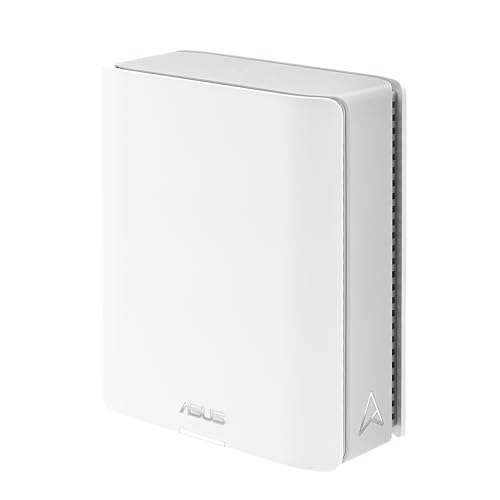
ASUS ZenWiFi Tri-Band WiFi 7 Router
Best for: single-unit tri-band Wi-Fi 7 coverage
- Frequency Band
- Tri-Band
- Wi-Fi Standard
- WiFi 7
- Speed Rating
- 14 Gbps
- Coverage Area
- 3000 sq. ft.
- Frequency Bands
- Tri-band
- Pack Size
- 1-Pack
View on Amazon: ASUS ZenWiFi Tri-Band WiFi 7 Router (paid link)
This single-unit router delivers tri-band Wi-Fi 7 coverage up to 3,000 square feet with speeds reaching 14 Gbps across bands, including 6 GHz. It includes dual 2.5G Ethernet ports for multi-gigabit wired backhaul or internet connections. Built-in Smart AiMesh allows easy pairing with compatible hardware if you decide to expand your network. It suits you if you need modern tri-band connectivity and fast wired ports for a mid-sized home.
Pros
- Tri-band Wi-Fi 7 speeds up to 14 Gbps with 6 GHz band and 4K-QAM
- Dual 2.5G Ethernet ports for high-speed wired backhaul and WAN
- Smart AiMesh support for expanding coverage with compatible ASUS routers
- Mobile tethering capability using 4G LTE or 5G connections
Cons
- Single pack requires purchasing additional units to create a multi-point mesh network
- Coverage limited to 3,000 square feet without adding extra nodes
Good fit if
- You want Wi-Fi 7 tri-band speeds and 6 GHz support in a standalone unit.
- You need dual 2.5G Ethernet ports for high-speed wired backhaul or internet.
- You have up to 3,000 square feet to cover and plan to expand later with AiMesh.
Skip if
- You need multi-node whole-home mesh coverage straight out of the box.
- You live in a home larger than 3,000 square feet without existing AiMesh hardware.
Verdict: ASUS ZenWiFi BT6 Tri-Band WiFi 7 Router provides fast tri-band Wi-Fi 7 speeds and dual 2.5G Ethernet ports in a single 3,000-square-foot package. It serves as a solid foundation that you can easily expand with compatible mesh hardware.

ASUS ZenWiFi BT8 Tri-Band WiFi 7 Mesh
Best for: large homes requiring multi-gigabit tri-band coverage
- Frequency Band
- Tri-Band
- Wi-Fi Standard
- WiFi 7
- Speed Rating
- 14 Gbps
- Coverage Area
- up to 8850 sq. ft.
- Frequency Bands
- Tri-Band
- Pack Size
- 3 PK
View on Amazon: ASUS ZenWiFi BT8 Tri-Band WiFi 7 Mesh (paid link)
The ASUS ZenWiFi Tri-Band WiFi 7 Mesh 3-Pack provides tri-band wireless networking with coverage up to 8,850 square feet. It uses the Wi-Fi 7 standard across 6 GHz, 5 GHz, and 2.4 GHz bands to deliver combined speeds up to 14 Gbps. With 2.5G wired ports, seven internal antennas per unit, and built-in AiProtection Pro security, this three-node setup suits you if you need wide coverage and multi-gigabit throughput across a large home.
Pros
- Covers up to 8,850 square feet across the three included nodes
- Tri-band Wi-Fi 7 support with speeds up to 14 Gbps
- Equipped with 2.5G Ethernet ports for multi-gigabit wired connections
- Seven internal antennas and eight front-end modules per unit
Cons
- Wired port speeds max out at 2.5G rather than 10G
- Each node stands 7.3 inches tall and weighs 1.9 pounds
Good fit if
- You need coverage for spaces up to 8,850 square feet.
- You want Wi-Fi 7 tri-band connectivity with 6 GHz support.
- You require 2.5G Ethernet ports for fast wired backhaul.
Skip if
- You require 10G Ethernet ports for higher wired bandwidth.
- You have a smaller home that does not need three nodes.
Verdict: ASUS ZenWiFi Tri-Band WiFi 7 Mesh 3-Pack delivers extensive 8,850-square-foot coverage and wireless speeds reaching 14 Gbps. It provides reliable multi-gigabit performance if you want 2.5G connectivity and comprehensive tri-band Wi-Fi 7 support.
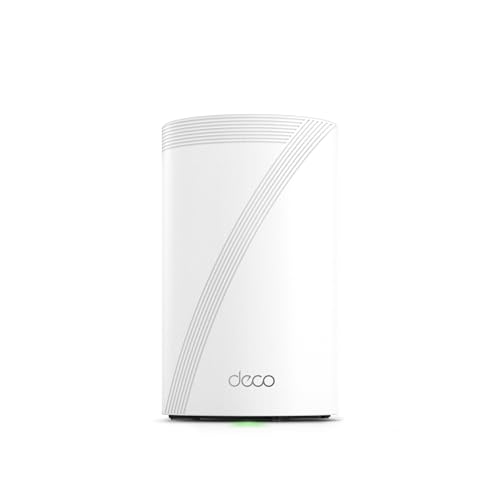
TP-Link Deco Tri-Band WiFi 7 Mesh Router
Best for: single-unit multi-gigabit Wi-Fi 7 coverage
- Frequency Band
- Tri-Band
- Wi-Fi Standard
- Wi-Fi 7
- Speed Rating
- BE10000
- Coverage Area
- up to 3,000 sq.ft.
- Frequency Bands
- Tri-Band
- Pack Size
- 1 Pack
View on Amazon: TP-Link Deco Tri-Band WiFi 7 Mesh Router (paid link)
The TP-Link Deco Tri-Band Wi-Fi 7 System, 1-Pack provides up to 3,000 square feet of coverage with BE10000 tri-band wireless. It delivers speeds up to 5,188 Mbps on 6 GHz, 4,324 Mbps on 5 GHz, and 574 Mbps on 2.4 GHz while handling over 200 devices. With four 2.5G Ethernet ports and a USB 3.0 port, it suits you if you need multi-gigabit wired connections and modern Wi-Fi 7 speeds in a single standalone unit.
Pros
- Tri-band Wi-Fi 7 with combined speeds up to BE10000
- Four 2.5G WAN/LAN ports and one USB 3.0 port
- Covers up to 3,000 sq ft and connects over 200 devices
- Built-in VPN client and server support
Cons
- Single-pack unit requires buying additional units for mesh backhaul
- 2.4 GHz band maxes out at 574 Mbps
Good fit if
- You need multi-gigabit wired connections across four 2.5G ports
- You want Wi-Fi 7 coverage for spaces up to 3,000 square feet
- You require router-level VPN client and server functionality
Skip if
- You need a multi-node mesh system right out of the box
- You need whole-home coverage exceeding 3,000 square feet
Verdict: TP-Link Deco Tri-Band Wi-Fi 7 System, 1-Pack delivers fast BE10000 speeds and versatile 2.5G wired routing for standalone spaces up to 3,000 square feet. It provides a straightforward starting point if you plan to expand into a multi-node mesh later.

NETGEAR Orbi Tri-Band WiFi 6 Satellite
Best for: expanding existing RBK752 setups by 2,500 sq. ft.
- Frequency Band
- Tri-Band
- Wi-Fi Standard
- WiFi 6
- Speed Rating
- AX4200
- Coverage Area
- up to 2,500 sq. ft.
- Frequency Bands
- Tri-Band
- Intended Use
- Home
View on Amazon: NETGEAR Orbi Tri-Band WiFi 6 Satellite (paid link)
This NETGEAR Orbi unit is an add-on satellite designed to expand an existing RBK752 setup. It provides tri-band Wi-Fi 6 connectivity with aggregate speeds reaching up to 4.2Gbps. Adding this unit extends your wireless network by up to 2,500 sq. ft. under a single network name. It suits you if you already run a compatible Orbi system and need broader coverage for uninterrupted streaming and conferencing across larger home spaces.
Pros
- Adds up to 2,500 sq. ft. of Wi-Fi 6 coverage
- Tri-band speed rated up to 4.2Gbps
- Maintains a single network name for roaming
- Configured and managed through the Orbi app
Cons
- Requires a compatible RBK752 system to function
- Functions only as a satellite, not as a standalone router
- Measures 9.75 inches long and weighs 2.69 pounds
Good fit if
- You already operate an Orbi RBK752 Wi-Fi 6 system.
- You need to eliminate dead zones up to 2,500 sq. ft.
- You want unified management through the Orbi app.
Skip if
- You need a standalone primary router to start a network.
- You do not own a compatible RBK752 Orbi system.
- You require the newer Wi-Fi 6E or Wi-Fi 7 standards.
Verdict: NETGEAR Orbi Tri-Band WiFi 6 Add-on Satellite delivers a practical way to push Wi-Fi 6 coverage out an extra 2,500 sq. ft. at up to 4.2Gbps speeds. It serves as an expansion unit built specifically for an existing RBK752 setup rather than a standalone router.
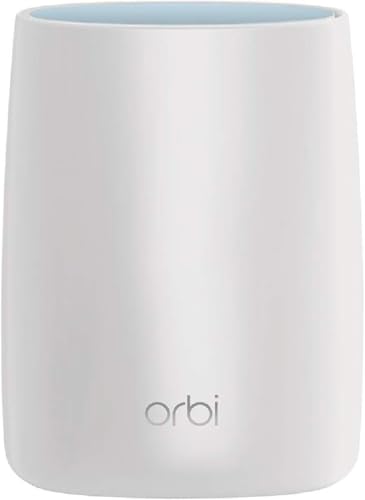
NETGEAR Orbi AC3000 Tri-Band Satellite
Best for: expanding existing NETGEAR Orbi mesh networks
- Frequency Band
- Tri-Band
- Speed Rating
- AC3000
- Coverage Area
- 2,500 sq. feet
- Frequency Bands
- Tri-band
- Intended Use
- Home
- Dimensions
- 6.7 × 3.1 × 8.89 inches
View on Amazon: NETGEAR Orbi AC3000 Tri-Band Satellite (paid link)
This add-on desktop unit expands your existing Orbi mesh setup by adding up to 2,500 square feet of coverage. It delivers tri-band speeds up to 3.0 Gbps using an AC3000 platform and maintains a single network name throughout your home. With four built-in Ethernet ports, you can wire smart TVs, game consoles, and streaming players directly. It suits you if you already run an Orbi router and need extra coverage.
Pros
- Adds up to 2,500 square feet of tri-band coverage
- Provides speeds up to 3.0 Gbps
- Four Ethernet ports for connecting wired equipment
- Maintains a single network name across your space
Cons
- Requires an existing Orbi Whole Home Mesh WiFi router to operate
- Large physical footprint measuring 8.89 inches tall
Good fit if
- You already own a compatible NETGEAR Orbi mesh network.
- You need to eliminate dead zones up to 2,500 square feet.
- You want four wired Ethernet ports at the satellite location.
Skip if
- You do not already own an Orbi Whole Home Mesh WiFi router.
- You need a standalone primary router to initiate a network.
Verdict: NETGEAR Orbi AC3000 Tri-Band Satellite adds up to 2,500 square feet of coverage and four Ethernet ports to your existing Orbi network. It serves strictly as an expansion unit rather than an independent router.
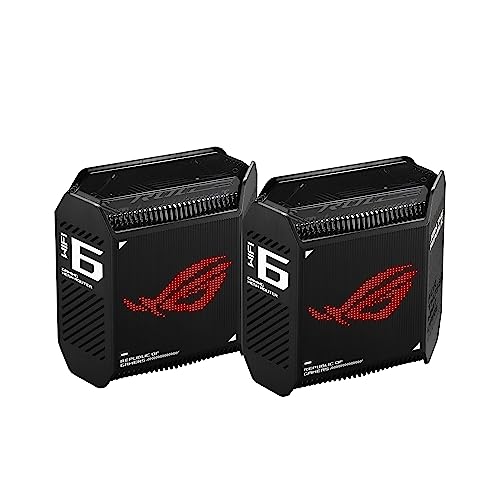
ASUS ROG Rapture Tri-Band Mesh System
Best for: large homes needing prioritized gaming network traffic
- Frequency Band
- Tri-Band
- Wi-Fi Standard
- WiFi 6
- Speed Rating
- AX10000
- Coverage Area
- 5,800 sq ft
- Frequency Bands
- Tri-Band
- Pack Size
- 2-Pack
View on Amazon: ASUS ROG Rapture Tri-Band Mesh System (paid link)
The ASUS ROG Rapture Tri-Band WiFi 6 Gaming Mesh is a two-pack system built for latency-sensitive network traffic. It provides up to 5,800 square feet of coverage and aggregate speeds up to 10,000 Mbps across three wireless bands. You get a dedicated 2.5 Gbps WAN port, LAN aggregation support, and triple-level game acceleration. This setup fits you if you want prioritized gaming traffic and multi-gigabit wired backhaul capabilities.
Pros
- Up to 10,000 Mbps total throughput with 160 MHz channel support
- 2.5 Gbps WAN port plus LAN aggregation capability
- Covers up to 5,800 square feet using nine internal antennas
- Hardware-level triple-level game acceleration tools
Cons
- Uses Wi-Fi 6 rather than newer Wi-Fi 6E or Wi-Fi 7 standards
- Lacks wired ports faster than 2.5 Gbps
Good fit if
- You need prioritized gaming traffic across an area up to 5,800 square feet.
- You want 2.5 Gbps wired WAN throughput and LAN aggregation support.
Skip if
- You want the 6 GHz frequency band available on Wi-Fi 6E or Wi-Fi 7 hardware.
- You require 10 Gbps Ethernet ports for faster local transfers.
Verdict: ASUS ROG Rapture Tri-Band WiFi 6 Gaming Mesh delivers wide coverage and dedicated traffic optimization for gaming over Wi-Fi 6. It provides dependable multi-gigabit wired routing and up to 10,000 Mbps total wireless throughput across three bands.
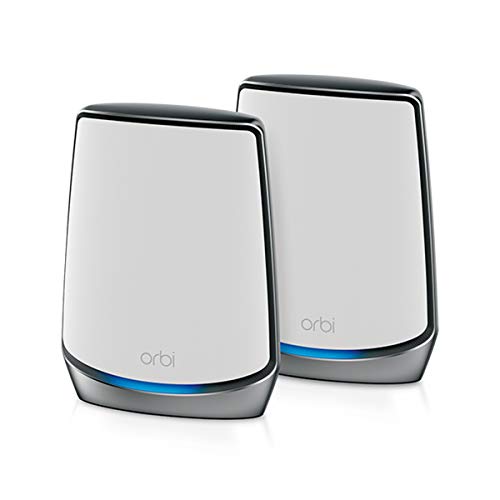
NETGEAR Orbi Tri-Band WiFi 6 2-Pack
Best for: homes up to 5,000 square feet
- Frequency Band
- Tri-Band
- Wi-Fi Standard
- WiFi 6
- Speed Rating
- AX6000 (Up to 6Gbps)
- Coverage Area
- Up to 5,000 sq. ft.
- Frequency Bands
- Tri-Band
- Pack Size
- 2-Pack
View on Amazon: NETGEAR Orbi Tri-Band WiFi 6 2-Pack (paid link)
This two-pack tri-band Wi-Fi 6 mesh system covers homes up to 5,000 square feet and handles over 100 connected devices. It delivers AX6000 aggregate speeds and includes a 2.5 Gbps internet port for multi-gigabit connections. Each node provides four Gigabit Ethernet ports for wired devices. This system fits you if you need reliable whole-home coverage and plenty of wired ports across a large single-family layout.
Pros
- Covers up to 5,000 sq. ft. across two units
- Compatible with internet service plans up to 2.5 Gbps
- Four Gigabit Ethernet ports on both router and satellite
- Supports over 100 connected devices simultaneously
Cons
- Designed for use in the United States only
- NETGEAR Armor security features require a paid subscription after the 30-day trial
- Limited to Wi-Fi 6 without access to 6 GHz bands
Good fit if
- You have a home up to 5,000 square feet requiring tri-band Wi-Fi 6 coverage.
- You have an internet connection up to 2.5 Gbps.
- You need multiple Gigabit Ethernet LAN ports at both node locations.
Skip if
- You plan to operate the system outside the United States.
- You require 6 GHz support found on Wi-Fi 6E or Wi-Fi 7 networks.
Verdict: NETGEAR Orbi Tri-Band WiFi 6 2-Pack delivers robust AX6000 throughput and 5,000 square feet of coverage with ample Gigabit Ethernet ports on each unit. It provides a dependable multi-gigabit networking foundation for large homes with dozens of connected devices.

TP-Link Deco 2.5G Wi-Fi 6E 3-Pack
Best for: large homes needing multi-gigabit 6E coverage
- Frequency Band
- Tri-Band
- Wi-Fi Standard
- WiFi 6E
- Speed Rating
- AXE5400
- Coverage Area
- 7,200 Sq.Ft
- Frequency Bands
- Tri-Band
- Pack Size
- 3-Pack
View on Amazon: TP-Link Deco 2.5G Wi-Fi 6E 3-Pack (paid link)
This three-pack tri-band system brings Wi-Fi 6E connectivity to your home, covering spaces up to 7,200 square feet. Each unit features one 2.5 Gbps port alongside two gigabit ports, giving you multi-gigabit wired capability for fast internet plans. With a total bandwidth of 5,400 Mbps spread across 2.4 GHz, 5 GHz, and 6 GHz bands, it supports up to 200 devices. It suits you if you need wide coverage and dedicated 6 GHz backhaul.
Pros
- One 2.5 Gbps port and two Gigabit ports per node
- Tri-band speeds up to 5,400 Mbps across 2.4, 5, and 6 GHz
- Covers up to 7,200 square feet with three units
- Dedicated 6 GHz band functions as wireless backhaul or client network
Cons
- Only one 2.5 Gbps port per unit with remaining ports limited to 1 Gbps
- Advanced parental controls and security features require an ongoing subscription
Good fit if
- You have an internet connection above 1 Gbps and need a 2.5 Gbps WAN port.
- You need coverage across a large area reaching up to 7,200 square feet.
- You want an open 6 GHz band for dedicated backhaul or Wi-Fi 6E devices.
Skip if
- You require more than one multi-gigabit Ethernet port per node.
- You want advanced network security features without an optional paid subscription plan.
Verdict: TP-Link Deco Tri-Band WiFi 6E 3-Pack delivers reliable multi-gigabit wired access and wide wireless reach across up to 7,200 square feet. It provides practical tri-band routing by utilizing the 6 GHz spectrum for clean backhaul or high-speed Wi-Fi 6E clients.

ASUS ZenWiFi AX6600 Tri-Band Mesh Router
Best for: mid-sized homes needing standalone tri-band Wi-Fi 6
- Frequency Band
- Tri-Band
- Wi-Fi Standard
- WiFi 6
- Speed Rating
- AX6600
- Coverage Area
- up to 2750 sq.ft
- Frequency Bands
- Tri-Band
- Pack Size
- 1-Pack
View on Amazon: ASUS ZenWiFi AX6600 Tri-Band Mesh Router (paid link)
The ASUS ZenWiFi AX6600 Tri-Band Mesh Router is a single-pack Wi-Fi 6 mesh unit designed for homes up to 2,750 square feet. It provides up to 6600 Mbps of aggregate wireless speed across three bands and uses six internal antennas. You get AiMesh support to add more nodes, plus built-in parental controls. This fits you if you want dedicated tri-band bandwidth without buying a multi-pack.
Pros
- Tri-band AX6600 wireless speed up to 6600 Mbps
- Coverage reaches up to 2,750 square feet and 4+ rooms
- Six internal antennas with OFDMA and MU-MIMO
- AiMesh support for expanding with compatible ASUS routers
Cons
- Single unit pack requires extra nodes for multi-story mesh
- Wi-Fi 6 specification lacks the 6 GHz band of Wi-Fi 6E and Wi-Fi 7
Good fit if
- You want tri-band AX6600 performance from a single node.
- You have a home up to 2,750 square feet with 4+ rooms.
- You plan to build a mesh using AiMesh-compatible hardware.
Skip if
- You need a multi-node pack immediately for wider home coverage.
- You want newer Wi-Fi 6E or Wi-Fi 7 wireless standards.
Verdict: ASUS ZenWiFi AX6600 Tri-Band Mesh Router delivers fast Wi-Fi 6 performance and wide coverage for medium-sized layouts. It works well as a standalone unit that can integrate into a larger AiMesh system later.
Specifications side by side
| Spec | TP-Link Deco Tri-Band WiFi 6E 2-Pack | Amazon eero Pro 7 Tri-Band Mesh System (3-Pack) | TP-Link Deco Tri-Band Wi-Fi 7 3-Pack | TP-Link Deco Tri-Band WiFi 6E 2-Pack | ASUS ZenWiFi BT10 2-Pack | TP-Link Deco Tri-Band WiFi 7 2-Pack | ASUS ZenWiFi Tri-Band WiFi 7 Router | ASUS ZenWiFi BT8 Tri-Band WiFi 7 Mesh | TP-Link Deco Tri-Band WiFi 7 Mesh Router | NETGEAR Orbi Tri-Band WiFi 6 Satellite | NETGEAR Orbi AC3000 Tri-Band Satellite | ASUS ROG Rapture Tri-Band Mesh System | NETGEAR Orbi Tri-Band WiFi 6 2-Pack | TP-Link Deco 2.5G Wi-Fi 6E 3-Pack | ASUS ZenWiFi AX6600 Tri-Band Mesh Router |
|---|---|---|---|---|---|---|---|---|---|---|---|---|---|---|---|
| Wi-Fi Standard | WiFi 6E | Wi-Fi 7 | Wi-Fi 7 | WiFi 6E | WiFi 7 | Wi-Fi 7 | WiFi 7 | WiFi 7 | Wi-Fi 7 | WiFi 6 | not specified | WiFi 6 | WiFi 6 | WiFi 6E | WiFi 6 |
| Speed Rating | AXE5400 | up to 3.9 Gbps | BE14000 | AXE5400 | Up to 18 Gbps | BE22000 | 14 Gbps | 14 Gbps | BE10000 | AX4200 | AC3000 | AX10000 | AX6000 (Up to 6Gbps) | AXE5400 | AX6600 |
| Coverage Area | Up to 5,500 Sq.Ft | up to 6,000 sq. ft. | Up to 8,100 sq ft | Up to 5,500 sq ft | Up to 6,000 sq ft | not specified | 3000 sq. ft. | up to 8850 sq. ft. | up to 3,000 sq.ft. | up to 2,500 sq. ft. | 2,500 sq. feet | 5,800 sq ft | Up to 5,000 sq. ft. | 7,200 Sq.Ft | up to 2750 sq.ft |
| Frequency Bands | Tri-Band | Tri-Band | Tri-Band | Tri-Band | Tri-Band | Tri-Band | Tri-band | Tri-Band | Tri-Band | Tri-Band | Tri-band | Tri-Band | Tri-Band | Tri-Band | Tri-Band |
| Pack Size | 2-Pack | 3-pack | 3 Pack | 2-Pack | 2-Pack | 2-Pack | 1-Pack | 3 PK | 1 Pack | not specified | not specified | 2-Pack | 2-Pack | 3-Pack | 1-Pack |
| Port Speed | not specified | 5 GbE | 10 Gbps | 2.5 Gbps | 10 Gbps | 10 Gbps | 2.5G | not specified | 10G | not specified | not specified | 2.5 Gbps | Gigabit | 2.5 Gbps | not specified |
| Device Capacity | 200 devices | 600+ | over 200 devices | 200 devices | not specified | 200+ | not specified | not specified | over 200 | not specified | not specified | not specified | 100 Devices | 200 devices | not specified |
| Frequency Band | Tri-Band | Tri-Band | Tri-Band | Tri-Band | Tri-Band | Tri-Band | Tri-Band | Tri-Band | Tri-Band | Tri-Band | Tri-Band | Tri-Band | Tri-Band | Tri-Band | Tri-Band |
| Use Case | not specified | not specified | not specified | not specified | not specified | not specified | not specified | not specified | not specified | not specified | not specified | Gaming | not specified | not specified | not specified |
| Features | not specified | not specified | not specified | not specified | not specified | not specified | not specified | not specified | not specified | not specified | not specified | not specified | not specified | not specified | Parental Controls |
| Intended Use | not specified | not specified | not specified | not specified | not specified | Home | not specified | not specified | Home | Home | Home | not specified | Home | not specified | Home |
| Dimensions | 4.13 × 4.13 × 6.67 inches | 5.79 × 3.11 × 7.09 inches | 6.93 × 4.23 × 4.23 inches | 4.13 × 4.13 × 6.65 inches | 7.3 × 2.8 × 6.26 inches | 5.04 × 5.04 × 9.29 inches | 7.32 × 2.83 × 6.26 inches | 6.3 × 2.8 × 7.3 inches | 4.23 × 4.23 × 6.93 inches | 9.75 × 7.75 × 6 inches | 6.7 × 3.1 × 8.89 inches | 6.77 × 3.07 × 6.93 inches | 11.5 × 9.6 × 8.3 inches | 4.13 × 4.13 × 6.65 inches | 6.3 × 2.95 × 6.36 inches |
| Weight | 2.69 pounds | 1.68 pounds | 5.09 pounds | 2.76 pounds | 1.8 pounds | 6.53 pounds | 1.88 pounds | 1.9 pounds | 1.66 pounds | 2.69 pounds | not specified | 1.94 pounds | 2.86 pounds | 4.12 pounds | 1.61 pounds |
| Size | 2 Pack | not specified | 3 Pack | 2 Pack | 2-Pack | 2 Pack | 1-Pack | WiFi 7 | BE14000 | 1 Pack | Satellite | Desktop | not specified | 2-Pack | not specified | 1-Pack |
| Color | Black and White | WHITE | White | Black and White | White | White | WHITE | WHITE | White | White | White | BLACK | White | Black and White | White |
| Model | Deco XE75(2-pack) | ME10001 | Deco BE67(3-Pack) | Deco XE75 Pro(2-pack) | BT10 (W-2-PK) | Deco BE85(2-pack) | BT6 (W-1-PK) | BT8 (W-3-PK) | Deco BE63(1-Pack) | RBS750-100NAS | RBS50-100NAS-cr | GT6 (B-2-PK) | AX6000 | Deco XE75 Pro | XT8 (W-1-PK) |
Is a Tri-Band Mesh System Worth It?
A tri-band system broadcasts three separate wireless frequencies instead of two. In Wi-Fi 6E and Wi-Fi 7 setups, this third channel operates on the 6 GHz band alongside standard 2.4 GHz and 5 GHz bands. Systems utilize this extra band to separate client traffic or route dedicated wireless backhaul between nodes. This configuration supports high client volumes reaching up to 600 devices and preserves throughput across broad layouts up to 8,850 square feet. Adding a third band prevents inter-node transmissions from consuming the bandwidth your personal devices need.
Worth it if
- You connect up to 600 devices or require a dedicated wireless 6 GHz backhaul channel between nodes.
- You deploy mesh satellites across large layouts up to 8,850 square feet without running Ethernet cables.
- You use Wi-Fi 6E or Wi-Fi 7 client hardware that relies on clear 6 GHz spectrum for peak throughput.
Skip it if
- You connect only standard dual-band Wi-Fi 6 devices that cannot access the 6 GHz frequency.
- You link all your mesh hardware using 2.5 Gbps or 10 Gbps wired Ethernet backhaul.
- You live in a smaller home that requires only a single standalone router covering 3,000 square feet.
When you configure your home office network, you can compare switch types across options for a mechanical keyboard under 100.
How We Picked Tri-Band Systems
You find systems here identified strictly through manufacturer specifications confirming tri-band frequency band support. Eligible listings explicitly state tri-band operation in the product title or feature list. The selection filters out duplicate hardware variants, presenting only one model per product family. Published specification sheets provide all details without physical testing.
The 15 systems are ordered with products in stock first, then by Amazon sales rank with better-selling products first. You can compare models across key networking specs, including Wi-Fi standard, Ethernet port speeds, node count, and manufacturer coverage area. Live availability updates directly on the page throughout 2026.
How to Choose Tri-Band Mesh Systems
-
Match Pack Size to Coverage
Single units cover compact spaces, while multi-packs extend reach across larger properties. Check the manufacturer coverage rating before buying. A 1-pack suits smaller apartments, while a 3-pack covers sprawling layouts. The ASUS ZenWiFi BT8 Tri-Band WiFi 7 Mesh provides coverage across 8,850 square feet with three nodes. Placing nodes evenly eliminates dead zones. Select a pack size that matches your floor plan to avoid buying excess hardware or leaving distant rooms disconnected from the mesh network.
-
Select the Right Wi-Fi Generation
Wi-Fi generation determines available spectrum and protocol efficiency. Wi-Fi 6 uses 2.4 GHz and 5 GHz bands, while Wi-Fi 6E and Wi-Fi 7 add 6 GHz channels. The TP-Link Deco Tri-Band WiFi 6E 2-Pack relies on the Wi-Fi 6E standard to deliver AXE5400 speed ratings. Wi-Fi 7 brings higher peak rates and updated channel widths for newer client devices. If you only operate standard Wi-Fi 6 laptops and phones, an earlier standard meets your daily demands. Choose Wi-Fi 7 only if you own compatible client hardware.
-
Distinguish Routers from Add-On Satellites
Check whether a product is a standalone router kit or an expansion satellite. An expansion satellite cannot function independently without an existing base network. The NETGEAR Orbi Tri-Band WiFi 6 Satellite operates strictly as an add-on unit to extend an existing RBK752 system by 2,500 square feet. If you are starting a new mesh network from scratch, you must purchase a primary router or a complete multi-pack kit. Purchasing an add-on satellite alone will not provide internet routing capabilities for an unequipped household.
-
Verify Total Device Capacity
Check device handling specs if you manage smart home gadgets. Many smart homes run dozens of switches, bulbs, cameras, and streaming units simultaneously. System memory and radio management dictate how many devices can stay active without dropping connections. The Amazon eero Pro 7 Tri-Band Mesh System explicitly lists support for up to 600 devices across its network. Compare the device handling specifications against your current inventory. Selecting high-capacity hardware prevents network bottlenecks when numerous smart home accessories communicate simultaneously across all three available bands.
-
Evaluate Combined Speed Ratings
Wi-Fi speed ratings summarize maximum theoretical throughput across all bands combined. A rating like AX6000 or BE14000 aggregates the top speeds of the 2.4 GHz, 5 GHz, and additional high-frequency bands. The NETGEAR Orbi Tri-Band WiFi 6 2-Pack features an AX6000 speed rating for demanding household traffic. These figures do not represent the speed a single client device achieves. Instead, higher ratings indicate greater aggregate capacity when multiple household members stream, download, and game at the same time across different frequencies.
-
Check Traffic Prioritization Features
Certain tri-band systems include specialized hardware or software profiles tuned for specific network activities. If your home network experiences heavy simultaneous usage, dedicated traffic management prevents latency spikes on latency-critical tasks. The ASUS ROG Rapture Tri-Band Mesh System designates gaming as its primary use case, offering dedicated optimization for gaming network traffic across its three bands. If competitive gaming or real-time streaming matters in your home, look for systems that explicitly publish traffic prioritization features to keep those packets ahead of standard downloads.
Frequently asked questions
Can you use an add-on satellite as a standalone mesh router?
No, standalone satellites require an existing router to function. For example, units like the NETGEAR Orbi RBS750 or RBS50-100NAS serve strictly as expansion hardware for established networks like an RBK752 setup. They cannot establish an independent internet connection on their own. You must pair them with a compatible base router to broadcast your mesh network across additional rooms.
How many devices can a tri-band mesh system handle?
Device capacity depends directly on the hardware specifications of each system. Advanced Wi-Fi 7 options like the Amazon eero Pro 7 handle up to 600 devices reliably across large spaces. Wi-Fi 6 models such as the NETGEAR Orbi AX6000 specify support for 100+ devices. Tri-band architecture helps balance these active connections by distributing client traffic across three separate wireless bands to minimize bottlenecking.
What is the difference between Wi-Fi 6, Wi-Fi 6E, and Wi-Fi 7 tri-band systems?
The Wi-Fi generation determines which frequencies and speeds your hardware uses. Wi-Fi 6 systems like the ASUS ROG Rapture GT6 broadcast on 2.4 GHz and dual 5 GHz bands. Wi-Fi 6E models like the TP-Link Deco XE75 incorporate the 6 GHz band for cleaner signals. Wi-Fi 7 systems like the ASUS ZenWiFi BT8 deliver higher aggregate throughput, reaching speeds up to 14 Gbps.
Do all tri-band mesh systems feature multi-gigabit Ethernet ports?
No, wired port specifications differ across hardware models. Premium systems like the TP-Link Deco BE85 and ASUS ZenWiFi BT10 include 10 Gbps Ethernet ports for multi-gigabit connections. Other options, including the TP-Link Deco XE75 Pro, ASUS ZenWiFi BT6, and ASUS ROG Rapture GT6, feature 2.5G ports. You should check the physical port speeds if your internet subscription or local wired devices require faster than 1 Gbps.
Can you set up a tri-band mesh network using a single router?
Yes, you can begin with a standalone unit and add extra nodes as your space requires. Standalone hardware like the TP-Link Deco BE63 1-pack or ASUS ZenWiFi BT6 covers up to 3,000 square feet alone. Both allow you to integrate compatible mesh hardware later if you need broader coverage. This gives you tri-band capabilities immediately without purchasing unneeded hardware upfront.
What do speed ratings like AXE5400 or BE14000 mean on tri-band systems?
These labels indicate the generation of Wi-Fi and the combined theoretical throughput across all three bands. For instance, the TP-Link Deco XE75 uses the AXE5400 rating, representing Wi-Fi 6E speeds totaling roughly 5,400 Mbps. The ASUS ZenWiFi BT8 features a BE14000 rating, denoting Wi-Fi 7 speeds up to 14 Gbps. Individual client devices operate on a single band at lower practical speeds.
How much physical area does a tri-band mesh system cover?
Total coverage scales with node count and internal antenna design. A single-unit ASUS ZenWiFi BT6 covers up to 3,000 square feet. A two-pack TP-Link Deco XE75 covers up to 5,500 square feet, while the ASUS ZenWiFi BT10 2-pack reaches 6,000 square feet. For larger layouts, a three-pack like the ASUS ZenWiFi BT8 delivers coverage spanning up to 8,850 square feet.