Best ASUS Mesh Wifi Systems: 15 Models Compared
As an Amazon Associate we earn from qualifying purchases. Links on this page are affiliate links.
Choosing an ASUS mesh wifi system requires matching your home layout to the right hardware configuration. ASUS offers single-node routers, two-packs, and three-packs in black and white designs, ranging from compact 3.5-inch units to larger upright towers across Wi-Fi 6, Wi-Fi 6E, and Wi-Fi 7 options.
The ASUS ZenWiFi BT10 2-Pack leads the lineup for multi-gigabit smart homes needing 10G wired connectivity, providing Wi-Fi 7 speeds, tri-band support, and dual 10G ports. This guide compares 15 models using the specifications published on their listings so you can find the right match for your network.
Quick picks
Our 15 picks

ASUS ZenWiFi BT10 2-Pack
Best for: multi-gigabit smart homes needing 10G wired connectivity
- Wi-Fi Standard
- WiFi 7
- Speed Rating
- Up to 18 Gbps
- Coverage Area
- Up to 6,000 sq ft
- Frequency Bands
- Tri-Band
- Pack Size
- 2-Pack
- Port Speed
- 10 Gbps
View on Amazon: ASUS ZenWiFi BT10 2-Pack (paid link)
This ASUS ZenWiFi setup is a tri-band Wi-Fi 7 mesh system that comes in a two-pack covering up to 6,000 square feet. It delivers wireless speeds up to 18 Gbps and features dual 10 Gigabit Ethernet ports for high-throughput wired connections or backhaul. It suits you if you need multi-gigabit speeds across a large home and want USB cellular tethering for backup internet.
Pros
- Dual 10 Gigabit Ethernet WAN and LAN ports
- Wi-Fi 7 speeds up to 18 Gbps across tri-band frequencies
- Covers up to 6,000 square feet with two included units
- USB multi-WAN port supports 4G LTE and 5G mobile tethering
Cons
- Tri-band layout lacks a second 5 GHz or 6 GHz band found on quad-band hardware
- Two-pack limits coverage without purchasing additional nodes for spaces beyond 6,000 square feet
Good fit if
- You have an internet plan or home network requiring 10 Gigabit Ethernet ports.
- You need whole-home Wi-Fi 7 coverage up to 6,000 square feet.
- You want mobile phone tethering via USB as a backup WAN option.
Skip if
- You require quad-band capability for a dedicated second backhaul frequency.
- You have a property larger than 6,000 square feet that needs three or more nodes immediately.
Verdict: ASUS ZenWiFi Tri-Band WiFi 7 2-Pack delivers high data throughput with dual 10G ports and comprehensive Wi-Fi 7 coverage for demanding home networks. Its versatile multi-WAN tethering and 18 Gbps bandwidth make it a capable centerpiece for multi-gigabit connections.

ASUS ZenWiFi BQ16 Pro Quad-Band 2-Pack
Best for: large homes needing high-throughput quad-band networking
- Wi-Fi Standard
- WiFi 7
- Speed Rating
- 30 Gbps
- Coverage Area
- 8,000 sq ft
- Frequency Bands
- Quad-Band
- Pack Size
- 2-Pack
- Port Speed
- 10G
View on Amazon: ASUS ZenWiFi BQ16 Pro Quad-Band 2-Pack (paid link)
The ASUS ZenWiFi Quad-Band WiFi 7 2-Pack is a whole-home mesh network setup designed for large spaces up to 8,000 square feet. It provides quad-band connectivity reaching combined speeds up to 30,000 Mbps with 10G port support. You also get twelve internal antennas and dedicated USB cellular tethering for backup internet. This system fits you if you need maximum throughput and wide physical coverage across high-bandwidth connected devices.
Pros
- Quad-band WiFi 7 speeds reaching up to 30,000 Mbps
- High-speed 10G wired network port
- Covers up to 8,000 square feet with two units
- Twelve internal antennas with sixteen front-end modules
- USB port supports 4G LTE and 5G mobile tethering
Cons
- Tall unit height at 8.6 inches and weight of 2.9 pounds
- Two-pack provides fewer physical units than three-pack alternatives
Good fit if
- You need whole-home coverage spanning up to 8,000 square feet.
- You require 10G wired connectivity alongside quad-band WiFi 7.
- You want mobile tethering capability through a USB port.
Skip if
- You have a smaller space where an 8,000 square foot rating is unnecessary.
- You prefer compact, lightweight nodes that fit into tight shelves.
Verdict: ASUS ZenWiFi Quad-Band WiFi 7 2-Pack delivers extreme quad-band throughput and 10G connectivity for spaces up to 8,000 square feet. It provides high-capacity backhaul and multi-gigabit wired options for demanding smart homes.

ASUS ZenWiFi Dual-Band WiFi 7 3-Pack
Best for: large homes needing dual-band Wi-Fi 7
- Wi-Fi Standard
- WiFi 7
- Speed Rating
- 5000 Mbps
- Coverage Area
- up to 6800 sq.ft.
- Frequency Bands
- Dual-band
- Pack Size
- 3 Pack
- Port Speed
- 2.5G
View on Amazon: ASUS ZenWiFi Dual-Band WiFi 7 3-Pack (paid link)
This three-pack mesh system delivers Wi-Fi 7 connectivity across spaces up to 6,800 square feet. It provides dual-band speeds up to 5,000 Mbps alongside 2.5G wired ports and MLO support. Built-in network tools include AiProtection Pro and dedicated IoT SSID configuration. You will find this setup practical if you need extensive multi-room coverage and multi-gigabit wired backhaul without stepping up to larger tri-band hardware.
Pros
- Wi-Fi 7 dual-band speeds reaching up to 5,000 Mbps
- Covers up to 6,800 square feet using three nodes
- Includes 2.5G port speed for faster wired connections
- Supports MLO and 4K-QAM features
Cons
- Dual-band design lacks a third band for dedicated wireless backhaul
- Lacks 10G wired ports found on higher-tier alternatives
Good fit if
- You need to cover up to 6,800 square feet with a three-node Wi-Fi 7 setup.
- You want 2.5G wired connectivity for multi-gigabit local connections.
- You want built-in network security and separate SSIDs for IoT devices.
Skip if
- You require tri-band or quad-band channels for heavy wireless backhaul.
- You need 10G Ethernet ports for ultra-high-speed wired networking.
Verdict: ASUS ZenWiFi Dual-Band WiFi 7 3-Pack provides dependable whole-home Wi-Fi 7 coverage up to 6,800 square feet with 2.5G wired connectivity. It delivers modern wireless standards and solid hardware security across three compact units.
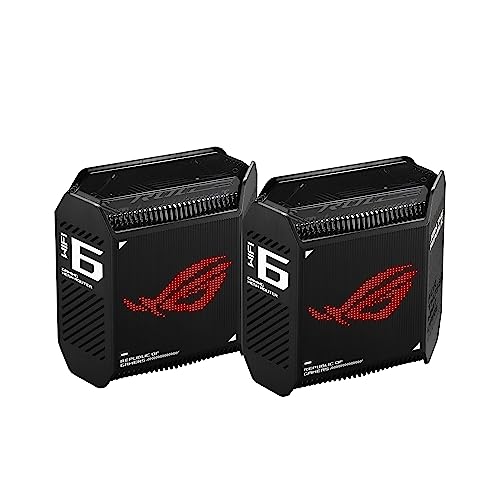
ASUS ROG Rapture Tri-Band Mesh System
Best for: gamers wanting prioritized multi-gigabit tri-band mesh networking
- Wi-Fi Standard
- WiFi 6
- Speed Rating
- AX10000
- Coverage Area
- 5,800 sq ft
- Frequency Bands
- Tri-Band
- Pack Size
- 2-Pack
- Port Speed
- 2.5 Gbps
View on Amazon: ASUS ROG Rapture Tri-Band Mesh System (paid link)
The ASUS ROG Tri-Band WiFi 6 Gaming Mesh System is a two-pack setup built for prioritized network traffic and large spaces. It provides up to 5,800 square feet of coverage with combined speeds up to 10,000 Mbps across three wireless bands. With a 2.5 Gbps WAN port and triple-level game acceleration, it directs bandwidth to high-demand activities. This system suits you if you need low-latency gaming and high-speed wired connections across your home.
Pros
- Tri-band Wi-Fi 6 with maximum throughput up to 10,000 Mbps
- 2.5 Gbps WAN port and LAN aggregation support
- Nine internal antennas delivering up to 5,800 sq ft of coverage
- Built-in triple-level game acceleration
Cons
- Uses Wi-Fi 6 rather than the newer Wi-Fi 6E or Wi-Fi 7 standards
- No 6 GHz frequency band support
Good fit if
- You need a 2.5 Gbps WAN port for multi-gigabit internet connections.
- You want hardware-level game traffic optimization across up to 5,800 square feet.
Skip if
- You want Wi-Fi 7 speeds or 6 GHz band access.
- You need whole-home coverage exceeding 5,800 square feet from a two-pack.
Verdict: ASUS ROG Tri-Band WiFi 6 Gaming Mesh System delivers high throughput and dedicated traffic acceleration for bandwidth-heavy households. Its 2.5 Gbps WAN port and tri-band Wi-Fi 6 ensure stable connections across up to 5,800 square feet.

ASUS ZenWiFi AX6600 Tri-Band Mesh Router
Best for: Mid-sized homes needing standalone AX6600 coverage
- Wi-Fi Standard
- WiFi 6
- Speed Rating
- AX6600
- Coverage Area
- up to 2750 sq.ft
- Frequency Bands
- Tri-Band
- Pack Size
- 1-Pack
- Features
- Parental Controls
View on Amazon: ASUS ZenWiFi AX6600 Tri-Band Mesh Router (paid link)
This standalone unit is a Wi-Fi 6 tri-band mesh router that delivers speeds up to 6600 Mbps across three wireless bands. It uses six internal antennas to provide coverage for up to 2,750 square feet and four or more rooms. You can use it alone or link it to other AiMesh hardware. It suits you if you need reliable Wi-Fi 6 coverage for a medium home without buying a multi-node kit.
Pros
- Tri-band Wi-Fi 6 speeds up to 6600 Mbps
- Coverage up to 2,750 square feet and 4+ rooms
- Six internal antennas with OFDMA and MU-MIMO
- AiMesh compatible for multi-router network expansion
- Lifetime network security powered by Trend Micro
Cons
- Single-unit pack covers less area than multi-node bundles
- Wi-Fi 6 standard lacks 6 GHz band access
Good fit if
- You need up to 2,750 square feet of Wi-Fi 6 coverage for 4+ rooms.
- You want tri-band AX6600 throughput with AiMesh expansion options.
- You want built-in parental controls and Trend Micro security.
Skip if
- You need whole-home multi-node coverage straight out of the box.
- You require newer Wi-Fi 6E or Wi-Fi 7 networking standards.
Verdict: ASUS ZenWiFi Tri-Band AX6600 1-Pack delivers tri-band Wi-Fi 6 speeds and up to 2,750 square feet of coverage in a single unit. It gives you flexible AiMesh expansion and built-in security for mid-sized homes.

ASUS ZenWiFi Tri-Band Wi-Fi 6E Router
Best for: mid-sized homes with 6 GHz devices
- Wi-Fi Standard
- WiFi 6E
- Speed Rating
- 7800 Mbps
- Coverage Area
- Up to 2,850 sq ft
- Frequency Bands
- Tri-band
- Pack Size
- 1PK
- Features
- Parental Controls
View on Amazon: ASUS ZenWiFi Tri-Band Wi-Fi 6E Router (paid link)
This single-unit ASUS ZenWiFi system delivers Wi-Fi 6E connectivity across three frequency bands, including the 6 GHz band. It provides throughput up to 7,800 Mbps and covers spaces up to 2,850 square feet. It includes built-in Trend Micro security features, VPN functionality, and parental content filters without a subscription. It suits you if you need dedicated 6 GHz capacity for compatible devices in a mid-sized home.
Pros
- Tri-band Wi-Fi 6E connectivity with 6 GHz band access
- Maximum throughput rating up to 7,800 Mbps
- Coverage reaches up to 2,850 square feet per node
- Subscription-free network security powered by Trend Micro
Cons
- Single-pack box includes only one mesh unit
- Uses Wi-Fi 6E instead of Wi-Fi 7
Good fit if
- You need standalone coverage up to 2,850 square feet.
- You have Wi-Fi 6E devices that can use the 6 GHz band.
- You want built-in parental controls and VPN features without added subscriptions.
Skip if
- You require multi-node hardware out of the box for larger layouts.
- You prefer the latest Wi-Fi 7 networking standard.
Verdict: ASUS ZenWiFi Tri-Band WiFi 6E Mesh System delivers up to 7,800 Mbps speeds across three bands for spaces up to 2,850 square feet. It provides subscription-free security and parental controls in a standalone single-node unit.

ASUS ZenWiFi Hybrid MoCA 2.5 Single Pack
Best for: homes with coaxial wiring needing single-node coverage
- Wi-Fi Standard
- WiFi 6
- Speed Rating
- AX3000
- Coverage Area
- 2,400 Sq.Ft.
- Pack Size
- 1pk
- Intended Use
- Home
- Dimensions
- 5.5 × 3.6 × 6.1 inches
View on Amazon: ASUS ZenWiFi Hybrid MoCA 2.5 Single Pack (paid link)
This standalone mesh unit provides WiFi 6 connectivity across spaces up to 2,400 square feet. It delivers an AX3000 speed rating and integrates MoCA 2.5 support into a single white unit measuring 6.1 inches tall. If you live in a smaller home or want to start a home network with a single node, you get reliable coverage and coaxial integration in a compact 1.09-pound footprint.
Pros
- MoCA 2.5 coaxial network integration
- Coverage up to 2,400 square feet from a single unit
- AX3000 WiFi 6 speed rating
- Compact 1.09-pound footprint measuring 6.1 inches high
Cons
- Single-pack includes only one node
- WiFi 6 standard without 6 GHz support
Good fit if
- You need up to 2,400 square feet of coverage from one device.
- You want to utilize existing coaxial cabling with MoCA 2.5.
- You require an AX3000 WiFi 6 home setup.
Skip if
- You have a home larger than 2,400 square feet requiring multiple nodes out of the box.
- You need the faster throughput of WiFi 7 or tri-band WiFi 6E hardware.
Verdict: ASUS ZenWiFi Hybrid WiFi 6 Mesh Router 1-Pack delivers AX3000 WiFi 6 coverage up to 2,400 square feet with integrated MoCA 2.5 connectivity. It is a solid single-unit solution for homes wired with coaxial cable.

ASUS 3-Pack Dual-Band WiFi 7 Mesh System
Best for: large homes needing 2.5G ports and coverage
- Wi-Fi Standard
- WiFi 7
- Speed Rating
- 5000 Mbps
- Coverage Area
- 6800 sq.ft
- Frequency Bands
- Dual-Band
- Pack Size
- 3-Pack
- Port Speed
- 2.5G
View on Amazon: ASUS 3-Pack Dual-Band WiFi 7 Mesh System (paid link)
This ASUS three-pack provides whole-home Wi-Fi 7 coverage up to 6,800 square feet with total network speeds up to 5,000 Mbps. Each dual-band unit features dual 2.5G ports for multi-gigabit wired connections and built-in parental controls for network management. It suits you if you need wide wireless coverage across a large house while connecting wired devices at multi-gigabit speeds without complex hardware.
Pros
- Wi-Fi 7 standard with speeds up to 5,000 Mbps
- Covers up to 6,800 square feet across three nodes
- Dual 2.5G Ethernet ports per unit
- Built-in parental controls included
Cons
- Operates on dual-band rather than tri-band or quad-band
- Maximum throughput caps at 5,000 Mbps
Good fit if
- You need up to 6,800 square feet of Wi-Fi 7 coverage across three units.
- You want dual 2.5G wired ports for multi-gigabit LAN or WAN connections.
- You require built-in parental controls for home network management.
Skip if
- You need a tri-band or quad-band setup with a dedicated wireless backhaul band.
- You require network throughput exceeding 5,000 Mbps.
Verdict: ASUS 3-Pack Dual-Band WiFi 7 Mesh System delivers 6,800 square feet of Wi-Fi 7 coverage and dual 2.5G wired connectivity across three compact units. It provides a straightforward dual-band networking setup for large spaces needing up to 5,000 Mbps bandwidth.

ASUS ZenWiFi Tri-Band WiFi 7 Mesh 3-Pack
Best for: Large homes needing broad Wi-Fi 7 coverage
- Wi-Fi Standard
- WiFi 7
- Speed Rating
- 14 Gbps
- Coverage Area
- 8850 sq.ft
- Frequency Bands
- Tri-Band
- Pack Size
- 3-Pack
- Port Speed
- 2.5G
View on Amazon: ASUS ZenWiFi Tri-Band WiFi 7 Mesh 3-Pack (paid link)
This ASUS ZenWiFi setup is a three-pack tri-band Wi-Fi 7 home mesh system delivering combined speeds up to 14 Gbps. It covers areas up to 8,850 square feet and features dual 2.5G Ethernet ports on each unit alongside Smart Home Master SSIDs for device organization. If you need multi-gigabit wired backhaul options and extensive wireless coverage across a large multi-story home, this configuration handles high-throughput demands without requiring extra hardware.
Pros
- Tri-band Wi-Fi 7 support with aggregate bandwidth up to 14 Gbps
- Coverage up to 8,850 square feet across the three included units
- Dual 2.5G Ethernet ports for multi-gigabit connections
- Smart Home Master SSIDs for IoT network separation
Cons
- Lacks 10G wired Ethernet ports
- Only available in white
Good fit if
- You have a large home needing up to 8,850 square feet of Wi-Fi 7 coverage.
- You want dual 2.5G ports for multi-gigabit internet or wired backhaul.
- You need dedicated Smart Home Master SSIDs to separate connected devices.
Skip if
- You require 10G networking ports for faster local network transfers.
- You live in a smaller home where a three-pack provides redundant coverage.
Verdict: ASUS ZenWiFi Tri-Band WiFi 7 3-Pack delivers extensive 8,850 square foot coverage with multi-gigabit 2.5G ports and 14 Gbps wireless throughput. It is a capable choice for expansive homes that need modern tri-band connectivity.

ASUS ZenWiFi AX Hybrid MoCA 2-Pack
Best for: Homes with existing coaxial cable wiring
- Wi-Fi Standard
- WiFi 6
- Speed Rating
- AX3000
- Coverage Area
- up to 3,500 Sq.Ft.
- Pack Size
- 2pk
- Intended Use
- Home
- Dimensions
- 5.5 × 3.6 × 6.1 inches
View on Amazon: ASUS ZenWiFi AX Hybrid MoCA 2-Pack (paid link)
This two-pack Wi-Fi 6 mesh system provides whole-home coverage up to 3,500 square feet using an AX3000 speed rating. It features a four-way hybrid backhaul that integrates MoCA 2.5 technology alongside 5 GHz, 2.4 GHz, and Ethernet connections. With 2.5 Gbps wired coaxial capability, it suits you if your home has existing coaxial outlets and you want a wired mesh backhaul without installing Ethernet cables.
Pros
- Built-in MoCA 2.5 delivers up to 2.5 Gbps wired backhaul over coaxial cables
- Covers up to 3,500 square feet with the included two units
- Four-way hybrid backhaul combines MoCA, Ethernet, 5 GHz, and 2.4 GHz
- Includes AiProtection Classic network security and Instant Guard VPN
Cons
- Uses Wi-Fi 6 rather than newer Wi-Fi 6E or Wi-Fi 7 standards
- AX3000 bandwidth rating is lower than tri-band alternatives
- Requires coaxial wall jacks to utilize the MoCA backhaul feature
Good fit if
- You have existing coaxial cable outlets in multiple rooms.
- You want a wired 2.5 Gbps backhaul without installing Ethernet runs.
- You need whole-home Wi-Fi 6 coverage for up to 3,500 square feet.
Skip if
- You do not have coaxial cable jacks installed in your home.
- You want tri-band or newer Wi-Fi 7 networking capabilities.
- You need coverage beyond 3,500 square feet out of the box.
Verdict: ASUS ZenWiFi Hybrid WiFi 6 MoCA 2-Pack delivers reliable whole-home coverage by leveraging existing coaxial lines for high-speed wired backhaul. It is a practical choice if you want steady AX3000 speeds across 3,500 square feet without installing new Ethernet wiring.
ASUS ZenWiFi AX3000 MoCA Mesh Router
Best for: homes with coaxial wiring wanting MoCA backhaul
- Wi-Fi Standard
- WiFi 6
- Speed Rating
- AX3000
- Coverage Area
- up to 2,400 Sq.Ft.
- Pack Size
- 1pk
- Intended Use
- Home
- Dimensions
- 5.5 × 3.6 × 6.1 inches
View on Amazon: ASUS ZenWiFi AX3000 MoCA Mesh Router (paid link)
This single-pack Wi-Fi 6 mesh unit covers up to 2,400 square feet with an AX3000 speed rating. It includes MoCA 2.5 technology, allowing you to use existing coaxial cables for a 2.5Gbps wired backhaul alongside Ethernet and wireless bands. Built-in AiMesh support lets you pair it with other compatible ASUS hardware. It suits you if you need entry-level coverage and want to use coaxial wiring for backhaul without running new Ethernet cables.
Pros
- MoCA 2.5 technology provides up to 2.5Gbps backhaul over coaxial cables
- Covers up to 2,400 square feet with AX3000 Wi-Fi 6
- Four-way hybrid backhaul supports MoCA, Ethernet, 5GHz, and 2.4GHz
- Includes AiProtection Classic security and Instant Guard VPN
Cons
- Single-pack design requires adding nodes for multi-room coverage
- Limited to Wi-Fi 6 rather than newer tri-band Wi-Fi 6E or Wi-Fi 7
Good fit if
- You have home coaxial wiring and want a wired 2.5Gbps MoCA backhaul.
- You need up to 2,400 square feet of Wi-Fi 6 coverage from a single device.
- You plan to integrate a wired node into an existing ASUS AiMesh setup.
Skip if
- You need a multi-node pack immediately for widespread home coverage.
- You want tri-band capability or newer Wi-Fi 7 wireless throughput.
Verdict: ASUS ZenWiFi AX Hybrid MoCA WiFi 6 Router delivers reliable AX3000 speeds across 2,400 square feet using MoCA 2.5 coaxial backhaul. It serves as a practical, flexible mesh node if your home has coaxial outlets ready for networking.
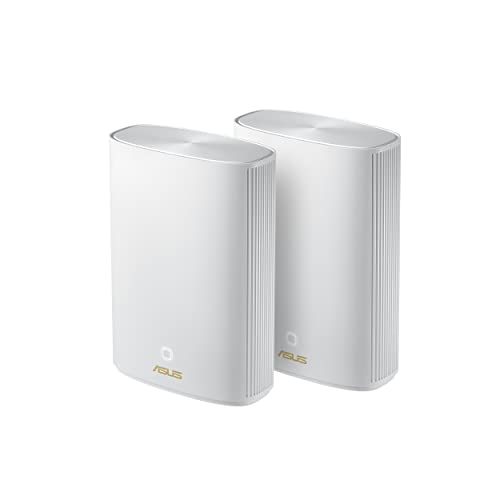
ASUS ZenWiFi Hybrid Powerline WiFi 6 2-Pack
Best for: 5,500 sq ft homes wanting Wi-Fi 6
- Wi-Fi Standard
- WiFi 6
- Coverage Area
- Up to 5,500 sq ft
- Pack Size
- 2PK
- Intended Use
- Home
- Dimensions
- 7.99 × 5.83 × 2.76 inches
- Weight
- 1.47 pounds
View on Amazon: ASUS ZenWiFi Hybrid Powerline WiFi 6 2-Pack (paid link)
This ASUS 2-pack mesh system pairs Wi-Fi 6 wireless networking with powerline connectivity to provide home network coverage up to 5,500 square feet. Each black unit measures 7.99 inches long, 5.83 inches wide, and 2.76 inches high, weighing 1.47 pounds. It suits you if you need two nodes to blanket large indoor spaces with standard Wi-Fi 6 coverage.
Pros
- Up to 5,500 sq ft coverage area
- Wi-Fi 6 wireless standard
- Integrated powerline hybrid connectivity
- Compact 1.47 lb unit weight
Cons
- Does not support Wi-Fi 6E or Wi-Fi 7 standards
- Supplied as renewed hardware
Good fit if
- You need up to 5,500 sq ft of wireless coverage across your home.
- You want a two-pack setup running Wi-Fi 6.
- You require powerline hybrid network support.
Skip if
- You require newer Wi-Fi 6E or Wi-Fi 7 networking standards.
- You prefer factory-new units over renewed hardware.
Verdict: ASUS ZenWiFi Hybrid Powerline WiFi 6 2-Pack delivers up to 5,500 square feet of Wi-Fi 6 coverage using two powerline-capable nodes. It offers a practical solution for homes needing multi-room wireless reach without newer Wi-Fi 7 protocols.

ASUS ZenWiFi Pro Tri-Band WiFi 6E 2-Pack
Best for: Homes needing AXE11000 Wi-Fi 6E coverage
- Wi-Fi Standard
- WiFi 6E
- Speed Rating
- AXE11000
- Coverage Area
- up to 6000 sq ft
- Frequency Bands
- Tri-Band
- Pack Size
- 2 Pack
- Port Speed
- 2.5G
View on Amazon: ASUS ZenWiFi Pro Tri-Band WiFi 6E 2-Pack (paid link)
The ASUS ZenWiFi Pro system is a tri-band Wi-Fi 6E mesh package containing two black nodes. It provides AXE11000 speed ratings up to 11,000 Mbps, 2.5G port speeds, and covers homes up to 6,000 square feet. You will find it fits well if you want access to the 6 GHz frequency band, built-in VPN support with Instant Guard, and commercial-grade AiProtection Pro security without paying for recurring subscriptions.
Pros
- AXE11000 speed rating with tri-band Wi-Fi 6E connectivity
- Equipped with 2.5G Ethernet ports
- Coverage reaches up to 6,000 square feet with RangeBoost Plus
- Subscription-free AiProtection Pro security and advanced parental controls
Cons
- Uses Wi-Fi 6E rather than the newer Wi-Fi 7 protocol
- Tall physical profile measuring 9.49 inches high and 3.31 pounds
- Limited to a two-node package configuration
Good fit if
- You need up to 6,000 square feet of coverage with 2.5G wired connectivity.
- You want tri-band operation with dedicated access to the 6 GHz band.
- You require network-level VPN tools and parental controls without ongoing fees.
Skip if
- You want hardware supporting the newer Wi-Fi 7 specification.
- You prefer low-profile nodes rather than units standing 9.49 inches tall.
- You need a three-pack setup right out of the box.
Verdict: ASUS ZenWiFi Pro Tri-Band WiFi 6E System (2-Pack) delivers 11,000 Mbps maximum bandwidth, 2.5G wired ports, and up to 6,000 square feet of coverage across three frequency bands. It provides a capable Wi-Fi 6E setup with built-in network security tools and zero subscription fees.

ASUS ZenWiFi AX Mini Dual-Band Mesh 3-Pack
Best for: homes up to 5,000 square feet
- Wi-Fi Standard
- WiFi 6
- Speed Rating
- 3000Mbps
- Coverage Area
- up to 5000 sq ft
- Frequency Bands
- Dual-Band
- Pack Size
- 3 Pack
- Features
- Parental Controls
View on Amazon: ASUS ZenWiFi AX Mini Dual-Band Mesh 3-Pack (paid link)
This ASUS ZenWiFi AX Mini three-pack is a dual-band Wi-Fi 6 mesh system designed to cover up to 5,000 square feet. It delivers network speeds rated up to AX3000 using an internal 1.7 GHz quad-core processor with 512 MB of RAM. It suits you if you need wide coverage across multiple rooms, integrated URL filtering parental controls, and cloud security from Trend Micro without setting up complex networking gear.
Pros
- Rated coverage reaches up to 5,000 square feet across three nodes
- Dual-band Wi-Fi 6 hardware provides up to AX3000 wireless speeds
- Includes free lifetime cloud-based security powered by Trend Micro
- Runs on a 1.7 GHz quad-core processor with 512 MB RAM
Cons
- Dual-band design lacks a dedicated third backhaul band
- Internal flash storage is limited to 128 MB
Good fit if
- You have a home up to 5,000 square feet that needs distributed Wi-Fi 6 coverage
- You want built-in parental controls with URL filtering and access scheduling
- You plan to integrate nodes into an existing AiMesh network
Skip if
- You require tri-band or quad-band hardware with a dedicated wireless backhaul
- You need newer Wi-Fi 6E or Wi-Fi 7 networking standards
Verdict: ASUS ZenWiFi AX Mini Dual-Band Mesh 3-Pack delivers reliable Wi-Fi 6 coverage across up to 5,000 square feet with built-in security. It handles general household connectivity well without the complexity of larger multi-band units.

ASUS ZenWiFi Quad-Band WiFi 7 3-Pack
Best for: quad-band Wi-Fi 7 multi-room setups
- Wi-Fi Standard
- WiFi 7
- Speed Rating
- BE30000
- Frequency Bands
- Quad-Band
- Pack Size
- 3-Pack
View on Amazon: ASUS ZenWiFi Quad-Band WiFi 7 3-Pack (paid link)
This renewed three-pack mesh system equips your home with Wi-Fi 7 networking across a quad-band frequency setup. It uses a dedicated 6 GHz wireless backhaul to link nodes without slowing down client devices. You manage local traffic through the Smart Home Master app interface, which configures dedicated subnetworks for IoT hardware, VPN tunnels, and parental controls. It suits you if you need wide coverage and multi-band wireless capacity.
Pros
- Wi-Fi 7 quad-band wireless support
- AI-enhanced dedicated 6 GHz backhaul
- Smart Home Master app for IoT and VPN subnetworks
- Subscription-free parental control monitoring
Cons
- Renewed unit rather than brand new
- Coverage square footage not specified in official specs
- Physical port counts and speeds omitted from specs
Good fit if
- You want a three-node Wi-Fi 7 system with quad-band capability.
- You need a dedicated 6 GHz backhaul for node communication.
- You want app-managed subnetworks for IoT and parental controls.
Skip if
- You prefer brand-new factory units over renewed hardware.
- You require verified Ethernet port counts and wired speeds.
Verdict: ASUS ZenWiFi Quad-Band WiFi 7 3-Pack delivers quad-band Wi-Fi 7 performance with a dedicated 6 GHz backhaul across three nodes. It provides straightforward subnetwork isolation and monitoring features for multi-device homes.
Specifications side by side
| Spec | ASUS ZenWiFi BT10 2-Pack | ASUS ZenWiFi BQ16 Pro Quad-Band 2-Pack | ASUS ZenWiFi Dual-Band WiFi 7 3-Pack | ASUS ROG Rapture Tri-Band Mesh System | ASUS ZenWiFi AX6600 Tri-Band Mesh Router | ASUS ZenWiFi Tri-Band Wi-Fi 6E Router | ASUS ZenWiFi Hybrid MoCA 2.5 Single Pack | ASUS 3-Pack Dual-Band WiFi 7 Mesh System | ASUS ZenWiFi Tri-Band WiFi 7 Mesh 3-Pack | ASUS ZenWiFi AX Hybrid MoCA 2-Pack | ASUS ZenWiFi AX3000 MoCA Mesh Router | ASUS ZenWiFi Hybrid Powerline WiFi 6 2-Pack | ASUS ZenWiFi Pro Tri-Band WiFi 6E 2-Pack | ASUS ZenWiFi AX Mini Dual-Band Mesh 3-Pack | ASUS ZenWiFi Quad-Band WiFi 7 3-Pack |
|---|---|---|---|---|---|---|---|---|---|---|---|---|---|---|---|
| Wi-Fi Standard | WiFi 7 | WiFi 7 | WiFi 7 | WiFi 6 | WiFi 6 | WiFi 6E | WiFi 6 | WiFi 7 | WiFi 7 | WiFi 6 | WiFi 6 | WiFi 6 | WiFi 6E | WiFi 6 | WiFi 7 |
| Speed Rating | Up to 18 Gbps | 30 Gbps | 5000 Mbps | AX10000 | AX6600 | 7800 Mbps | AX3000 | 5000 Mbps | 14 Gbps | AX3000 | AX3000 | not specified | AXE11000 | 3000Mbps | BE30000 |
| Coverage Area | Up to 6,000 sq ft | 8,000 sq ft | up to 6800 sq.ft. | 5,800 sq ft | up to 2750 sq.ft | Up to 2,850 sq ft | 2,400 Sq.Ft. | 6800 sq.ft | 8850 sq.ft | up to 3,500 Sq.Ft. | up to 2,400 Sq.Ft. | Up to 5,500 sq ft | up to 6000 sq ft | up to 5000 sq ft | not specified |
| Frequency Bands | Tri-Band | Quad-Band | Dual-band | Tri-Band | Tri-Band | Tri-band | not specified | Dual-Band | Tri-Band | not specified | not specified | not specified | Tri-Band | Dual-Band | Quad-Band |
| Pack Size | 2-Pack | 2-Pack | 3 Pack | 2-Pack | 1-Pack | 1PK | 1pk | 3-Pack | 3-Pack | 2pk | 1pk | 2PK | 2 Pack | 3 Pack | 3-Pack |
| Port Speed | 10 Gbps | not specified | not specified | 2.5 Gbps | not specified | not specified | not specified | 2.5G | 2.5G | not specified | not specified | not specified | 2.5G | not specified | not specified |
| Frequency Band | Tri-Band | Quad-Band | not specified | Tri-Band | Tri-Band | Tri-Band | not specified | Dual-Band | Tri-Band | not specified | not specified | not specified | Tri-Band | Dual-Band | Quad-Band |
| Use Case | not specified | not specified | not specified | Gaming | not specified | not specified | not specified | not specified | not specified | not specified | not specified | not specified | not specified | not specified | not specified |
| Features | not specified | not specified | not specified | not specified | Parental Controls | Parental Controls | not specified | Parental Controls | not specified | not specified | not specified | not specified | VPN, Parental Controls | Parental Controls | not specified |
| Intended Use | not specified | not specified | not specified | not specified | Home | Home | Home | Home | Home | Home | Home | Home | not specified | Home | not specified |
| Dimensions | 7.3 × 2.8 × 6.26 inches | 6.9 × 2.8 × 8.6 inches | 5.5 × 2.8 × 5.5 inches | 6.77 × 3.07 × 6.93 inches | 6.3 × 2.95 × 6.36 inches | 6.3 × 2.95 × 6.38 inches | 5.5 × 3.6 × 6.1 inches | 5.5 × 2.8 × 5.5 inches | 6.3 × 2.8 × 7.3 inches | 5.5 × 3.6 × 6.1 inches | 5.5 × 3.6 × 6.1 inches | 7.99 × 5.83 × 2.76 inches | 4.53 × 4.53 × 9.49 inches | 3.54 × 3.54 × 3.35 inches | not specified |
| Weight | 1.8 pounds | 2.9 pounds | 1.2 pounds | 1.94 pounds | 1.61 pounds | 1.57 pounds | 1.09 pounds | 1.2 pounds | 1.9 pounds | 1.09 pounds | 1.09 pounds | 1.47 pounds | 3.31 pounds | 10.7 ounces | not specified |
| Size | 2-Pack | 2-Pack | 3 Pack Indoor | not specified | 1-Pack | 2850 sq.ft | not specified | 3 Pack | 3 Pack | 5.5 x 3.6 x 6.1 inches | 6.1 x 5.5 x 3.6 inches | 15-15.99 inches | 2 Packs | 3 Packs | not specified |
| Color | White | WHITE | WHITE | BLACK | White | WHITE | WHITE | WHITE | WHITE | WHITE | WHITE | Black | black | WHITE | White |
| Model | BT10 (W-2-PK) | BQ16 Pro(W-2-PK) | BD5 (W-3-PK) | GT6 (B-2-PK) | XT8 (W-1-PK) | ET9 (W-1-PK) | not specified | BD5 | BT8 | XC5 (W-2-PK) | XC5 (W-1-PK) | not specified | ET12(2-PK) | XD5 (W-3-PK) | BE30000 |
How the ASUS Mesh Lineup Compares
For maximum throughput, ASUS provides Wi-Fi 7 hardware with 10G ports. The ASUS ZenWiFi BQ16 Pro Quad-Band 2-Pack covers up to 8,000 square feet with quad-band connectivity. Alternatively, the ASUS ZenWiFi BT10 2-Pack pairs tri-band Wi-Fi 7 and 10G ports for spaces up to 6,000 square feet. This tier suits you if you run multi-gigabit internet connections.
For everyday networking, ASUS offers Wi-Fi 6 systems focused on alternate backhaul or smaller footprints. The ASUS ZenWiFi AX Hybrid MoCA 2-Pack delivers AX3000 speeds across 3,500 square feet over coaxial lines. If you require wider wireless reach, the ASUS ZenWiFi AX Mini Dual-Band Mesh 3-Pack covers 5,000 square feet. These models suit you if you have existing coaxial cabling or need multi-room dual-band coverage.
Where the ASUS Range Fits
The ASUS lineup suits you if you need flexible indoor hardware. Form factors scale from 0.67-pound, 3.35-inch compact desktop cubes up to 9.49-inch vertical towers weighing over three pounds. System configurations include single routers, two-packs, and three-packs in black or white finishes.
You should also note specific gaps across these 15 models. None of the listed products provide outdoor enclosures or direct wall-plug form factors. The listed hardware includes no integrated lighting options or four-pack bundles. Every unit requires dedicated tabletop or shelf placement.
If you build a desktop computer alongside your network hardware, evaluate an ASUS aio liquid cooler by radiator size, fan speeds, and socket compatibility.
How to Choose an ASUS Mesh System
-
Select the Wi-Fi Generation
Match your network hardware to the client devices you use daily. Standard Wi-Fi 6 models handle everyday mobile devices and home streaming tasks effectively. Wi-Fi 6E introduces dedicated 6 GHz channels to clear local congestion, while Wi-Fi 7 offers maximum protocol throughput across modern equipment. If you own compatible 6 GHz hardware and want mid-sized coverage, consider a system like the ASUS ZenWiFi Tri-Band Wi-Fi 6E Router. Choose the generation that aligns with your active devices to avoid paying for wireless protocols your hardware cannot access.
-
Evaluate Alternative Backhaul Wiring
Connecting mesh nodes via physical cables maintains full wireless throughput between rooms. If your home lacks standard Ethernet wiring, look for hybrid nodes that run over alternative existing conduits. Coaxial cable connections using MoCA protocols provide stable wired links through standard television outlets. For homes with accessible coaxial jacks in key rooms, the ASUS ZenWiFi AX Hybrid MoCA 2-Pack uses MoCA 2.5 to bridge nodes across separate floors. Checking your wall ports before purchasing ensures you select nodes capable of leveraging your existing infrastructure for high-speed transmission.
-
Match Ethernet Port Speeds
Wired port speed determines the maximum throughput your system can route from your modem or broadband terminal. Standard gigabit ports limit wired traffic to 1,000 Mbps, which caps fast internet plans. Systems with 2.5G ports allow multi-gigabit connections, which prevent bottlenecks during heavy downloads and local file transfers. For homes with multi-gigabit internet plans that require prioritized traffic management, the ASUS ROG Rapture Tri-Band Mesh System includes a 2.5G WAN port. Check your incoming broadband speed and choose matching ports to maintain full line-rate performance throughout your network.
-
Check Frequency Band Allocation
The number of radio bands directly impacts how your mesh nodes communicate. Dual-band systems share 2.4 GHz and 5 GHz radios between your connected devices and the inter-node link. Tri-band systems add an extra channel to separate device traffic from backhaul communication, while quad-band units provide maximum isolation across multiple high-frequency ranges. If you run dozens of high-bandwidth devices across a large floor plan, the ASUS ZenWiFi Quad-Band WiFi 7 3-Pack provides a dedicated 6 GHz backhaul. Select multi-band configurations if you want to avoid wireless airtime competition among connected household hardware.
-
Match Node Count to Area
Published square footage ratings specify the maximum broadcast range under ideal physical conditions. Single-pack mesh routers suit mid-sized layouts or open apartments up to 2,850 square feet. Multi-story homes or wide structural layouts require two-pack or three-pack setups to bridge dead zones across interior partitions. If you need wide reach across an expansive estate, the ASUS ZenWiFi Tri-Band WiFi 7 Mesh 3-Pack covers up to 8,850 square feet. Measure your total interior floor area and account for thick dividing walls when choosing between single nodes and larger distributed bundles.
Frequently asked questions
Can you use coaxial cables for backhaul with ASUS mesh routers?
Yes. ASUS offers hybrid MoCA models like the ZenWiFi AX Hybrid MoCA (XC5), available in single units and two-packs. These routers use MoCA 2.5 coaxial wiring to deliver wired backhaul connections at AX3000 speeds without installing Ethernet cables. The two-pack setup covers up to 3,500 square feet, while the single pack covers up to 2,400 square feet.
Which ASUS mesh system provides the largest wireless coverage area?
The ASUS ZenWiFi Tri-Band WiFi 7 3-Pack (BT8) offers the largest coverage, reaching up to 8,850 square feet. If you prefer a two-node configuration, the ASUS ZenWiFi BQ16 Pro Quad-Band 2-Pack reaches up to 8,000 square feet. Both models feature multi-gigabit port speeds and modern Wi-Fi 7 standards for broad home coverage.
What ASUS mesh options exist for homes with electrical wiring instead of Ethernet?
You can use the ASUS ZenWiFi Hybrid Powerline WiFi 6 2-Pack. This system transfers data across your home electrical wiring rather than requiring Ethernet cables between nodes. It delivers Wi-Fi 6 coverage across areas up to 5,500 square feet, providing a practical solution for multi-room homes where structural walls block wireless signals.
Does ASUS offer a mesh system specifically built for gaming?
Yes, the ASUS ROG Rapture Tri-Band Mesh System (GT6) is designed specifically for gaming use. This Wi-Fi 6 two-pack features dedicated traffic acceleration and a 2.5 Gbps WAN port to maintain connection stability. The tri-band hardware supplies wireless coverage for spaces up to 5,800 square feet while prioritizing heavy network traffic.
What wired port speeds do Wi-Fi 7 ASUS mesh systems feature?
ASUS Wi-Fi 7 mesh systems feature multi-gigabit connections ranging from 2.5G up to 10G ports. High-throughput packages like the ZenWiFi BT10 and ZenWiFi BQ16 Pro include 10G ports for rapid wired backhaul. Other models, including the ZenWiFi BD5 and ZenWiFi BT8 three-packs, feature 2.5G ports to support multi-gigabit Internet plans throughout your home.
Can you manage parental controls on ASUS mesh routers?
Yes, built-in parental controls come standard on several ASUS models across the lineup. Routers like the ZenWiFi AX6600 (XT8), ZenWiFi Tri-Band Wi-Fi 6E (ET9), ZenWiFi Pro ET12, and ZenWiFi AX Mini (XD5) include parental controls directly in their feature lists. These settings help you manage household client devices and monitor internet access across your home.
What is the difference between dual-band, tri-band, and quad-band ASUS mesh models?
The difference centers on available wireless frequencies. Dual-band models like the ZenWiFi XD5 transmit across standard 2.4 GHz and 5 GHz networks. Tri-band options like the ZenWiFi BT10 or ROG Rapture GT6 add an extra band for dedicated backhaul or device traffic. Quad-band hardware like the ZenWiFi BQ16 Pro supplies four distinct bands for maximum multi-device throughput.