9 Best Mesh Wifi Systems Under $300, Compared
As an Amazon Associate we earn from qualifying purchases. Links on this page are affiliate links.
Finding the right mesh wifi system under 300 depends on your space and connectivity needs. We compared 9 options based strictly on the specifications published on their official listings. The TP-Link Deco 7 Dual-Band WiFi 7 3-Pack takes the top position because it provides 6,600 square feet of Wi-Fi 7 coverage and 2.5G backhaul ports across three units.
This comparison helps you decide between Wi-Fi 6 and Wi-Fi 7 standards, dual-band or tri-band frequencies, and standalone routers or multi-pack units with Power over Ethernet support.
Quick picks
The best fit for you
- You need multi-gigabit Wi-Fi 7 for a large home TP-Link Deco 7 Dual-Band WiFi 7 3-Pack It provides Wi-Fi 7 connectivity, 2.5G backhaul ports, and 6,600 square feet of coverage.
- You want a standalone unit with 10G wired connectivity TP-Link Deco Tri-Band Wi-Fi 7 Router (1-Pack) This single router offers tri-band Wi-Fi 7 coverage and an integrated 10 Gbps Ethernet port.
- You have in-wall wiring for Power over Ethernet access TP-Link Deco PoE WiFi 6 3-Pack Built-in PoE support enables ceiling mounting and power delivery over network cables across three units.
- You run a dense network with over one hundred devices Amazon eero Pro 6E 2-Pack This system supports over 100 connected devices and offers Wi-Fi 6E with a 2.5 Gbps port.
Our 9 picks

TP-Link Deco 7 Dual-Band WiFi 7 3-Pack
Best for: large homes wanting multi-gigabit Wi-Fi 7 coverage
- Wi-Fi Standard
- WiFi 7
- Speed Rating
- 5 Gbps
- Coverage Area
- 6,600 sq. ft.
- Frequency Bands
- Dual-Band
- Pack Size
- 3 Pack
- Port Speed
- 2.5G
View on Amazon: TP-Link Deco 7 Dual-Band WiFi 7 3-Pack (paid link)
This TP-Link three-pack mesh system brings dual-band Wi-Fi 7 connectivity to your home network. It covers up to 6,600 square feet, supports over 150 devices, and delivers combined speeds up to 5 Gbps across 5 GHz and 2.4 GHz bands. Built-in 2.5G Ethernet ports enable wired backhaul alongside wireless backhaul. It suits you if you need wide coverage for multi-gigabit connections and high device counts without complicated network setup.
Pros
- Covers up to 6,600 square feet and handles over 150 devices
- 2.5G Ethernet supports simultaneous wired and wireless backhaul
- Delivers 4-stream Wi-Fi 7 speeds up to 5 Gbps across two bands
- Includes built-in VPN client and VPN server functionality
Cons
- Dual-band design lacks a dedicated 6 GHz frequency band
- Requires a separate broadband modem to operate
Good fit if
- You want whole-home Wi-Fi 7 coverage across spaces up to 6,600 square feet.
- You plan to connect units using 2.5G wired Ethernet backhaul.
- You need network-level VPN client or server support for your devices.
Skip if
- You require tri-band Wi-Fi 7 with dedicated 6 GHz channel access.
- You need an all-in-one mesh router that includes an integrated modem.
Verdict: TP-Link Deco 7 Dual-Band WiFi 7 3-Pack delivers expansive 6,600-square-foot coverage and 2.5G backhaul capabilities for multi-device homes. It provides an efficient entry into Wi-Fi 7 networking if you do not require a third 6 GHz frequency band.

TP-Link Deco Dual-Band WiFi 7 3-Pack
Best for: large homes needing multi-gigabit wired ports
- Wi-Fi Standard
- Wi-Fi 7
- Speed Rating
- BE3600
- Coverage Area
- Up to 6,500 sq. ft
- Frequency Bands
- Dual-Band
- Pack Size
- 3-Pack
- Port Speed
- 2.5 Gbps
View on Amazon: TP-Link Deco Dual-Band WiFi 7 3-Pack (paid link)
This three-pack mesh system brings Wi-Fi 7 networking to your home with combined dual-band speeds up to 3.6 Gbps. Each node features two 2.5 Gbps Ethernet ports for multi-gigabit wired backhaul or local connections. The setup covers up to 6,500 square feet and handles up to 150 devices. It suits you if you want multi-gigabit wired capability and Wi-Fi 7 features across a large home without upgrading to tri-band hardware.
Pros
- Two 2.5 Gbps ports on every node
- Up to 6,500 square feet of coverage across three units
- Supports Wi-Fi 7 Multi-Link Operation and 4K-QAM
- Built-in VPN client and server support
Cons
- Dual-band operation without access to a 6 GHz band
- Only two wired Ethernet ports on each unit
Good fit if
- You want multi-gigabit Ethernet ports on every mesh node.
- You need to cover up to 6,500 square feet with three units.
- You connect up to 150 devices across a unified home network.
Skip if
- You require tri-band connectivity with the 6 GHz band.
- You need more than two wired LAN ports per node without an external switch.
Verdict: TP-Link Deco Dual-Band WiFi 7 3-Pack delivers multi-gigabit wired ports and extensive wireless coverage for large spaces. Its dual-band setup keeps operation straightforward, though it lacks the 6 GHz spectrum found on higher-tier Wi-Fi 7 systems.

Amazon eero Pro 6E 2-Pack
Best for: mid-sized homes using Wi-Fi 6E devices
- Wi-Fi Standard
- Wi-Fi 6E
- Speed Rating
- 2.3 Gbps
- Coverage Area
- 4,000 sq. ft.
- Pack Size
- 2-pack
- Port Speed
- 2.5 Gbps
- Device Capacity
- 100+
View on Amazon: Amazon eero Pro 6E 2-Pack (paid link)
The Amazon eero Pro 6E 2-Pack is a Wi-Fi 6E whole-home mesh system. It covers up to 4,000 square feet and supports over 100 connected devices. Each node provides access to the 6 GHz band and includes a 2.5 Gbps Ethernet port for internet plans up to 2.5 Gbps. Wireless speeds reach up to 1.6 Gbps. It suits you if you want multi-gigabit wired support and lower network latency.
Pros
- Access to the 6 GHz band for Wi-Fi 6E devices
- Includes a 2.5 Gbps Ethernet port for multi-gigabit connections
- Covers up to 4,000 square feet across two units
- Supports over 100 connected devices
Cons
- Maximum wireless speed is limited to 1.6 Gbps
- Two-node coverage tops out at 4,000 square feet
Good fit if
- You have an internet plan up to 2.5 Gbps and need a 2.5 Gb port.
- You need mesh coverage for an area up to 4,000 square feet.
- You use Wi-Fi 6E devices that can access the 6 GHz band.
Skip if
- You need coverage for spaces larger than 4,000 square feet without buying extra units.
- You need wireless transfer speeds above 1.6 Gbps.
Verdict: Amazon eero Pro 6E 2-Pack delivers Wi-Fi 6E connectivity, 4,000 square feet of coverage, and a 2.5 Gbps Ethernet port in a balanced two-piece setup.

NETGEAR Orbi 770 Tri-Band WiFi 7 Satellite
Best for: expanding an existing Orbi 770 mesh network
- Wi-Fi Standard
- WiFi 7
- Speed Rating
- Up to 11 Gbps
- Coverage Area
- Up to 2,750 sq ft
- Frequency Bands
- Tri-band
- Pack Size
- 1 Pack
View on Amazon: NETGEAR Orbi 770 Tri-Band WiFi 7 Satellite (paid link)
This is a single-unit add-on satellite designed to expand an existing NETGEAR Orbi 770 Series setup. It brings WiFi 7 performance with tri-band operation and total network speeds reaching up to 11 Gbps. A single satellite adds up to 2,750 square feet of coverage to your system. It suits you if you already own an Orbi 770 base router and need extra range for high-bandwidth streaming or gaming.
Pros
- Tri-band WiFi 7 with speeds up to 11 Gbps
- Adds up to 2,750 square feet of coverage
- Enhanced Backhaul maintains speeds across devices
- Backwards compatible with WiFi 6 and WiFi 5 devices
Cons
- Cannot function as a standalone router
- Requires an existing Orbi 770 Series system
- Restricted to US use only
Good fit if
- You already operate an Orbi 770 Series network and have dead zones.
- You need up to 2,750 square feet of additional tri-band coverage.
- You want seamless roaming on an existing Orbi WiFi 7 setup.
Skip if
- You need a standalone router to start a brand new network.
- You own a mesh system other than the Orbi 770 Series.
- You live outside the United States.
Verdict: NETGEAR Orbi 770 Tri-Band WiFi 7 Satellite expands an existing Orbi 770 setup by 2,750 square feet with 11 Gbps multi-gigabit capability. It offers high throughput for large homes but requires an existing 770 base unit to work.
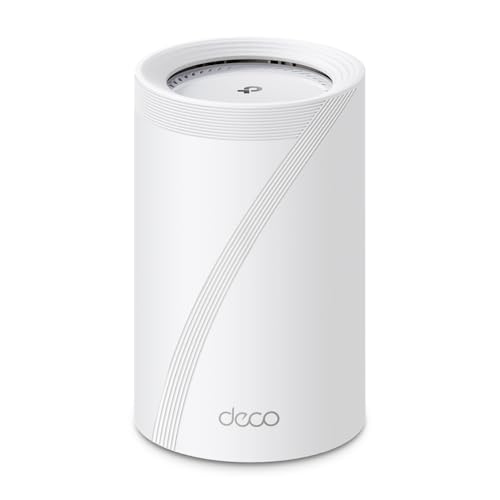
TP-Link Deco Tri-Band Wi-Fi 7 Router (1-Pack)
Best for: standalone multi-gigabit Wi-Fi 7 setups
- Wi-Fi Standard
- Wi-Fi 7
- Speed Rating
- BE14000
- Coverage Area
- Up to 3,100 sq. ft.
- Frequency Bands
- Tri-Band
- Pack Size
- 1-Pack
- Port Speed
- 10 Gbps
View on Amazon: TP-Link Deco Tri-Band Wi-Fi 7 Router (1-Pack) (paid link)
This single-unit mesh router delivers tri-band Wi-Fi 7 coverage up to 3,100 square feet for over 200 devices. It features an eight-stream design with combined speeds up to 14 Gbps across 6 GHz, 5 GHz, and 2.4 GHz bands. Hardware includes one 10 Gbps port, one 2.5 Gbps port, one 1 Gbps port, and a USB 3.0 port. It suits you if you need multi-gigabit wired connectivity.
Pros
- Dedicated 10 Gbps and 2.5 Gbps Ethernet ports for multi-gigabit wired setups
- Tri-band Wi-Fi 7 speeds reaching up to 8,647 Mbps on the 6 GHz band
- Equipped with a USB 3.0 port for external connectivity
- Supports over 200 connected devices across 3,100 square feet
Cons
- Includes only a single unit rather than a multi-node pack
- Coverage limited to 3,100 square feet without purchasing additional units
Good fit if
- You have an internet plan exceeding 1 Gbps and need a 10 Gbps WAN or LAN port.
- You want tri-band Wi-Fi 7 capabilities including 6 GHz band support.
- You need a router with a built-in USB 3.0 port.
Skip if
- You need multiple mesh satellites out of the box to cover a larger space.
- You live in a home larger than 3,100 square feet that requires immediate multi-room coverage.
Verdict: TP-Link Deco Tri-Band Wi-Fi 7 Router (1-Pack) provides tri-band Wi-Fi 7 speeds and a 10 Gbps port in a single standalone unit. It serves homes up to 3,100 square feet needing high-bandwidth wired and wireless capacity.
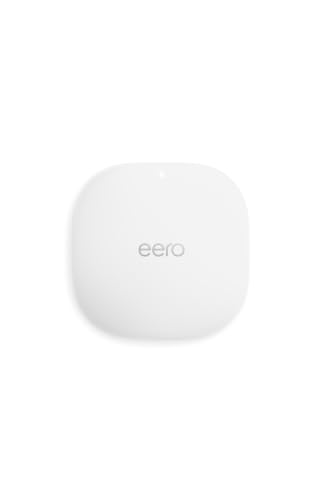
Amazon eero PoE 6 Dual-Band Access Point
Best for: wired PoE ceiling and wall installations
- Wi-Fi Standard
- Wi-Fi 6
- Speed Rating
- 1.6 Gbps
- Coverage Area
- 2,000 sq. ft.
- Frequency Bands
- Dual-band
- Device Capacity
- 100+
- PoE Support
- PoE
View on Amazon: Amazon eero PoE 6 Dual-Band Access Point (paid link)
The Amazon eero PoE 6 is a dual-band Wi-Fi 6 access point powered via Power over Ethernet. It delivers wireless speeds up to 1.6 Gbps and covers up to 2,000 square feet while supporting over 100 devices. Because it mounts directly to walls or ceilings without an AC power cord, it suits you if you have existing Ethernet wiring and want clean ceiling-mounted coverage.
Pros
- Powered via Power over Ethernet without needing a separate power cord
- Covers up to 2,000 square feet and handles 100+ connected devices
- Mounts flush to ceilings or walls
- Supports Wi-Fi 6 wireless speeds up to 1.6 Gbps
Cons
- AC adapter is not included in the box
- Requires existing PoE infrastructure to supply power
- Limited to dual-band rather than tri-band wireless
Good fit if
- You have PoE network drops run to your ceilings or walls.
- You want an access point that mounts overhead without visible power cables.
- You run an existing eero mesh network and want wired expansion.
Skip if
- You lack PoE switches or PoE injectors to power the unit.
- You need a router with an included standard wall outlet adapter.
Verdict: Amazon eero PoE 6 Dual-Band Access Point provides reliable Wi-Fi 6 coverage for homes wired with Power over Ethernet. It delivers clean ceiling and wall installations without standard power bricks.

TP-Link Deco PoE WiFi 6 3-Pack
Best for: homes with ceiling or wall Ethernet wiring
- Wi-Fi Standard
- WiFi 6
- Speed Rating
- AX3000
- Coverage Area
- up to 6,500 sq.ft
- Frequency Bands
- Dual-Band
- Pack Size
- 3-Pack
- Port Speed
- 2.5 Gigabit
View on Amazon: TP-Link Deco PoE WiFi 6 3-Pack (paid link)
This three-pack mesh system provides dual-band Wi-Fi 6 coverage up to 6,500 square feet and connects up to 150 devices. Each unit features two 2.5 Gbps Ethernet ports and supports Power over Ethernet, letting you run power and wired backhaul through ceiling or wall network cables. It fits your home if you want multi-gigabit wired flexibility alongside AX3000 wireless speeds without needing wall outlets near every node.
Pros
- Two 2.5 Gbps Ethernet ports on every unit
- PoE+ power input alongside standard DC power
- Up to 6,500 square feet of coverage across three units
- AX3000 speeds reaching 2402 Mbps on 5 GHz and 574 Mbps on 2.4 GHz
Cons
- Dual-band design lacks a dedicated third wireless backhaul band
- PoE+ switch is not included for Ethernet-powered setups
Good fit if
- You have Ethernet cabling installed in your walls or ceilings.
- You need 2.5 Gbps wired ports to eliminate network bottlenecks.
- You want whole-home coverage for up to 150 connected devices.
Skip if
- You require tri-band support or newer Wi-Fi 6E or Wi-Fi 7 standards.
- You need PoE operation without purchasing an external PoE switch.
Verdict: TP-Link AX3000 PoE Mesh 3-Pack delivers dual-band Wi-Fi 6 with multi-gigabit ports and flexible ceiling-mount power options. It provides a solid wired backhaul solution for homes with existing network cabling.

ASUS ZenWiFi Dual-Band WiFi 7 3-Pack
Best for: large homes needing multi-gigabit dual-band Wi-Fi 7
- Wi-Fi Standard
- WiFi 7
- Speed Rating
- 5000 Mbps
- Coverage Area
- up to 6800 sq.ft.
- Frequency Bands
- Dual-band
- Pack Size
- 3 Pack
- Port Speed
- 2.5G
View on Amazon: ASUS ZenWiFi Dual-Band WiFi 7 3-Pack (paid link)
This 3-pack mesh system equips your home with dual-band Wi-Fi 7 networking, delivering total throughput up to 5000 Mbps. It covers spaces up to 6,800 square feet using four internal antennas per unit. The hardware features 2.5G port connectivity alongside built-in AiProtection Pro security tools, dedicated IoT network support, and AiMesh compatibility. It suits you if you need wide whole-home wireless coverage with multi-gigabit wired backhaul capability.
Pros
- Dual-band Wi-Fi 7 speeds up to 5000 Mbps with MLO and 4K-QAM
- Covers up to 6,800 square feet with three units
- Equipped with 2.5G port speed
- Includes AiProtection Pro security and Smart Home Master SSIDs
Cons
- Uses dual-band Wi-Fi 7 rather than tri-band
- Rated strictly for indoor environments
Good fit if
- You need coverage for indoor spaces up to 6,800 square feet.
- You want 2.5G wired connectivity on a Wi-Fi 7 network.
- You already own compatible ASUS routers to use with AiMesh.
Skip if
- You require tri-band connectivity with a dedicated 6 GHz band.
- You need outdoor-rated networking hardware.
Verdict: ASUS ZenWiFi Dual-Band WiFi 7 3-Pack delivers expansive 6,800-square-foot coverage and 2.5G port speeds for modern multi-gigabit homes. It provides strong dual-band Wi-Fi 7 capacity alongside robust integrated security tools.

Linksys Velop Micro 7 Dual-Band Mesh 3-Pack
Best for: app-free setup across large homes
- Wi-Fi Standard
- Wi-Fi 7
- Speed Rating
- BE5000
- Coverage Area
- 6600 sq.ft.
- Frequency Bands
- Dual-Band
- Pack Size
- 3-Pack
- Port Speed
- 2.5G
View on Amazon: Linksys Velop Micro 7 Dual-Band Mesh 3-Pack (paid link)
The Linksys Velop Micro 7 is a dual-band Wi-Fi 7 mesh system that comes in a three-pack covering up to 6,600 square feet. It provides speeds up to 5 Gbps across four streams and features a 2.5G auto-sensing port on each node. This system fits you if you want modern Wi-Fi 7 networking with simple hardware-button setup, app-free management, and zero personal account requirements.
Pros
- Wi-Fi 7 coverage up to 6,600 square feet across three nodes
- Hardware Instant-Pair button enables setup without a mobile app
- Built-in 2.5G auto-sensing Internet/LAN port
- Requires no user account, tracking, or monthly subscriptions
Cons
- Dual-band operation lacks a dedicated 6 GHz Wi-Fi band
- Limited to four total Wi-Fi streams
Good fit if
- You want Wi-Fi 7 coverage up to 6,600 square feet without using an app or creating an account.
- You have a multi-gigabit internet connection requiring a 2.5G port.
- You prefer a system powered by standard USB-C connections.
Skip if
- You need a tri-band Wi-Fi 7 mesh system with a dedicated 6 GHz frequency band.
- You require more than four spatial streams for high-density device traffic.
Verdict: Linksys Velop Micro 7 Dual-Band Mesh 3-Pack delivers modern Wi-Fi 7 speeds and multi-gig wired input across large homes. It is a solid choice if you want broad coverage without mandatory accounts or mobile apps.
Specifications side by side
| Spec | TP-Link Deco 7 Dual-Band WiFi 7 3-Pack | TP-Link Deco Dual-Band WiFi 7 3-Pack | Amazon eero Pro 6E 2-Pack | NETGEAR Orbi 770 Tri-Band WiFi 7 Satellite | TP-Link Deco Tri-Band Wi-Fi 7 Router (1-Pack) | Amazon eero PoE 6 Dual-Band Access Point | TP-Link Deco PoE WiFi 6 3-Pack | ASUS ZenWiFi Dual-Band WiFi 7 3-Pack | Linksys Velop Micro 7 Dual-Band Mesh 3-Pack |
|---|---|---|---|---|---|---|---|---|---|
| Wi-Fi Standard | WiFi 7 | Wi-Fi 7 | Wi-Fi 6E | WiFi 7 | Wi-Fi 7 | Wi-Fi 6 | WiFi 6 | WiFi 7 | Wi-Fi 7 |
| Speed Rating | 5 Gbps | BE3600 | 2.3 Gbps | Up to 11 Gbps | BE14000 | 1.6 Gbps | AX3000 | 5000 Mbps | BE5000 |
| Coverage Area | 6,600 sq. ft. | Up to 6,500 sq. ft | 4,000 sq. ft. | Up to 2,750 sq ft | Up to 3,100 sq. ft. | 2,000 sq. ft. | up to 6,500 sq.ft | up to 6800 sq.ft. | 6600 sq.ft. |
| Frequency Bands | Dual-Band | Dual-Band | not specified | Tri-band | Tri-Band | Dual-band | Dual-Band | Dual-band | Dual-Band |
| Pack Size | 3 Pack | 3-Pack | 2-pack | 1 Pack | 1-Pack | not specified | 3-Pack | 3 Pack | 3-Pack |
| Port Speed | 2.5G | 2.5 Gbps | 2.5 Gbps | not specified | 10 Gbps | not specified | 2.5 Gigabit | not specified | 2.5G |
| Device Capacity | over 150 devices | 150 devices | 100+ | not specified | Over 200 devices | 100+ | up to 150 devices | not specified | not specified |
| Frequency Band | Dual-Band | Dual-Band | not specified | not specified | Tri-Band | Dual-Band | not specified | not specified | Dual-Band |
| PoE Support | not specified | not specified | not specified | not specified | not specified | PoE | PoE | not specified | not specified |
| Intended Use | not specified | not specified | not specified | not specified | Home | not specified | not specified | not specified | not specified |
| Operating Mode | not specified | not specified | not specified | not specified | not specified | Access Point Mode | not specified | not specified | not specified |
| Dimensions | 5.91 × 5.91 × 2.44 inches | 9.02 × 8.46 × 6.34 inches | 5.47 × 5.47 × 2.21 inches | not specified | 6.93 × 4.23 × 4.23 inches | 6.45 × 6.45 × 1.69 inches | 6.1 × 6.1 × 2.7 inches | 5.5 × 2.8 × 5.5 inches | not specified |
| Weight | 3.28 pounds | not specified | 1.41 pounds | not specified | 1.7 pounds | 15.5 ounces | not specified | 1.2 pounds | 5.22 pounds |
| Size | 3 Pack | 3 - Pack | not specified | 1 Pack | 1 Pack | not specified | 3 Pack | 3 Pack Indoor | Velop Micro 7 (3 Pack) |
| Color | White | White | WHITE | not specified | White | WHITE | White | WHITE | not specified |
| Model | Deco BE25(3-Pack) | Deco BE23(3-Pack) | S010001 | RBE770-100NAS | Deco BE67(1-Pack) | T010001 | Deco X50-PoE(3-pack) | BD5 (W-3-PK) | LN1603 |
Hardware Specification Trade-Offs Under $300
Systems Under $300 offer Wi-Fi 7 multi-packs or specialized wired options, but you accept hardware compromises. Most multi-node Wi-Fi 7 systems in this tier use dual-band wireless, omitting the 6 GHz spectrum. When tri-band Wi-Fi 7 or 10 Gbps port capabilities appear, packages shrink to a single router or add-on satellite. Units with Power over Ethernet support limit you to older Wi-Fi 6 wireless standards and AX3000 speeds. Multi-room Wi-Fi 7 packages prioritize coverage area over dedicated third frequency bands.
- Frequency band: Multi-pack Wi-Fi 7 setups use dual-band wireless, omitting the 6 GHz spectrum.
- Pack size: Tri-band Wi-Fi 7 options are restricted to single-unit routers or individual satellites.
- Wi-Fi standard: Hardware offering PoE support relies on older Wi-Fi 6 protocols.
If you are also assembling a wired workstation, you can evaluate each motherboard under 300 by its ethernet controller and expansion slot specifications.
How We Selected These Systems
To choose the 9 systems for this guide, we pull Amazon listings matching Under $300. Every detail comes strictly from published specifications and feature lists. We do not physically test products. To keep options clear, you see only one variant per product family. Listings are organized with products in stock first, then by Amazon sales rank, placing better-selling products first.
Stock levels and prices update live on the page at least daily. A system appears here only when its price stays Under $300. Because listing data changes continuously, products move in or out of this guide as figures shift.
How to Choose the Right Mesh System
-
Choose the Wireless Standard
Check the wireless generation listed on the box before you buy. Wi-Fi 6 handles everyday streaming and smart home gear with reliable throughput. Wi-Fi 6E introduces dedicated 6 GHz channels to reduce local interference for compatible phones and laptops. Wi-Fi 7 increases overall channel bandwidth and lowers latency across modern clients. If your household runs older devices, Wi-Fi 6 remains sufficient. If you actively use newer laptops and phones with modern network cards, target Wi-Fi 7 hardware to match your client capabilities.
-
Check Ethernet Port Speeds
Review the physical Ethernet port specifications on each mesh node. Standard gigabit ports cap wired throughput at 1,000 Mbps. If your internet service provider supplies multi-gigabit speeds, or if you use high-speed network storage, standard ports create a bottleneck. Look for hardware with 2.5 Gbps or 10 Gbps Ethernet connections. The ASUS ZenWiFi Dual-Band WiFi 7 3-Pack includes 2.5G ports, which allow you to carry multi-gigabit data through wired backhaul cables without slowing down local network transfers.
-
Evaluate Power over Ethernet
Check how each mesh unit draws power before planning installation locations. Standard mesh nodes require nearby electrical outlets and power adapters, limiting placement to shelves, desks, or counters. Systems supporting Power over Ethernet receive data and electric power through a single Cat6 network cable. If your home has pre-wired ceiling or in-wall Ethernet drops, PoE hardware creates a clean installation without loose cables. The TP-Link Deco PoE WiFi 6 3-Pack supports PoE operation, allowing direct ceiling mounting for optimal signal distribution.
-
Verify Connected Device Capacity
Examine the maximum device capacity rating if you manage a dense smart home. Smart plugs, security cameras, sensors, and media streamers constantly communicate in the background. Systems with limited device handling can experience dropped packets and intermittent disconnects when managing dozens of simultaneous clients. If your household operates numerous connected products, choose hardware rated specifically for heavy concurrent loads. The Amazon eero Pro 6E 2-Pack supports 100+ devices simultaneously, preventing wireless congestion across busy home automation setups.
-
Review Setup Management Methods
Consider how you prefer to configure and administer your home network. Many modern mesh systems mandate mobile apps, continuous internet access, and registered cloud accounts just to complete initial installation. If you prioritize network privacy or prefer managing router settings through a standard web browser on a computer, verify account requirements before purchase. The Linksys Velop Micro 7 Dual-Band Mesh 3-Pack allows app-free setup, letting you configure your local wireless network without registering an online user profile.
-
Calculate Square Footage Requirements
Compare the total square footage rating against your home layout. Published coverage ratings reflect clear conditions with minimal physical obstructions. Interior walls, floors, and metal appliances degrade wireless signals between nodes. To ensure reliable coverage across your entire living space, choose a system with a square footage rating that exceeds your home footprint by at least twenty percent. Multi-story homes require overlapping node coverage, so verify that individual node placement covers distant corners and outdoor living spaces effectively.
Frequently asked questions
Can a single mesh router provide enough coverage for a mid-sized home?
Yes, certain standalone units cover mid-sized layouts without extra satellites. For example, the TP-Link Deco BE67 1-Pack covers up to 3,100 square feet using tri-band Wi-Fi 7. It also features a 10 Gbps Ethernet port to support high-speed incoming connections directly. If your property expands later, you can integrate additional compatible nodes to widen the wireless footprint.
How does Power over Ethernet benefit a home mesh network?
Power over Ethernet lets you supply electricity and network data to a node across a single cable. Units like the TP-Link Deco X50-PoE 3-Pack and Amazon eero PoE 6 install cleanly on ceilings or walls without nearby AC wall outlets. This configuration delivers consistent wired speeds across your nodes while keeping living areas free of dangling power adapters.
What is the coverage difference between two-pack and three-pack mesh systems?
A three-pack generally reaches broader floor plans than a two-pack. In this category, the Amazon eero Pro 6E 2-Pack covers up to 4,000 square feet, making it suitable for moderate spaces. By comparison, three-pack options like the ASUS ZenWiFi BD5 and TP-Link Deco BE25 specify coverage up to 6,800 and 6,600 square feet, distributing signal across more physical rooms.
Can you add an Orbi satellite to any brand of mesh router?
No, mesh satellites generally require a matching router from the same system family. The NETGEAR Orbi 770 Tri-Band WiFi 7 Satellite expands coverage by 2,750 square feet, but it operates only alongside an Orbi 770 base unit. It cannot pair with routers from ASUS, TP-Link, or even older Orbi series models to form a unified wireless network.
How many devices can a Wi-Fi 6E mesh system support at once?
Device capacity depends on the model hardware, but multi-node systems regularly handle heavy loads. The Amazon eero Pro 6E 2-Pack is rated to support more than 100 devices simultaneously. Its 2.5 Gbps Ethernet port and Wi-Fi 6E technology help route high-bandwidth traffic smoothly, preventing local network congestion when smart home accessories, computers, and streaming boxes run together.
Why do some Wi-Fi 7 mesh systems use dual-band instead of tri-band?
Dual-band Wi-Fi 7 systems keep hardware simpler while delivering high-speed features like multi-gigabit ports and updated protocol handling. Models like the Linksys Velop Micro 7, TP-Link Deco BE23, and ASUS ZenWiFi BD5 operate on 2.4 GHz and 5 GHz bands with 2.5G ports. They omit the 6 GHz spectrum, providing broad Wi-Fi 7 coverage without requiring additional dedicated internal antennas.